



 本文介绍如何使用WangEditor富文本编辑器及其Vue组件库创建一个可直接与Vue应用程序交互的封装组件。通过具体步骤说明如何安装核心库,并提供代码示例展示如何设置配置项以实现自定义功能。
效果
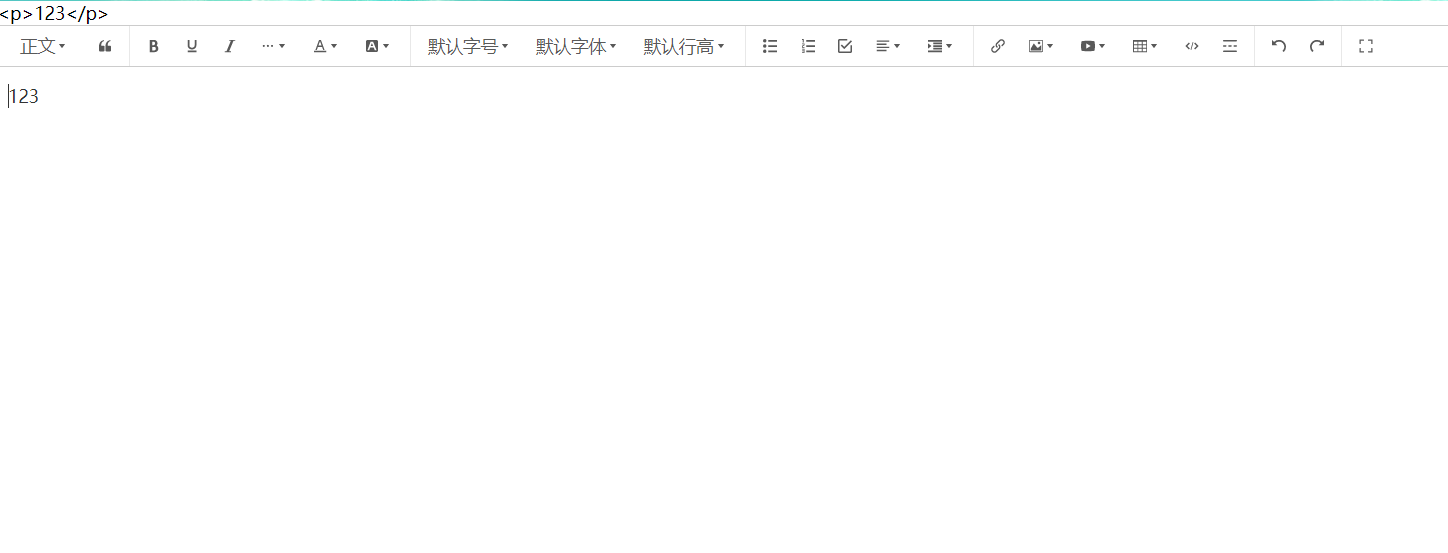
安装
安装核心库和其vue组件库
yarn add @wangeditor/editor
yarn add @wangeditor/editor-for-vue@next
使用v-model封装富文本组件editor.vue
<template>
  <div class="editor-box">
    <Toolbar class="toolbar" :editor="editor" :defaultConfig="toolbarConfig" :mode="mode" ref="t" />
    <Editor class="editor" v-model="html" :defaultConfig="editorConfig" :mode="mode" @onCreated="onCreated" />
  </div>
</template>
<script>
import "@wangeditor/editor/dist/css/style.css"
import { Editor, Toolbar } from "@wangeditor/editor-for-vue"
import { DomEditor } from "@wangeditor/editor"
export default {
  components: { Editor, Toolbar },
  data() {
    return {
      editor: null,
      toolbarConfig: {
        // 不需要的工具栏选项,这里去除了emoji表情
        excludeKeys: ["emotion"],
      },
      editorConfig: {
        placeholder: "请输入内容...",
        // 这里可以用于自定义emoji表情
        MENU_CONF: {
          emotion: {
            // emotions: "😀 😃 😄 😁 😆 😅 😂 🤣 😊 😇 🙂 🙃 😉".split(" "), // 数组
          },
        },
      },
      mode: "default",
    }
  },
  props: {
    modelValue: String,
  },
  computed: {
    html: {
      get() {
        return this.modelValue
      },
      set(v) {
        this.$emit("update:modelValue", v)
      },
    },
  },
  methods: {
    onCreated(editor) {
      this.editor = Object.seal(editor) // 一定要用 Object.seal() ,否则会报错
    },
  },
  mounted() {
    // 获取工具栏的所有key
    setTimeout(() => {
      const toolbar1 = DomEditor.getToolbar(this.editor)
      console.log("keys", toolbar1.getConfig())
    }, 100)
  },
  beforeDestroy() {
    const editor = this.editor
    if (editor == null) return
    editor.destroy() // 组件销毁时,及时销毁编辑器
  },
}
</script>
<style lang="scss" scoped>
.w-e-full-screen-container {
  z-index: 9999;
}
.editor-box {
  border: 1px solid #ccc;
}
.toolbar {
  border-bottom: 1px solid #ccc;
}
.editor {
  height: 500px !important;
}
</style>
使用组件
<template>
  <div class="test">
    {{ text }}
    <editor v-model="text"></editor>
  </div>
</template>
<script>
export default {
  data() {
    return {
      text: "",
    }
  },
  watch: {},
  methods: {},
  mounted() {
    // 模拟接口请求
    setTimeout(() => {
      this.text = "123"
    }, 1000)
  },
}
</script>





 扫一扫
扫一扫


 到【灌水乐园】发言



