



 本文详细介绍了如何在Maven项目中配置多环境部署,通过在pom文件中设置不同的profiles来区分开发、测试和生产环境,同时展示了如何通过资源文件的动态加载实现不同环境的配置切换,最后提供了具体的mvn命令示例,帮助读者掌握多环境部署的实践技巧。
1.pom文件增加如下配置:
<profiles>
<profile>
<!-- 本地开发环境 -->
<id>dev</id>
<properties>
<profiles.active>dev</profiles.active>
</properties>
<activation>
<activeByDefault>true</activeByDefault>
</activation>
</profile>
<profile>
<!-- 测试环境 -->
<id>test</id>
<properties>
<profiles.active>test</profiles.active>
</properties>
</profile>
<profile>
<!-- 生产环境 -->
<id>pro</id>
<properties>
<profiles.active>pro</profiles.active>
</properties>
</profile>
</profiles>
2.然后在pom文件的build里面增加
<resources>
<resource>
<directory>src/main/resources</directory>
<!-- 资源根目录排除各环境的配置,防止在生成目录中多余其它目录 -->
<excludes>
<exclude>test/*</exclude>
<exclude>pro/*</exclude>
<exclude>dev/*</exclude>
</excludes>
</resource>
<resource>
<directory>src/main/resources/${profiles.active}</directory>
</resource>
</resources>
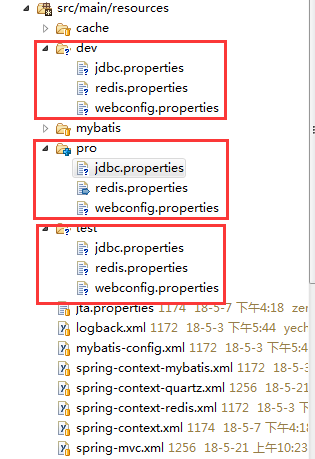
3.在resources里面,分别增加pro,dev,test三个文件夹,然后不同环境需要修改的配置文件放进去里面,如下图所示:
4.运行mvn命令发布,相关命令如下:
clean package -Ptest -D maven.test.skip=true 发布测试版本并且跳过测试
clean package -Pdev -D maven.test.skip=true 发布开发版本并且跳过测试
clean package -Ppro -D maven.test.skip=true 发布生成版本并且跳过测试
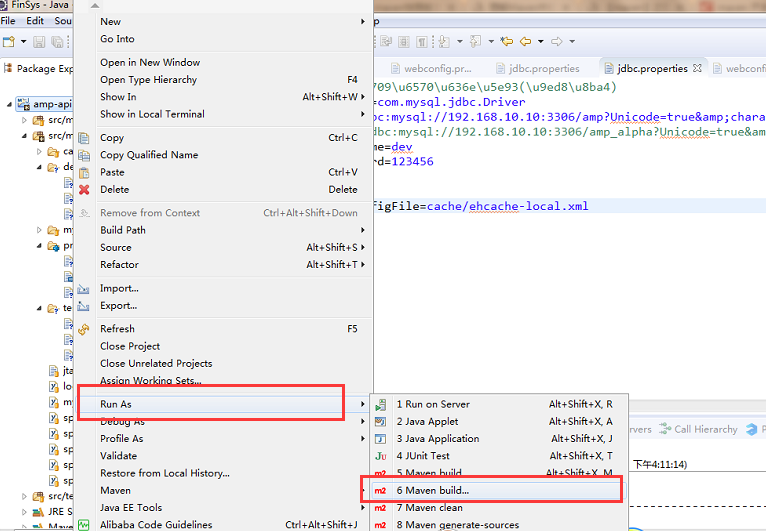
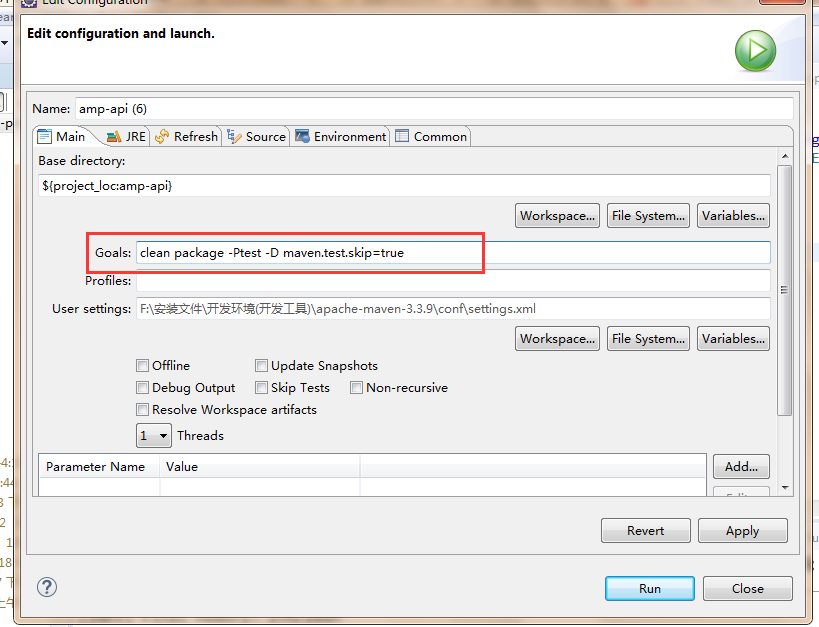
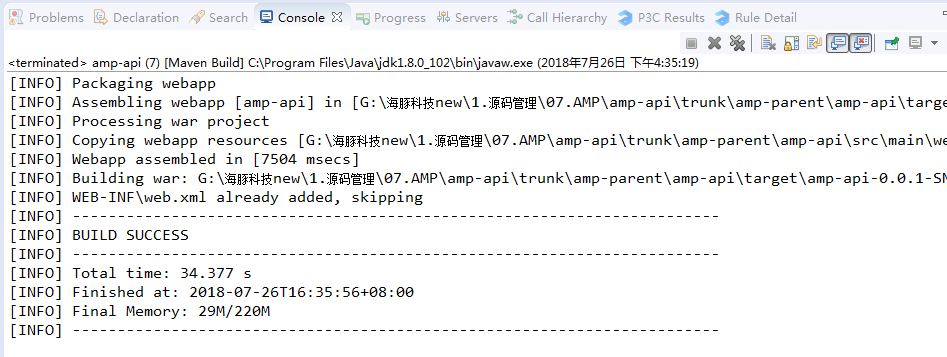
6.出现如下图提示,表示发布成功





 扫一扫
扫一扫


 2252
2252

 被折叠的 条评论
为什么被折叠?
被折叠的 条评论
为什么被折叠?
 到【灌水乐园】发言





