



 本文介绍在Ubuntu18.4上安装Zabbix4.0的过程,包括配置远程数据库连接、使用自定义模板查看监控图标信息及监控新主机的具体步骤。特别强调了确保服务器与代理之间通信正常的关键因素。
软件安装参考:安装参考链接地址
软件版本:Uabntu18.4 zabbix4.0 nginx php7.0 mysql5.7
zabbix安装主要事项:
1、增加远程数据库连接,便于清理不必要的数据
root@user-desktop:/etc/zabbix# mysql -uroot -p
Enter password:
Welcome to the MySQL monitor.  Commands end with ; or \g.
Your MySQL connection id is 14740
Server version: 5.7.32-0ubuntu0.18.04.1 (Ubuntu)
Copyright (c) 2000, 2020, Oracle and/or its affiliates. All rights reserved.
Oracle is a registered trademark of Oracle Corporation and/or its
affiliates. Other names may be trademarks of their respective
owners.
Type 'help;' or '\h' for help. Type '\c' to clear the current input statement.
mysql> create database zabbix character set utf8 collate utf8_bin;
Query OK, 1 row affected (0.00 sec)
mysql> grant all privileges on zabbix.* to zabbix@'*' identified by '123456';
Query OK, 0 rows affected, 1 warning (0.00 sec)
mysql> flush privileges;
Query OK, 0 rows affected (0.00 sec)
mysql> quit
Bye
2、利用自导模板查看监控的图标信息
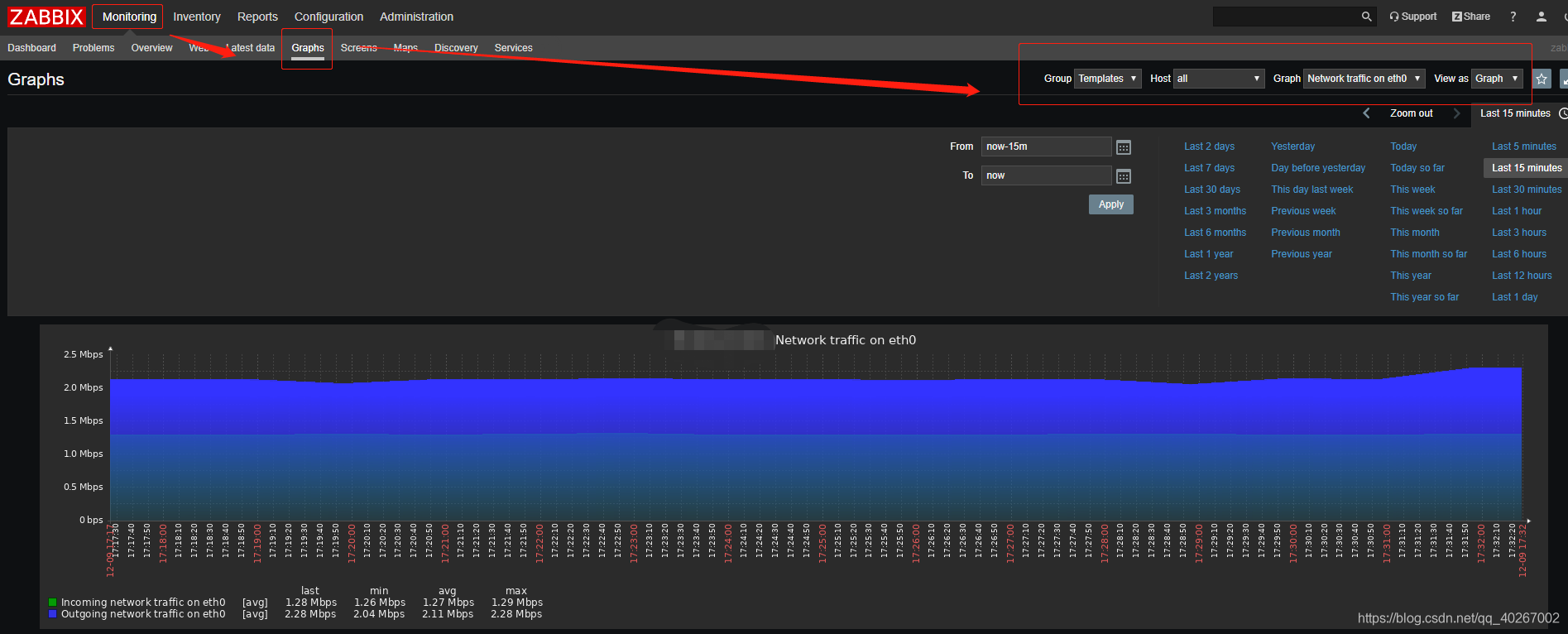
3、监控新的主机步骤为:
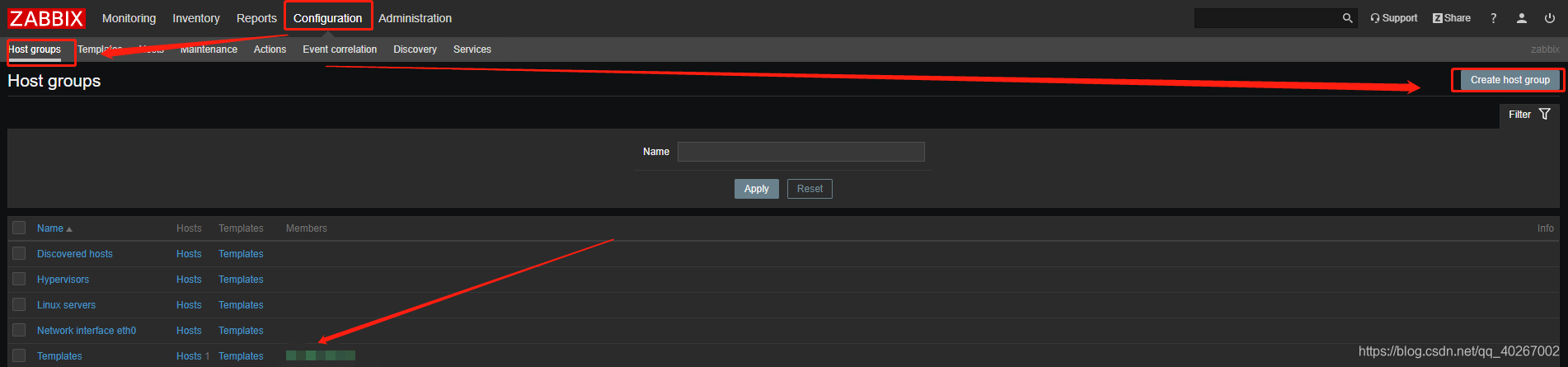
1.创建Host groups
2.创建Hosts
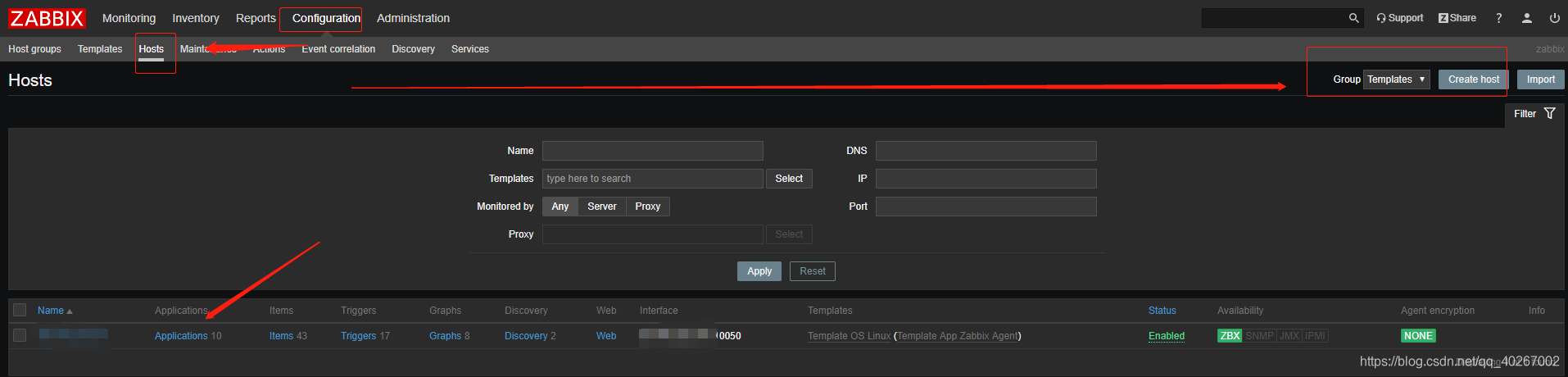
注意事项:
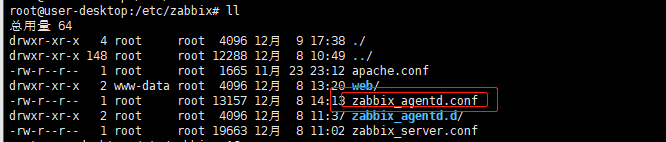
host name 名字必须和zabbix_agentd.conf中的配置一样,zabbix_agentd.conf位置(默认)在:
/etc/zabbix
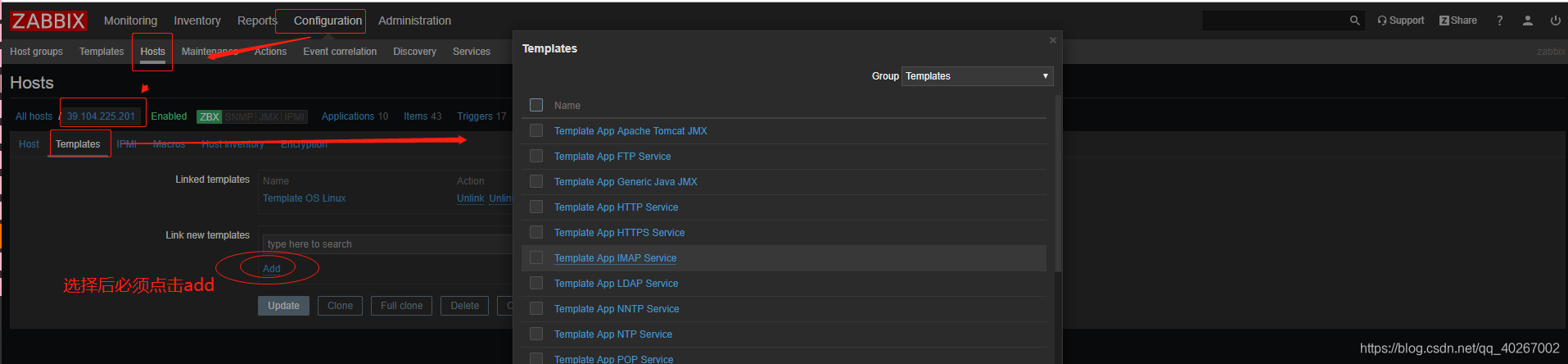
3.应用模板
4.启动主机
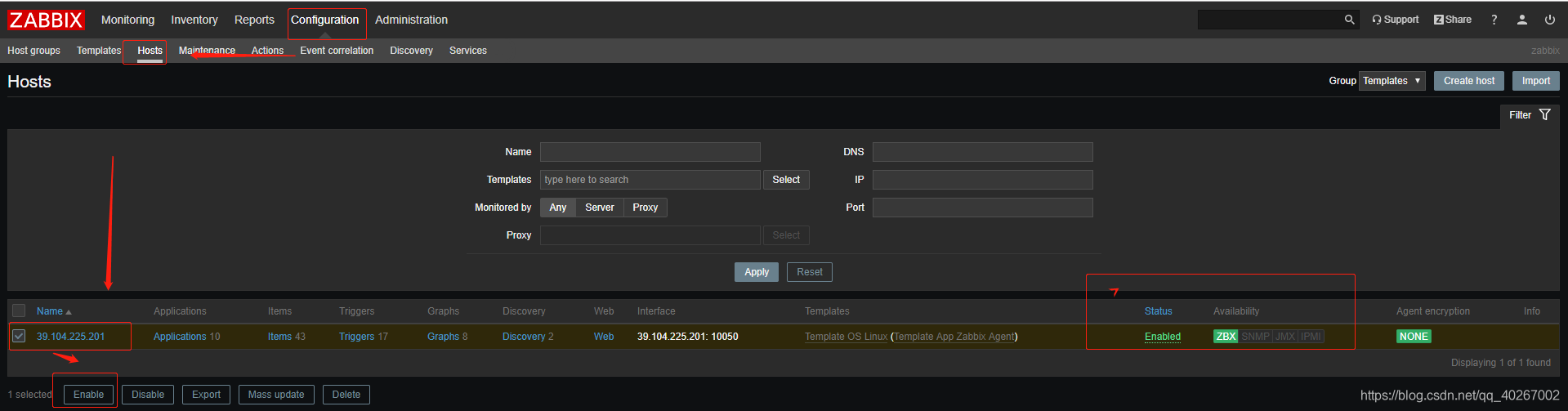
显示Enabled表示服务器和代理之间通信正常,否则存在以下问题:
1.配置的hostname与代理配置文件中的不一致
2.IP地址错误
3.服务没有启动
4.端口没有通,本人的问题就是阿里云服务器端口没有设置导致纠结很久!!!
5.防火墙问题





 扫一扫
扫一扫


 1742
1742

 被折叠的 条评论
为什么被折叠?
被折叠的 条评论
为什么被折叠?
 到【灌水乐园】发言





