






git环境搭建
git是目前流行的非常好用的版本控制工具,
本章教大家如何在linux服务上安装git。这里介绍两种安装方式;
第一种方法:
1、yum安装;
2、从github上下载最新的源码编译后安装
yum install git
root@localhost:~/Pictures# yum install git
Loaded plugins: fastestmirror, refresh-packagekit, security
Loading mirror speeds from cached hostfile
 * base: mirrors.163.com
 * extras: mirrors.aliyun.com
 * updates: mirrors.163.com
base                                                                                                                                                                      | 3.7 kB     00:00
extras                                                                                                                                                                    | 3.4 kB     00:00
updates                                                                                                                                                                   | 3.4 kB     00:00
Setting up Install Process
Resolving Dependencies
--> Running transaction check
---> Package git.x86_64 0:1.7.1-9.el6_9 will be installed
--> Processing Dependency: perl-Git = 1.7.1-9.el6_9 for package: git-1.7.1-9.el6_9.x86_64
--> Processing Dependency: perl(Git) for package: git-1.7.1-9.el6_9.x86_64
--> Processing Dependency: perl(Error) for package: git-1.7.1-9.el6_9.x86_64
--> Running transaction check
---> Package perl-Error.noarch 1:0.17015-4.el6 will be installed
---> Package perl-Git.noarch 0:1.7.1-9.el6_9 will be installed
--> Finished Dependency Resolution

Dependencies Resolved

=================================================================================================================================================================================================
 Package                                        Arch                                       Version                                                Repository                                Size
=================================================================================================================================================================================================
Installing:
 git                                            x86_64                                     1.7.1-9.el6_9                                          base                                     4.6 M
Installing for dependencies:
 perl-Error                                     noarch                                     1:0.17015-4.el6                                        base                                      29 k
 perl-Git                                       noarch                                     1.7.1-9.el6_9                                          base                                      29 k

Transaction Summary
=================================================================================================================================================================================================
Install       3 Package(s)

Total download size: 4.7 M
Installed size: 15 M
Is this ok [y/N]:
但是这个版本是1.7的,版本太低
如果有条件可以自己去git官网下载(地址)
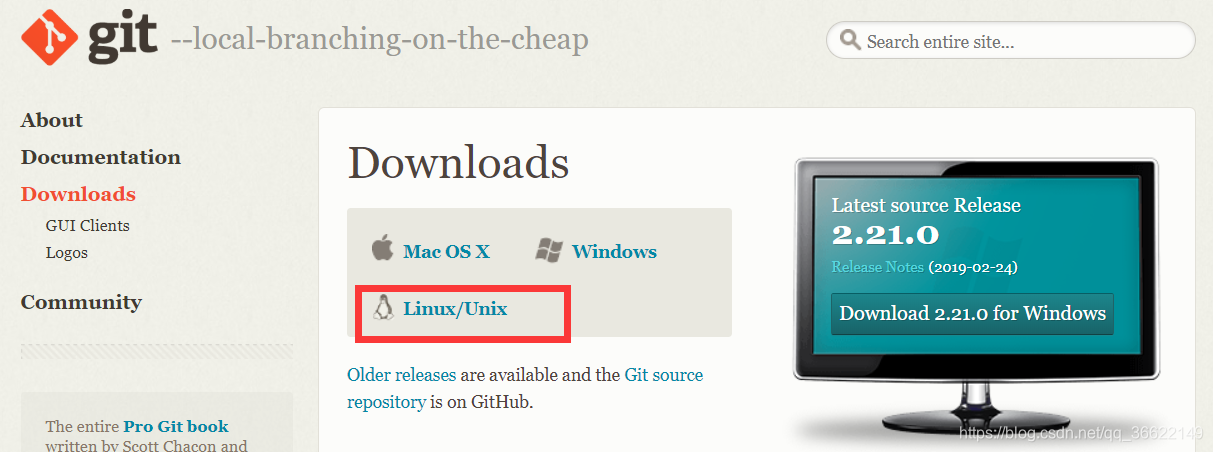
或者可以更新一下yum源
yum -y update
安装依赖包
yum -y install curl-devel expat-devel gettext-devel openssl-devel zlib-devel gcc perl-ExtUtils-MakeMaker
第二种方法
wget 使用wget下载git包,
wget https://github.com/git/git/archive/v2.8.1.tar.gz
root@localhost:~/Pictures# wget https://github.com/git/git/archive/v2.8.1.tar.gz
--2019-05-27 13:46:36--  https://github.com/git/git/archive/v2.8.1.tar.gz
Resolving github.com... 13.250.177.223
Connecting to github.com|13.250.177.223|:443... connected.
HTTP request sent, awaiting response... 302 Found
Location: https://codeload.github.com/git/git/tar.gz/v2.8.1 [following]
--2019-05-27 13:46:38--  https://codeload.github.com/git/git/tar.gz/v2.8.1
Resolving codeload.github.com... 13.229.189.0
Connecting to codeload.github.com|13.229.189.0|:443... connected.
HTTP request sent, awaiting response... 200 OK
Length: unspecified [application/x-gzip]
Saving to: “v2.8.1”

    [    <=>                                                                                                                                                 ] 13,270      4.59K/s
1、然后解压文件夹/usr/local/git
tar -zvf v2.8.1.tar.gz -C /usr/local/
2、进入解压后的文件夹,命令 cd git-2.17.0 ,然后执行编译,命令为
make prefix=/usr/local/git all
耐心等待编译即可;
3、安装Git至/usr/local/git路径,命令为
make prefix=/usr/local/git install
4、打开环境变量配置文件,命令
vim /etc/profile
在底部加上Git相关配置信息:
PATH=$PATH:/usr/local/git/bin
export PATH
然后保存,退出!
再执行
source /etc/profile
5、输入命令,查看安装的git版本,校验通过,安装成功。
git --version





 扫一扫
扫一扫


 3780
3780

 被折叠的 条评论
为什么被折叠?
被折叠的 条评论
为什么被折叠?
 到【灌水乐园】发言





