


 这篇博客记录了作者如何配置Nginx实现简单的负载均衡。在理解网上复杂的教程失败后,作者找到了一个易懂的参考,并成功配置。文章介绍了在拥有两个及以上Tomcat服务的环境下,如何设置Nginx的配置文件,以及启动和停止Nginx的命令。通过配置,实现了对多个Tomcat实例的负载均衡。
这几天发现被一个Nginx负载均衡给整懵了。只记得之前有看过一点点,然而却发现想不起来怎么配置的了。然后就在网上找了很多,发现有的写得好复杂,然后最尴尬的是,自己没有看懂!!!后来总算发现一篇我能看懂的,按照着试了下,果然可行。
参考请点击跳转,我不会那么多原理(顺便说一下,原文是使用IIS搭建,我用的是tomcat),就直接上手撸。
首先,得有一个Nginx,两个个及以上tomcat(我的是在自己电脑上测试的,所以一定要小心tomcat的端口冲突)
![[图片]](https://i-blog.csdnimg.cn/blog_migrate/0feaaef87c179e5f24d93a5f1c0e5662.png)
配置好两个tomcat之后,启动,分别访问,确保无误
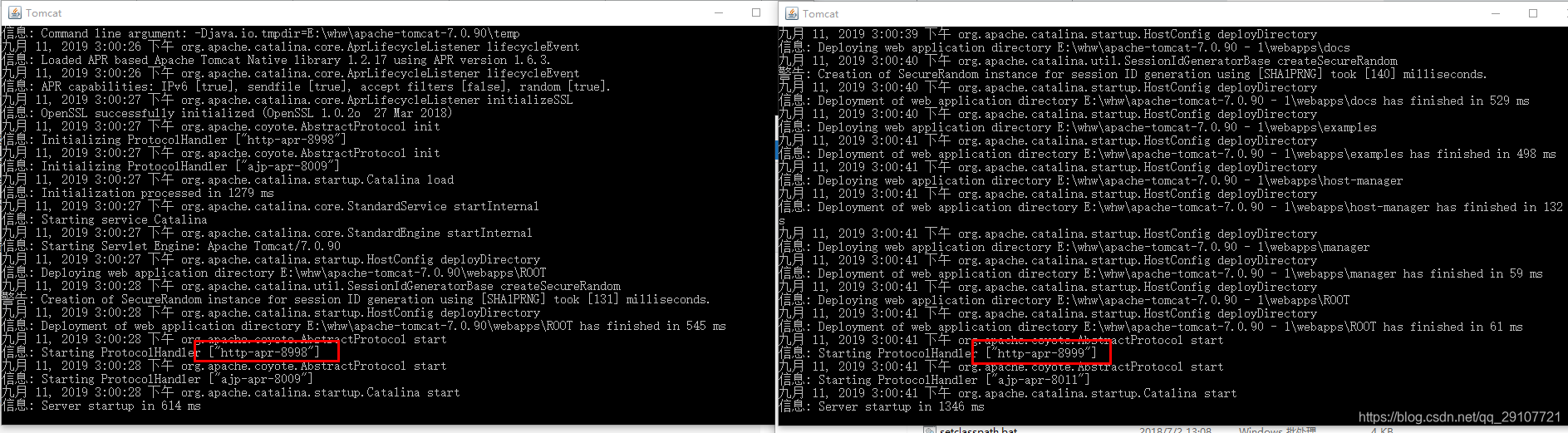
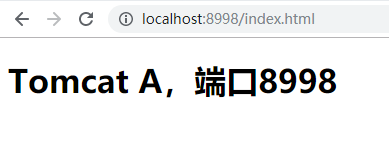
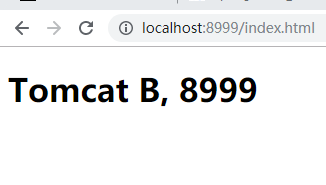
没问题,接下来就是配置Nginx了。首先找到nginx.conf文件
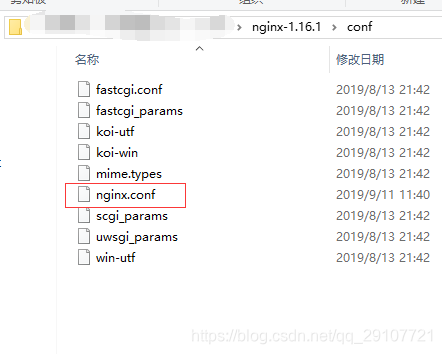
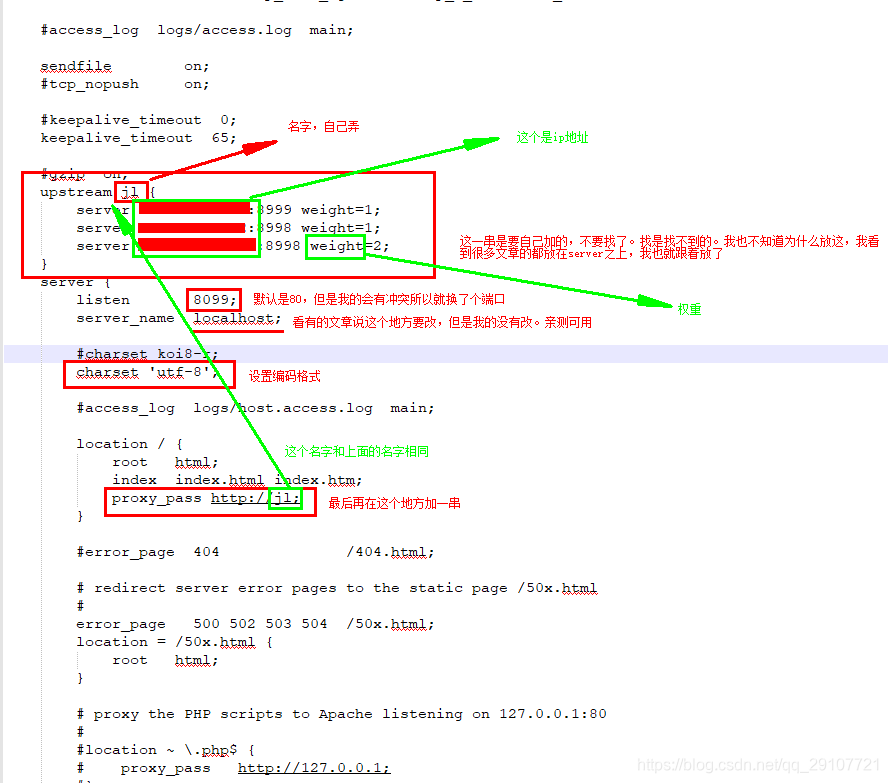
这样配置nginx就OK。简单的负载均衡。
#user  nobody;
worker_processes  1;

#error_log  logs/error.log;
#error_log  logs/error.log  notice;
#error_log  logs/error.log  info;

#pid        logs/nginx.pid;


events {
    worker_connections  1024;
}


http {
    include       mime.types;
    default_type  application/octet-stream;

    #log_format  main  '$remote_addr - $remote_user [$time_local] "$request" '
    #                  '$status $body_bytes_sent "$http_referer" '
    #                  '"$http_user_agent" "$http_x_forwarded_for"';

    #access_log  logs/access.log  main;

    sendfile        on;
    #tcp_nopush     on;

    #keepalive_timeout  0;
    keepalive_timeout  65;

    #gzip  on;
	upstream jl {
		server xxx.xxx.xxx.xxx:8999 weight=1;
		server xxx.xxx.xxx.xxx:8998 weight=1;
		server xxx.xxx.xxx.xxx:8998 weight=2;
	}
    server {
    # 监听的端口如果不冲突可以不修改
        listen       8099;
        server_name  localhost;

        #charset koi8-r;
		charset 'utf-8';

        #access_log  logs/host.access.log  main;

        location / {
            root   html;
            index  index.html index.htm;
			proxy_pass http://jl;
        }

        #error_page  404              /404.html;

        # redirect server error pages to the static page /50x.html
        #
        error_page   500 502 503 504  /50x.html;
        location = /50x.html {
            root   html;
        }

        # proxy the PHP scripts to Apache listening on 127.0.0.1:80
        #
        #location ~ \.php$ {
        #    proxy_pass   http://127.0.0.1;
        #}

        # pass the PHP scripts to FastCGI server listening on 127.0.0.1:9000
        #
        #location ~ \.php$ {
        #    root           html;
        #    fastcgi_pass   127.0.0.1:9000;
        #    fastcgi_index  index.php;
        #    fastcgi_param  SCRIPT_FILENAME  /scripts$fastcgi_script_name;
        #    include        fastcgi_params;
        #}

        # deny access to .htaccess files, if Apache's document root
        # concurs with nginx's one
        #
        #location ~ /\.ht {
        #    deny  all;
        #}
    }


    # another virtual host using mix of IP-, name-, and port-based configuration
    #
    #server {
    #    listen       8000;
    #    listen       somename:8080;
    #    server_name  somename  alias  another.alias;

    #    location / {
    #        root   html;
    #        index  index.html index.htm;
    #    }
    #}


    # HTTPS server
    #
    #server {
    #    listen       443 ssl;
    #    server_name  localhost;

    #    ssl_certificate      cert.pem;
    #    ssl_certificate_key  cert.key;

    #    ssl_session_cache    shared:SSL:1m;
    #    ssl_session_timeout  5m;

    #    ssl_ciphers  HIGH:!aNULL:!MD5;
    #    ssl_prefer_server_ciphers  on;

    #    location / {
    #        root   html;
    #        index  index.html index.htm;
    #    }
    #}

}
Nginx启动:start nginx
Nginx停止: nginx -s stop
有序停止:nginx -s quit
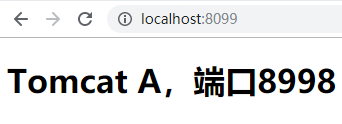
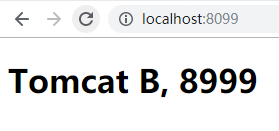
前两个ip是在我自己电脑上的Tomcat的发布的,最后一个是在和我一个网的同事电脑上,也是可以的。
记录下来只是为了自己以后的忘记了能找到地方查。
亲测可用的哦





 扫一扫
扫一扫


 827
827

 被折叠的 条评论
为什么被折叠?
被折叠的 条评论
为什么被折叠?
 到【灌水乐园】发言





