





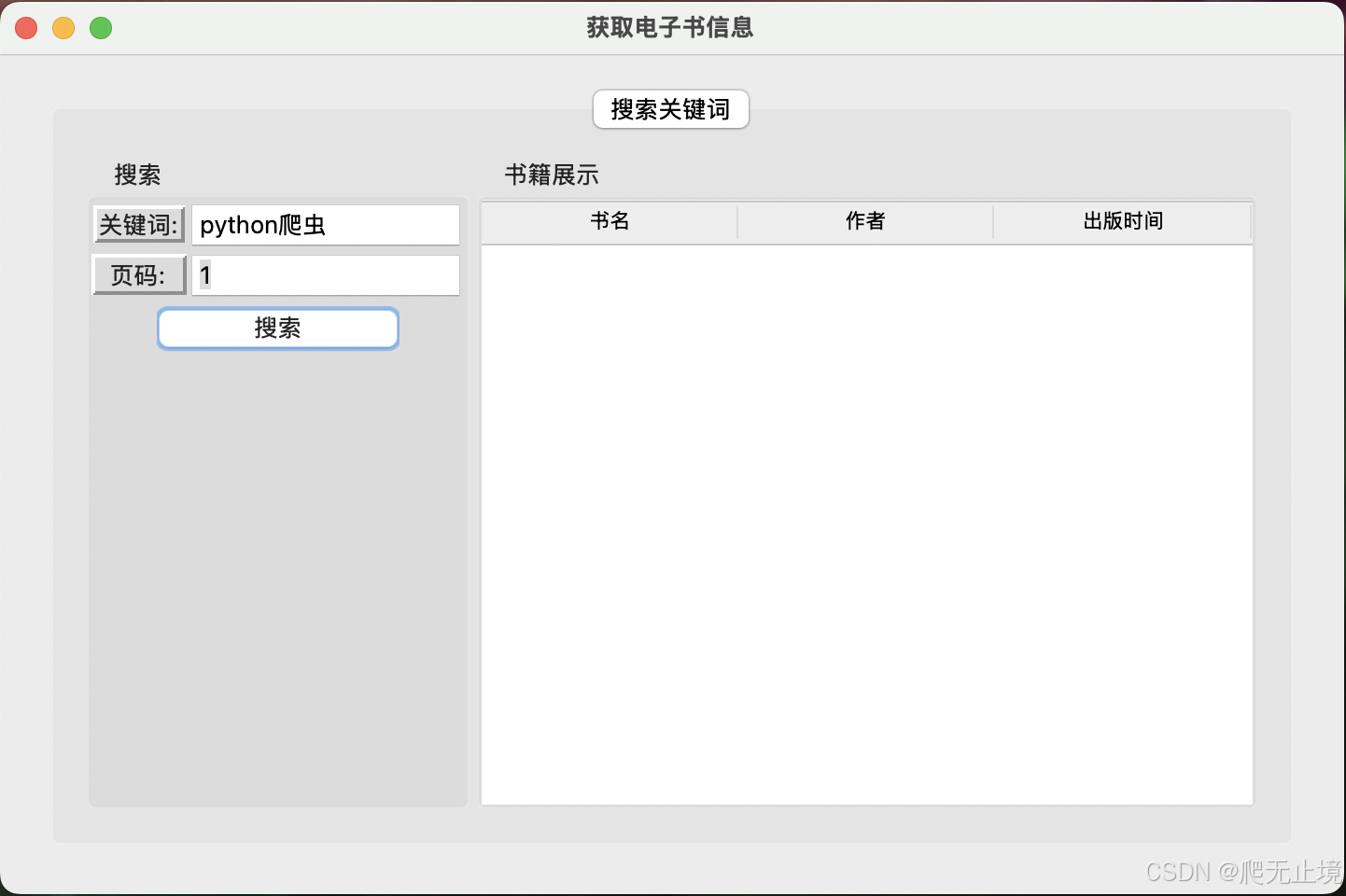
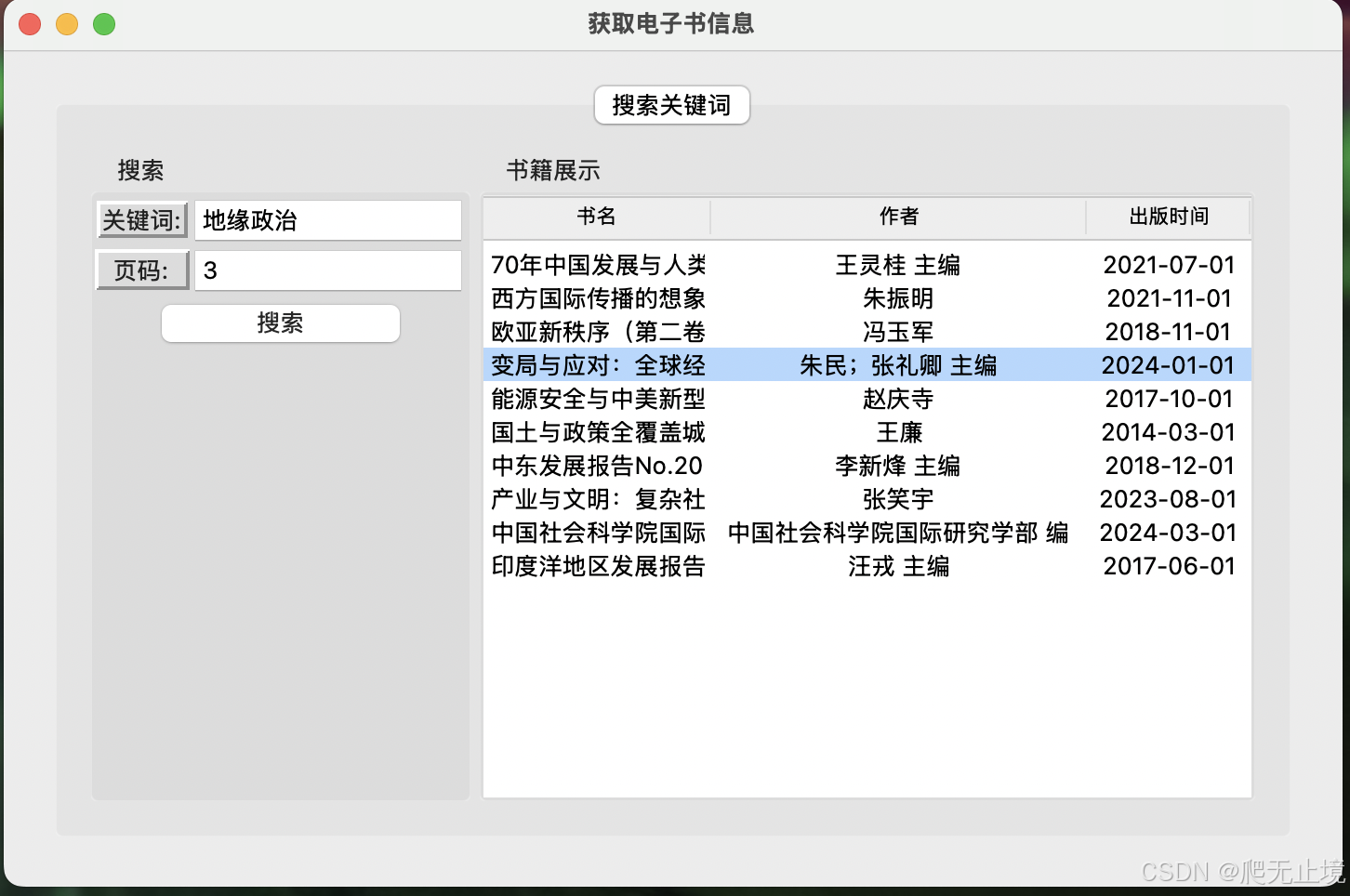
根据关键词点、获取书籍信息(书名,作者,发布时间,链接等等,文章内容除外).
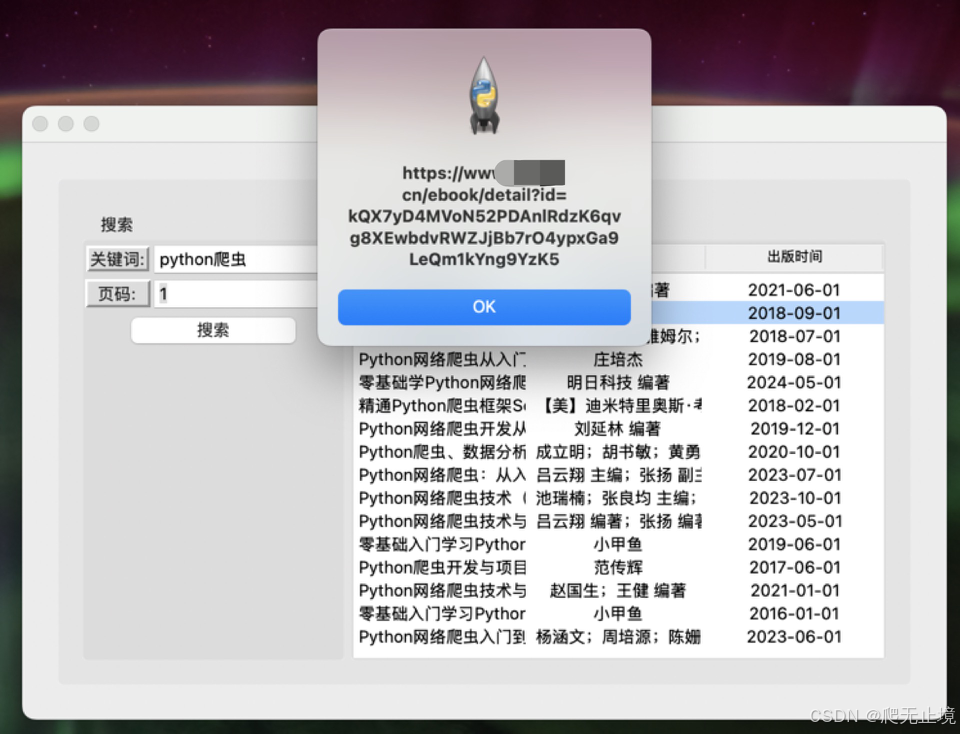
双击书籍信息显示链接.
1、界面
2、打包成.app可执行文件
需要在mac系统中生成.app文件,打包四个文件,main.py 主界面、searchTophits.py 爬取程序、dml_sqlite.py 操作数据库、sqliter3.db 数据存储
制作.app图标
- 新建目录: AppIcon.Iconset
- 通过mac自带预览->导出功能将图片转换成png。
- 将图片转换为10张不同分辨率的png,以适应不同环境
sips -z 16 16     icon_1024x1024.png --out AppIcon.Iconset/icon_16x16.png
sips -z 32 32     icon_1024x1024.png --out AppIcon.Iconset/icon_16x16@2x.png
sips -z 32 32     icon_1024x1024.png --out AppIcon.Iconset/icon_32x32.png
sips -z 64 64     icon_1024x1024.png --out AppIcon.Iconset/icon_32x32@2x.png
sips -z 128 128   icon_1024x1024.png --out AppIcon.Iconset/icon_128x128.png
sips -z 256 256   icon_1024x1024.png --out AppIcon.Iconset/icon_128x128@2x.png
sips -z 256 256   icon_1024x1024.png --out AppIcon.Iconset/icon_256x256.png
sips -z 512 512   icon_1024x1024.png --out AppIcon.Iconset/icon_256x256@2x.png
sips -z 512 512   icon_1024x1024.png --out AppIcon.Iconset/icon_512x512.png
mv icon_1024x1024.png icon_512x512@2x.png
- 执行 iconutil -c icns AppIcon.Iconset 生成 AppIcon.icns 图标
生成.spec 文件
.spec 文件是 PyInstaller 用来定义如何打包 Python 程序的配置文件。它记录了程序的打包选项、依赖项、资源文件、隐藏模块等信息,供 PyInstaller 在打包时使用。
- 执行命令 生成Search.spec 文件
pyi-makespec main.py -n Search -F -w
- 添加依赖、外部资源、icon图标
    datas=[('searchTophits.py', '.'), ('dml_dedao_sqlite.py', '.'), ('sqlite3.db', '.')],
    hiddenimports=['requests', 'sqlite3'],
    icon='AppIcon.icns',
执行打包命令
pyinstaller --clean Search.spec
在dist目录中就会生成Search.app 应用
3、代码
main.py
import concurrent.futures
from tkinter import *
from tkinter.ttk import *
from tkinter import messagebox
from searchTophits import *

# ------------------- 窗口 -------------------
root = Tk()

# 获取屏幕宽度和高度
screen_width = root.winfo_screenwidth()
screen_height = root.winfo_screenheight()
# 设置窗口位置
root_x = int(screen_width/2)
root_y = int(screen_height/2)
root_width = int(screen_width/4)
root_height = int(screen_height/4)

location = f"{root_x}x{root_y}+{root_width}+{root_height}"

root.geometry(location)
root.title("获取电子书信息")


# ------------------- 组件 -------------------
# ----  函数 ----
# 事件
def tvSelect(event):
    e = event.widget
    iid = e.selection()
    if iid:
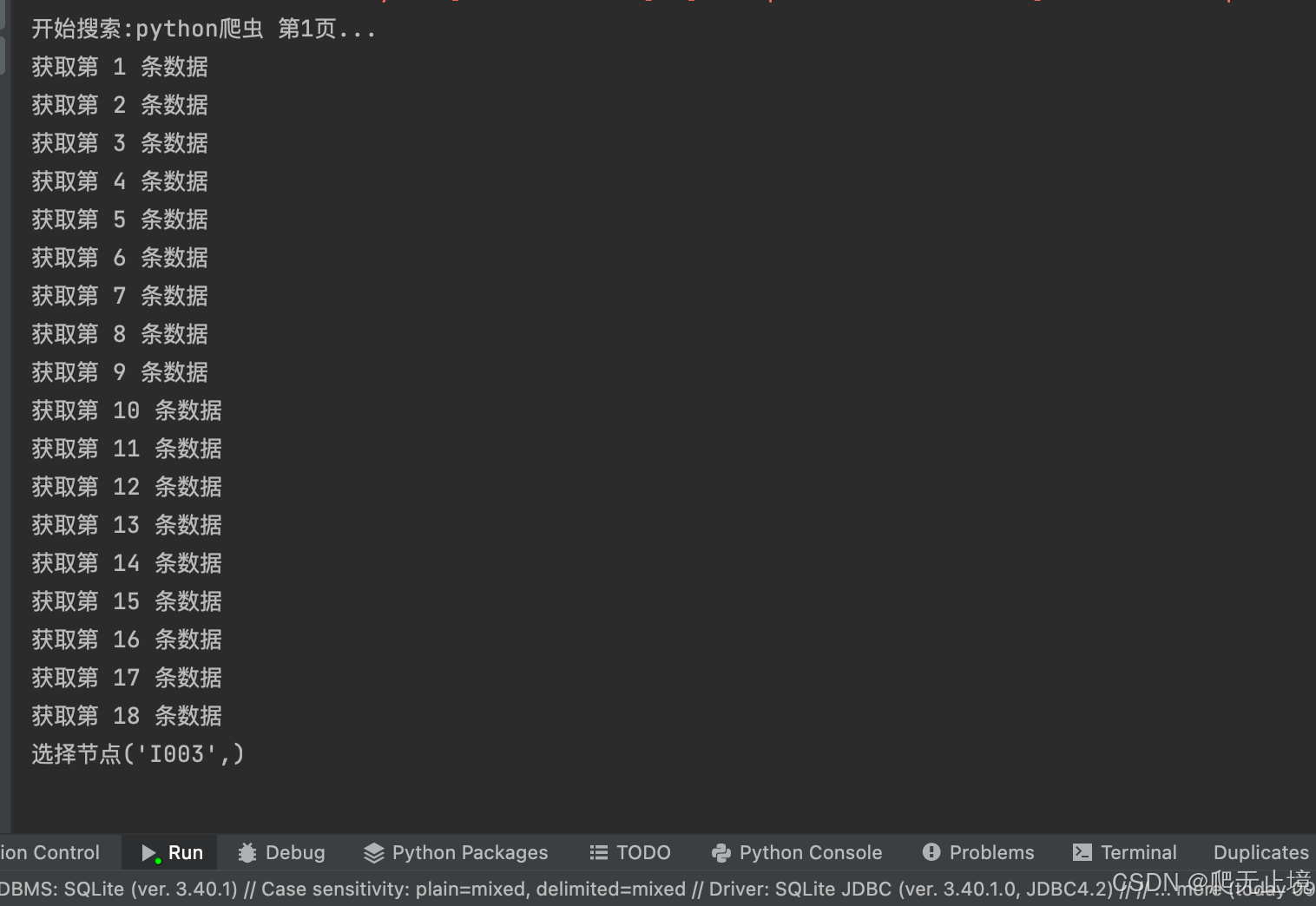
        print(f"选择节点{iid}")
        # 显示数据链接
        messagebox.showinfo(message=tv.item(iid, "values")[3])


# 回调函数
def get_back_info(future):
    # 清空tv已有数据
    for iid in tv.get_children():
        tv.delete(iid)

    # 展示获取数据
    book_info = future.result()
    for item in book_info:
        tv_data = [item[3], item[7], item[9], item[4]]
        tv.insert("", index=END, values=tv_data)


# 按钮实现方法
def start_search():

    keywords = search_entry.get()
    num = num_entry.get()
    # 判断输入值

    if keywords and num.isdigit():
        print("开始 start_search 方法!")
        num = int(num)
        print(f"开始搜索:{keywords} 第{num}页...")

        # 提交线程
        future = executor.submit(return_info, keywords, num)
        # 注册一个回调函数。当该任务完成时,回调函数将自动被调用,且不会阻塞主程序
        future.add_done_callback(get_back_info)

    else:
        messagebox.showerror(message="输入为空!或页码不是数字!")


# 使用NoteBook
notebook = Notebook(root)
frame1 = Frame()
frame2 = Frame()

# 搜索页面组件
pw = PanedWindow(frame1, orient="horizontal")
# 左右布局
leftframe = LabelFrame(pw, text="搜索", width=120, height=150)
rightframe = LabelFrame(pw, text="书籍展示")

# 数据展示
cls = ("title", "author", "publish_time")  # 定义列
tv = Treeview(rightframe, columns=cls, show="headings")

# 设置标题
tv.heading("title", text="书名")
tv.heading("author", text="作者")
# tv.heading("cnt", text="字数")
# tv.heading("price", text="价格")
tv.heading("publish_time", text="出版时间")

# 设置列宽
tv.column("title", width=100, anchor="center")
tv.column("author", width=100, anchor="center")
# tv.column("cnt", width=100, anchor="center")
# tv.column("price", width=100, anchor="center")
tv.column("publish_time", width=100, anchor="center")

# 选择事件
tv.bind("<Button-1>", tvSelect)


# 搜索功能
search_label = Label(leftframe, text="关键词:", width=5, relief="raised", anchor="center")
page_label = Label(leftframe,   text="页码:",  width=5, relief="raised", anchor="center")
search_entry = Entry(leftframe, width=15,)
num_entry = Entry(leftframe, width=10)
# 设置默认值
search_entry.insert(0, "python爬虫")
num_entry.insert(0, "1")

## 进度条
# pg = Progressbar(leftframe, length=20, mode="indeterminate")
# pg["maximum"] = 100
# pg["value"] = 50

searchbutton = Button(leftframe, text="搜索", width=10, command=start_search)
# 获取焦点
searchbutton.focus()


# 创建线程池
executor = concurrent.futures.ThreadPoolExecutor(max_workers=1)


# ------------------- 布局 -------------------
notebook.add(frame1, text="搜索关键词")
# notebook.add(frame2, text="查看书籍信息")
notebook.pack(padx=10, pady=10,fill=BOTH,expand=True)

pw.add(leftframe)
pw.add(rightframe)
pw.pack(padx=10, pady=10,fill=BOTH,expand=True)

search_label.grid(row=0, column=0)
search_entry.grid(row=0, column=1, sticky=EW)
page_label.grid(row=1, column=0,ipadx=1,ipady=1)
num_entry.grid(row=1, column=1, sticky=EW)
searchbutton.grid(row=2, columnspan=2)

tv.pack(expand=True, fill="both")


root.mainloop()
searchTophits.py
import requests
import json
from dml_sqlite import *


# 通过首页获取headers和cookies值
def get_cookies_headers():
    url = 'https://www.dedao.cn/'
    data = requests.get(url)
    User_Agent = "Mozilla/5.0 (Macintosh; Intel Mac OS X 10_15_7) AppleWebKit/537.36 (KHTML, like Gecko) Chrome/131.0.0.0 Safari/537.36"

    headers = data.headers
    headers["User-Agent"] = User_Agent
    Content_Type = "application/json"
    headers["Content-Type"] = Content_Type
    # 测试发现如果该值存在会导致数据无法获取
    headers.pop("Transfer-Encoding")
    cookies = data.cookies
    info = {"cookies": cookies, "headers": headers}
    return info


# 返回书籍信息
def get_book_info(hds, cks, enid):
    book_api = "https://www.dedao.cn/pc/ebook2/v1/pc/detail"
    params = {
        "id": enid
    }
    book_response = requests.get(book_api, headers=hds, cookies=cks, params=params)
    book_info = book_response.json()

    # print(book_info["c"].keys())
    data = {}
    target_key = ["id", "operating_title", "count", "price", "other_share_summary", "book_author", "author_info",
                  "publish_time", "book_intro"]
    for item in target_key:
        data[item] = book_info["c"][item]

    return data


    # print(book_info["c"])


# 返回书籍列表
def return_info(keywords, page):
    """
    :param keywords: 搜索关键词
    :param page: 获取第几页数据
    :return: 返回搜索到的书籍信息
    """

    # 获取headers和cookies值
    cookies = get_cookies_headers()["cookies"]
    headers = get_cookies_headers()["headers"]
    # print(headers)

    # 数据接口
    search_api_url = "https://www.dedao.cn/api/search/pc/tophits"
    data = {
        "content": keywords,
        "is_ebook_vip": None,
        "page": page,
        "page_size": 10,
        "tab_type": 2
    }
    data = json.dumps(data, separators=(',', ':'))
    response = requests.post(search_api_url, headers=headers, cookies=cookies, data=data)

    result_data = response.json()
    # print(result_data["c"]["data"].keys())
    moduleList = result_data["c"]["data"]["moduleList"][0]["layerDataList"]

    # 存储返回数据
    result_info = list()
    cnt = 0

    for item in moduleList:
        # print(item.keys())
        # for key in item:
        #     print(f'{key}:{item[key]}')
        base_url = 'https://www.dedao.cn/ebook/detail?id='
        enid = item["extra"]["enid"]

        book_info = get_book_info(headers,cookies,enid)
        book_info["source_url"] = f'{base_url}{enid}'
        data = list()
        # (id, title, ebook_url, cnt, price, author, author_info, publish_time, book_intro, other_share_summary)
        key = ["id", "operating_title","source_url", "count", "price", "book_author",
               "author_info", "publish_time", "book_intro","other_share_summary"]
        data.append(keywords)
        data.append(page)
        for i in key:
            data.append(book_info[i])
        result_info.append(data)
        cnt = cnt + 1
        print(f"获取第 {cnt} 条数据")

    # sqlite3插入数据
    insert_sqlitedb(result_info)
    # return 10
    return result_info
#
# # 删表
# delete_tab()
#
# # 返回输出
# # return_info("python爬虫", 2)


if __name__ == "__main__":
    result_info = return_info("python爬虫", 1)
dml_sqlite.py
import sqlite3

import sys
import os

# 获取当前目录或打包后的路径
if getattr(sys, 'frozen', False):
    # 如果程序是从 PyInstaller 打包的
    base_path = sys._MEIPASS  # 获取临时目录
else:
    base_path = os.path.dirname(__file__)  # 获取当前目录

# 构建 sqlite3.db 文件的路径
db_path = os.path.join(base_path, 'sqlite3.db')
print(db_path)

# 创建中间表
def create_tmp_table(tab_name):
    """
     :param tab_name: 创建中间表;
     :return:
     """

    # 持久化存储
    # db_path = "./sqlite3.db"
    conn = sqlite3.connect(db_path)  # 存储在当前目录的 example.db 文件中

    # 创建游标
    cursor = conn.cursor()
    # 执行语句
    # 创建表
    cursor.execute(f'''
    drop table if exists {tab_name};
    ''')

    cursor.execute(f'''
         CREATE TABLE IF NOT EXISTS {tab_name} (
         keywords TEXT,                       -- 搜索关键词
         page_num INTEGER,                    -- 页面数
         id INTEGER ,                         -- 主键
         title TEXT,                          -- 操作标题
         ebook_url TEXT,                      -- 电子书url
         cnt INTEGER,                         -- 字数
         price TEXT,                          -- 价格
         author TEXT,                         -- 书籍作者
         author_info TEXT,                    -- 作者信息
         publish_time TEXT,                   -- 出版时间
         book_intro TEXT,                     -- 书籍简介
         other_share_summary TEXT             -- 其他分享摘要
     );
         ''')

    # 提交操作
    conn.commit()

    # 关闭
    conn.close()


# 删表
def delete_tab(del_tab):
    # 持久化存储
    # db_path = "./sqlite3.db"
    conn = sqlite3.connect(db_path)  # 存储在当前目录的 example.db 文件中

    # 创建游标
    cursor = conn.cursor()
    # 执行语句
    # 创建表
    cursor.execute(f'''
        DROP TABLE IF  EXISTS {del_tab} ;
        ''')

    # 提交操作
    conn.commit()

    # 关闭
    conn.close()


# 查看表总记录数
def execute_sql(flag):
    """
    :param flag: 0 查看库中有效条数;9 删除库中所有记录;
    :return:
    """

    # 持久化存储
    # db_path = "./sqlite3.db"
    conn = sqlite3.connect(db_path)  # 存储在当前目录的 example.db 文件中

    # 创建游标
    cursor = conn.cursor()
    # 执行语句
    # 创建表
    cursor.execute('''
        CREATE TABLE IF NOT EXISTS book_info (
        keywords TEXT,                       -- 搜索关键词
        page_num INTEGER,                    -- 页面数
        id INTEGER ,                         -- 主键
        title TEXT,                          -- 操作标题
        ebook_url TEXT,                      -- 电子书url
        cnt INTEGER,                         -- 字数
        price TEXT,                          -- 价格
        author TEXT,                         -- 书籍作者
        author_info TEXT,                    -- 作者信息
        publish_time TEXT,                   -- 出版时间
        book_intro TEXT,                     -- 书籍简介
        other_share_summary TEXT             -- 其他分享摘要
    );
        ''')

    if flag == 0:
        sql = 'SELECT COUNT(*) FROM book_info where 1=1'
        # 获取表总记录数
        cursor.execute(sql)
        total_records = cursor.fetchone()[0]  # 获取记录数

    elif flag == 9:
        sql = 'delete FROM book_info where 1=1'
        # 获取表总记录数
        cursor.execute(sql)
        total_records = -1


    # 提交操作
    conn.commit()

    # 关闭
    conn.close()

    return total_records


# 插入数据
def insert_sqlitedb(book_data):

    """
    :param book_data: 书籍信息
    :return:
    """

    # 持久化存储
    # db_path = "./sqlite3.db"
    conn = sqlite3.connect(db_path)  # 存储在当前目录的 example.db 文件中

    # 创建游标
    cursor = conn.cursor()
    # 执行语句

    # 创建表
    cursor.execute('''
    CREATE TABLE IF NOT EXISTS book_info (
        keywords TEXT,                       -- 搜索关键词
        page_num INTEGER,                    -- 页面数
        id INTEGER ,                         -- 自增主键
        title TEXT,                          -- 操作标题
        ebook_url TEXT,                      -- 电子书url
        cnt INTEGER,                         -- 字数
        price TEXT,                          -- 价格
        author TEXT,                         -- 书籍作者
        author_info TEXT,                    -- 作者信息
        publish_time TEXT,                   -- 出版时间
        book_intro TEXT,                     -- 书籍简介
        other_share_summary TEXT             -- 其他分享摘要
);
    ''')

    for item in book_data:
        # 执行语句
        cursor.execute('''
            INSERT INTO book_info (keywords,page_num,id, title,ebook_url,cnt,price,author,author_info,publish_time,book_intro,other_share_summary)
            VALUES (?, ?, ?, ?, ?, ?, ?, ?, ?, ?, ?, ?)
            ''', (item[0], item[1], item[2], item[3], item[4], item[5],
                  item[6], item[7], item[8], item[9], item[10], item[11]))

    # 提交操作
    conn.commit()

    # 关闭
    conn.close()
Search.spec
# -*- mode: python ; coding: utf-8 -*-


a = Analysis(
    ['main.py'],
    pathex=[],
    binaries=[],
    datas=[('searchTophits.py', '.'), ('dml_dedao_sqlite.py', '.'), ('sqlite3.db', '.')],
    hiddenimports=['requests', 'sqlite3'],
    hookspath=[],
    hooksconfig={},
    runtime_hooks=[],
    excludes=[],
    noarchive=False,
    optimize=0,
)
pyz = PYZ(a.pure)

exe = EXE(
    pyz,
    a.scripts,
    a.binaries,
    a.datas,
    [],
    name='search',
    debug=False,
    bootloader_ignore_signals=False,
    strip=False,
    upx=True,
    upx_exclude=[],
    runtime_tmpdir=None,
    console=False,
    disable_windowed_traceback=False,
    argv_emulation=False,
    target_arch=None,
    codesign_identity=None,
    entitlements_file=None,
)
app = BUNDLE(
    exe,
    name='search.app',
    icon='AppIcon.icns',
    bundle_identifier=None,
)
4、总结
- sqlite3.db 文件的路径打包后会有所不同,需要通过 sys._MEIPASS 获取





 扫一扫
扫一扫


 601
601

 被折叠的 条评论
为什么被折叠?
被折叠的 条评论
为什么被折叠?
 到【灌水乐园】发言





