






 本文详细介绍了如何在SpringBoot项目中整合Redis并配置缓存,包括添加依赖、配置属性及启用缓存操作。此外,还讲解了如何设置Redis集群,通过修改spring.properties文件和创建Redis配置类实现。
目录
spring boot整合redis
一、spring boot整合redis
1,添加依赖
spring boot要整合redis第一步当然是添加依赖咯,依赖如下:
<!-- 整合redis -->
<dependency>
<groupId>org.springframework.boot</groupId>
<artifactId>spring-boot-starter-data-redis</artifactId>
</dependency>

2、修改application.properties
spring.redis.database=0
spring.redis.host=127.0.0.1
spring.redis.port=6379
spring.redis.password=123456
spring.redis.pool.max-active=8
spring.redis.pool.max-wait=-1
spring.redis.pool.max-idle=8
spring.redis.pool.min-idle=0
spring.redis.timeout=5000
3,配置缓存到redis中
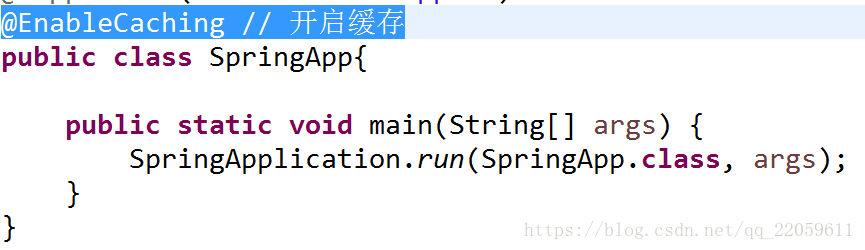
(1)spring启动类中加上:
@EnableCaching // 开启缓存
(2)service程序中加缓存操作(ItemsServiceImpl类)
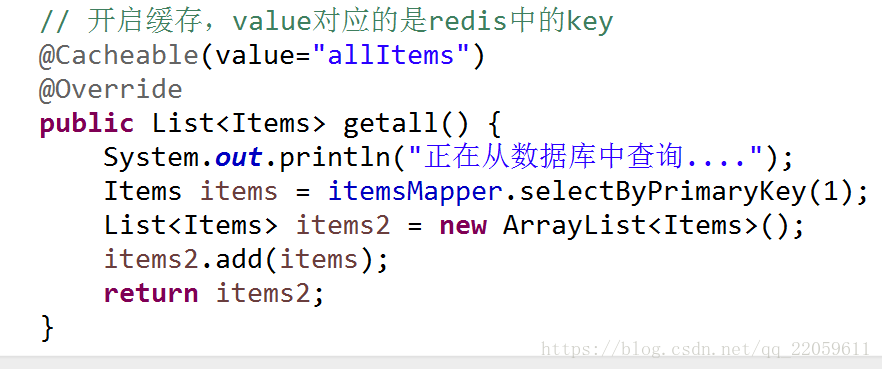
这样就可以了!
一旦启动,并调用getall()方法,则会在redis生成一个allItems:

二、集群设置
1,spring.properties中加入集群地址
spirng.redis.cluster.nodes=192.168.10.110:7001,192.168.10.111:7001,192.168.10.112:7001
2,创建Redis配置类
@Configuration
public class RedisConfig {
@Value("${spirng.redis.cluster.nodes}")
private String redisNodes;
@Bean
public JedisCluster getJedisCluster(){
String[] redisnodes = redisNodes.split(",");
Set<HostAndPort> nodes = new HashSet<HostAndPort>();
for (String node : redisnodes) {
String[] arr = node.split(":");
HostAndPort hostAndPort =
new HostAndPort(arr[0],Integer.parseInt(arr[1]));
nodes.add(hostAndPort);
}
JedisCluster cluster = new JedisCluster(nodes);
return cluster;
}
}
这样配置就可以了!





 扫一扫
扫一扫


 658
658

 被折叠的 条评论
为什么被折叠?
被折叠的 条评论
为什么被折叠?
 到【灌水乐园】发言





