



 博客介绍了启动相关服务的步骤,包括启动类、配置pom.xml,还提到启动EurekaServer_6001并通过http://localhost:6001进行访问,涉及微服务和Spring Cloud相关内容。
1、application.yml
server:
  port: 6001 # 服务端口

eureka:
  instance:
    hostname: eureka6001.com # eureka服务端的实例名称
  client:
    registerWithEureka: false # 服务注册,false表示不将自已注册到Eureka服务中
    fetchRegistry: false # 服务发现,false表示自己不从Eureka服务中获取注册信息
    serviceUrl:    # Eureka客户端与Eureka服务端的交互地址,单机版配置自己(如果不配置则默认本机8761端口)
      defaultZone: http://${eureka.instance.hostname}:${server.port}/eureka/
2、启动类
import org.springframework.boot.SpringApplication;
import org.springframework.boot.autoconfigure.SpringBootApplication;
import org.springframework.cloud.netflix.eureka.server.EnableEurekaServer;


@EnableEurekaServer //标识一个Eureka Server 服务注册中心
@SpringBootApplication
public class EurekaServer_6001 {
    public static void main(String[] args) {
        SpringApplication.run(EurekaServer_6001.class, args);
    }
}
3、pom.xml
<?xml version="1.0" encoding="UTF-8"?>
<project xmlns="http://maven.apache.org/POM/4.0.0"
         xmlns:xsi="http://www.w3.org/2001/XMLSchema-instance"
         xsi:schemaLocation="http://maven.apache.org/POM/4.0.0 http://maven.apache.org/xsd/maven-4.0.0.xsd">
    <parent>
        <artifactId>microservice-cloud-01</artifactId>
        <groupId>com.mengxuegu.springcloud</groupId>
        <version>1.0-SNAPSHOT</version>
        <relativePath>../microservice-cloud-01/pom.xml</relativePath>
    </parent>
    <modelVersion>4.0.0</modelVersion>

    <artifactId>microservice-cloud-05-eureka-6001</artifactId>

    <properties>
        <maven.compiler.source>8</maven.compiler.source>
        <maven.compiler.target>8</maven.compiler.target>
    </properties>

    <dependencies>
        <!-- 导入Eureka-server 服务端依赖 -->
        <dependency>
            <groupId>org.springframework.cloud</groupId>
            <artifactId>spring-cloud-starter-netflix-eureka-server</artifactId>
        </dependency>
    </dependencies>

</project>
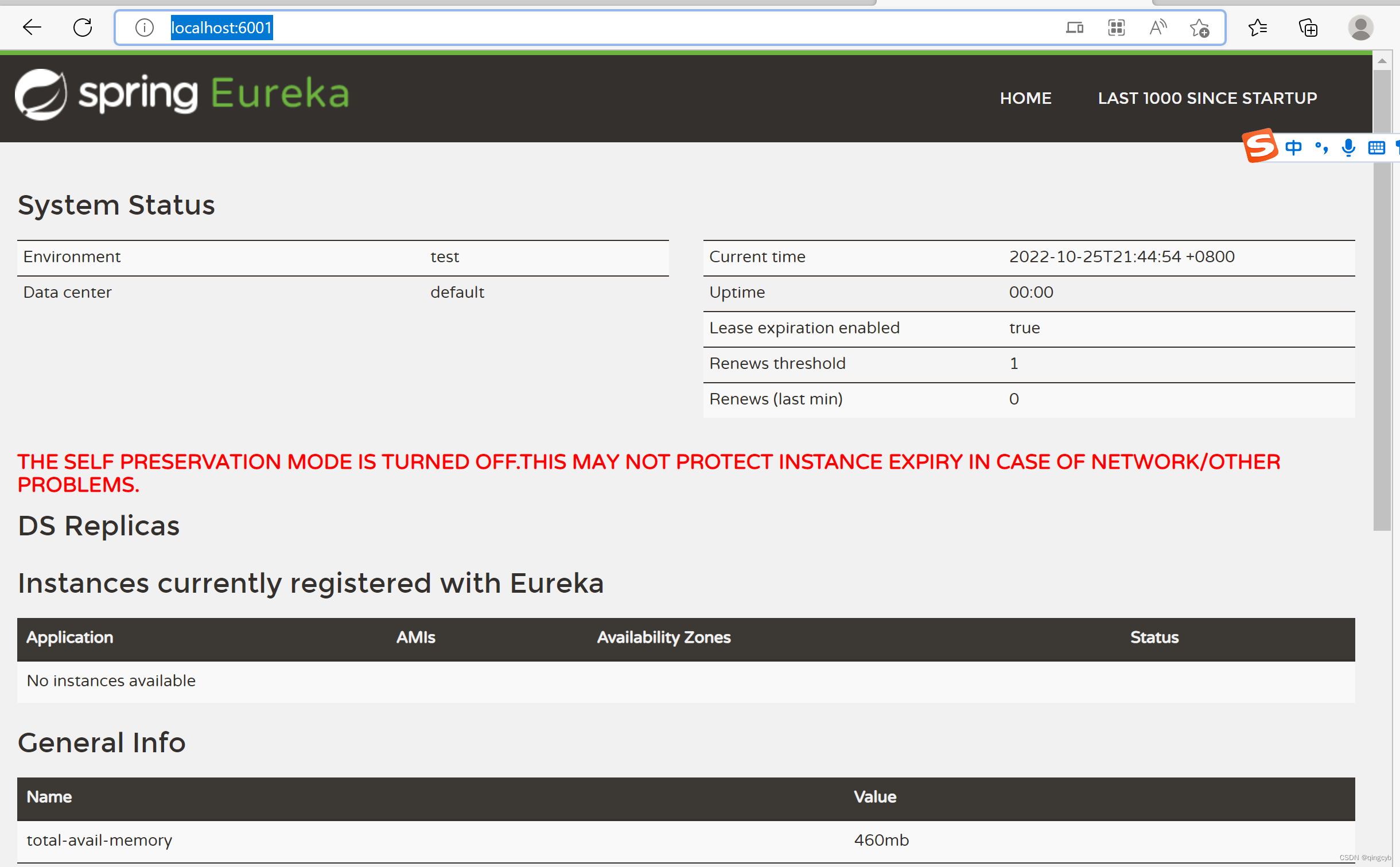
4、启动EurekaServer_6001,访问http://localhost:6001
,





 扫一扫
扫一扫


 2028
2028

 被折叠的 条评论
为什么被折叠?
被折叠的 条评论
为什么被折叠?
 到【灌水乐园】发言





