 数据库操作:复选框状态的前后端交互与类型保存


 本文详细讲解了如何在数据库中保存前端复选框选择的'可借'或'不可借'状态,涉及前后端代码示例,包括使用PreparedStatement更新操作的技巧。
神秘的代码带你去领略其中的真谛,画不多说看秦哥直接给你上图片和代码。
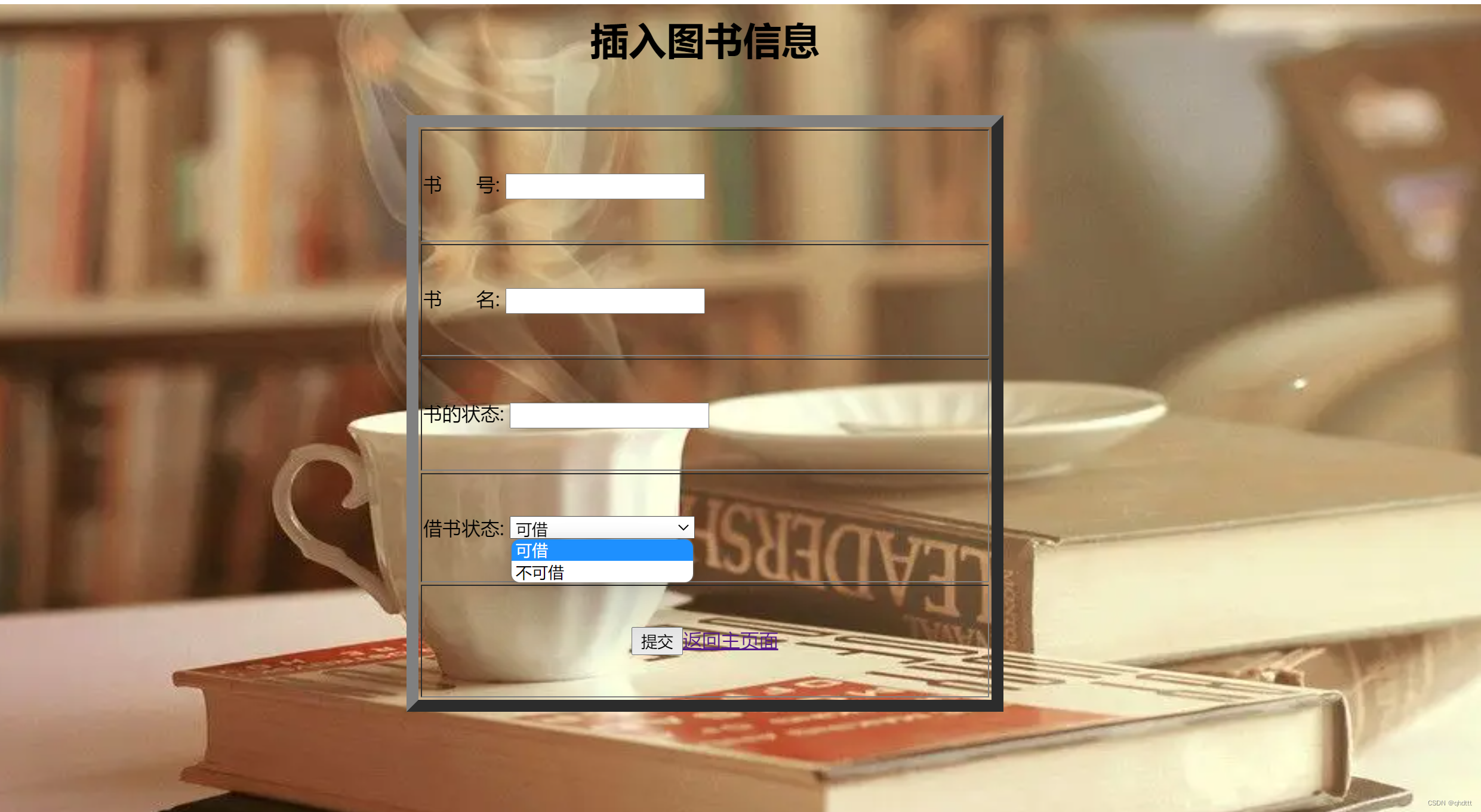
看这种复选框的内容该如何保存在数据库呢


话不多说,我们以插入为例直接上前端代码
<td> 借书状态: <select name="type" style="width: 155px"> <option value ="可借">可借</option> <option value ="不可借">不可借</option> </select></br> </td>
直接上后端代码
        Connection connection = null;
        PreparedStatement preparedStatement = null;
        try {
            // 1.获取连接
            connection = MayiktJdbcUtils.getConnection();
            // 开启事务
            MayiktJdbcUtils.beginTransaction(connection);
            //2.获取执行者对象
            preparedStatement = connection.prepareStatement("INSERT INTO `mayikt`.`book` (`id`, `bookname`, `state`,`isdelete`) VALUES (?, ?, ?,?);");
            preparedStatement.setInt(1, bookEntity.getId());
            preparedStatement.setString(2, bookEntity.getBookname());
            preparedStatement.setString(3, bookEntity.getState());
            preparedStatement.setInt(4,0);
            int result = preparedStatement.executeUpdate();
            // 代码执行没有问题的情况下 则直接提交事务
            MayiktJdbcUtils.commitTransaction(connection);
            return result;
        } catch (Exception e) {
            e.printStackTrace();
            // 回滚事务
            MayiktJdbcUtils.rollBackTransaction(connection);
            return 0;
        } finally {
            // 释放资源
            MayiktJdbcUtils.closeConnection(preparedStatement, connection);
        }
    }java
当我们插入的数据库访问层可以添加你增加的type也可以不添加,因为在前端输入的代码value值type默认直接存取你点击的选项如图:
但我们进行修改的时候需要传递前端的value的值。
看代码` String type=req.getParameter(“type”);
public int updatebook(BookEntity bookEntity, String idStr) {
        Connection connection = null;
        PreparedStatement preparedStatement = null;
        try {
            // 1.获取连接
            connection = MayiktJdbcUtils.getConnection();
            // 开启事务
            MayiktJdbcUtils.beginTransaction(connection);
            //2.获取执行者对象
            preparedStatement = connection.prepareStatement("UPDATE `mayikt`.`book` SET `id`=?, `bookname`=?, `type`=?,`state`=?" +
                    "WHERE (`id`=?);");
            preparedStatement.setInt(1, bookEntity.getId());
            preparedStatement.setString(2, bookEntity.getBookname());
            preparedStatement.setString(3,bookEntity.getType());
            preparedStatement.setString(4, bookEntity.getState());
            preparedStatement.setInt(5, Integer.parseInt(idStr));//
            int result = preparedStatement.executeUpdate();
            // 代码执行没有问题的情况下 则直接提交事务
            MayiktJdbcUtils.commitTransaction(connection);
            return result;
        } catch (Exception e) {
            e.printStackTrace();
            // 回滚事务
            MayiktJdbcUtils.rollBackTransaction(connection);
            return 0;
        } finally {
            // 释放资源
            MayiktJdbcUtils.closeConnection(preparedStatement, connection);
        }
    }

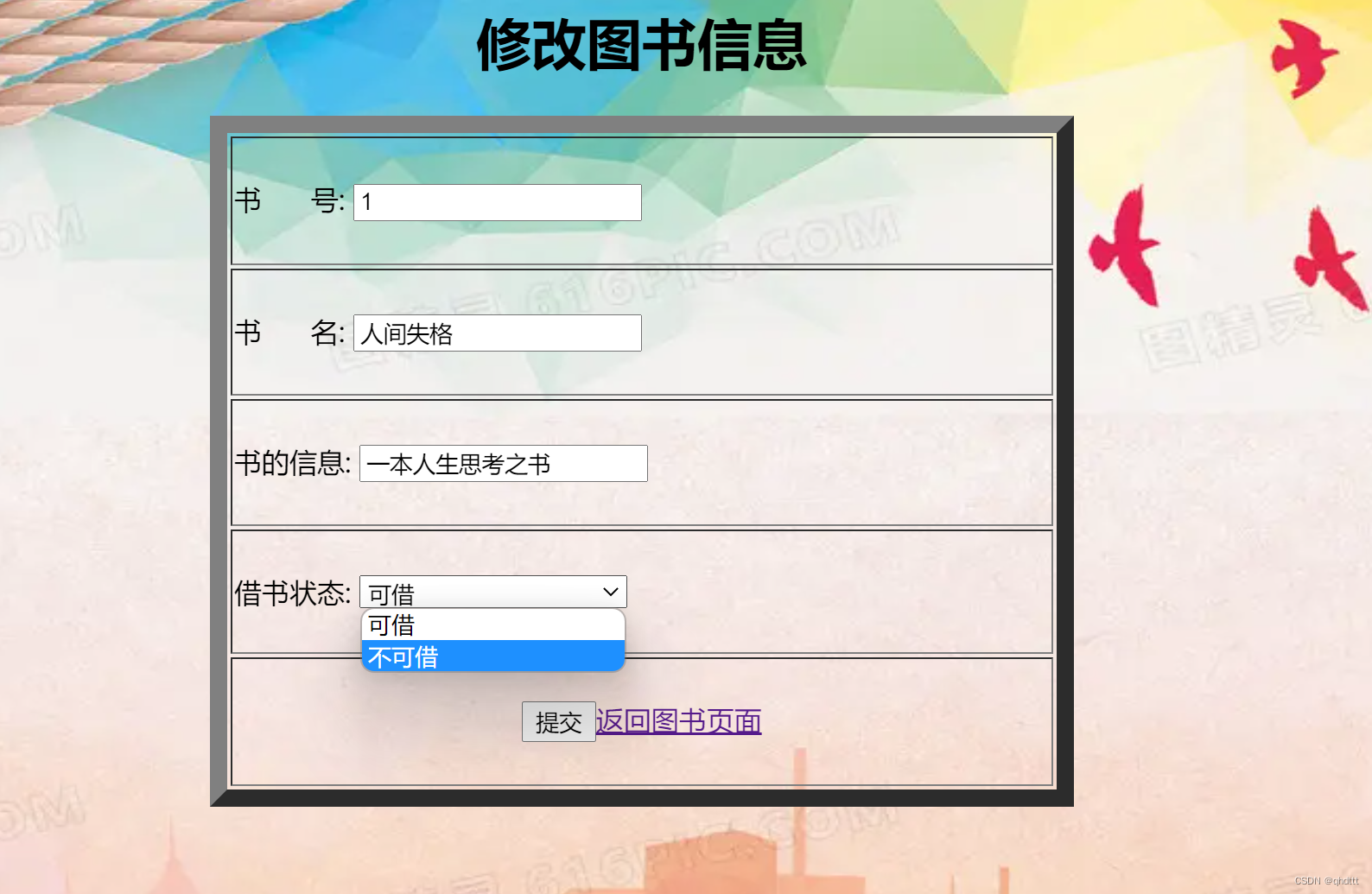

数据库后台设置记住你的value的值type和数据库据的属性type要一致哦,小伙伴们

以上就是我插入复选框内容的部分代码,如有需要点赞加关注o,秦哥分享给你源码哦!





 扫一扫
扫一扫


 1058
1058


 到【灌水乐园】发言



