


 当使用Xshell登录Linux服务器时遇到WARNING! The remote SSH server rejected X11 forwarding request警告以及-bash-4.2#提示符问题。解决方法包括安装xorg-x11-fonts和xauth,修改sshd_config文件,设置X11Forwarding为yes。若无效,检查Xshell的X11连接转发设置。最后发现是/root目录下.bash_profile和.bashrc文件丢失,从/etc/skel/拷贝配置文件恢复后,问题解决。
用root登录
Xshell 登录Linux服务器 提示 WARNING! The remote SSH server rejected X11 forwarding request

以及
用户表示符是:-bash-4.2# 而不是user@主机名 + 路径的显示方式。
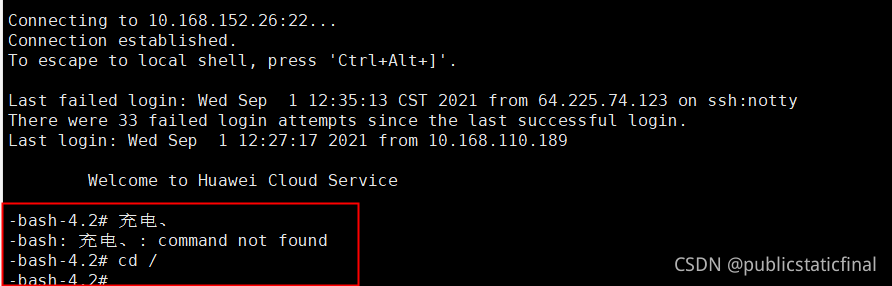
首先先查 The remote SSH server rejected X11 forwarding request。
解决过程
一、第一种
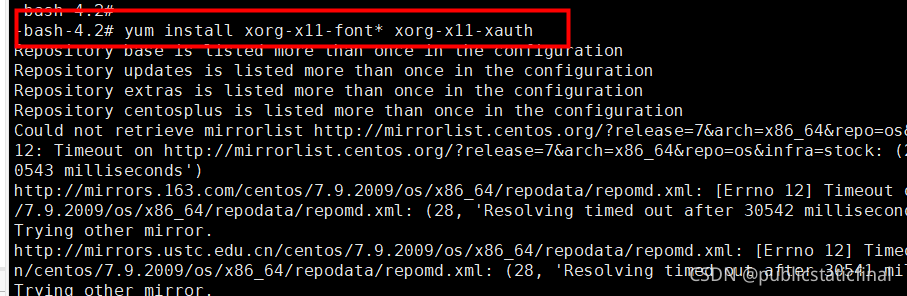
1) yum install xorg-x11-font* xorg-x11-xauth
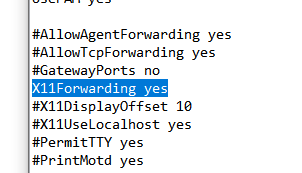
2) vi /etc/ssh/sshd_config 改 X11Forwarding 参数为yes
 最低0.47元/天 解锁文章






 扫一扫
扫一扫


 1770
1770

 被折叠的 条评论
为什么被折叠?
被折叠的 条评论
为什么被折叠?
 到【灌水乐园】发言





