



 博客讲述在Idea项目中,Java 1.8和Maven 3.6.1环境下,父工程添加接口模块A,模块B引用A接口报错的解决办法。因Maven默认一天更新一次,一般采用强制更新,包括修改setting.xml、取消勾选、清除仓库包,最后重启Idea测试。
在idea的项目里
环境
Java:1.8
maven:3.6.1
操作:
在父工程里添加了接口的模块A
在模块B里引用A里的接口
报错如下:
Failed to execute goal on project HelloConsumer01: Could not resolve dependencies for project com.offcn:HelloConsumer01:jar:1.0: Failed to collect dependencies at com.offcn:HelloInterface01:jar:1.0: Failed to read artifact descriptor for com.offcn:HelloInterface01:jar:1.0: Failure to find com.offcn:hello-parent:pom:1.0 in https://mirrors.huaweicloud.com/repository/maven was cached in the local repository, resolution will not be reattempted until the update interval of huaweicloud has elapsed or updates are forced -> [Help 1]
[ERROR]
错误解释:
原因上面也说了,要么等更新时间过去,要么强制更新。
maven的默认更新时间为day,即一天更新一次。
所以我们一般都是采用强制更新的方式。
1)找到maven 的 setting.xml 添加如下代码
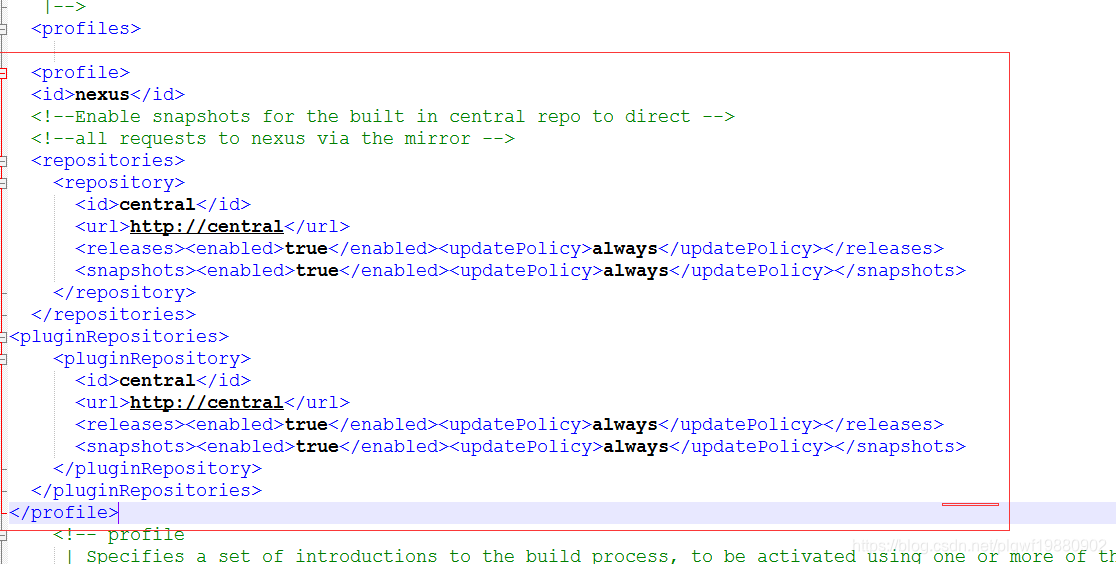
<profile>
  <id>nexus</id>
  <!--Enable snapshots for the built in central repo to direct -->
  <!--all requests to nexus via the mirror -->
  <repositories>
    <repository>
      <id>central</id>
      <url>http://central</url>
      <releases><enabled>true</enabled><updatePolicy>always</updatePolicy></releases>
      <snapshots><enabled>true</enabled><updatePolicy>always</updatePolicy></snapshots>
    </repository>
  </repositories>
<pluginRepositories>
    <pluginRepository>
      <id>central</id>
      <url>http://central</url>
      <releases><enabled>true</enabled><updatePolicy>always</updatePolicy></releases>
      <snapshots><enabled>true</enabled><updatePolicy>always</updatePolicy></snapshots>
    </pluginRepository>
  </pluginRepositories>
</profile>
2)取消勾勾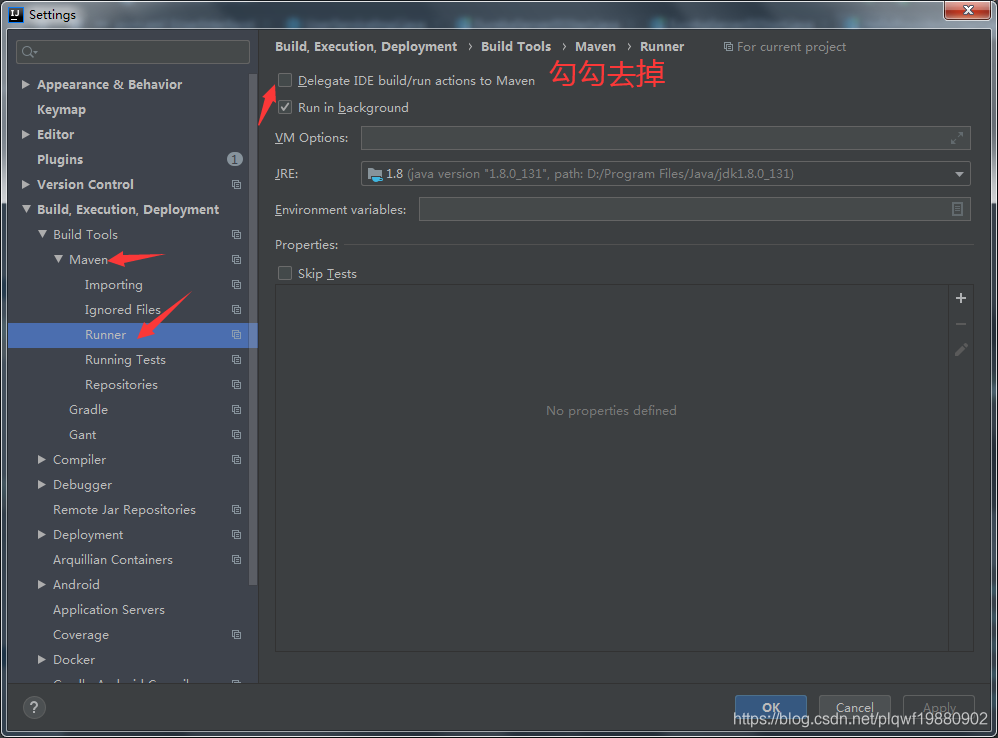
3)找到你的仓库,清除仓库了的包
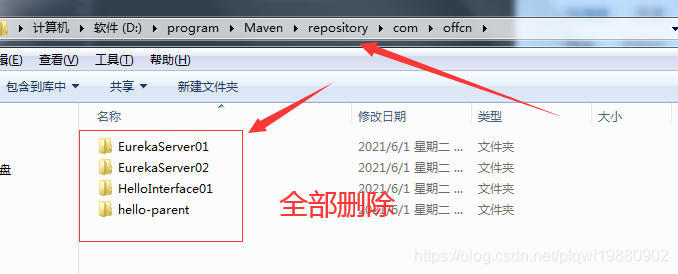
4)关闭idea,然后重新打开,再进行启动测试,没得问题了





 扫一扫
扫一扫


 775
775

 被折叠的 条评论
为什么被折叠?
被折叠的 条评论
为什么被折叠?
 到【灌水乐园】发言





