



 本文介绍了两种在JavaScript中实现模糊查询的方法:1) 使用普通方法进行模糊查询,展示前后效果对比;2) 利用计算属性进行模糊查询,同样展示了查询后的效果。
1、普通方法进行模糊查询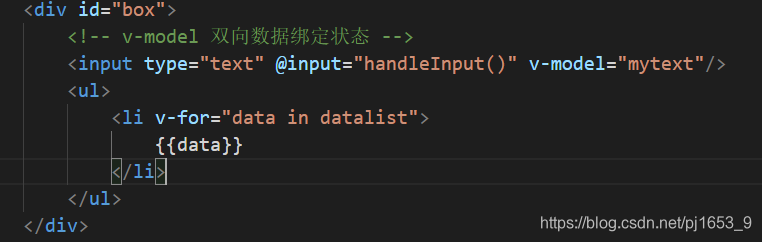
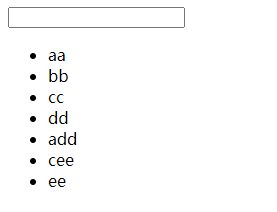
开始的效果
var vm = new Vue({
            el:"#box",
            data:{
                datalist:["aa","bb","cc","dd","add","cee","ee"],
                list:["aa","bb","cc","dd","add","cee","ee"],
                mytext:''
            },
            methods:{
                handleInput(){
                    // console.log("只要value值改变,input就会被触发")
                    //利用输入框的字符,过滤出包含字段的元素

                    //filter 过滤
                    //arr.indexOf("字符串") --查询数组中是否有匹配字符串,有则返回对应下标数,无则返回-1
                    var newlist = this.list.filter(item=>item.indexOf(this.mytext)>-1);
                    // console.log(newlist,this.datalist);
                    this.datalist = newlist;//所用到的方法,将原始数据进行拷贝一份,保持list不变,
                }
            }
        })


        /*
        filter 过滤---filter用法
        var arr = [1,2,3,4,5]
        var newlist = arr.filter(function(item){
            return item>3
        });
        console.log(newlist);=》 [4,5]*/
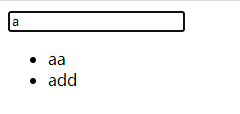
查询之后效果
2、利用计算属性进行模糊查询
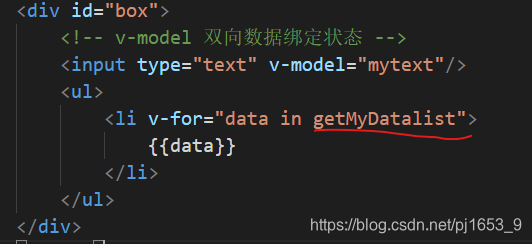
var vm = new Vue({
            el:"#box",
            data:{
                datalist:["aa","bb","cc","dd","add","cee","ee"],
                mytext:''
            },
            computed:{
                getMyDatalist(){
                    return this.datalist.filter(item=>item.indexOf(this.mytext)>-1);
                }
            }

        })
效果同上





 扫一扫
扫一扫


 531
531

 被折叠的 条评论
为什么被折叠?
被折叠的 条评论
为什么被折叠?
 到【灌水乐园】发言





