


 本文介绍如何使用React.js开发一个九宫格抽奖组件。从定义组件接口、页面布局、样式设置,到实现动画逻辑和处理概率问题,详细讲解了组件的完整实现过程。同时,解决了抽奖过程中可能出现的动画停顿和多次点击导致的紊乱问题。
定义一下组件接口 🥡
- 奖项数据是必不可少的 「九宫格抛弃抽奖按钮占去一个外,还剩下8个」
- 抽奖运动的时间
- 抽奖完成之后的回调
- 是否需要自定义概率
type Tuple8<TItem> = [TItem, ...TItem[]] & { length: 8 };
type CallbackType = (arg: LDataType) => void;

// props type
interface LType {data: Tuple8<LDataType>;time?: number;useCustomProbability?: boolean;callback?: CallbackType;
}
至于奖项数组,每一个奖项的属性则定义为
- 奖品id 「必要」
- 奖品描述 「必要」
- 奖品抽中概率 「非必要」
- 背景色、图片 「这些样式先忽略哈」
interface LDataType {id: string | number;name: string;probability?: number;
}
先简单画一下页面吧 🏂
页面结构
奖励项只有八个,我们怎么完成九宫格的布局呢 ?
嘿嘿,我们ta们中间硬塞一个数据不就OK了么
import classNames from 'classnames';
import React, { useMemo } from 'react';

const Lottery = (props: LType) => {const realViewData = useMemo(() => {return [...props.data.slice(0, 4),{id: '__btn__',name: '抽奖',},...props.data.slice(4),];}, [props.data]);return (<div className="lottery">{realViewData.map((item) => {return (<divclassName={classNames({'lottery-item': true,'is-btn': item.id === '__btn__'})}onClick={}key={item.id}>{item.name}</div>);})}</div>);
};
搞点小样式
先写好base scss 「九宫格先搞个默认框高 300」
@mixin lottery-base($lottery_width:300px) {display: flex;width: $lottery_width;height: $lottery_width;flex-wrap: wrap;justify-content: space-between;align-self: space-between;.lottery-item {text-align: center;line-height: $lottery_width/3 - 10px;width: $lottery_width/3 - 10px;height: $lottery_width/3 - 10px;border-radius: 5px;background-color: rgb(222, 220, 220);}.is-btn {background-color: rgb(33, 194, 140);color: azure;cursor: pointer;}
}
再利用媒体查询在不同宽度下重新赋值
@media screen and (min-width: 1160px) {.lottery {@include lottery-base(500px)}
}

@media screen and (max-width: 1160px) {.lottery {@include lottery-base(420px)}
}

@media screen and (max-width: 820px) {.lottery {@include lottery-base(360px)}
}

@media screen and (max-width: 768px) {.lottery {@include lottery-base(300px)}
}

@media screen and (max-width: 390px) {.lottery {@include lottery-base(250px)}
}
蛙,页面出来啦!!!
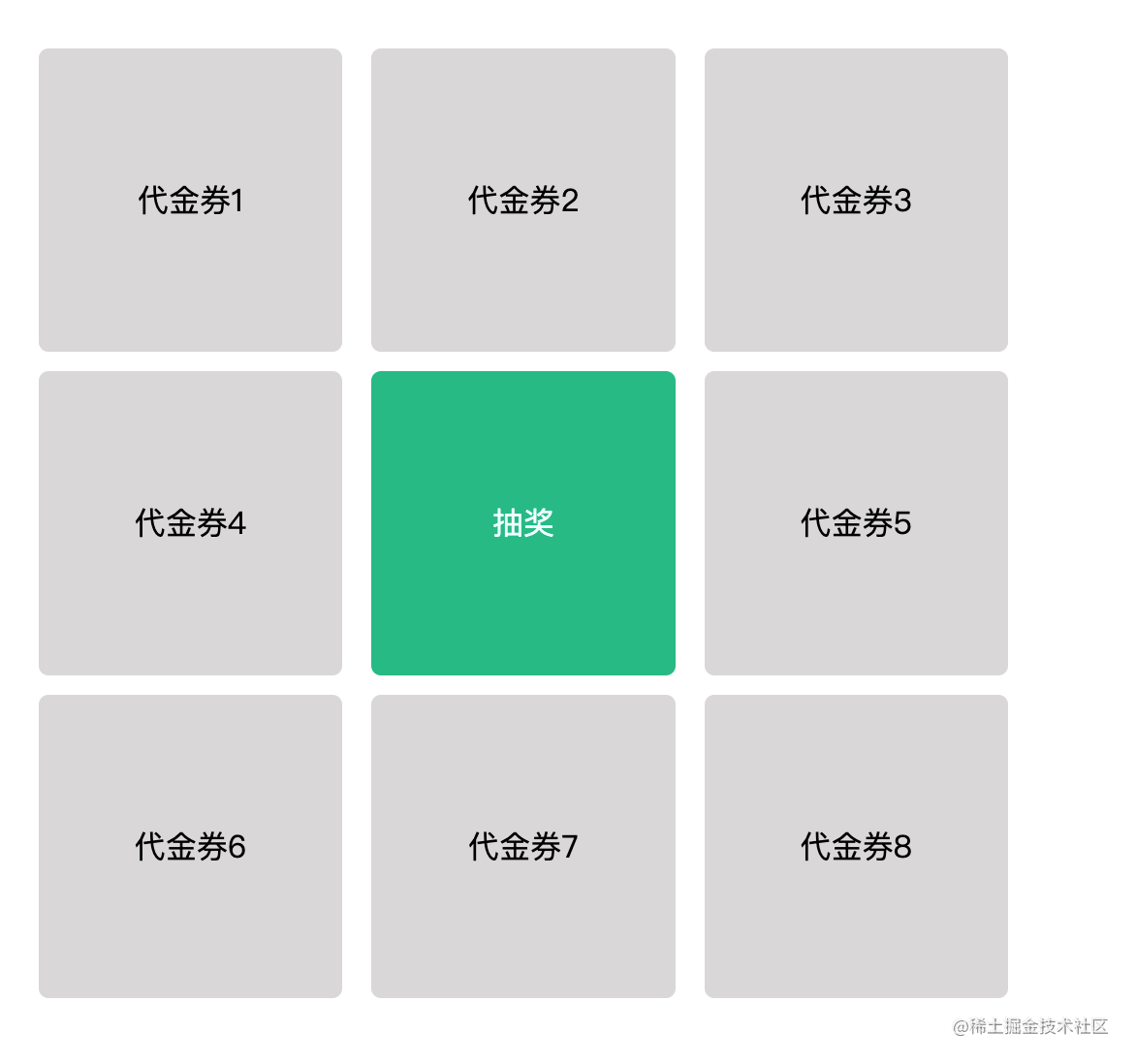
完善一下基本逻辑 🥊
结构样式处理完了,接下来该处理动画了
动画的处理方案,我们采用最传统方式。按照九宫格的顺时针方向不断的给小盒子设置一个active样式类,令其高亮「古老的干掉他人仅留自己」
声明8个状态用于对应小盒子的active状态
const [prizeActiveState, setPrizeActiveState] = useState<any>(props.data.reduce((pre, cur) => ({...pre,['active' + cur.id]: false,}),{},),);
将元素与状态进行绑定到一块吧
// active: item.id !== '__btn__' && prizeActiveState[`active${item.id}`]

<divclassName={classNames({'lottery-item': true,'is-btn': item.id === '__btn__',active:item.id !== '__btn__' && prizeActiveState[`active${item.id}`],})}onClick={() => start(item.id)}key={item.id}>{item.name}</div>
样式
.active {background-color: rgb(227, 248, 121);}
开始跑动画咯
先别着急跑,有个小问题。我们需要根据九宫格的转动方向先定义好转动的路径
// 顺时针
const path = [0, 1, 2, 4, 7, 6, 5, 3];
解释:当前path中每项的值是真正的奖项数据在其原数组的索引位置。
即:第一次 0 号位置的奖项, 然后是 1 号,再是 2 号,接下来是 4 号
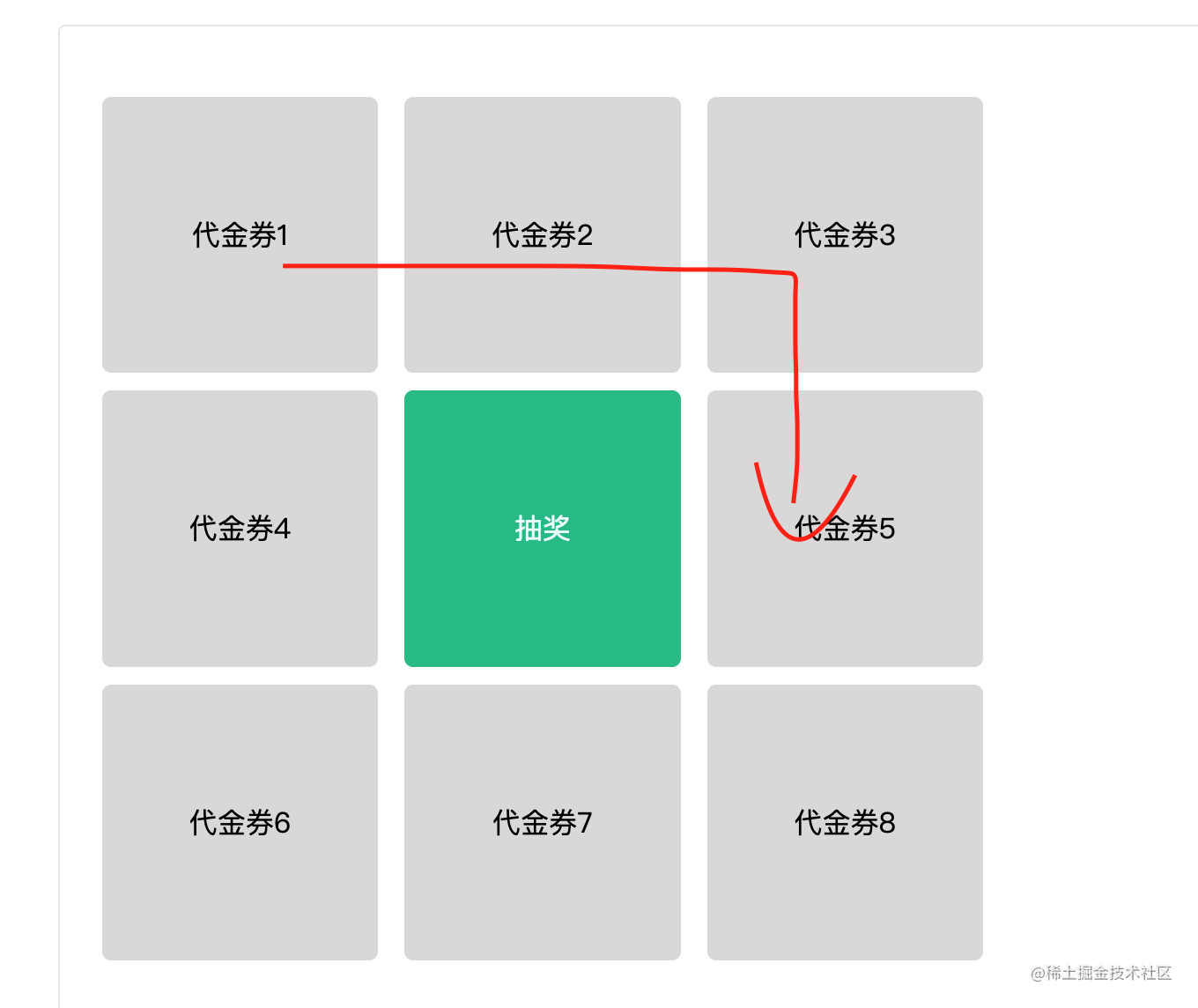
根据这个信息,我们就可以定位到这个奖项所对应的active状态, 从而做干掉别人仅留自己的操作
setPrizeActiveState(props.data.reduce((pre, cur) => {if (cur.id === props.data[path[curIndex]].id) {return {...pre,['active' + cur.id]: true,};} else {return {...pre,['active' + cur.id]: false,};}}, {}),);
有了这些我们就可以跑一个定时器,进行轮循了
 const start = (id: string | number) => {if (id !== '__btn__') return;
 const path = [0, 1, 2, 4, 7, 6, 5, 3];let curIndex = 0;let stop = false;setTimeout(() => {stop = true;}, props.time || 3000);const intervalId = setInterval(() => {if (curIndex > 7) curIndex = 0;if (stop) clearInterval(intervalId);setPrizeActiveState(props.data.reduce((pre, cur) => {if (cur.id === props.data[path[curIndex]].id) {return {...pre,['active' + cur.id]: true,};} else {return {...pre,['active' + cur.id]: false,};}}, {}),);curIndex++;}, 100);};return (<div className="lottery">{realViewData.map((item) => {return (<divclassName={classNames({'lottery-item': true,'is-btn': item.id === '__btn__',active:item.id !== '__btn__' && prizeActiveState[`active${item.id}`],})}onClick={() => start(item.id)}key={item.id}>{item.name}</div>);})}</div>);
喜大普奔,终于跑起来了
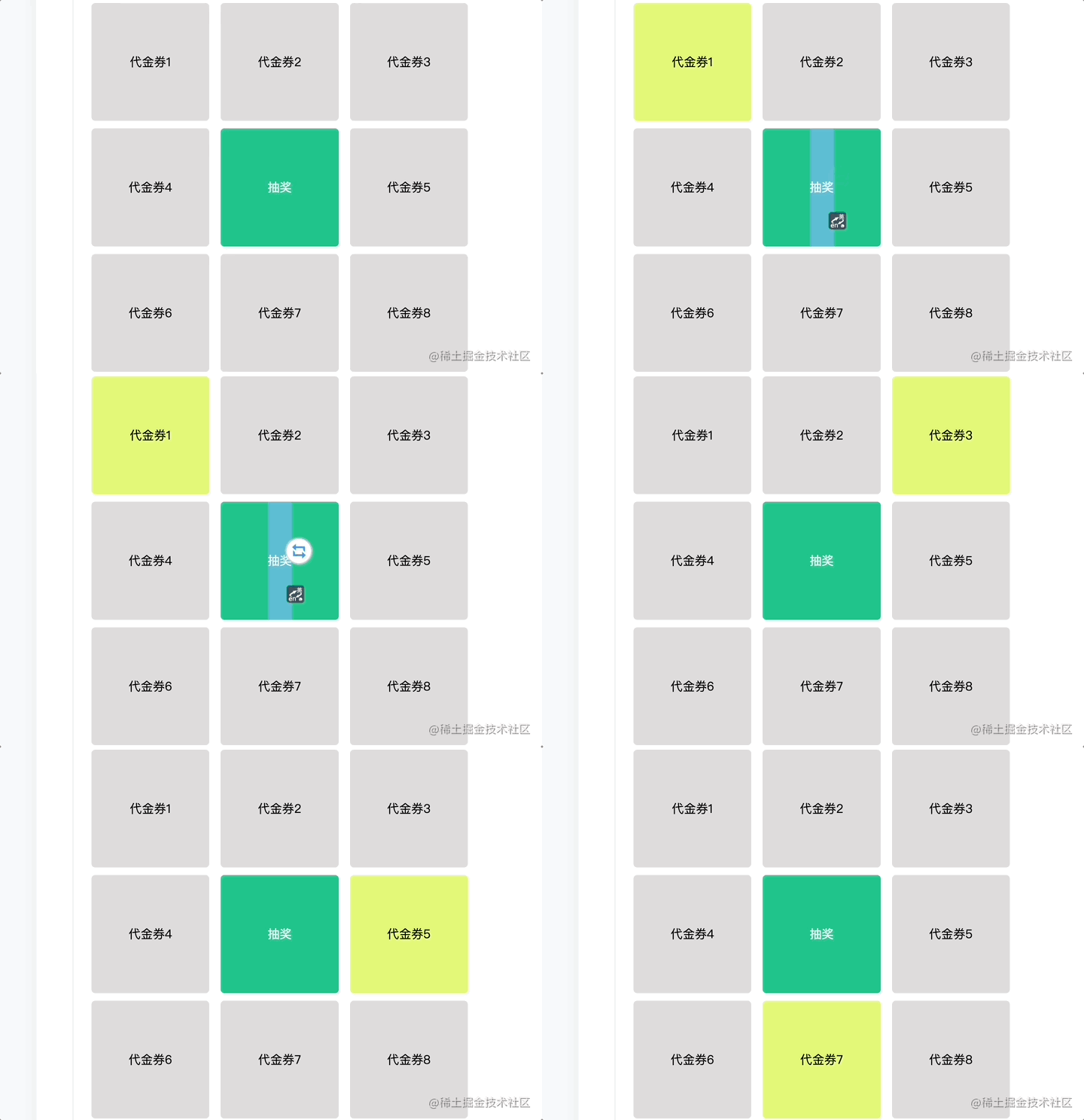
不过有两个问题
1.因为我们运动的时间是固定的。所以导致动画每次都会停在一个固定的位置🥲
2.第二个问题就因为抽奖的点击时间可以在动画过程中继续进行点击操作,导致动画紊乱的问题
ps: 第一个问题放到概率那处理就好,先来处理比较简单的
第二个问题比较好搞,就是加个开关呗
 const flag = useRef(true);

	const start = (id: string | number) => { if (!flag.current) return;flag.current = false;// ...const intervalId = setInterval(() => {if (curIndex > 7) curIndex = 0;if (stop) {flag.current = true;clearInterval(intervalId);}// ...
	}, 100);}
处理一下概率问题 ⚽️
好了,到这基本是大局已定了。只剩下概率问题
正规
想一下🤔️,不做自定义概率。只保证在8个奖项中抽中每个的概率为1/8这样怎么写呢
很简单:
Math.floor(Math.random() * props.data.length);
来加入逻辑中
const start = (id: string | number) => {if (id !== '__btn__') return;if (!flag.current) return;flag.current = false;const path = [0, 1, 2, 4, 7, 6, 5, 3];let curIndex = 0;let stop = false;// +++const luckyRewardsIndex = Math.floor(Math.random() * path.length);setTimeout(() => {stop = true;}, props.time || 3000);const intervalId = setInterval(() => {if (curIndex > 7) curIndex = 0;// +++if (stop && curIndex === luckyRewardsIndex) {flag.current = true;clearInterval(intervalId);if (props.callback) {(props.callback as CallbackType)(props.data[path[curIndex]]);}}setPrizeActiveState(props.data.reduce((pre, cur) => {if (cur.id === props.data[path[curIndex]].id) {return {...pre,['active' + cur.id]: true,};} else {return {...pre,['active' + cur.id]: false,};}}, {}),);curIndex++;}, 100);};
这样一个正规的抽奖组件就完成了

自定义概率
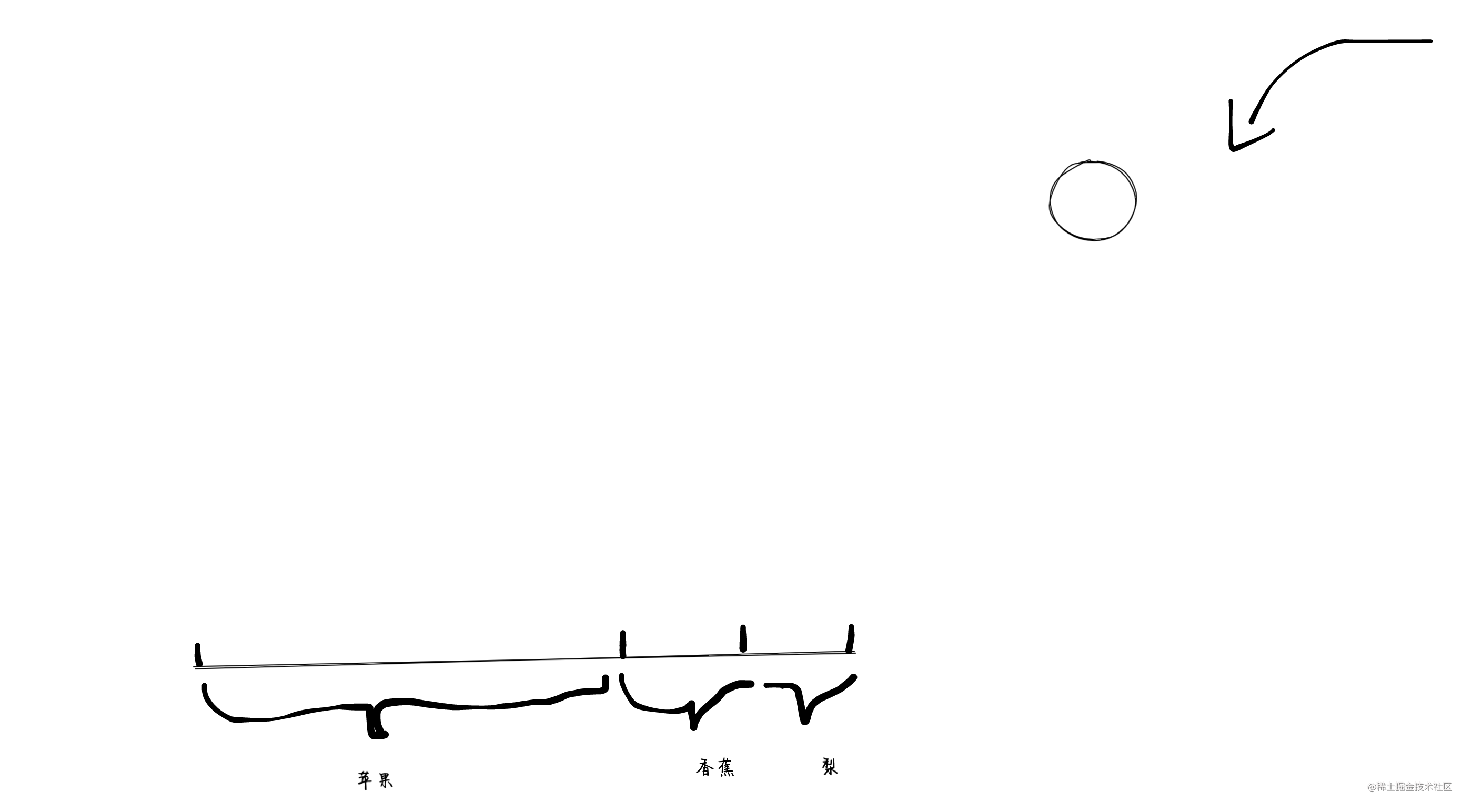
比如 一个数据 【苹果🍎,香蕉🍌,梨🍐】
要求随机抽,并且抽中苹果🍎的概率要达到80%,其他各10%。这要啷个搞么
其实也是很简单
构造一个临时数组
【苹果🍎_80,香蕉🍌_10,梨🍐*10】=> 利用Math.random()*100去随机取一下
其实就是小学概率问题「一个球,扔到个区间的概率各是多少」
来写一下逻辑
const calCustomProbabilityIndex = () => {const handleData = props.data;let tempArr: number[] = [];const notHandleItems = [];let surplus = 1;for (let i = 0; i < handleData.length; i++) {if (handleData[i].probability === 0) continue;if (handleData[i].probability) {surplus = surplus - (handleData[i].probability as number);tempArr = [...tempArr,...Array(Math.floor((handleData[i].probability as number) * 100),).fill(i),];} else {notHandleItems.push(i);}}if (surplus > 0) {notHandleItems.forEach((item) => {tempArr = [...tempArr,...Array(Math.floor(Math.floor((surplus / notHandleItems.length) * 100)),).fill(item),];});}return tempArr[Math.floor(Math.random() * tempArr.length)];};
加入到start方法中
const start = (id: string | number) => {if (id !== '__btn__') return;if (!flag.current) return;flag.current = false;const path = [0, 1, 2, 4, 7, 6, 5, 3];let curIndex = 0;let stop = false;let luckyRewardsValue: number;// ++++if (props.useCustomProbability) {// +++luckyRewardsValue = calCustomProbabilityIndex();}const luckyRewardsIndex = props.useCustomProbability? path.findIndex((item) => item === luckyRewardsValue): Math.floor(Math.random() * path.length);setTimeout(() => {stop = true;}, props.time || 3000);const intervalId = setInterval(() => {if (curIndex > 7) curIndex = 0;if (stop && curIndex === luckyRewardsIndex) {flag.current = true;clearInterval(intervalId);if (props.callback) {(props.callback as CallbackType)(props.data[path[curIndex]]);}}setPrizeActiveState(props.data.reduce((pre, cur) => {if (cur.id === props.data[path[curIndex]].id) {return {...pre,['active' + cur.id]: true,};} else {return {...pre,['active' + cur.id]: false,};}}, {}),);curIndex++;}, 100);};
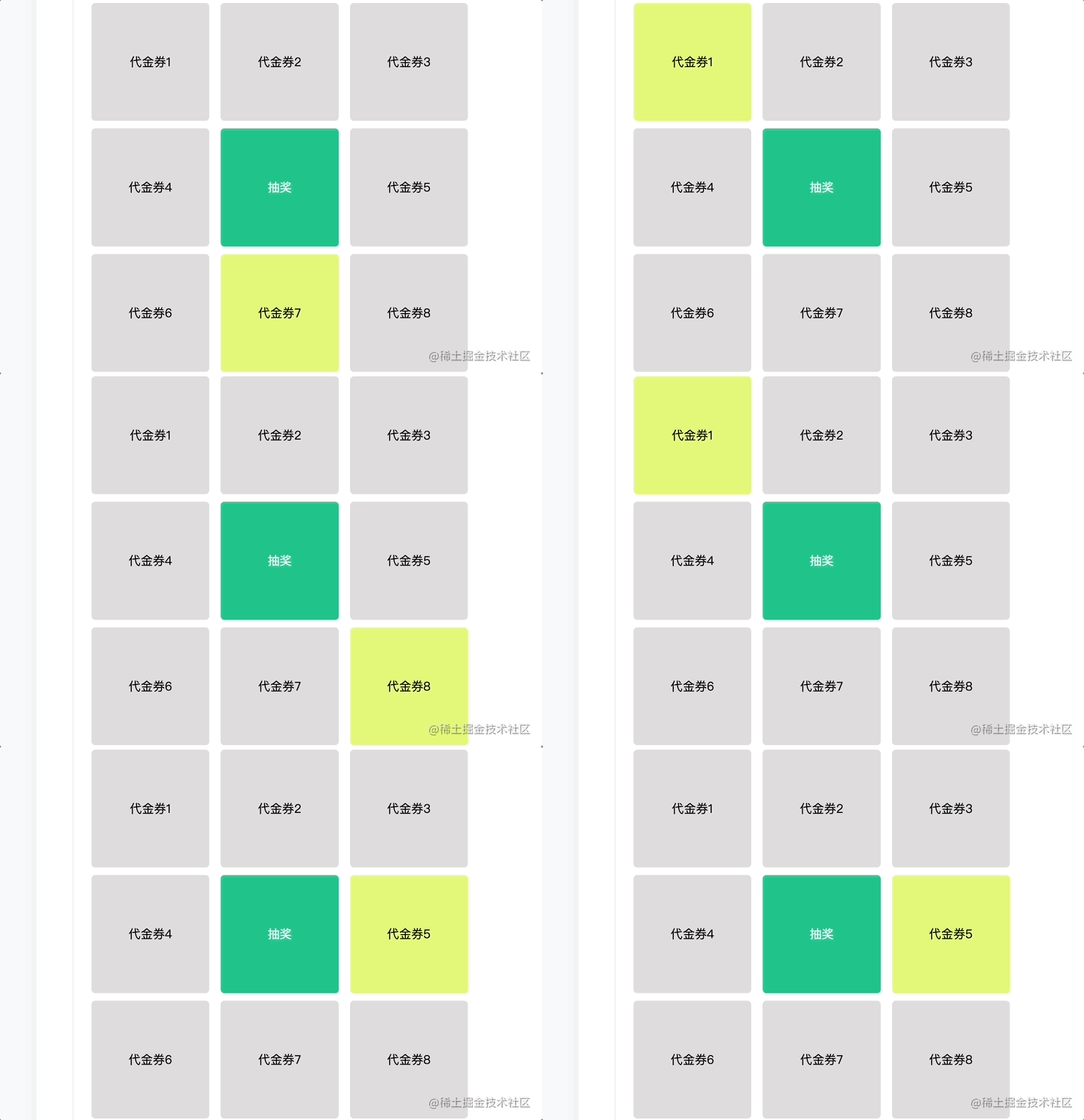
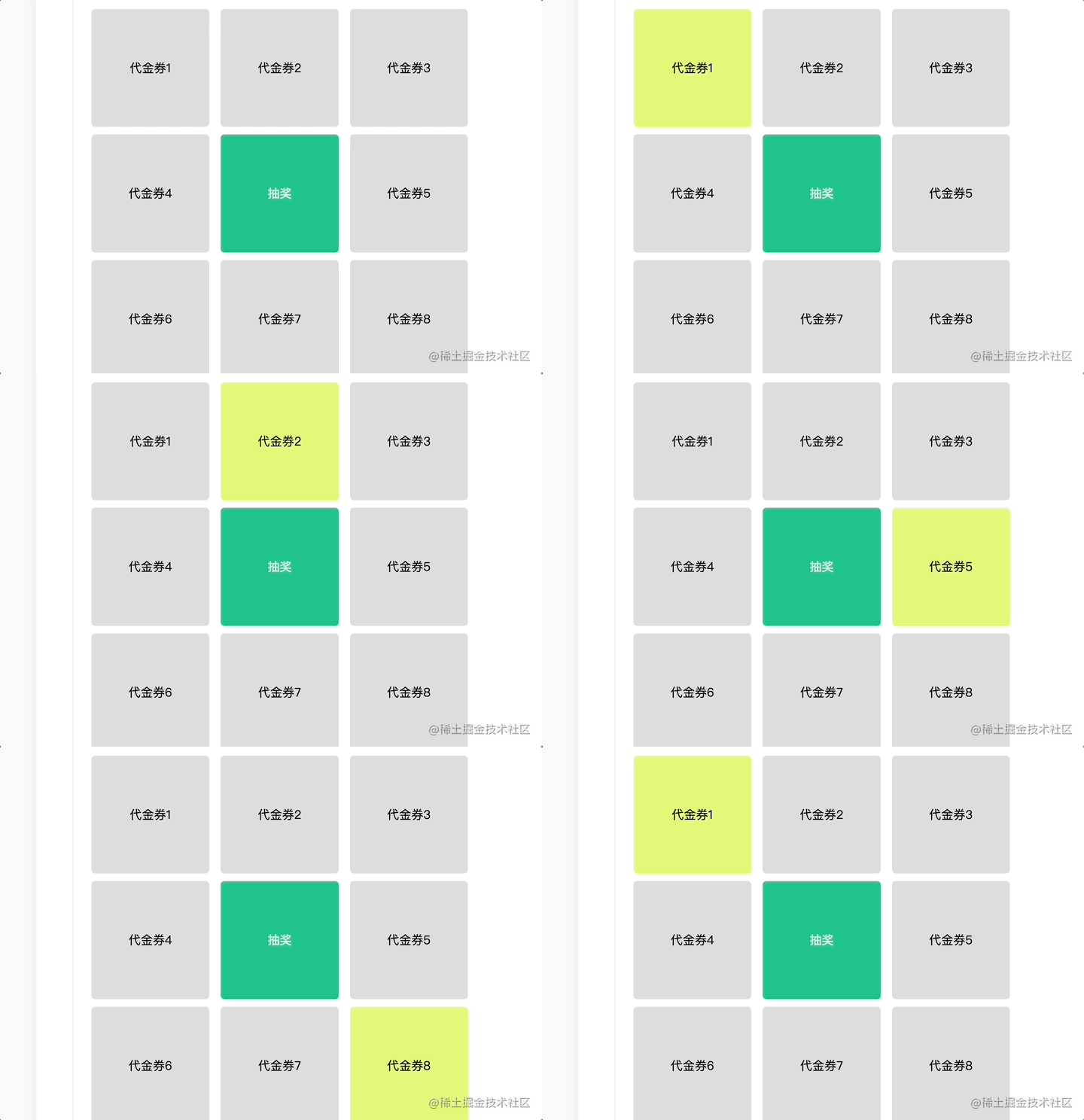
来将代金券 1 和 2 的概率调整为 50%,即只能抽中代金券 1 和 2
const data = [{id: 1,name: '代金券1',probability: 0.5,},{id: 2,name: '代金券2',probability: 0.5,},{id: 3,name: '代金券3',}// ....
]
效果
最后
最近还整理一份JavaScript与ES的笔记,一共25个重要的知识点,对每个知识点都进行了讲解和分析。能帮你快速掌握JavaScript与ES的相关知识,提升工作效率。


有需要的小伙伴,可以点击下方卡片领取,无偿分享





 扫一扫
扫一扫


 1632
1632

 被折叠的 条评论
为什么被折叠?
被折叠的 条评论
为什么被折叠?
 到【灌水乐园】发言





