





wordpress所建站使用elementor自带的询盘,后台接收到的询盘批量导出后的csv文件,会有些乱码影响查阅,使用py脚本进行处理。
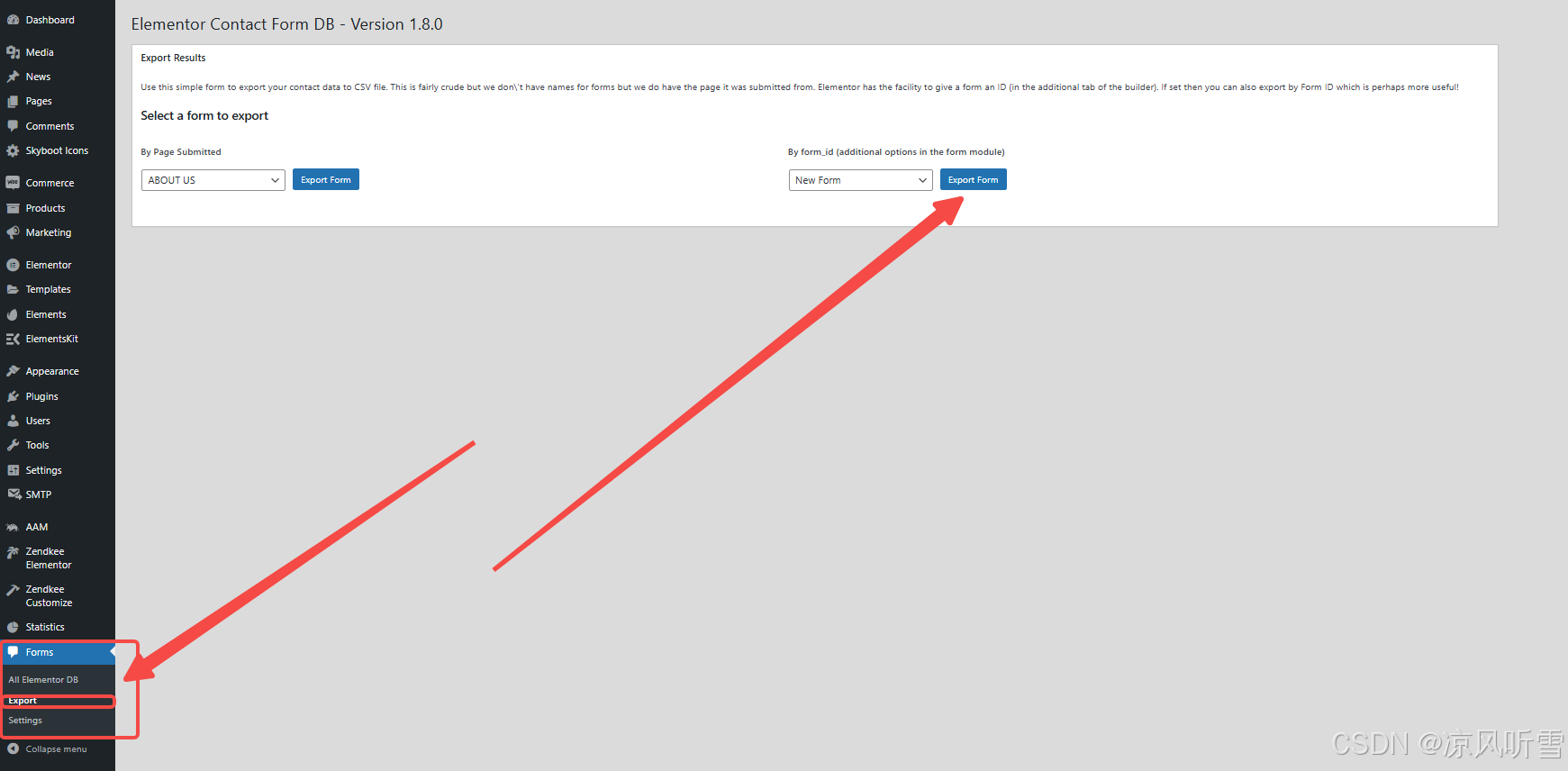
1、进入后台导出询盘文件
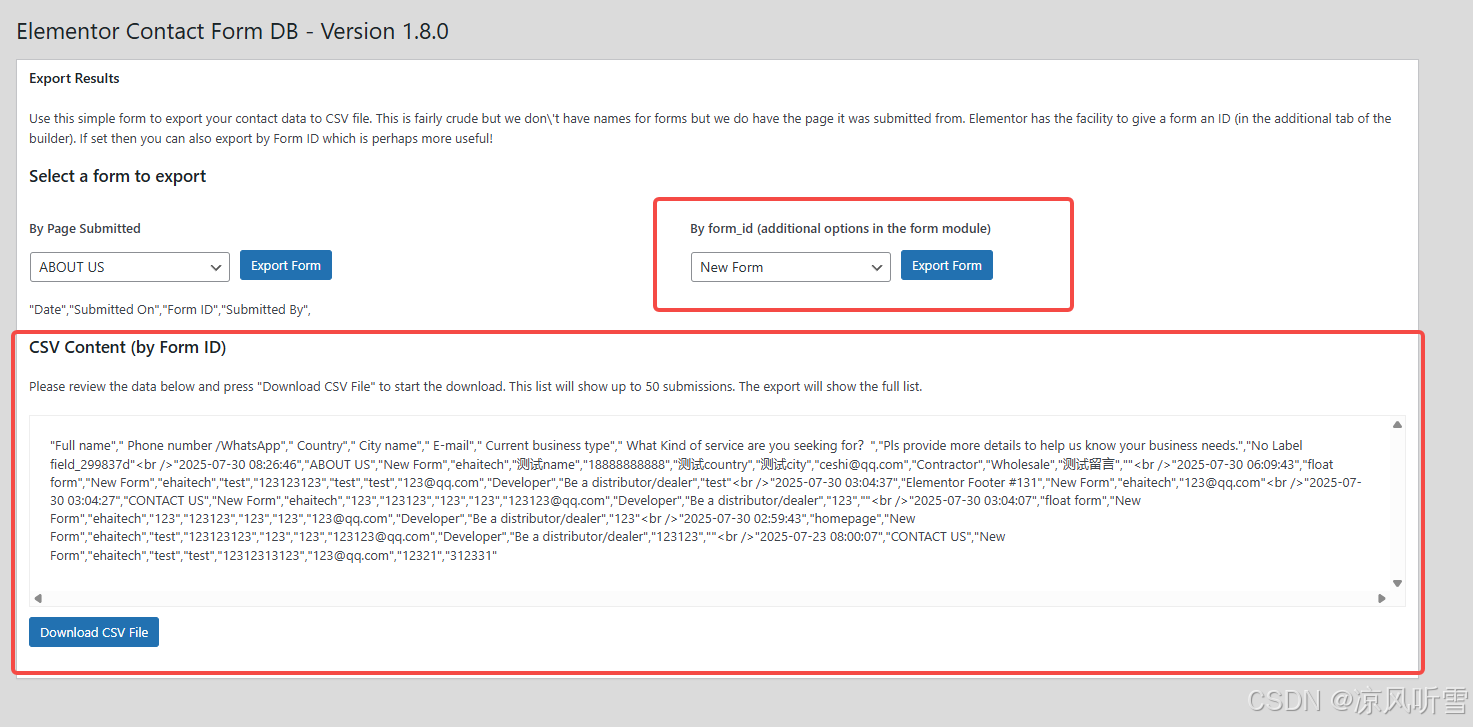
2、将csv文件下载保存到本地,重命名为data.csv,并与脚本文件放在同一文件夹下
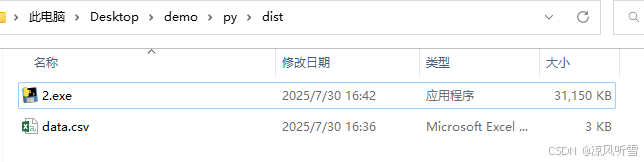
3、双击运行脚本,可以看到源文件已经被可视化且另存为

4、对比效果
源文件:

处理后:

源码:
python源码:(如报错,需自行下载对应python库)
import os
import sys
import pandas as pd
from openpyxl import load_workbook

def process_csv(input_file, output_file):
    # 加载 CSV 文件
    df = pd.read_csv(input_file, on_bad_lines='skip', encoding='utf-8')

    # 替换所有的 '"' 为一个空格
    df = df.replace('"', ' ', regex=True)

    # 创建一个映射字典来转换为中文
    english_to_chinese = {
        'Submitted On': '提交页面位置',
        'Form ID': '表单 ID',
        'Submitted By': '提交者',
        'Full name': '全名',
        'Phone number /WhatsApp': '电话',
        'Country': '国家',
        'City name': '城市',
        'E-mail': '邮箱',
        'Current business type': '当前业务类型',
        'What Kind of service are you seeking for': '你需要什么样的服务',
        'Pls provide more details to help us know your business needs.': '请提供更多的详细信息以帮助我们了解你的业务需求'
    }

    # 替换列名中的英文为中文
    new_columns = []
    for col in df.columns:
        replaced = False
        for key, value in english_to_chinese.items():
            if key in col:
                new_columns.append(col.replace(key, value))
                replaced = True
                break
        if not replaced:
            new_columns.append(col)

    df.columns = new_columns

    # 特别处理第一行:将含有 " 替换为空格
    df.columns = df.columns.str.replace('"', ' ', regex=False)

    # 检查文件是否被占用
    if os.path.exists(output_file):
        print("文件已存在,尝试删除它。")
        os.remove(output_file)  # 删除文件

    # 保存为 Excel 格式,以便设置列宽
    df.to_excel(output_file, index=False)

    # 载入 Excel 文件
    wb = load_workbook(output_file)
    ws = wb.active

    # 设置列宽为 20
    for col in ws.columns:
        max_length = 0
        column = col[0].column_letter  # 获取列字母
        for cell in col:
            try:
                if len(str(cell.value)) > max_length:
                    max_length = len(cell.value)
            except:
                pass
        adjusted_width = (max_length + 2)
        ws.column_dimensions[column].width = 20  # 将列宽设置为 20

    # 保存修改后的 Excel 文件
    wb.save(output_file)
    print(f"文件已保存为: {output_file}")

# 获取当前脚本所在目录
if getattr(sys, 'frozen', False):  # 检查是否是打包后的 EXE
    script_dir = os.path.dirname(sys.executable)  # 获取 EXE 所在目录
else:
    script_dir = os.path.dirname(os.path.abspath(__file__))  # 获取 Python 脚本所在目录

# 输入和输出文件路径
input_file = os.path.join(script_dir, 'data.csv')  # 与脚本同级目录下的 data.csv 文件
output_file = os.path.join(script_dir, 'output.xlsx')  # 输出为 output.xlsx

# 检查文件是否存在
if os.path.exists(input_file):
    print("输入文件存在")
else:
    print("输入文件不存在")

process_csv(input_file, output_file)





 扫一扫
扫一扫


 2873
2873

 被折叠的 条评论
为什么被折叠?
被折叠的 条评论
为什么被折叠?
 到【灌水乐园】发言





