


 本文介绍如何使用ASP.NET和SAP .net SDK在Web应用程序中集成并展示SAP BusinessObjects (SAPBO) 报表。通过具体代码示例,展示了如何创建登录令牌并利用该令牌构建查看报表的URL。
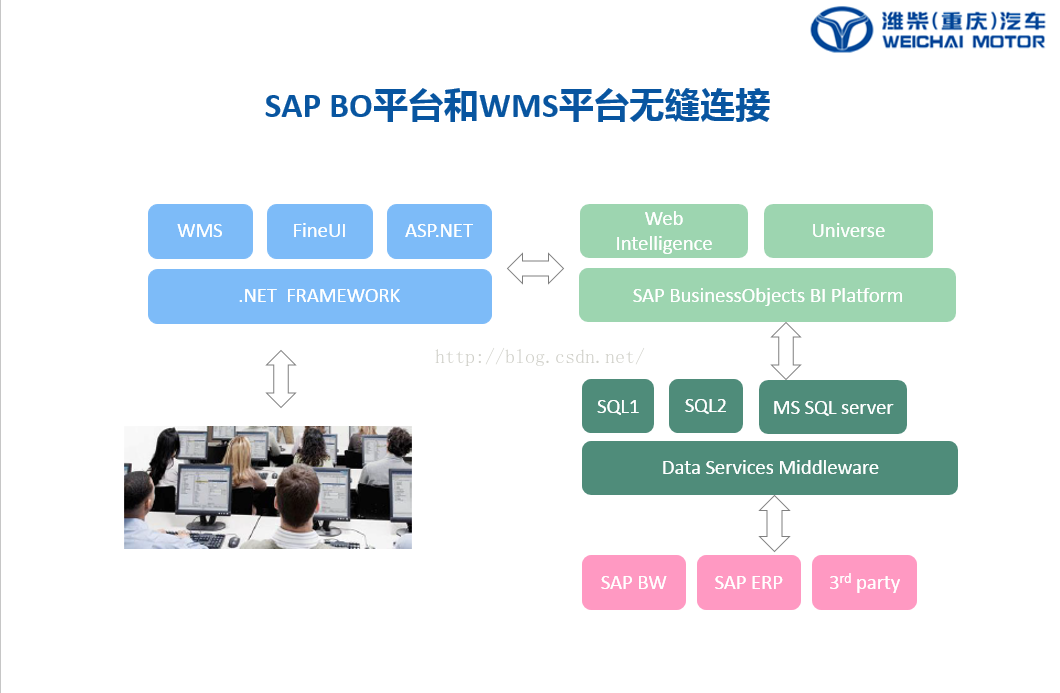
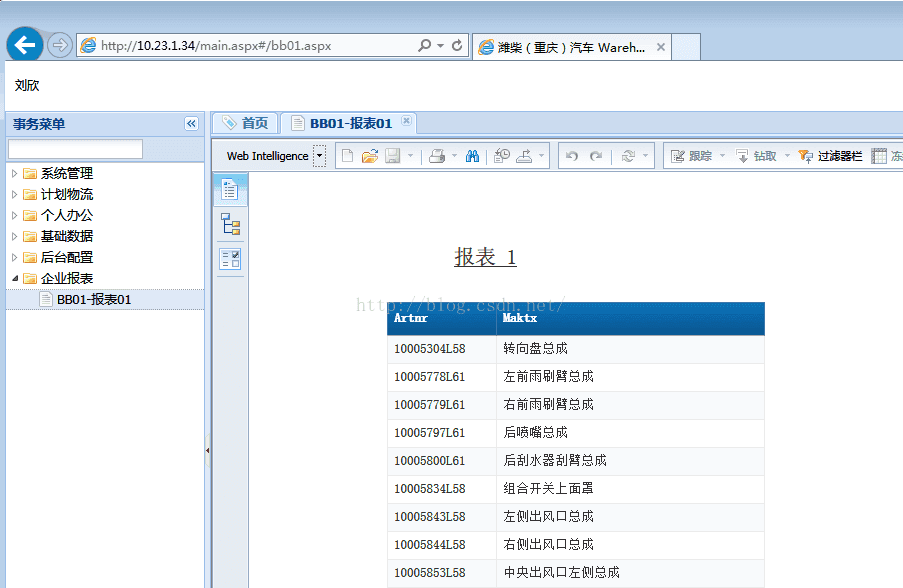
墙内jsp的例子比较多,asp的少,但是我已经用EF很顺手了,那必须要在ASP中实现展现SAP BO报表。
SAP BO 服务器版本: SBOP BI PLATFORM 4.1 SP07 SERVER WINDOWS 64B 1/2 51050532_1
SAP BO 客户端: SBOP BI PLATFORM 4.1 SP07 CLIENT TOOLS WINDOWS (32B) 51050532_3
SAP .net SDK版本: SBOP BI PLATFORM 4.1 SP07 ENTER .NET SDK RUNTIME WINDOWS 51050532_2
FineUI版本: 4.2.3
开发环境:VS2010
using System.Configuration;
using CrystalDecisions.Enterprise;
using System.Diagnostics;
using System.Collections.Specialized;
 private void test2()
        {


            // Enterprise Session Manager Variables
            SessionMgr cdSessionManager = new SessionMgr();
            EnterpriseSession cdSession;
            String cdToken;
            String redirectURL;

            string url = "http://10.23.1.22:8080/BOE/OpenDocument/opendoc/openDocument.jsp";

            String documentCUID = "8013";
            NameValueCollection qsCollection = HttpUtility.ParseQueryString(Request.Url.Query);
            if (qsCollection["DocCUID"] != null)
                documentCUID = qsCollection["DocCUID"];
            // Create Logon Token for use with Open Document method
            try
            {
                // logon to CMS & return the active session
                cdSession = cdSessionManager.Logon("wc01", "123456", "10.23.1.22:6400", "secEnterprise");
                // create the security token for this logon
                // The createLogonToken method allows you to specify the machine that can use the token (which
                // can be empty to allow any user to use the token), the number of minutes the token is valid for, and
                // the number of logons that the token can be used for as parameters.
                cdToken = cdSession.LogonTokenMgr.CreateLogonTokenEx("", 5, 1);
                cdSession.Logoff();
                // now we use the token to build a URL to view the document with OpenDocument
                // Response.Redirect("http://<InfoviewServer>/OpenDocument/opendoc/opendocument.aspx?token=" + ceToken + "&iDocID=" + reportid)
                redirectURL = url + "?&iDocID=" + HttpUtility.UrlEncode(documentCUID) + "&sIDType=ID&token=" + HttpUtility.UrlEncode(cdToken);
                //注意这里如果是CUID:  &sIDType=CUID , String documentCUID = "AfMNWtn2xv1Oli1JRVbnuXc";
                //注意这里如果是ID:    &sIDType=ID ,   String documentCUID = "8013";
                Response.Redirect(redirectURL, false);
                HttpContext.Current.ApplicationInstance.CompleteRequest();

            }
            catch (Exception err)
            {
                string errorMessage = "Error in: " + Request.Url.ToString() +
                "\nError Message:" + err.Message.ToString();
                EventLog.WriteEntry("DSOpenDOcBridge", errorMessage, EventLogEntryType.Error);
                Server.ClearError();
            }

        }
注意事项:
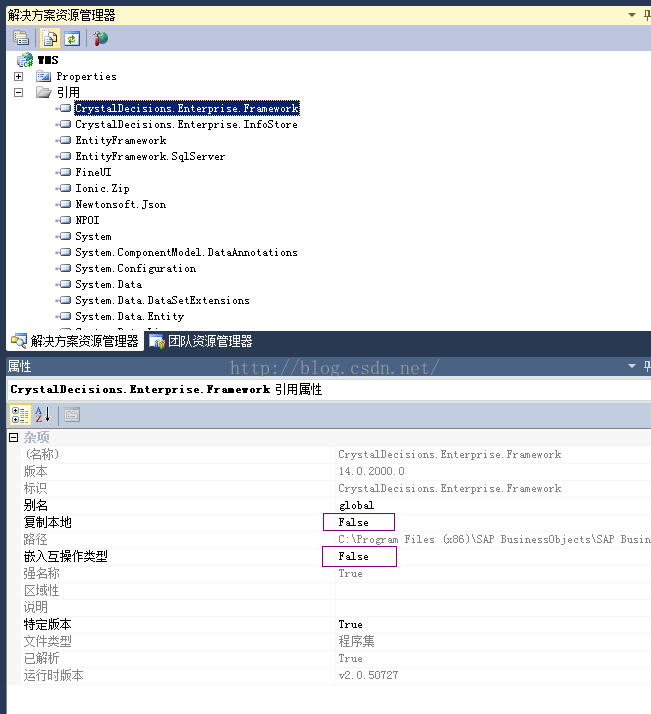
一、VS2010需要应用2个SAP的DLL连接库,但是这2个dll,不要复制到项目中,让网站从系统目录取。
二、IIS的主机HOST文件中,一定要加入BO服务器名称和IP,才能顺利cdSessionManager.Logon 。这个问题困扰了我2天。





 扫一扫
扫一扫


 981
981

 被折叠的 条评论
为什么被折叠?
被折叠的 条评论
为什么被折叠?
 到【灌水乐园】发言





