


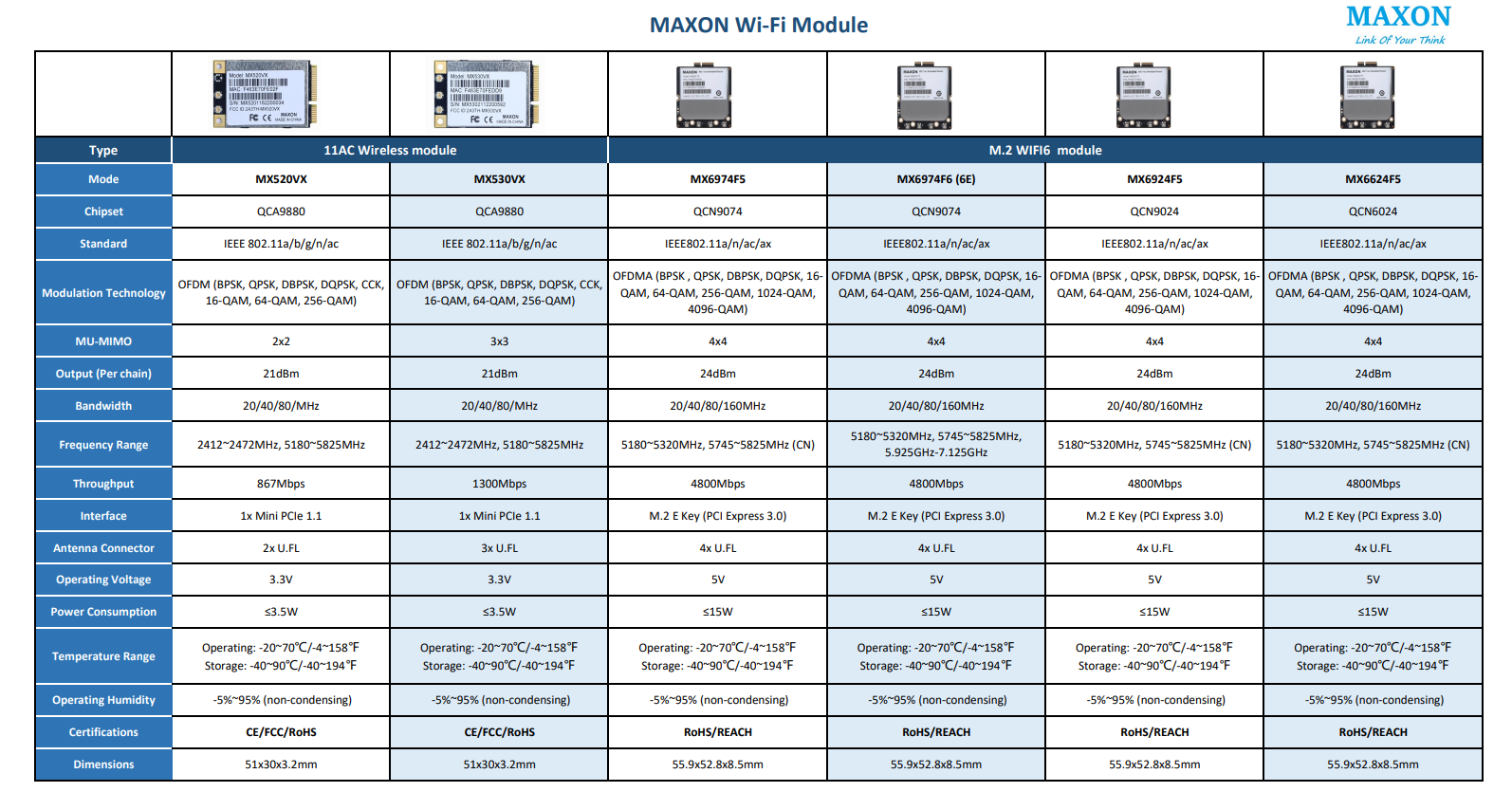
 WiFi5,WiFi6及WiFi6E是无线网络标准,对应802.11ac,802.11ax协议,分别在5GHz,2.4GHz&5GHz,及新增6GHz频段运行。这些模块用于各种设备,提供不同速度、容量和效率。WiFi6E提供更广的频谱和减少干扰,适合高性能应用。
WiFi5, WiFi6, and WiFi6E are wireless networking standards, and there are various modules available in the market that support these standards. These modules are designed to be integrated into devices such as routers, access points, laptops, smartphones, tablets, and other devices that require wireless networking capabilities.
Nanjing MaXon Photoelectric Technology Co., Ltd. is a national high-tech enterprise focusing on industrial communication, integrating product research and development, manufacturing, sales and service. Adhering to the concept of "connect what you think, think what you connect", the company continues to create more convenient and cost-effective communication solutions for customers.Please feel free to contact us at chf@maxonc.com. Check out our website, social media and online platforms for more details.
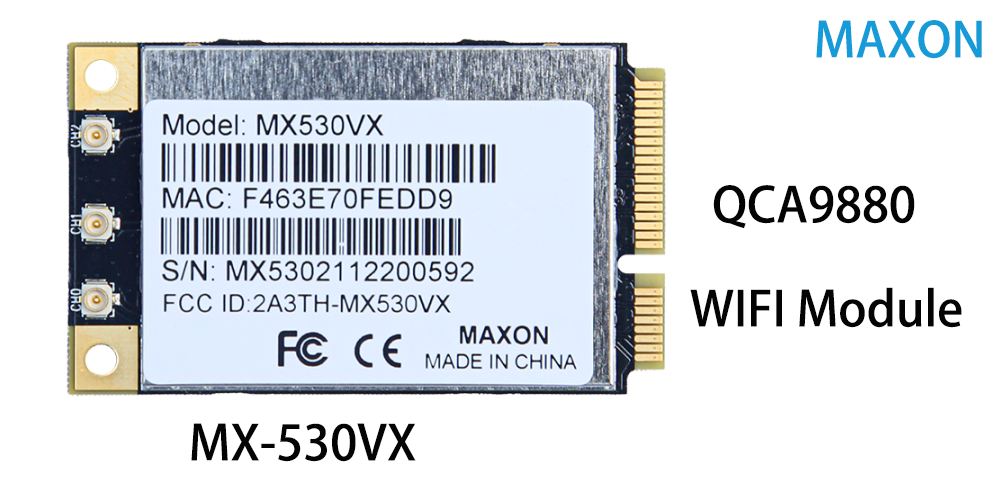
WiFi5 modules support the 802.11ac standard and operate in the 5 GHz frequency band. These modules are commonly found in devices such as laptops, smartphones, and tablets that require fast and reliable wireless connectivity.
WiFi6 modules support the 802.11ax standard and operate in both the 2.4 GHz and 5 GHz frequency bands. These modules offer faster speeds, greater network capacity, and improved efficiency compared to WiFi5 modules. WiFi6 modules are commonly found in high-performance routers, access points, and wireless devices that require advanced wireless networking capabilities.
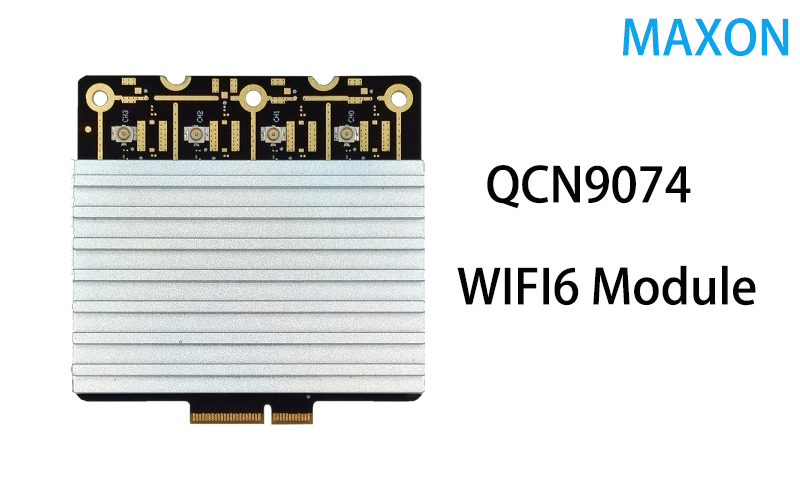
WiFi6E modules are an extension of WiFi6 and support the 802.11ax standard in the newly available 6 GHz frequency band. These modules offer even more available spectrum for WiFi communication, providing greater network capacity and reduced interference compared to the congested 2.4 GHz and 5 GHz bands. WiFi6E modules are commonly found in high-performance routers and access points that require maximum performance and network capacity.
Overall, the choice of a WiFi module depends on the specific needs and requirements of the device and the intended application. When selecting a WiFi module, factors such as speed, range, power consumption, and compatibility with other devices should be considered to ensure optimal performance and compatibility.





 扫一扫
扫一扫


 332
332

 被折叠的 条评论
为什么被折叠?
被折叠的 条评论
为什么被折叠?
 到【灌水乐园】发言





