


一、使用css添加水印
使用微信小程序原生的view和css给屏幕添加水印这样可以防止用户将小程序内的隐私数据进行截图或者录屏分享导致信息泄露,给小程序添加一个水印浮层。这样即使被截图或者拍照,也能轻松地确定泄露的源头。效果图如下:
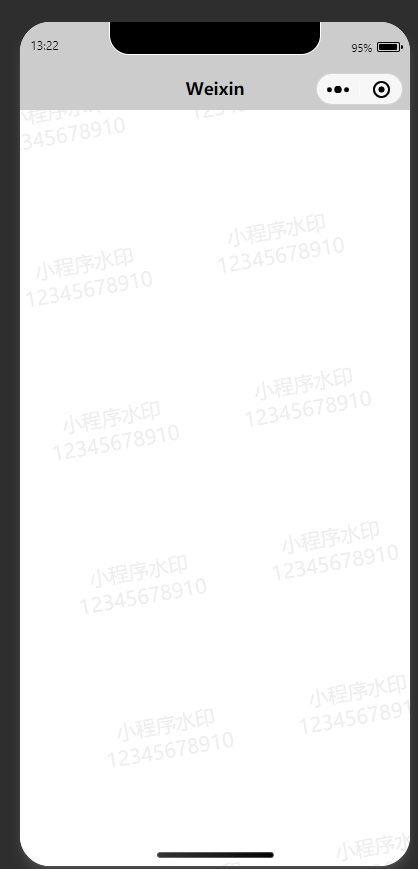
代码片段 https://developers.weixin.qq.com/s/V9dcdgmc7mOy
wxml文件:
注意回车符“\n”只能被text标签识别view标签无法识别
-
<navigation-bar title="Weixin" back="{{false}}" color="black" background="#ccc">
</navigation-bar>
-
<view class="water_top" style="pointer-events: none;">
-
<text class="water-text" wx:for="{{50}}">{{"小程序水印\n12345678910"}}
</text>
-
</view>
css文件:
-
.water_top{
-
position: fixed;
-
top:
0;
-
bottom:
0;
-
left:
0;
-
right:
0;
-
/* background: #999; */
-
transform:
rotate(-
10deg);
-
/* opacity: 0.9; */
-
z-index: -
999;
-
}
-
.water-text{
-
float: left;
-
width:
375rpx;
-
color:
rgba(
169,
169,
169,.
2);
-
text-align: center;
-
font-size:
40rpx;
-
margin:
100rpx
0;
-
}
-
.watermark {
-
position: fixed;
-
top:
0;
-
width:
100%;
-
height:
100%;
-
background:
#eeeeee11;
-
pointer-events: none;
-
background-repeat: repeat;
-
background-size:
50% auto;
-
}
-
.canvas {
-
width:
200px;
-
height:
200px;
-
position: fixed;
-
left: -
200%;
-
}

二、使用微信小程序的api阻止用户截屏
使用wx.setVisualEffectOnCapture手机截屏或者录屏时,禁止调用,并提示无法截屏。
参数
| 属性 | 类型 | 默认值 | 必填 | 说明 |
|---|---|---|---|---|
| visualEffect | string | none | 否 | 截屏/录屏时的表现,仅支持 none / hidden,传入 hidden 则表示在截屏/录屏时隐藏屏幕 |
| success | function | 否 | 接口调用成功的回调函数 | |
| fail | function | 否 | 接口调用失败的回调函数 | |
| complete | function | 否 | 接口调用结束的回调函数(调用成功、失败都会执行 |
注意:iOS 要求基础库版本为 3.3.0 以上,且系统版本为 iOS 16 以上
-
onLoad(
) {
-
wx.
setVisualEffectOnCapture({
-
visualEffect:
'hidden',
-
success:
(res) => {
-
console.
log(res)
-
},
-
fail:
(err) => {
-
console.
log(err)
-
},
-
complete:
(res) => {
-
console.
log(res)
-
}
-
})
-
wx.
onUserCaptureScreen(
function (
res) {
-
console.
log(
'用户截屏了')
-
})
-
},
-
})





 扫一扫
扫一扫


 9412
9412

 被折叠的 条评论
为什么被折叠?
被折叠的 条评论
为什么被折叠?
 到【灌水乐园】发言





