


功能分析
-
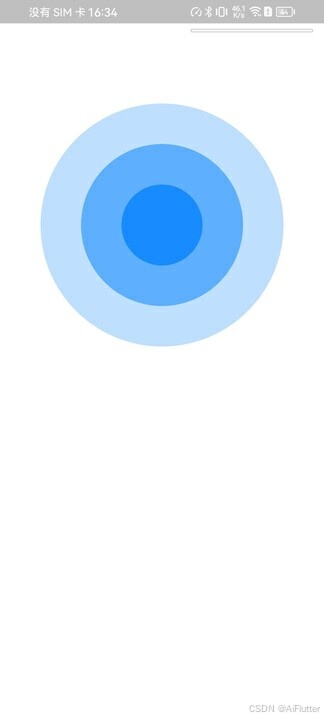
涟漪是由几个圆重叠在一起的
-
外层圆环比内层圆环的背景色要淡,可以改变外层圆的透明度
-
想要达到涟漪效果只要将每个圆的半径慢慢变大并且循环动画即可
实现方法
-
在画板上创建三个圆环,再实现外层的圆环要比内层圆环的颜色要淡。
class WaterRipplePainter extends CustomPainter {
  final Paint _paint = Paint()..style = PaintingStyle.fill;
  WaterRipplePainter(  );
  int count = 3;
  Color color = const Color(0xFF0080ff);
  @override
  void paint(Canvas canvas, Size size) {
    double radius = min(size.width / 2, size.height / 2);
    for (int i = count; i >= 0; i--) {
      final double opacity = (1.0 - ((i) / (count + 1)));
      final Color _color = color.withOpacity(opacity);
      _paint..color = _color;
      double _radius = radius * ((i) / (count + 1));
      canvas.drawCircle(
          Offset(size.width / 2, size.height / 2), _radius, _paint);
    }
  }

  @override
  bool shouldRepaint(CustomPainter oldDelegate) {
    return true;
  }
}
class TextLiany extends StatelessWidget {
  const TextLiany({super.key});

  @override
  Widget build(BuildContext context) {
    return Scaffold(
      body: Container(
        width: 500,
        height: 500,
        child: CustomPaint(
          painter: WaterRipplePainter(),
        ),
      ),
    );
  }
}
2. 使用动画让圆环动起来
class WaterRipplePainter extends CustomPainter {
 最低0.47元/天 解锁文章






 扫一扫
扫一扫


 685
685


 到【灌水乐园】发言




