


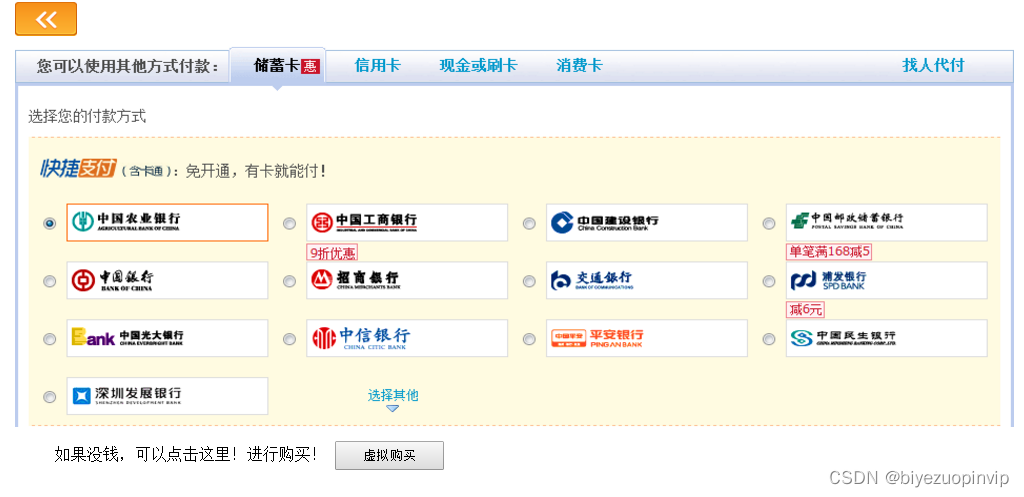
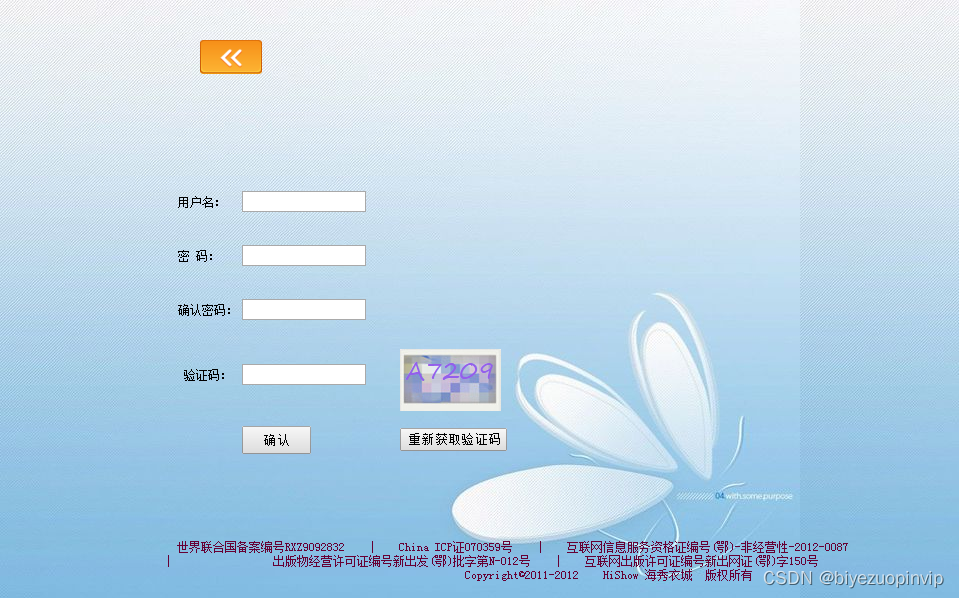
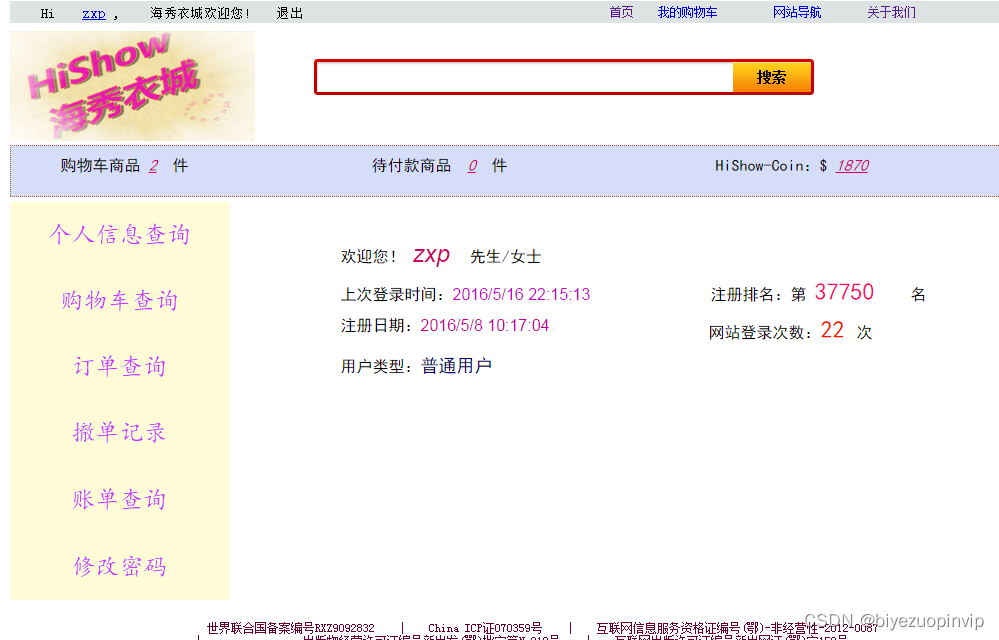
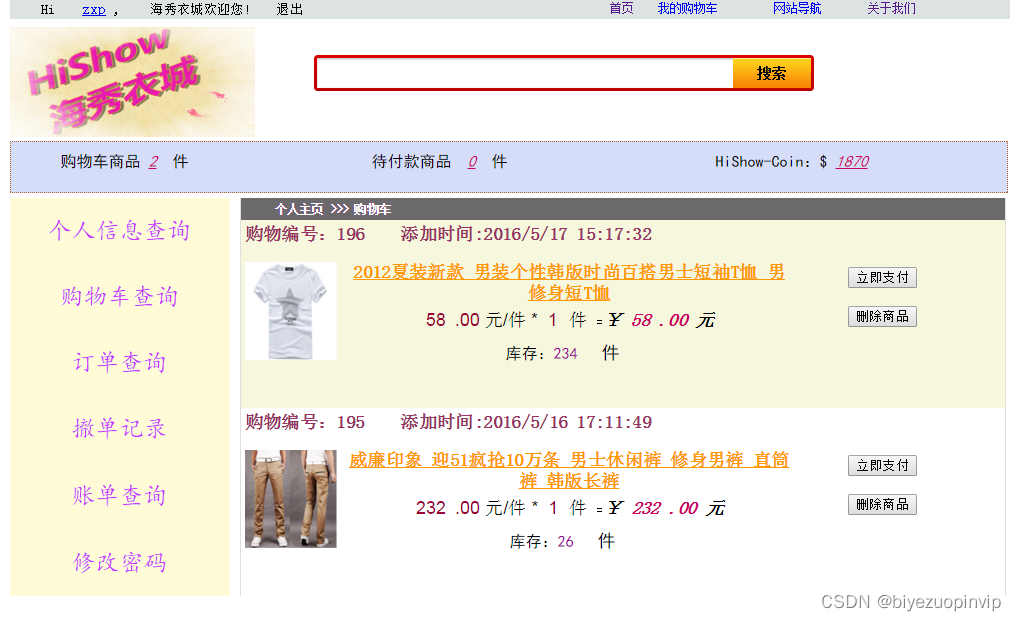
 本文详细介绍了海秀衣城系统的开发,包括三层架构技术应用、系统总体设计(环境配置、模块划分),以及数据库设计和关键功能模块如登录注册、购物车、支付和订单管理。界面设计部分展示了主要页面如首页、购物车和支付流程。
目录
海秀衣城系统 2
1.概 述 2
1.1 网上购物的发展 2
1.2 三层架构技术简介 2
2. 系统总体设计 4
2.1 开发以及运行环境 4
2.2项目结构分析 4
2.3系统功能总体结构图 5
2.4系统功能结构分解图 5
3. 数据库设计 6
3.1 数据库设计 6
3.2 数据表 7
4. 模块设计 10
4.1 前端功能模块 10
4.2 后端功能模块 10
5. 界面设计等 11
5.1 前端模块 11
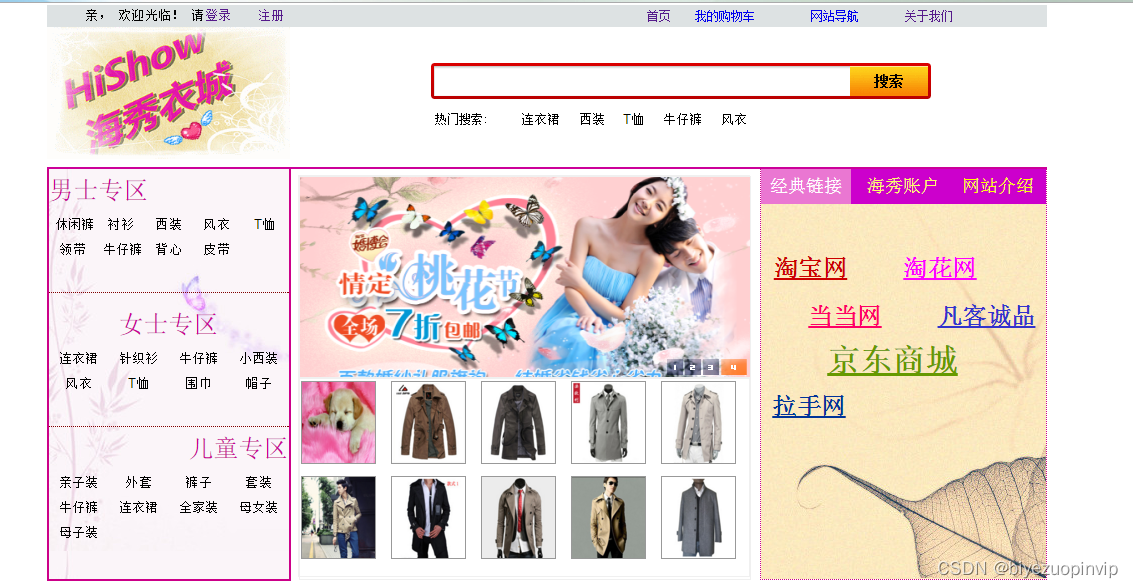
5.1.1 首页 11
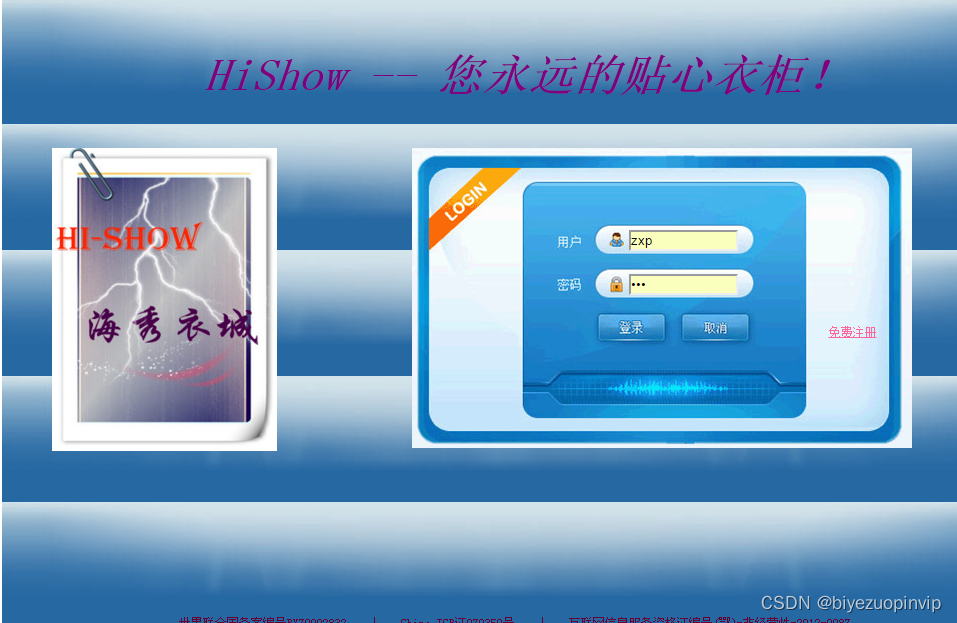
5.1.2登录界面 11
5.1.3注册界面 12
5.1.4 购买商品 12
5.1.5 个人信息查询 13
5.1.6购物车查询 13
5.1.7支付界面 13
5.1.8订单查询 14
5.1.9账单查询 15
5.20 修改密码 15
5.2 后端模块 16
5.2.1 登录模块 16
5.2.2 后台首页 16
5.2.3 用户管理 17
5.2.4 商品添加 17
5.2.5 商品查询 18
5.2.6 商品更新 18
5.2.7 订单查询 18
5.2.8 发货处理 19
5.2.9 账单查询和撤单查询 19
2. 系统总体设计
2.1 开发以及运行环境
硬件平台:
CPU:2.2GHz
内存:4G
软件平台:
开发平台:Visual Studio 2015
数据库:SQL Server 2008 R2
浏览器:chome
2.2项目结构分析
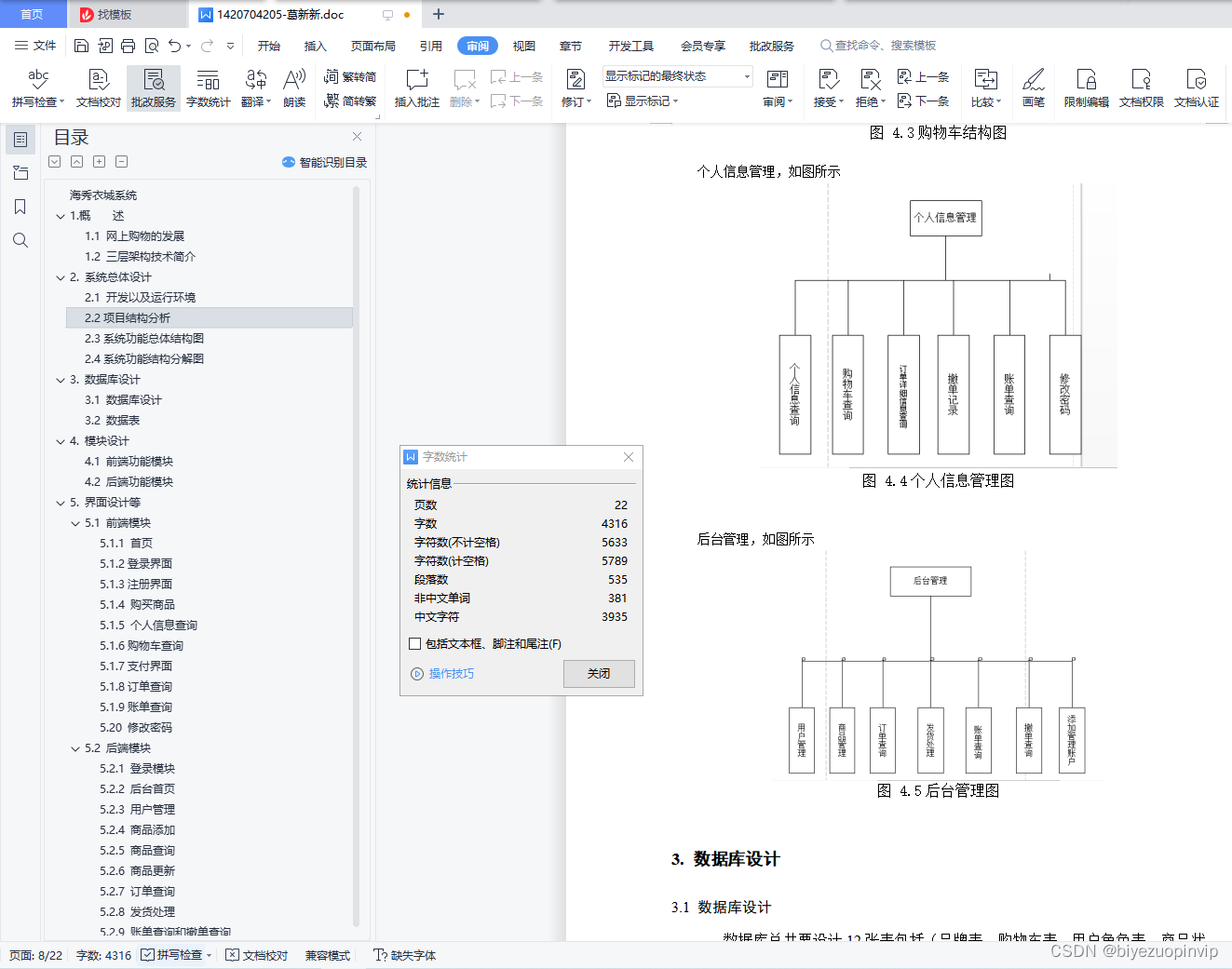
该系统是一个比较完善的购物系统。主要是为买家和卖家而设计的,方便用户进行浏览商品以及卖家管理卖出商品。该系统主要包括后台管理模块、登录注册模块、购物车模块、个人信息管理模块。
登录注册模块:该模块功能主要包括用户的登录以及注册,适用于普通用户即买家。
购物车模块:用户添加商品到购物车,对购物车中的商品进行操作,包括对商品的支付或者删除商品以及商品列表的查询。
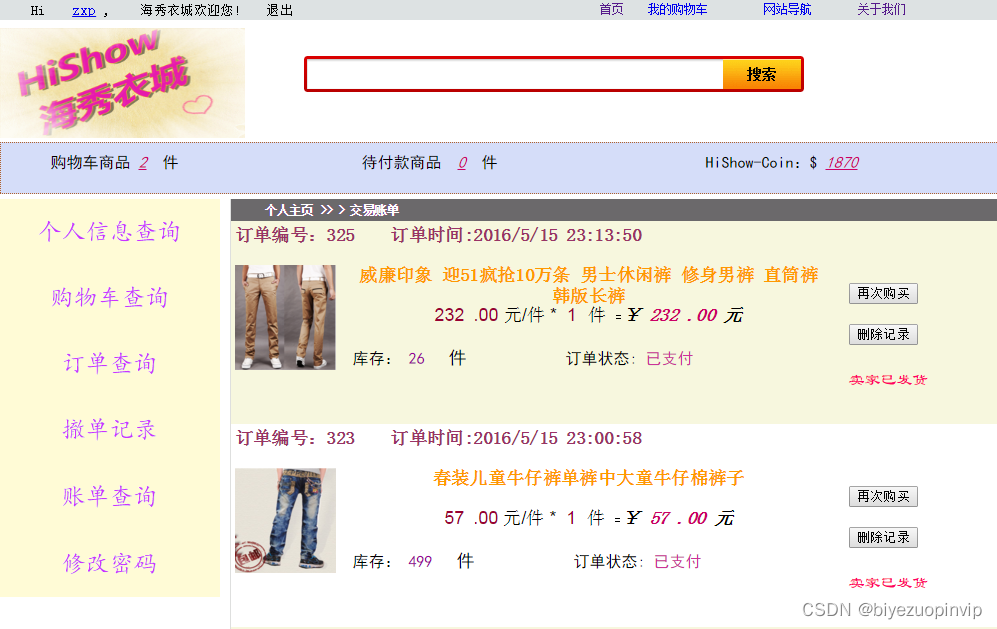
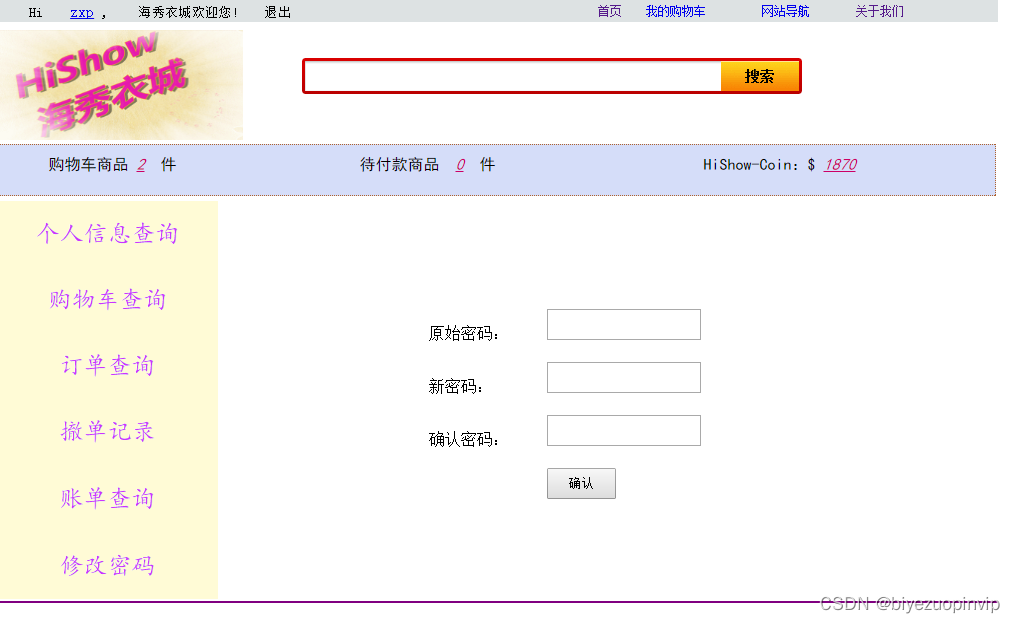
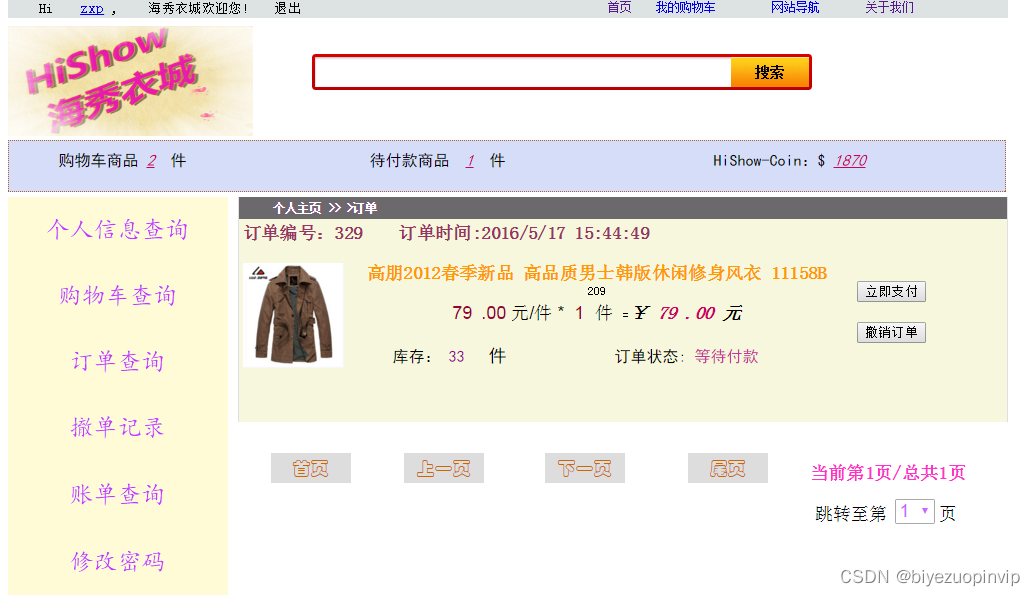
个人信息管理模块:包括个人信息的查询、购物车的查询、订单详细信息的查询(发货状态)、撤单记录、账单查询、以及修改密码。
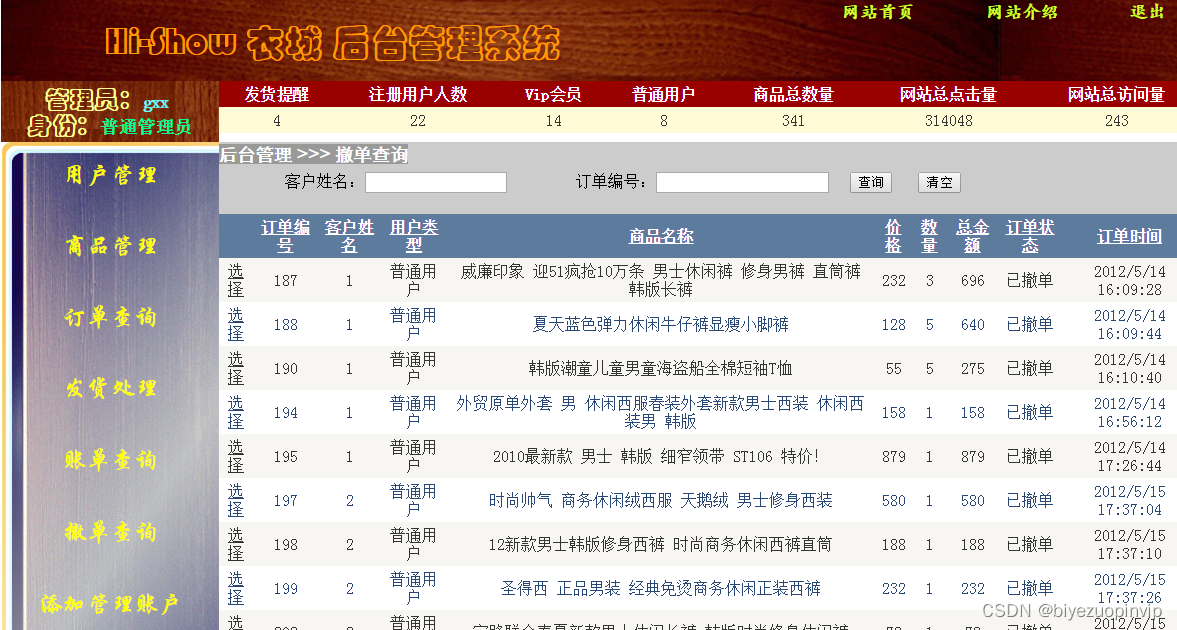
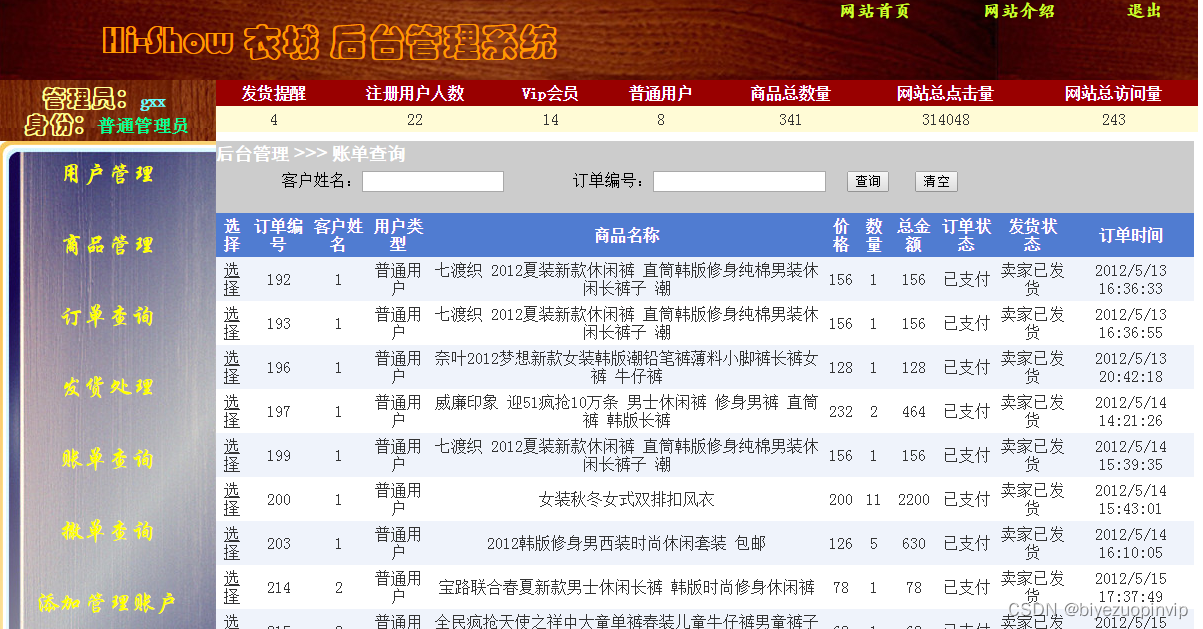
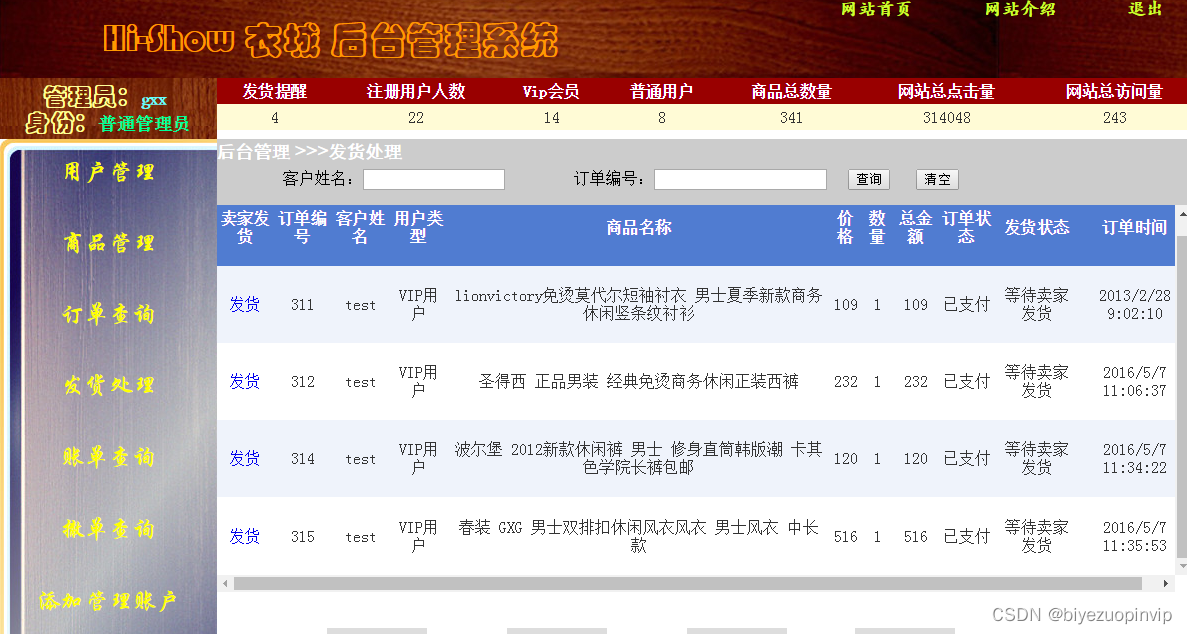
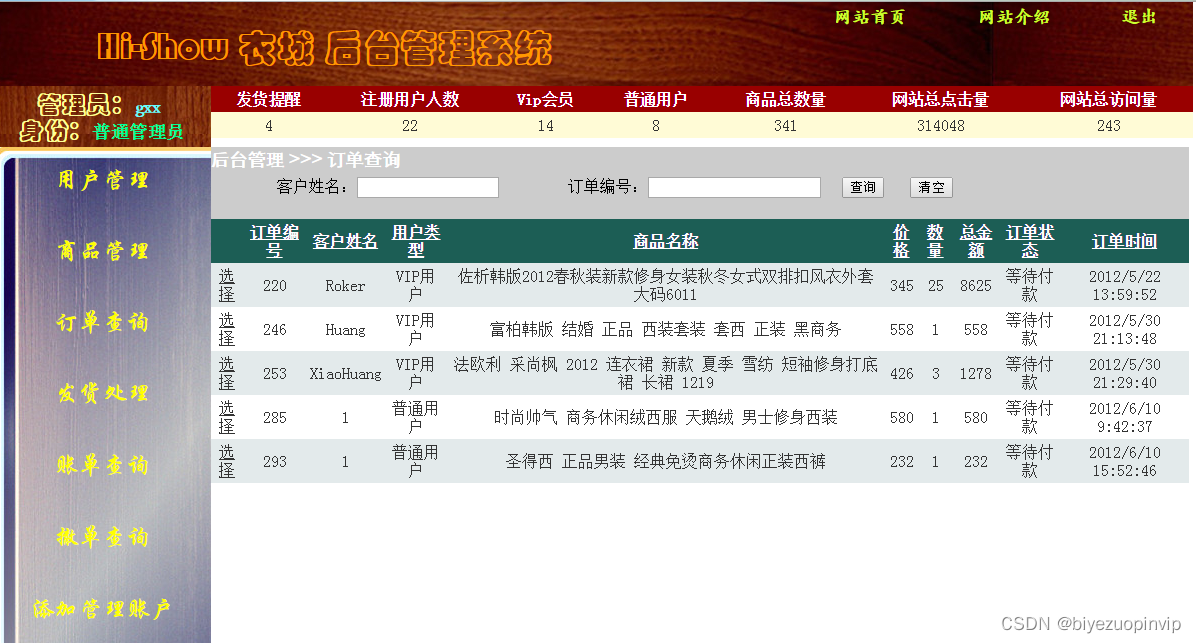
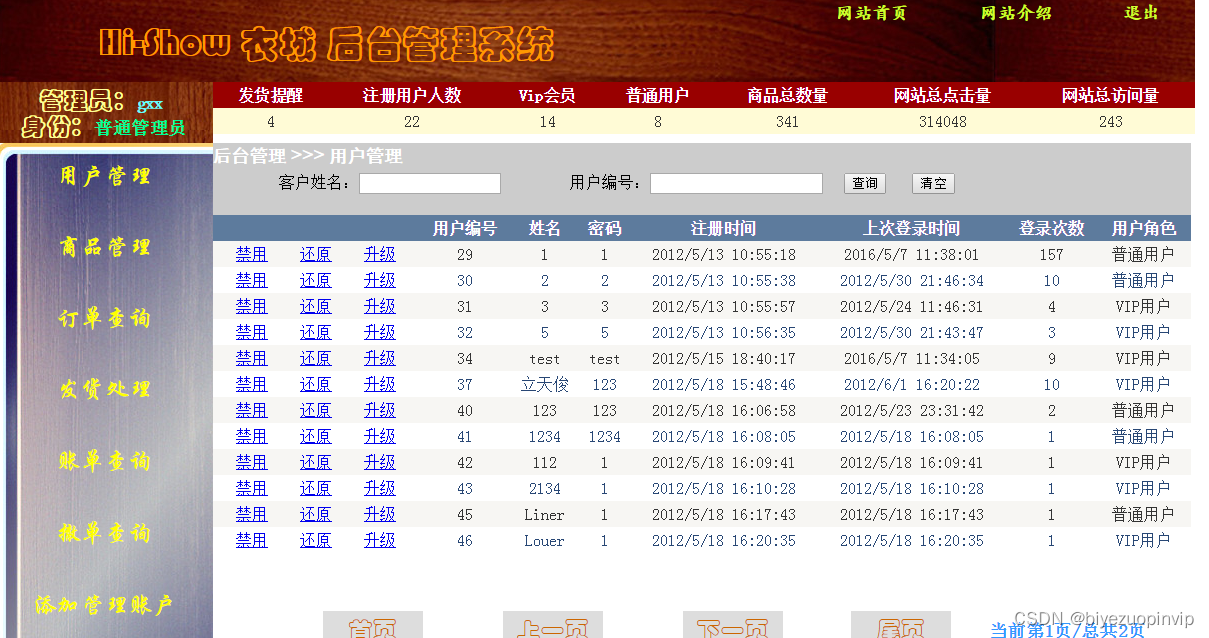
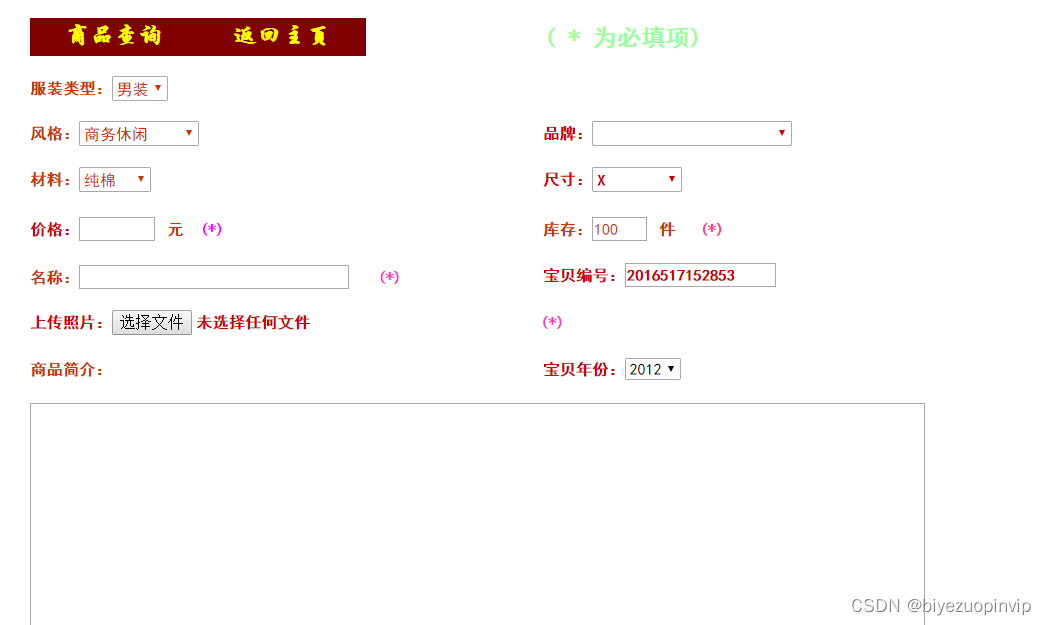
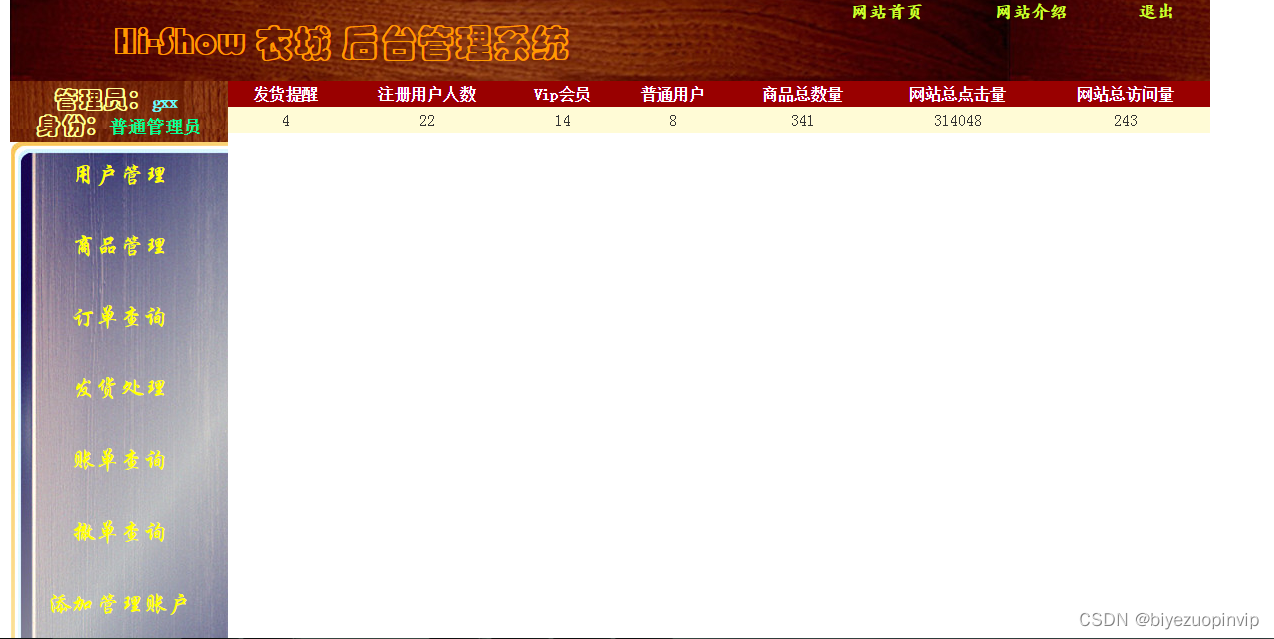
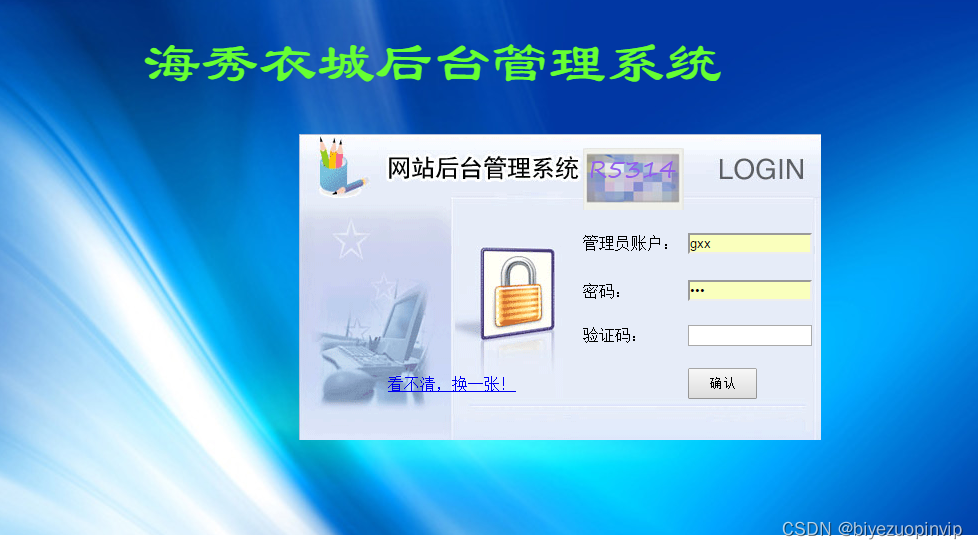
后台管理模块:包含用户管理模块(主要有对用户的搜索查询,对其权限的更改:禁用,还原,升级)、商品管理模块(商品的添加包含着各种详细的信息,商品的查询可以根据价格区间、商品名称或者商品编号来查询,同时还提供了两种视图模式来展示给用户看)、订单查询(来提示卖家哪些商品没有发货)、发货处理(提供发货功能)、账单查询(买家的消费品的查询)、撤单查询(可以查看买家在购买途中所撤销的订单)、添加管理账户(需要最高管理员才能使用这个功能来添加后台管理员)。
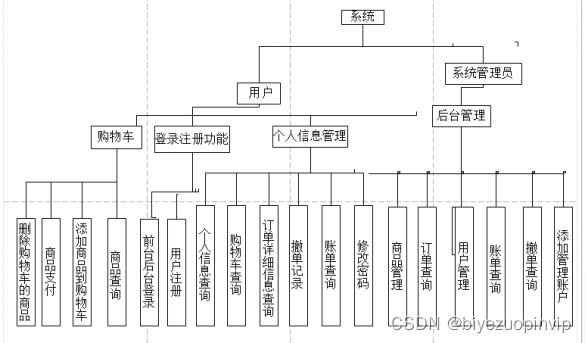
2.3系统功能总体结构图
<%@ Page Language="C#" AutoEventWireup="true" CodeFile="Firstpage.aspx.cs" Inherits="_Default" %>

<%@ Register Src="../UserContorl/RuningPhotos.ascx" TagName="RuningPhotos" TagPrefix="uc1" %>
<%@ Register Src="../UserContorl/Top1.ascx" TagName="Top1" TagPrefix="uc2" %>
<%@ Register Src="../UserContorl/HotSearch.ascx" TagName="HotSearch" TagPrefix="uc4" %>
<%@ Register Src="../UserContorl/GoodSort.ascx" TagName="GoodSort" TagPrefix="uc5" %>
<%@ Register Src="../UserContorl/Footer.ascx" TagName="Footer" TagPrefix="uc6" %>
<%@ Register Src="../UserContorl/AdMenu1.ascx" TagName="AdMenu1" TagPrefix="uc7" %>
<!DOCTYPE html PUBLIC "-//W3C//DTD XHTML 1.0 Transitional//EN" "http://www.w3.org/TR/xhtml1/DTD/xhtml1-transitional.dtd">
<html xmlns="http://www.w3.org/1999/xhtml">
<head runat="server">
    <title>HiShow -您永远的贴心衣柜!</title>
    <link href="../CSS/FirstPage.css" rel="stylesheet" type="text/css" />
    <script src="../JS/divlooks.js" type="text/javascript"></script>
    <style type="text/css">
        .style1
        {
            width: 85px;
            height: 44px;
        }
        .style3
        {
            height: 44px;
        }


        .style4
        {
            font-size: 25pt;
            text-align: center;
            font-family: 楷体;
            color: #990000;
        }
        .pricemark
        {
            height: 28px;
            windows: 90px;
            background-color: #F7F7F7;
            float: right;
            margin-right: 5px;

        }
    </style>
</head>
<body>
    <form id="form1" runat="server">
    <div id="Top">
        <uc2:Top1 ID="Top11" runat="server" />
    </div>
    <div id="Header">
        <div id="Header1">
            <asp:ImageButton ID="ImageButton1" runat="server" Height="132px" ImageUrl="~/Images/UI Images/HiShow3.gif"
                Width="243px" />
        </div>
        <div id="Header2">
            <div style="height: 30px; float: left; width: 745px;">
            </div>
            <div style="height: 108px; width: 80px; float: left">
            </div>
            <div id="Header3">
                <table style="width: 100%;">
                    <tr>
                        <td width="55" class="style3">
                        </td>
                        <td class="style3">
                            <asp:TextBox ID="TextBox1" runat="server" BorderStyle="None" Font-Size="Medium" Height="22px"
                                Style="margin-left: 6px; margin-bottom: 1px;" Width="400px"></asp:TextBox>
                        </td>
                        <td class="style3">
                            <asp:Button ID="Button1" runat="server" BackColor="Transparent" BorderStyle="None"
                                Height="38px" Style="margin-left: 5px" Width="80px" OnClick="Button1_Click" />
                        </td>
                        <td width="50" class="style1">
                            <%--<asp:LinkButton ID="LinkButton1" Style="margin-left: 8px" runat="server" ForeColor="#CC0066"
                                PostBackUrl="~/UI Forms/SuperSearchpage.aspx">高级搜索</asp:LinkButton>--%>
                        </td>
                    </tr>
                </table>
            </div>
            <div style="float: left; height: 58px; width: 633px;">
                <uc4:HotSearch ID="HotSearch1" runat="server" />
            </div>
        </div>
    </div>
    <div id="Nav">
    </div>
    <div id="Content">
        <div id="ContentLeft" style="margin: 0px;">
            <uc5:GoodSort ID="GoodSort1" runat="server" />
        </div>
        <div id="ContentMid" style="height: 200px">

            <uc1:RuningPhotos ID="RuningPhotos1" runat="server" />
        </div>
        <div id="ContentRight">
            <uc7:AdMenu1 ID="AdMenu12" runat="server" />
        </div>
        <div id="Mansview" style="margin-top: 8px; height: 700px; width: 1000px; float: left;
            border-style: solid; border-width: 1px; border-color: #CC0089;">
            <div id="Manph" style="height: 50px; width: 1000px; float: left;" class="style4">
                <strong>全城最畅销专区</strong></div>
            <asp:DataList ID="DataList1" RepeatColumns="4" Width="1000px" runat="server" RepeatDirection="Horizontal"
                OnItemCommand="DataList1_ItemCommand"
                onselectedindexchanged="DataList1_SelectedIndexChanged">
                <ItemTemplate>
                    <div style="border: 1px solid #E1E1E1; height: 308px; width: 226px;">
                        <div style="height: 250px; width: 230px;">
                            <asp:ImageButton ID="ImageButton2" runat="server" Style="height: 280px; width: 226px"
                                ImageUrl='<%#"~/Images/Goods Images/"+Eval("ISBN")+".png" %>' CommandName="ImageButton"
                                OnClick="ImageButton2_Click" Height="247px" />
                        </div>
                        <div style="height: 30px; width: 230px; margin-bottom: 0px; float: left;">
                            <div class="pricemark">
                                <asp:Label ID="Label1" runat="server" Style="font-size: large; font-family: Arial;
                                    font-style: italic; font-weight: 700; color: #FF9933;" Text='<%# "¥ "+Eval("Price")+".00" %>'></asp:Label>
                            </div>
                        </div>
                        <div style="height: 30px; width: 226px; background-color: #CCCCCC; float: left;">
                            <asp:Label ID="Label2" runat="server" Text='<%# Eval("Id") %>' Visible="False"></asp:Label>
                            <asp:Label ID="Label3" runat="server" Style="font-size: small; font-family: 黑体; color: #000000"
                                Text='<%# Eval("Name") %>'></asp:Label>
                        </div>
                    </div>
                </ItemTemplate>
            </asp:DataList>
        </div>
        <div id="Womenview" style="border: 1px solid #CC0089; margin-top: 5px; height: 778px;
            width: 1000px; float: left;">
            <div id="Div4" style="height: 50px; width: 1000px; float: left;" class="style4">
                <strong>全城人气专区</strong></div>
            <asp:DataList ID="DataList2" RepeatColumns="4" Width="1000px" runat="server" RepeatDirection="Horizontal"
                OnItemCommand="DataList1_ItemCommand" Height="681px">
                <ItemTemplate>
                    <div style="height: 316px; width: 230px;">
                        <div style="height: 250px; width: 230px;">
                            <asp:ImageButton ID="ImageButton2" runat="server" ImageUrl='<%#"~/Images/Goods Images/"+Eval("ISBN")+".png" %>'
                                BorderColor="#F7F7F7" BorderStyle="Solid" BorderWidth="2px" CommandName="ImageButton"
                                Height="273px" Width="230px" />
                        </div>
                        <div style="height: 30px; width: 230px; margin-bottom: 0px; float: left;">
                            <div style="height: 28px; width: 90px; background-color: #F7F7F7; float: right; margin-right: 5px;">
                                <asp:Label ID="Label1" runat="server" Style="font-size: large; font-family: Arial;
                                    font-style: italic; font-weight: 700; color: #CC0099;" Text='<%# "¥ "+Eval("Price")+".00" %>'></asp:Label>
                            </div>
                        </div>
                        <div style="border: 2px solid #F7F7F7; height: 45px; width: 230px; background-color: #CAE7E8;
                            float: left;">
                            <asp:Label ID="Label2" runat="server" Text='<%# Eval("Id") %>' Visible="False"></asp:Label>
                            <asp:Label ID="Label3" runat="server" Style="font-size: small; font-family: 微软雅黑;
                                color: #333333" Text='<%# Eval("Name") %>'></asp:Label>
                        </div>
                    </div>
                </ItemTemplate>
            </asp:DataList>
        </div>
        <div id="Childrenview" style="border: 1px solid #CC0089; margin-top: 5px; height: 749px;
            width: 1000px; float: left;">
            <div id="Div5" style="height: 50px; width: 1000px; float: left;" class="style4">
                <strong>全城最奢华专区</strong></div>
            <asp:DataList ID="DataList3" RepeatColumns="4" Width="1000px" runat="server" RepeatDirection="Horizontal"
                OnItemCommand="DataList1_ItemCommand" Height="681px">
                <ItemTemplate>
                    <div style="height: 316px; width: 230px;">
                        <div style="height: 250px; width: 230px;">
                            <asp:ImageButton ID="ImageButton2" runat="server" ImageUrl='<%#"~/Images/Goods Images/"+Eval("ISBN")+".png" %>'
                                BorderColor="#F7F7F7" BorderStyle="Solid" BorderWidth="2px" CommandName="ImageButton"
                                Height="273px" Width="230px" />
                        </div>
                        <div style="height: 30px; width: 230px; margin-bottom: 0px; float: left;">
                            <div style="height: 28px; width: 95px; background-color: #F7F7F7; float: right; margin-right: 5px;">
                                <asp:Label ID="Label1" runat="server" Style="font-size: large; font-family: Arial;
                                    font-style: italic; font-weight: 700; color: #CC0099;" Text='<%# "¥ "+Eval("Price")+".00" %>'></asp:Label>
                            </div>
                        </div>
                        <div style="border: 2px solid #F7F7F7; height: 45px; width: 230px; background-color: #CAE7E8;
                            float: left;">
                            <asp:Label ID="Label2" runat="server" Text='<%# Eval("Id") %>' Visible="False"></asp:Label>
                            <asp:Label ID="Label3" runat="server" Style="font-size: small; font-family: 微软雅黑;
                                color: #333333" Text='<%# Eval("Name") %>'></asp:Label>
                        </div>
                    </div>
                </ItemTemplate>
            </asp:DataList>
        </div>
        <div id="Div1" style="margin-top: 8px; height: 700px; width: 1000px; float: left;
            border-style: solid; border-width: 1px; border-color: #CC0089;">
            <div id="Div6" style="height: 50px; width: 1000px; float: left;" class="style4">
                男士经典<strong>专区</strong></div>
            <asp:DataList ID="DataList4" RepeatColumns="4" Width="1000px" runat="server" RepeatDirection="Horizontal"
                OnItemCommand="DataList1_ItemCommand">
                <ItemTemplate>
                    <div style="border: 1px solid #E1E1E1; height: 308px; width: 226px;">
                        <div style="height: 250px; width: 230px;">
                            <asp:ImageButton ID="ImageButton2" runat="server" Style="height: 280px; width: 226px"
                                ImageUrl='<%#"~/Images/Goods Images/"+Eval("ISBN")+".png" %>' CommandName="ImageButton"
                                OnClick="ImageButton2_Click" Height="247px" />
                        </div>
                        <div style="height: 30px; width: 230px; margin-bottom: 0px; float: left;">
                            <div id="Pricemark" style="height: 28px; windows: 90px; background-color: #F7F7F7;
                                float: right; margin-right: 5px;">
                                <asp:Label ID="Label1" runat="server" Style="font-size: large; font-family: Arial;
                                    font-style: italic; font-weight: 700; color: #FF9933;" Text='<%# "¥ "+Eval("Price")+".00" %>'></asp:Label>
                            </div>
                        </div>
                        <div style="height: 30px; width: 226px; background-color: #CCCCCC; float: left;">
                            <asp:Label ID="Label2" runat="server" Text='<%# Eval("Id") %>' Visible="False"></asp:Label>
                            <asp:Label ID="Label3" runat="server" Style="font-size: small; font-family: 黑体; color: #000000"
                                Text='<%# Eval("Name") %>'></asp:Label>
                        </div>
                    </div>
                </ItemTemplate>
            </asp:DataList>
        </div>
        <div id="Div2" style="border: 1px solid #CC0089; margin-top: 5px; height: 741px;
            width: 1000px; float: left;">
            <div id="Div7" style="height: 50px; width: 1000px; float: left;" class="style4">
                女士<strong>浪漫专区</strong></div>
            <asp:DataList ID="DataList5" RepeatColumns="4" Width="1000px" runat="server" RepeatDirection="Horizontal"
                OnItemCommand="DataList1_ItemCommand" Height="630px">
                <ItemTemplate>
                    <div style="height: 316px; width: 230px;">
                        <div style="height: 250px; width: 230px;">
                            <asp:ImageButton ID="ImageButton2" runat="server" ImageUrl='<%#"~/Images/Goods Images/"+Eval("ISBN")+".png" %>'
                                BorderColor="#F7F7F7" BorderStyle="Solid" BorderWidth="2px" CommandName="ImageButton"
                                Height="273px" Width="230px" />
                        </div>
                        <div style="height: 30px; width: 230px; margin-bottom: 0px; float: left;">
                            <div style="height: 28px; width: 90px; background-color: #F7F7F7; float: right; margin-right: 5px;">
                                <asp:Label ID="Label1" runat="server" Style="font-size: large; font-family: Arial;
                                    font-style: italic; font-weight: 700; color: #CC0099;" Text='<%# "¥ "+Eval("Price")+".00" %>'></asp:Label>
                            </div>
                        </div>
                        <div style="border: 2px solid #F7F7F7; height: 45px; width: 230px; background-color: #CAE7E8;
                            float: left;">
                            <asp:Label ID="Label2" runat="server" Text='<%# Eval("Id") %>' Visible="False"></asp:Label>
                            <asp:Label ID="Label3" runat="server" Style="font-size: small; font-family: 微软雅黑;
                                color: #333333" Text='<%# Eval("Name") %>'></asp:Label>
                        </div>
                    </div>
                </ItemTemplate>
            </asp:DataList>
            <br />
        </div>
        <div id="Div3" style="border: 1px solid #CC0089; margin-top: 5px; height: 797px;
            width: 1000px; float: left;">
            <div id="Div8" style="height: 50px; width: 1000px; float: left;" class="style4">
                儿童可爱<strong>专区</strong></div>
            <asp:DataList ID="DataList6" RepeatColumns="4" Width="1000px" runat="server" RepeatDirection="Horizontal"
                OnItemCommand="DataList1_ItemCommand" Height="681px">
                <ItemTemplate>
                    <div style="height: 316px; width: 230px;">
                        <div style="height: 250px; width: 230px;">
                            <asp:ImageButton ID="ImageButton2" runat="server" ImageUrl='<%#"~/Images/Goods Images/"+Eval("ISBN")+".png" %>'
                                BorderColor="#F7F7F7" BorderStyle="Solid" BorderWidth="2px" CommandName="ImageButton"
                                Height="273px" Width="230px" />
                        </div>
                        <div style="height: 30px; width: 230px; margin-bottom: 0px; float: left;">
                            <div style="height: 28px; width: 90px; background-color: #F7F7F7; float: right; margin-right: 5px;">
                                <asp:Label ID="Label1" runat="server" Style="font-size: large; font-family: Arial;
                                    font-style: italic; font-weight: 700; color: #CC0099;" Text='<%# "¥ "+Eval("Price")+".00" %>'></asp:Label>
                            </div>
                        </div>
                        <div style="border: 2px solid #F7F7F7; height: 45px; width: 230px; background-color: #CAE7E8;
                            float: left;">
                            <asp:Label ID="Label2" runat="server" Text='<%# Eval("Id") %>' Visible="False"></asp:Label>
                            <asp:Label ID="Label3" runat="server" Style="font-size: small; font-family: 微软雅黑;
                                color: #333333" Text='<%# Eval("Name") %>'></asp:Label>
                        </div>
                    </div>
                </ItemTemplate>
            </asp:DataList>
        </div>
        <div style="margin-top: 5px; height: 30px; width: 1000px; float: left">
        </div>
    </div>
    <div id="Footer">
        <uc6:Footer ID="Footer1" runat="server" />
    </div>
    </form>
</body>
</html>





 扫一扫
扫一扫


 1008
1008

 被折叠的 条评论
为什么被折叠?
被折叠的 条评论
为什么被折叠?
 到【灌水乐园】发言





