


 本文档详细介绍了如何在您的网络中安装Sophos企业控制台5.1版。包括安装前的准备条件,例如复制文件到服务器、验证连接、创建用户等步骤,并提供了完整的安装流程。
 This post is a detail documentation how to install Sophos Enterprise Console 5.1 in your networks.
Pre-Requirements:
- copy the Sophos Enterprise Console to the Server (ProdInstall\Sophos\Sophos Console\sec_5.1.exe)
- check if you are able to connect to the infrastructure server like this: http://IP Server:8085
- A webpage like this should be shown to you:

The important folder is the Warehouse, it contains the files which are necessary for the Sophos Antivirus updates.
- If Sophos Antivirus is already installed, you have to uninstall the component “Sophos Remote Management System”

Sophos Enterprise Console will install a newer version of this component.
- Make Sure, the component Microsoft SQL Server 2008 is installed (must be for WSUS)
- Create 2 users for Sophos Enterprise Console.
Sophos_prod
is for the database access.
Sophos_upd
is for the endpoint access.
Both users have to be in the local group users.
You can choose the password by yourself.
Both users have to be created with password never expires, like in the next screenshots:


Both user have to be created local or if possible as domain accounts with “password never expires” and “User cannot change password”, like in these screenshots.
Steps to Installation of Sophos Enterprise Console:
Run sec_5.1.exe and follow the instructions as seen at these screenshots:


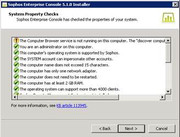

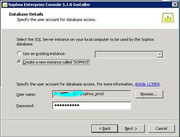
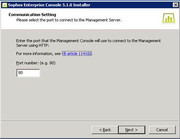

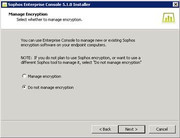
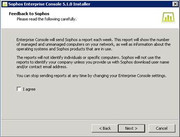
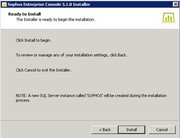
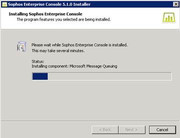

Installation Completed.
References:
- Sophos Enterprise Console quick startup guide (5.2)
- Sophos Enterprise Console advanced startup guide (5.2)





 扫一扫
扫一扫


 104
104

 被折叠的 条评论
为什么被折叠?
被折叠的 条评论
为什么被折叠?
 到【灌水乐园】发言





