



 本文档介绍了如何在Delphi应用中使用FontList.h,展示了如何获取系统字体并应用到ListBox控件中,以及如何响应用户选择字体并实时更新Label内容。
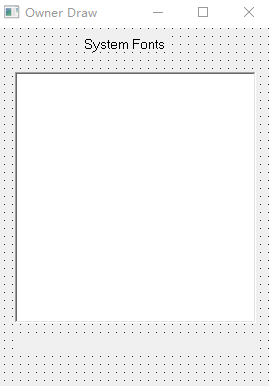
#include "FontList.h"
//---------------------------------------------------------------------------
#pragma resource "*.dfm"
TFormMain *FormMain;
//---------------------------------------------------------------------------
__fastcall TFormMain::TFormMain(TComponent* Owner)
: TForm(Owner)
{
}
//---------------------------------------------------------------------------
void __fastcall TFormMain::FormCreate(TObject *Sender)
{
ListBox1->Items = Screen->Fonts;
}
//---------------------------------------------------------------------
void __fastcall TFormMain::ListBox1Click(TObject *Sender)
{
FontLabel->Caption = ListBox1->Items->Strings[ListBox1->ItemIndex].c_str();
}
//---------------------------------------------------------------------
void __fastcall TFormMain::DrawItem(TWinControl *Control,
int Index, TRect &Rect, TOwnerDrawState State)
{
ListBox1->Canvas->FillRect(Rect);
ListBox1->Canvas->Font->Name =ListBox1->Items->Strings[Index].c_str();
ListBox1->Canvas->Font->Size = 0;
ListBox1->Canvas->TextOut(Rect.Left+1, Rect.Top+1, ListBox1->Items->Strings[Index].c_str());
}
//---------------------------------------------------------------------
void __fastcall TFormMain::ListBox1MeasureItem(TWinControl *Control,
int Index, int &Height)
{
ListBox1->Canvas->Font->Name =ListBox1->Items->Strings[Index].c_str();
ListBox1->Canvas->Font->Size = 0;
Height = ListBox1->Canvas->TextHeight("Wg") +2;
}
//---------------------------------------------------------------





 扫一扫
扫一扫


 775
775

 被折叠的 条评论
为什么被折叠?
被折叠的 条评论
为什么被折叠?
 到【灌水乐园】发言





