



 这个博客内容涉及一个图形用户界面(GUI)应用的源代码,主要关注颜色选择器组件和工具按钮的响应。当用户在颜色网格中选择颜色时,前景和背景颜色会相应更新,并改变图形元素的边框颜色以确保可见性。此外,不同工具按钮(如画笔、填充、橡皮擦)的点击会触发不同的光标状态,以指示当前操作模式。
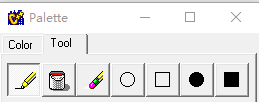
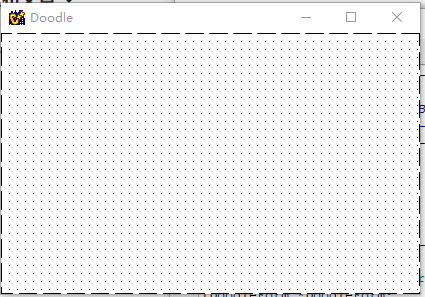
//---------------------------------------------------------------------------
#include <vcl.h>
#pragma hdrstop
#include "palette.h"
#include "main.h"
//---------------------------------------------------------------------------
#pragma resource "*.dfm"
TToolPalette *ToolPalette;
//---------------------------------------------------------------------------
__fastcall TToolPalette::TToolPalette(TComponent* Owner)
: TForm(Owner)
{
}
//---------------------------------------------------------------------------
void __fastcall TToolPalette::ColorGrid1Change(TObject *Sender)
{
// Set the colors of the glyphs that show foreground and background color.
// Since the ColorGrid already displays FG and BG, the glyphs aren't really
// needed. Note that in the case of the color being black, the color of
// the boarder of the glyph (aka the Pen) is changed to white. This is
// just so that the frame can still be seen against the fill color.
FGShape->Brush->Color = ColorGrid1->ForegroundColor;
if (FGShape->Brush->Color == TColor(clBlack))
FGShape->Pen->Color = TColor(clWhite);
else
FGShape->Pen->Color = TColor(clBlack);
BGShape->Brush->Color = ColorGrid1->BackgroundColor;
if (BGShape->Brush->Color == TColor(clBlack))
BGShape->Pen->Color = TColor(clWhite);
else
BGShape->Pen->Color = TColor(clBlack);
}
//---------------------------------------------------------------------------
void __fastcall TToolPalette::ShapeButtonClick(TObject *Sender)
{
DoodleForm->Cursor = TCursor(crPlus);
}
//---------------------------------------------------------------------------
void __fastcall TToolPalette::FillButtonClick(TObject *Sender)
{
DoodleForm->Cursor = TCursor(crFill);
}
//---------------------------------------------------------------------------
void __fastcall TToolPalette::PencilButtonClick(TObject *Sender)
{
DoodleForm->Cursor = TCursor(crDraw);
}
//---------------------------------------------------------------------------
void __fastcall TToolPalette::EraseButtonClick(TObject *Sender)
{
DoodleForm->Cursor = TCursor(crErase);
}
//---------------------------------------------------------------------------





 扫一扫
扫一扫


 3166
3166

 被折叠的 条评论
为什么被折叠?
被折叠的 条评论
为什么被折叠?
 到【灌水乐园】发言





