



 本文介绍了在Mac上如何检查和安装oh-my-zsh,以及添加zsh-autosuggestions插件的详细步骤,包括使用curl命令安装、编辑.zshrc文件和启用新插件。
安装oh-my-zsh
mac直接就是运行的zsh 可以用下面命令检查一下
cat /etc/shells
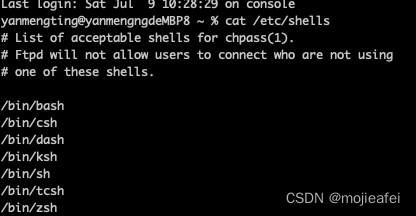
安装:
sh -c "$(curl -fsSL https://gitee.com/mirrors/oh-my-zsh/raw/master/tools/install.sh)"
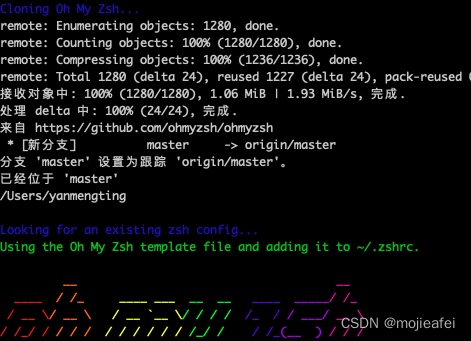
安装命令提示
git clone https://github.com/zsh-users/zsh-autosuggestions ${ZSH_CUSTOM:-~/.oh-my-zsh/custom}/plugins/zsh-autosuggestions

vim ~/.zshrc
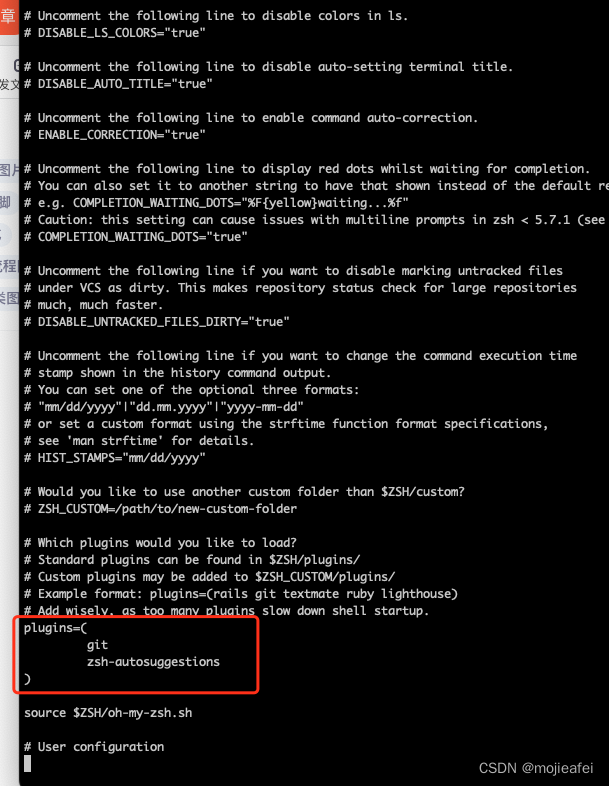
插件这里 把autosuggestions加进去
plugins=(
git
zsh-autosuggestions
)
退出 保存 :wq!
最后应用
source ~/.zshrc
就可以了






 扫一扫
扫一扫


 620
620

 被折叠的 条评论
为什么被折叠?
被折叠的 条评论
为什么被折叠?
 到【灌水乐园】发言





