





 本文详细介绍了一个简单的JavaWeb项目实现过程,从数据库建立到前端页面设计,涵盖了JavaEE环境下使用Eclipse和Tomcat进行Web开发的基本步骤,包括数据库操作、实体类定义、DAO层增删改查、Servlet处理请求及响应,以及JSP页面展示。
JavaWeb入门简单操作
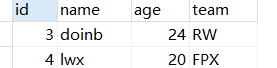
大致流程截图展示
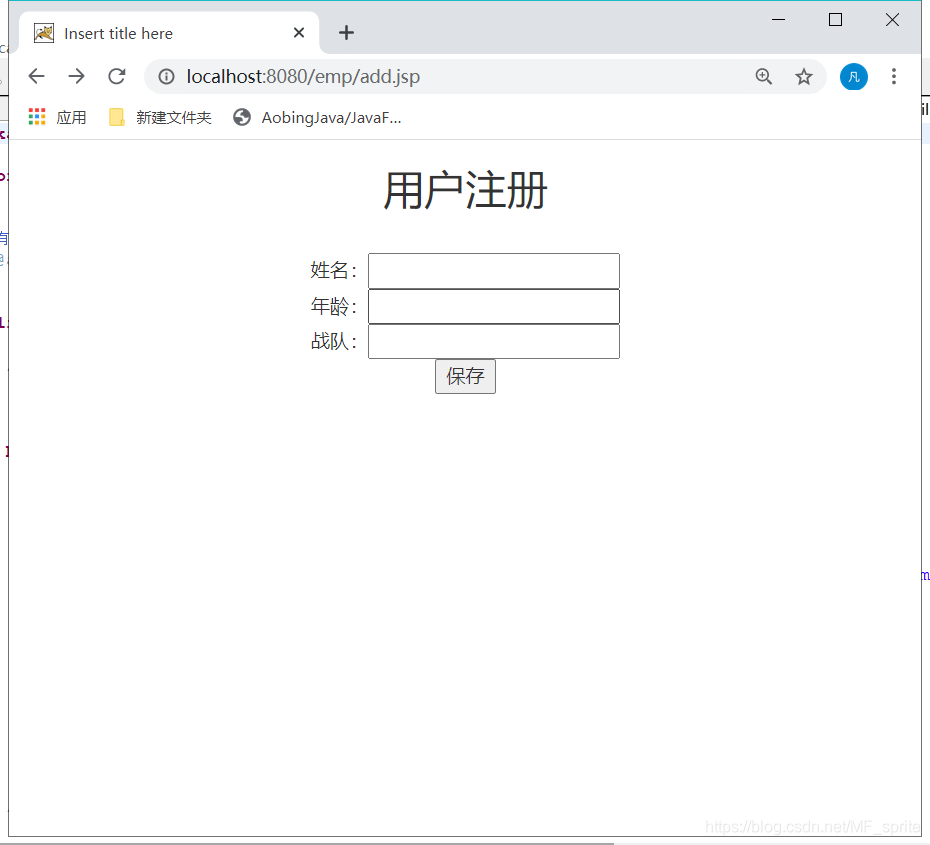
填写注册信息
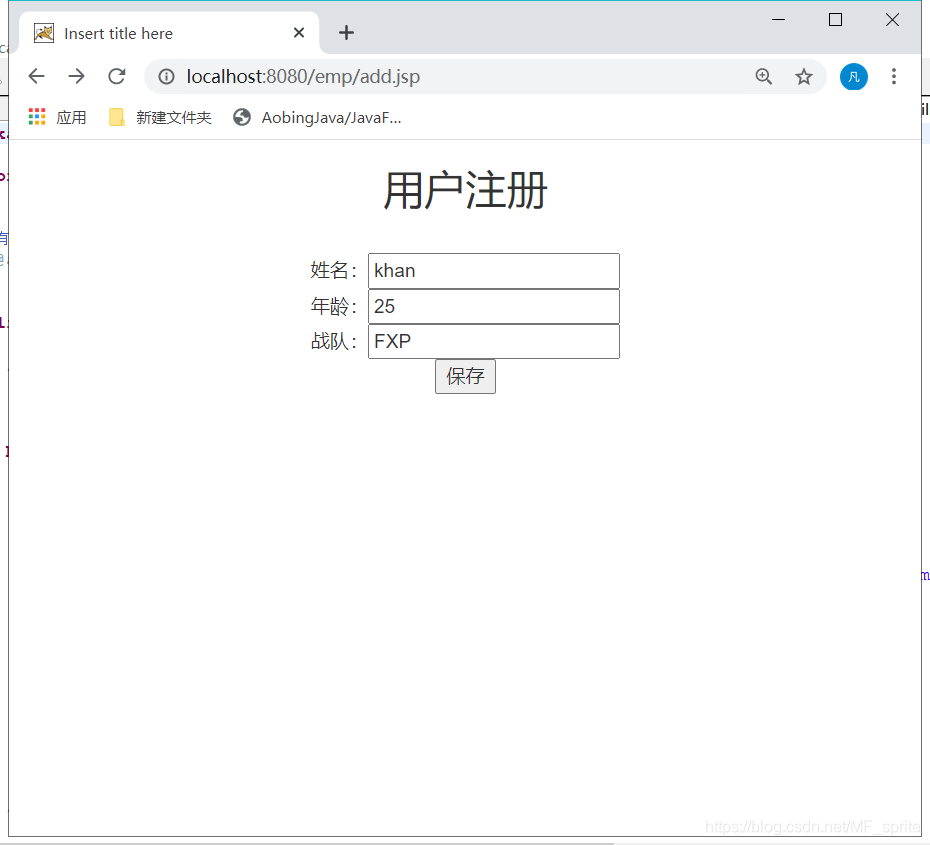
点击保存
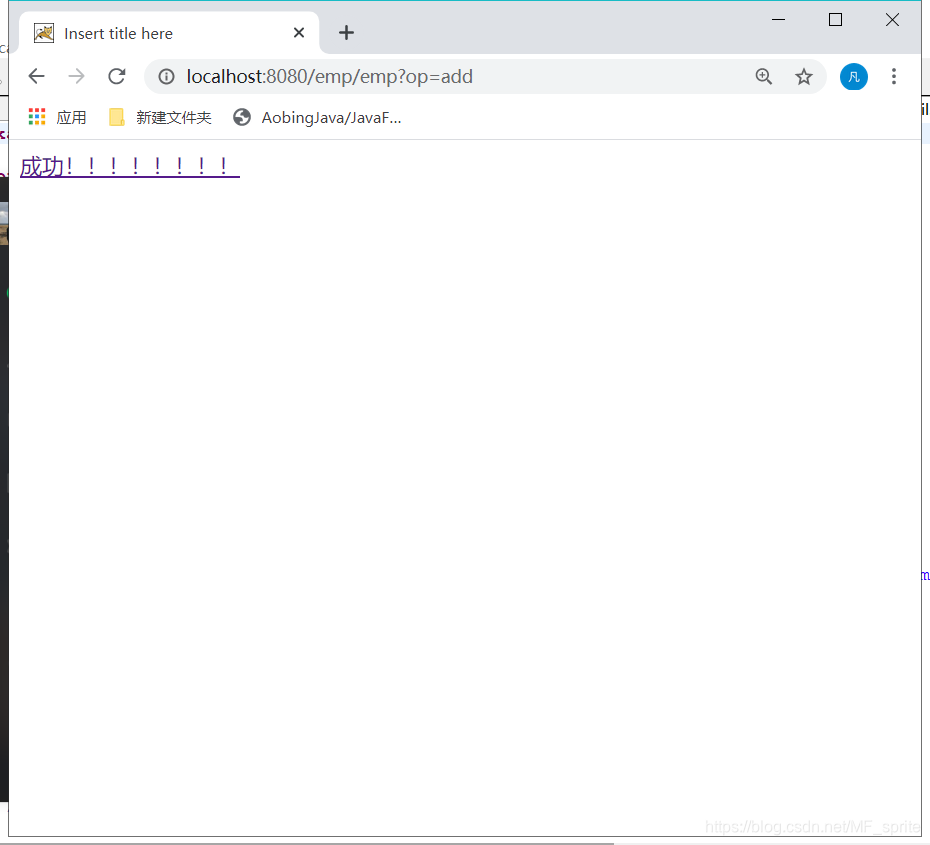
后台数据库
我用的是eclipse的JavaEE版和tomcat没有用IDEA
首先创建数据库
create table  if not exists Emp(
id  int primary key,
name varchar(32) ,
age int ,
team varchar(32)
);
有关数据库操作 (DBUtil ——没有用连接池,不要忘记导入数据库jar包)
package dao;

import java.sql.Connection;
import java.sql.DriverManager;
import java.sql.ResultSet;
import java.sql.SQLException;
import java.sql.Statement;

/**
 * 有关数据库操作的工具类
 * @author Administrator
 *
 */
public class DBUtil {

	/**
	 * 获取连接对象
	 * @return
	 */
	public static  Connection  getConnection(){
		Connection conn=null;
		try {
			//加载驱动
			Class.forName("com.mysql.cj.jdbc.Driver");
			//创建连接
			conn=DriverManager.getConnection("jdbc:mysql://localhost:3306/item?serverTimezone=Asia/Shanghai&characterEncoding=utf-8", "root", "java");
		} catch (ClassNotFoundException e) {
			e.printStackTrace();
		} catch (SQLException e) {
			e.printStackTrace();
		}
		//返回
		return conn;
	}
	/**
	 * 关闭数据资源
	 * @param rs
	 * @param st
	 * @param conn
	 */
	public static void closeAll(ResultSet rs,Statement st,Connection conn){
		try {
			if(rs!=null){
				rs.close();
			}
			if(st!=null){
				st.close();
			}
			if(conn!=null){
				conn.close();
			}


		} catch (Exception e) {
			e.printStackTrace();
		}
	}
}
实体类Emp
package entity;

public class Emp {

	private int id;
	private  String name;
	private int age;
	private  String team;

	public Emp() {
	}
	public Emp(String name, int age, String team) {
		super();
		this.name = name;
		this.age = age;
		this.team = team;
	}
	public Emp(int id, String name, int age, String team) {
		super();
		this.id = id;
		this.name = name;
		this.age = age;
		this.team = team;
	}
	public int getId() {
		return id;
	}
	public void setId(int id) {
		this.id = id;
	}
	public String getName() {
		return name;
	}
	public void setName(String name) {
		this.name = name;
	}
	public int getAge() {
		return age;
	}
	public void setAge(int age) {
		this.age = age;
	}
	public String getTeam() {
		return team;
	}
	public void setTeam(String team) {
		this.team = team;
	}
	@Override
	public String toString() {
		return "Emp [id=" + id + ", name=" + name + ", age=" + age + ", team=" + team + "]";
	}

}
DAO操作(只写了增加,其他操作下次展示)
package dao;

import java.sql.Connection;
import java.sql.PreparedStatement;
import java.sql.ResultSet;
import java.sql.SQLException;
import java.sql.Statement;
import java.util.ArrayList;
import java.util.List;

import com.mysql.cj.xdevapi.DbDoc;
import com.sun.org.apache.regexp.internal.recompile;

import entity.Emp;

public class EmpDao {
	/**
	 * 添加
	 * @param emp
	 * @return
	 */
	public boolean add(Emp emp) {
		PreparedStatement ps = null;
		boolean f = false;
		Connection conn = DBUtil.getConnection();

		String sql = "insert into student (name,age,team) values (?,?,?)";

		try {
			ps = conn.prepareStatement(sql);

			ps.setString(1, emp.getName());
			ps.setInt(2, emp.getAge());
			ps.setString(3, emp.getTeam());

			// 执行
			f = ps.executeUpdate() > 0 ? true : false;

		} catch (SQLException e) {

			e.printStackTrace();
		} finally {
			DBUtil.closeAll(null, ps, conn);
		}
		return f;
	}
servlet代码
package servlet;

import java.io.IOException;
import java.util.List;

import javax.servlet.ServletException;
import javax.servlet.http.HttpServlet;
import javax.servlet.http.HttpServletRequest;
import javax.servlet.http.HttpServletResponse;
import javax.servlet.http.HttpSession;

import dao.EmpDao;
import entity.Emp;
import entity.Page;

//servlet.EmpServlet
public class EmpServlet extends HttpServlet{

    @Override
	protected void doPost(HttpServletRequest req, HttpServletResponse resp) throws ServletException, IOException {
		doGet(req, resp);
	}
	@Override
	protected void doGet(HttpServletRequest req, HttpServletResponse resp) throws ServletException, IOException {
		req.setCharacterEncoding("utf-8");

		String op="list";
		String opstr=req.getParameter("op");
		if(opstr!=null) {
			op=opstr;
		}
        switch (op) {
		case "add":
			add(req, resp);
			break;
		default:
			break;
        }
    }
    private void add(HttpServletRequest req, HttpServletResponse resp) throws ServletException, IOException {
		String name=req.getParameter("name");
		String ageStr=req.getParameter("age");
		String team=req.getParameter("team");
		int age= Integer.parseInt(ageStr);//将字符转为int类型
		boolean f=new EmpDao().add(new Emp(name, age, team));

		if(f) {
			req.getRequestDispatcher("/page/success.html").forward(req, resp);
		}else {
			req.getRequestDispatcher("/page/fail.html").forward(req, resp);
		}
	}
}
add.jsp页面(在 JSP 页面中添加 taglib 指令时在工程中引用 JSTL 的 jar 包和标签库描述文件。)
<%@ page language="java" contentType="text/html; charset=utf-8"
    pageEncoding="utf-8"%>
<!DOCTYPE html PUBLIC "-//W3C//DTD HTML 4.01 Transitional//EN" "http://www.w3.org/TR/html4/loose.dtd">
<html>
<head>
<meta http-equiv="Content-Type" content="text/html; charset=ISO-8859-1">
<title>Insert title here</title>
      <!-- 导入jquery+bootstrap 可以设计出各种样式 页面没有使用 -->
		<link rel="stylesheet" href="https://cdn.staticfile.org/twitter-bootstrap/3.3.7/css/bootstrap.min.css">
		<script src="https://cdn.staticfile.org/jquery/2.1.1/jquery.min.js"></script>
		<script src="https://cdn.staticfile.org/twitter-bootstrap/3.3.7/js/bootstrap.min.js"></script>
</head>
<body>
<div style="width: 100%; text-align: center">
	<h2>用户注册</h2>
	<div>
	<form action="emp?op=add" method="post">
	         <input type="hidden" name="id"  /><br />
			姓名:<input type="text" name="name" /><br />
			年龄:<input type="text" name="age" /><br />
			战队:<input type="text" name="team" /><br />
			<input type="submit" value="保存" />
		</form>

	</div>
</div>

</body>
</html>
fail.html和success.html代码不再展示
web.xml代码展示
<?xml version="1.0" encoding="UTF-8"?>
<!--
 Licensed to the Apache Software Foundation (ASF) under one or more
  contributor license agreements.  See the NOTICE file distributed with
  this work for additional information regarding copyright ownership.
  The ASF licenses this file to You under the Apache License, Version 2.0
  (the "License"); you may not use this file except in compliance with
  the License.  You may obtain a copy of the License at

      http://www.apache.org/licenses/LICENSE-2.0

  Unless required by applicable law or agreed to in writing, software
  distributed under the License is distributed on an "AS IS" BASIS,
  WITHOUT WARRANTIES OR CONDITIONS OF ANY KIND, either express or implied.
  See the License for the specific language governing permissions and
  limitations under the License.
-->
<web-app xmlns="http://java.sun.com/xml/ns/javaee"
  xmlns:xsi="http://www.w3.org/2001/XMLSchema-instance"
  xsi:schemaLocation="http://java.sun.com/xml/ns/javaee
                      http://java.sun.com/xml/ns/javaee/web-app_3_0.xsd"
  version="3.0"
  metadata-complete="true">

  <!-- 使用默认欢迎页面 -->
	  <welcome-file-list>
	  		<welcome-file>welcome.html</welcome-file>
	  </welcome-file-list>
	   <servlet>
		  	<servlet-class>servlet.EmpServlet</servlet-class>
		  	<servlet-name>emp</servlet-name>
	  </servlet>
	  <servlet-mapping>
		  	<servlet-name>emp</servlet-name>
		  	<url-pattern>/emp</url-pattern>
	  </servlet-mapping>

</web-app>
以上代码就可以完成文章开头的简单页面操作了。
首先弥补上周的!!!!!!!!!!!抱歉来晚了!!!






 扫一扫
扫一扫


 2万+
2万+

 被折叠的 条评论
为什么被折叠?
被折叠的 条评论
为什么被折叠?
 到【灌水乐园】发言





