



该功能是基于百度智能云实现的根据文字进行语音播报。
1、首先到百度智能云创建语音应用
https://console.bce.baidu.com/ai/
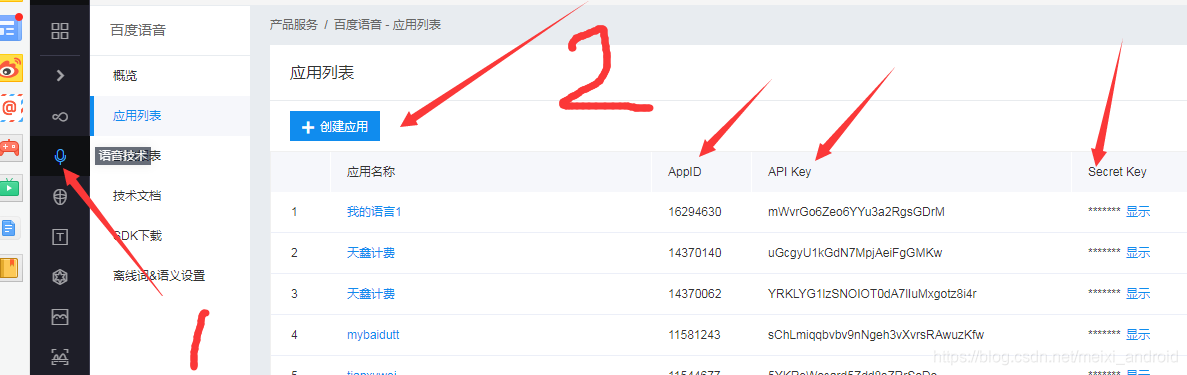
填写包名创建百度语音应用,获取AppID,API Key,Secret Key
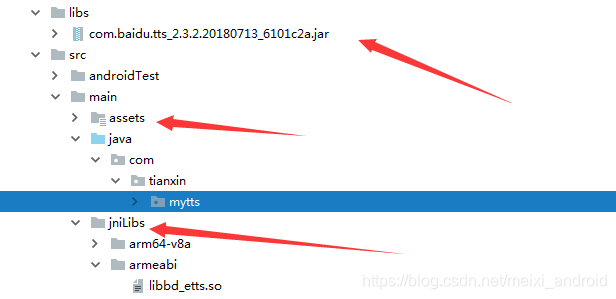
2、导入资源文件。语音jar,assets语音库,jni系统文件
3、创建工具类
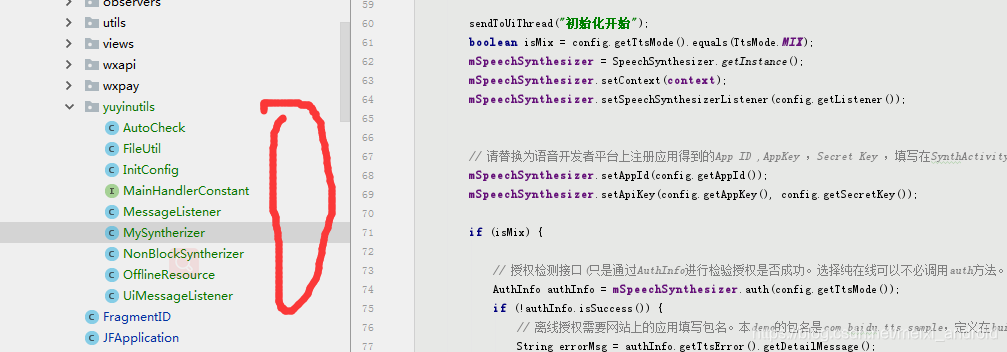
4、activity初始化语音引擎
protected String appId = "20729771";

protected String appKey = "6SSdraj9RFUKyAmf36DcpYy3";

protected String secretKey = "dmqQYTXsPUmWwgSQU06vj2plHKTAdaF3";
protected TtsMode ttsMode = TtsMode.MIX;

protected MySyntherizer synthesizer;
SpeechSynthesizerListener listener;
protected String offlineVoice = OfflineResource.VOICE_MALE;
在Application的onCreate方法里面初始化
Map<String, String> params = getParams();
InitConfig initConfig = new InitConfig(appId, appKey, secretKey, ttsMode, params, listener);

synthesizer = new MySyntherizer(this,initConfig,null);
开始播报内容
synthesizer.speak(str1);
demo链接:https://download.youkuaiyun.com/download/meixi_android/11193641
在线回复bug:QQ1085220040
附:切换声音类型dialog
AlertDialog.Builder builder = new AlertDialog.Builder(SynthActivity.this, android.R.style.Theme_Holo_Light_Dialog);
builder.setTitle("引擎空闲时切换");
final Map<String, String> map = new LinkedHashMap<>(4);
map.put("离线女声", OfflineResource.VOICE_FEMALE);
map.put("离线男声", OfflineResource.VOICE_MALE);
map.put("离线度逍遥", OfflineResource.VOICE_DUXY);
map.put("离线度丫丫", OfflineResource.VOICE_DUYY);
final String[] keysTemp = new String[4];
final String[] keys = map.keySet().toArray(keysTemp);
builder.setItems(keys, new DialogInterface.OnClickListener() {
    @Override
    public void onClick(DialogInterface dialog, int which) {
        loadModel(map.get(keys[which]));
        Log.i("lgq","....."+map.get(keys[which]));
    }
});
builder.show();
方法二:
说明:只适用安卓6,0以上设备
两个工具方法,即可实现语音播报
public interface TTS {
    void playText(String playText);

    void stopSpeak();
}
public class SystemTTS extends UtteranceProgressListener implements TTS, TextToSpeech.OnUtteranceCompletedListener {
private Context mContext;
private static SystemTTS singleton;
private TextToSpeech textToSpeech; // 系统语音播报类
private boolean isSuccess = true;
public static SystemTTS getInstance(Context context) {
if (singleton == null) {
synchronized (SystemTTS.class) {
if (singleton == null) {
singleton = new SystemTTS(context);
}
}
}
return singleton;
}
private SystemTTS(Context context) {
this.mContext = context.getApplicationContext();
textToSpeech = new TextToSpeech(mContext, new TextToSpeech.OnInitListener() {
@Override
public void onInit(int i) {
//系统语音初始化成功
if (i == TextToSpeech.SUCCESS) {
int result = textToSpeech.setLanguage(Locale.CHINA);
textToSpeech.setPitch(1.0f);// 设置音调,值越大声音越尖(女生),值越小则变成男声,1.0是常规
textToSpeech.setSpeechRate(1.0f);
textToSpeech.setOnUtteranceProgressListener(SystemTTS.this);
textToSpeech.setOnUtteranceCompletedListener(SystemTTS.this);
if (result == TextToSpeech.LANG_MISSING_DATA
|| result == TextToSpeech.LANG_NOT_SUPPORTED) {
//系统不支持中文播报
isSuccess = false;
}
}
}
});
}
public void playText(String playText) {
if (!isSuccess) {
Toast.makeText(mContext, "系统不支持中文播报", Toast.LENGTH_SHORT).show();
return;
}
if (textToSpeech != null) {
textToSpeech.speak(playText,
TextToSpeech.QUEUE_ADD, null, null);
}
}
public void stopSpeak() {
if (textToSpeech != null) {
textToSpeech.stop();
}
}
// public boolean isSpeaking() {
// if (textToSpeech.isSpeaking()) {
// return true;
// }
// return false;
// }
//播报完成回调
@Override
public void onUtteranceCompleted(String utteranceId) {
}
@Override
public void onStart(String utteranceId) {
}
@Override
public void onDone(String utteranceId) {
}
@Override
public void onError(String utteranceId) {
}
}
调用播报:
SystemTTS systemTTS = SystemTTS.getInstance(MainActivity.this);
systemTTS.playText("支付宝到账一百万");
语音识别 实现
语音识别比较简单,只需要引入百度的代码库即可实现
实现效果
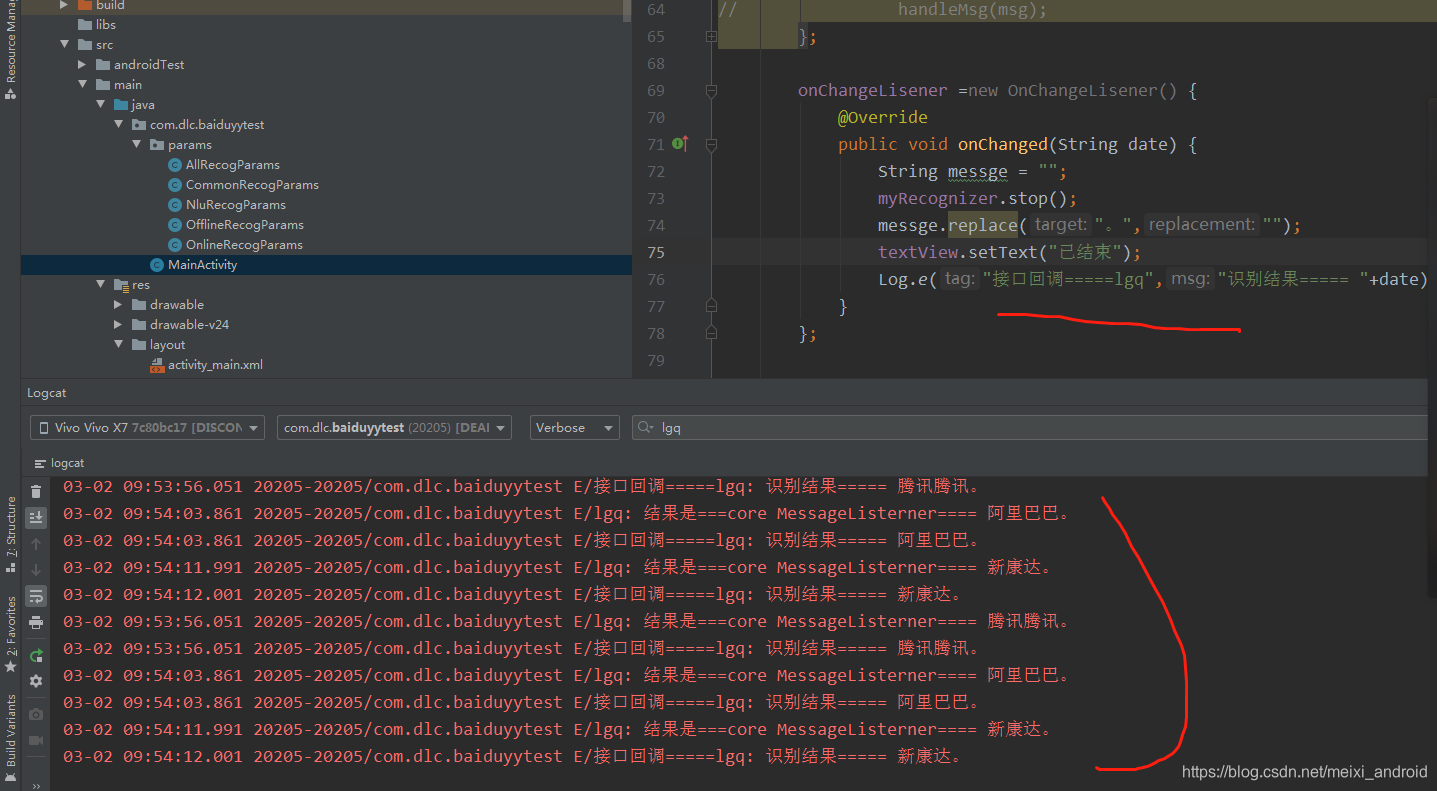
百度语音识别demo:https://download.youkuaiyun.com/download/meixi_android/15512732
在线语音播报bug交流:扣1085220040





 扫一扫
扫一扫


 887
887


 到【灌水乐园】发言



