


 本文介绍了如何使用Vue.js的深度选择器修改ElementUI中的表格样式,包括删除背景色、调整th样式并移除底部白线。
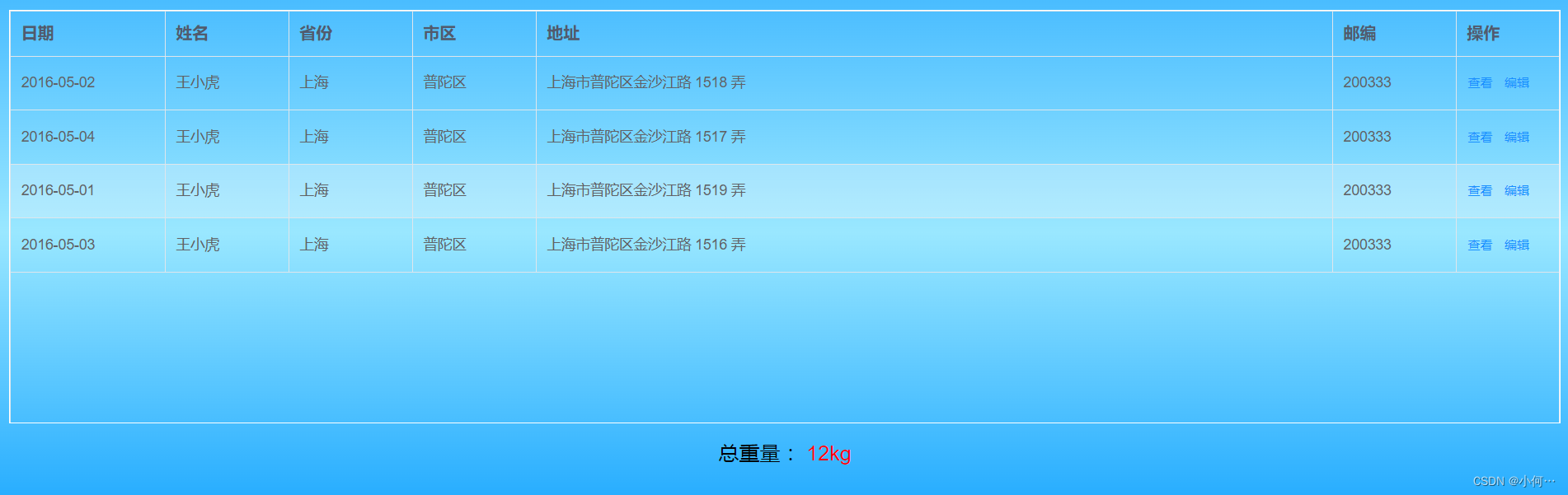
		  ::v-deep .el-table,
          .el-table__expanded-cell {
            background-color: transparent;
          }

          ::v-deep .el-table tr {
            background-color: transparent !important;
          }
          ::v-deep .el-table__body td,::v-deep .el-table__header th,
          .el-table .cell {
            background-color: transparent;
          }
          ::v-deep .el-table::before {
            //去除底部白线
            left: 0;
            bottom: 0;
            width: 100%;
            height: 0px;
          }
          //th的样式
           ::v-deep .el-table__header th {
          font-weight: bold;
          font-size: 16px;
            }





 扫一扫
扫一扫


 1万+
1万+

 被折叠的 条评论
为什么被折叠?
被折叠的 条评论
为什么被折叠?
 到【灌水乐园】发言





