


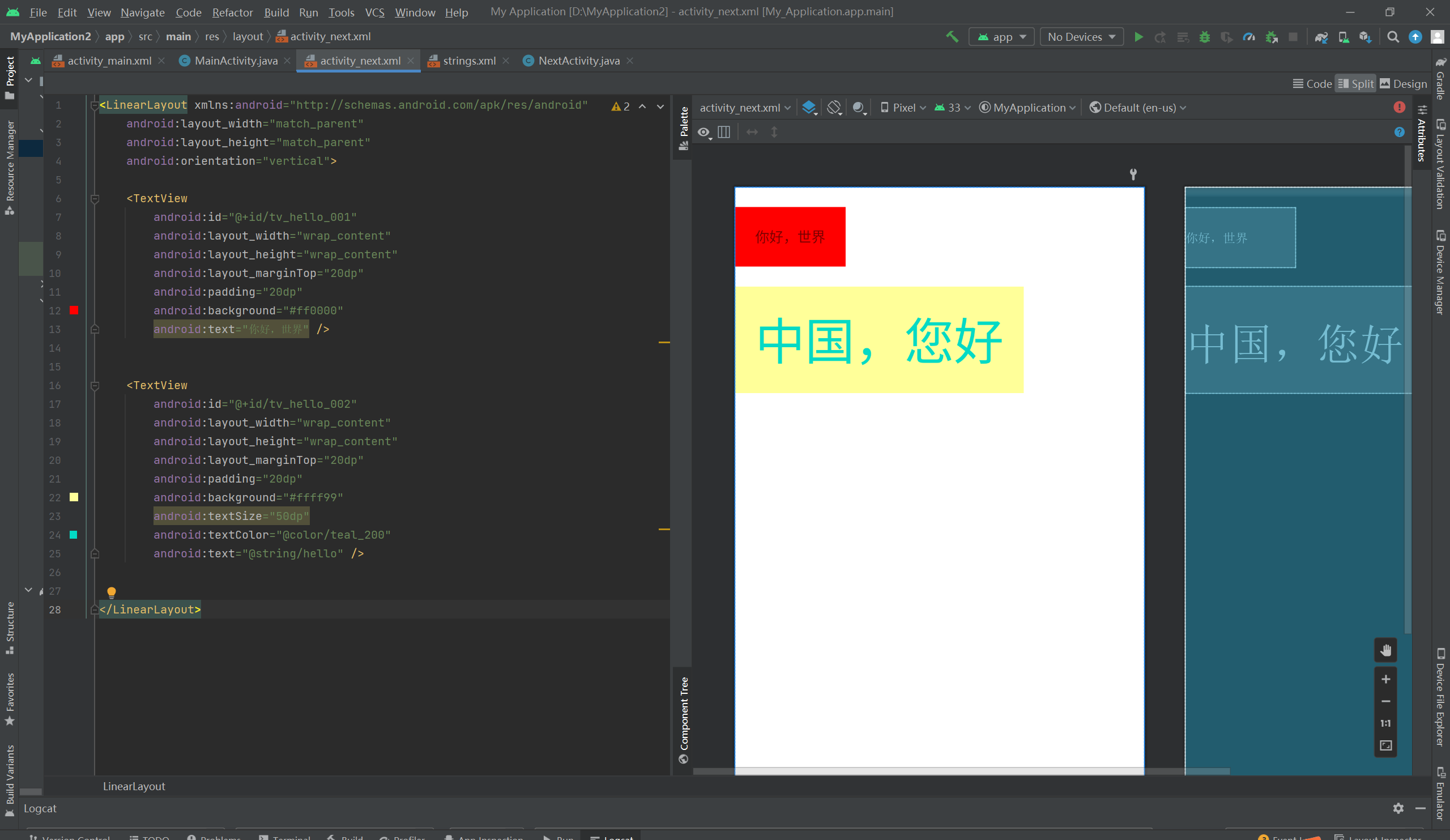
 此博客展示了如何在Android中使用LinearLayout布局创建一个包含两个TextView的界面。每个TextView都有不同的背景颜色、文字内容和样式,例如文字大小、内边距和颜色。此示例突显了Android UI设计的基础知识。
文本显示
布局:
<LinearLayout xmlns:android="http://schemas.android.com/apk/res/android"
    android:layout_width="match_parent"
    android:layout_height="match_parent"
    android:orientation="vertical">

    <TextView
        android:id="@+id/tv_hello_001"
        android:layout_width="wrap_content"
        android:layout_height="wrap_content"
        android:layout_marginTop="20dp"
        android:padding="20dp"
        android:background="#ff0000"
        android:text="你好,世界" />


    <TextView
        android:id="@+id/tv_hello_002"
        android:layout_width="wrap_content"
        android:layout_height="wrap_content"
        android:layout_marginTop="20dp"
        android:padding="20dp"
        android:background="#ffff99"
        android:textSize="50dp"
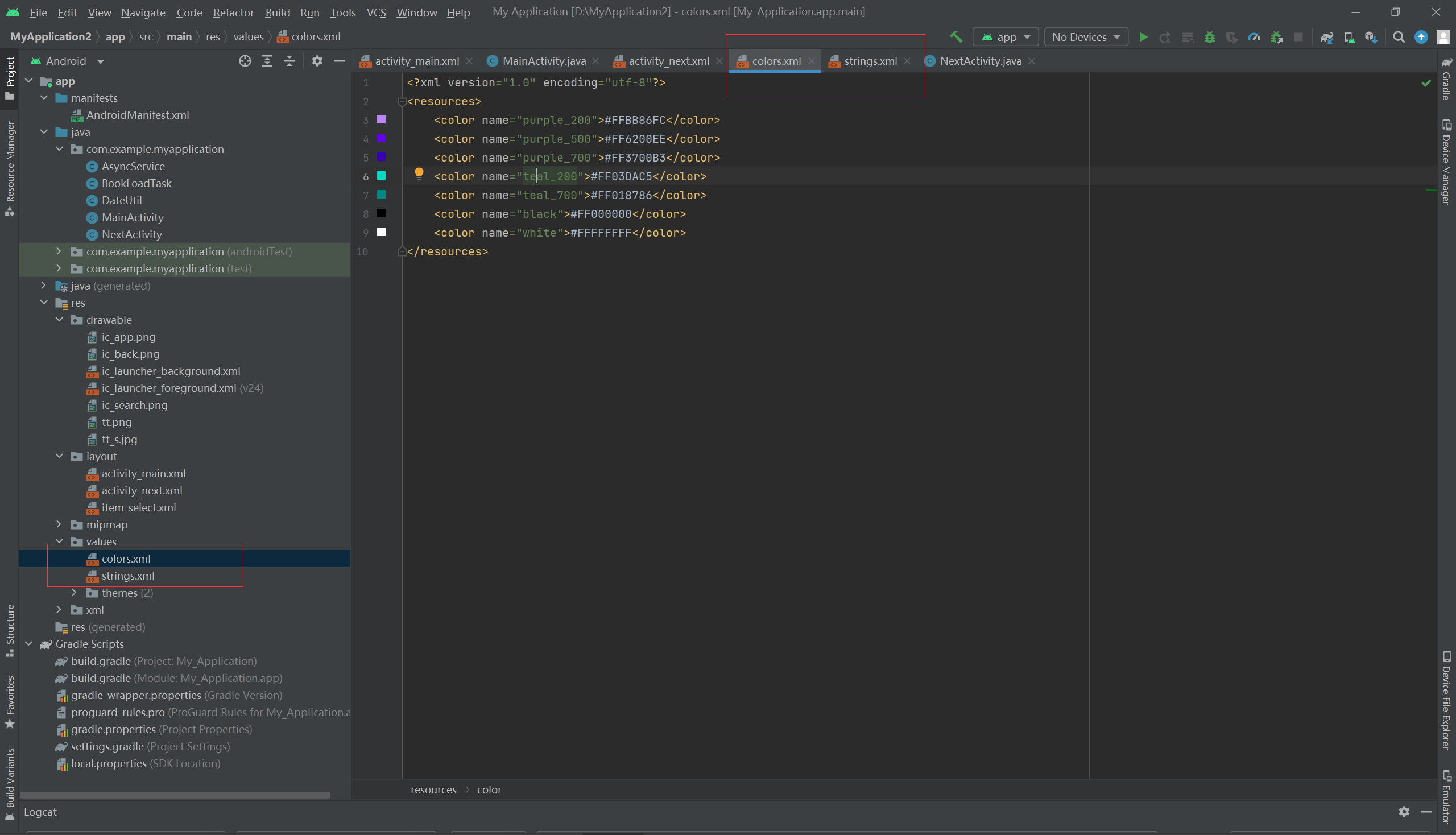
        android:textColor="@color/teal_200"
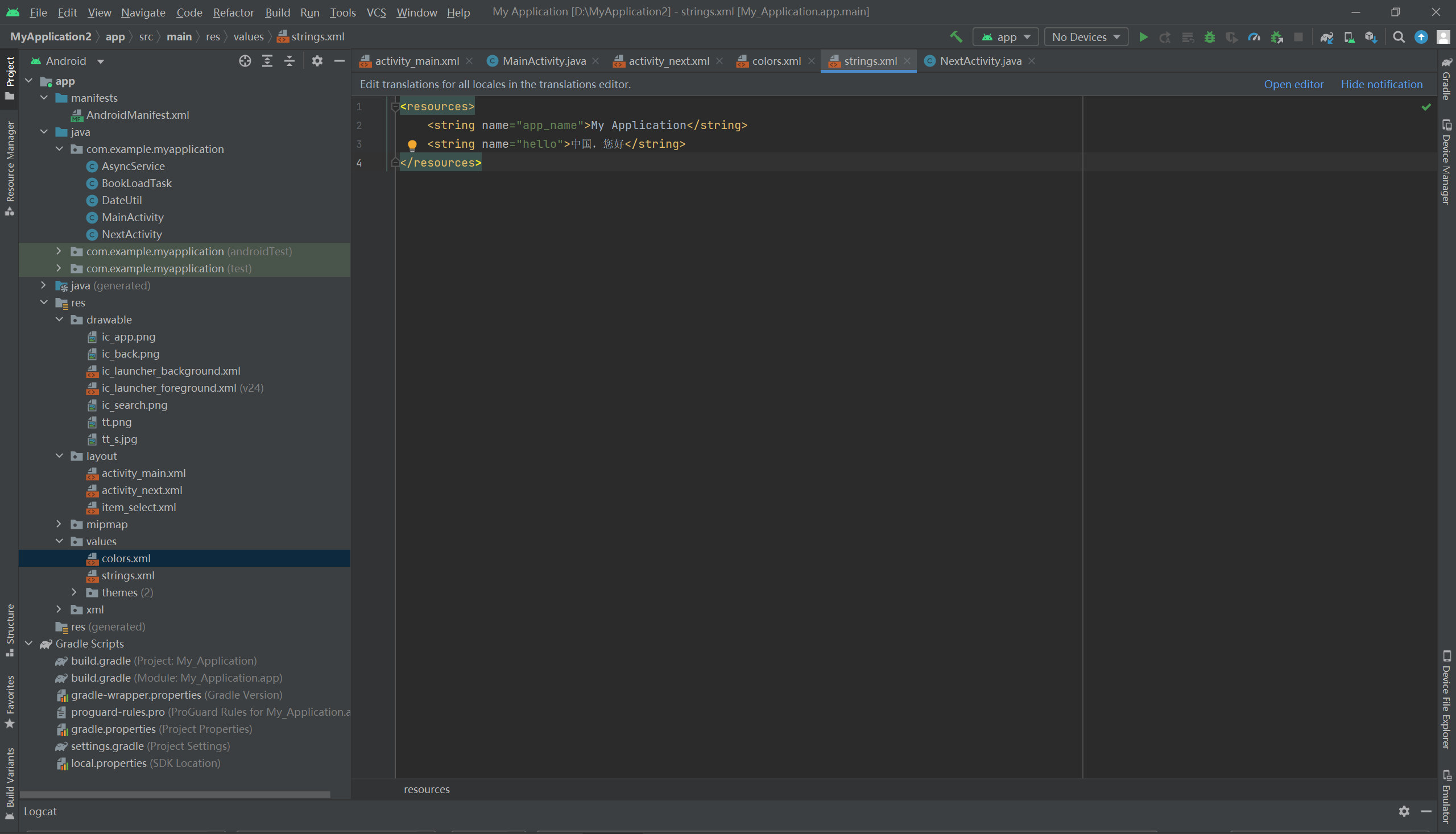
        android:text="@string/hello" />


</LinearLayout>





 扫一扫
扫一扫


 804
804

 被折叠的 条评论
为什么被折叠?
被折叠的 条评论
为什么被折叠?
 到【灌水乐园】发言





