



=======================================================================================
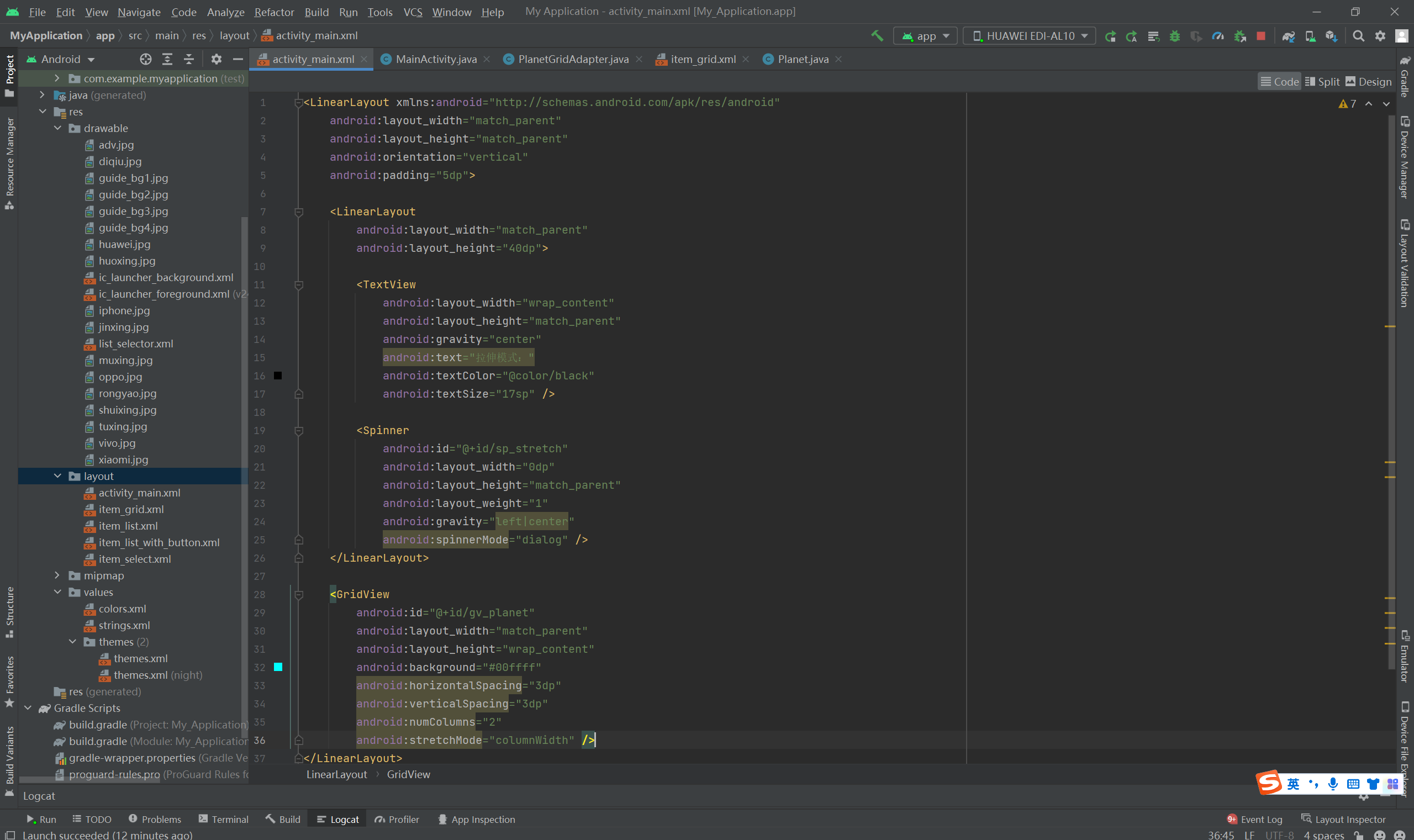
布局:
<LinearLayout xmlns:android="http://schemas.android.com/apk/res/android"
    android:layout_width="match_parent"
    android:layout_height="match_parent"
    android:orientation="vertical"
    android:padding="5dp">

    <LinearLayout
        android:layout_width="match_parent"
        android:layout_height="40dp">

        <TextView
            android:layout_width="wrap_content"
            android:layout_height="match_parent"
            android:gravity="center"
            android:text="拉伸模式:"
            android:textColor="@color/black"
            android:textSize="17sp" />

        <Spinner
            android:id="@+id/sp_stretch"
            android:layout_width="0dp"
            android:layout_height="match_parent"
            android:layout_weight="1"
            android:gravity="left|center"
            android:spinnerMode="dialog" />
    </LinearLayout>

    <GridView
        android:id="@+id/gv_planet"
        android:layout_width="match_parent"
        android:layout_height="wrap_content"
        android:background="#00ffff"
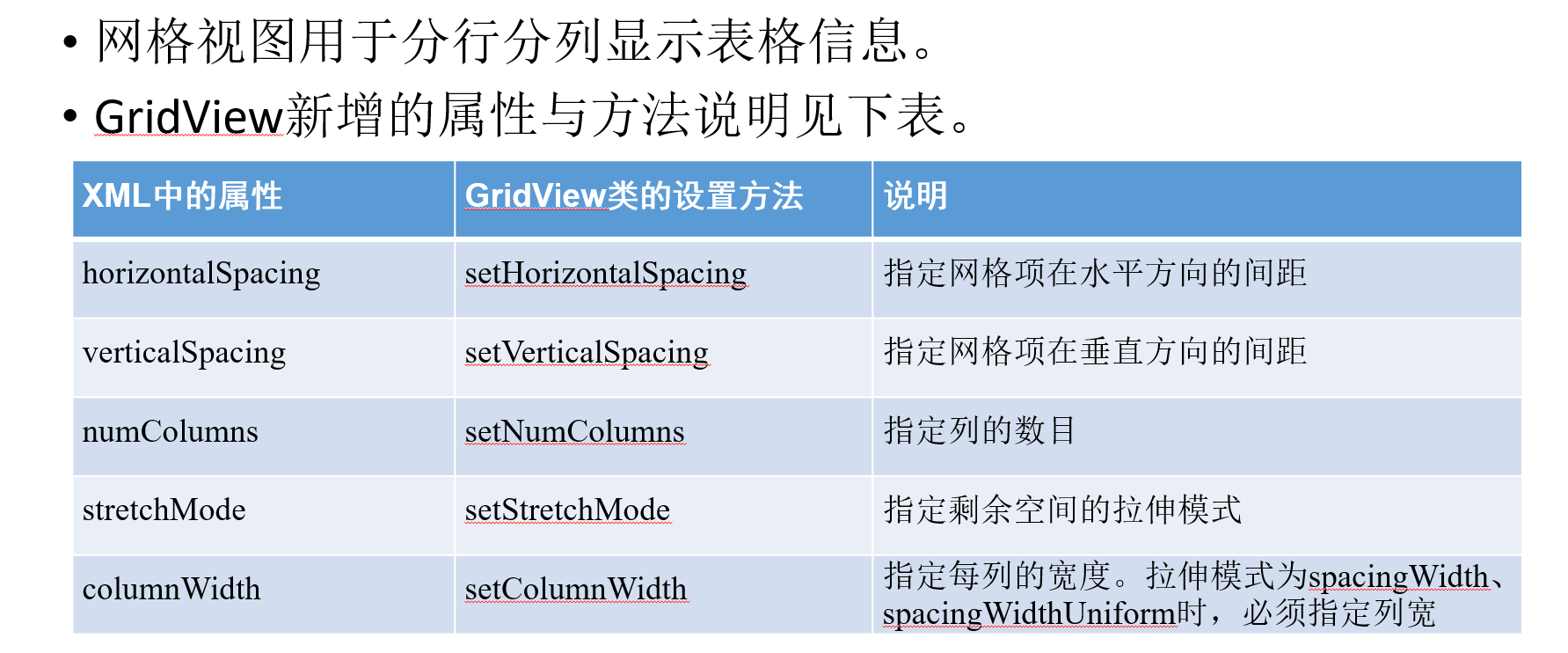
        android:horizontalSpacing="3dp"
        android:verticalSpacing="3dp"
        android:numColumns="2"
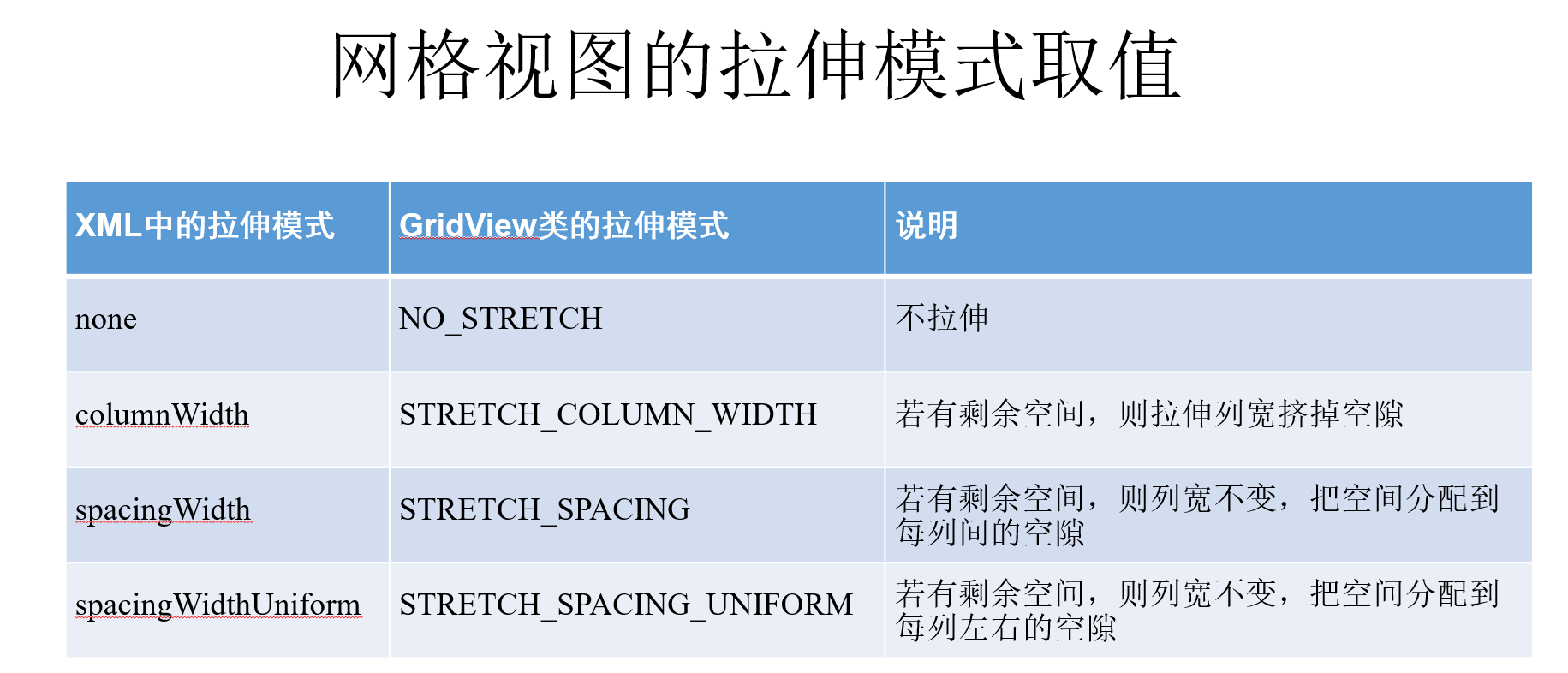
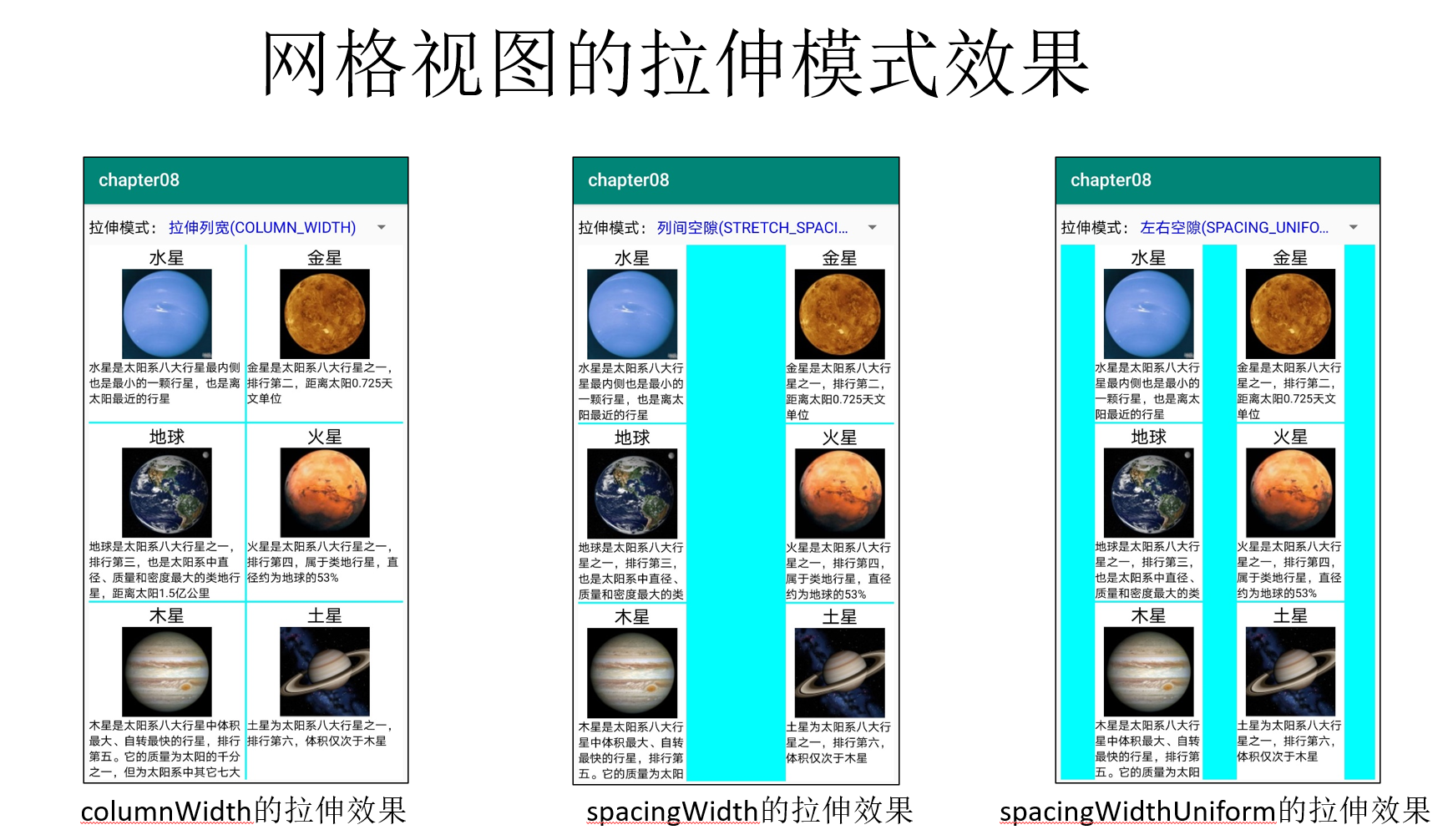
        android:stretchMode="columnWidth" />

</LinearLayout>
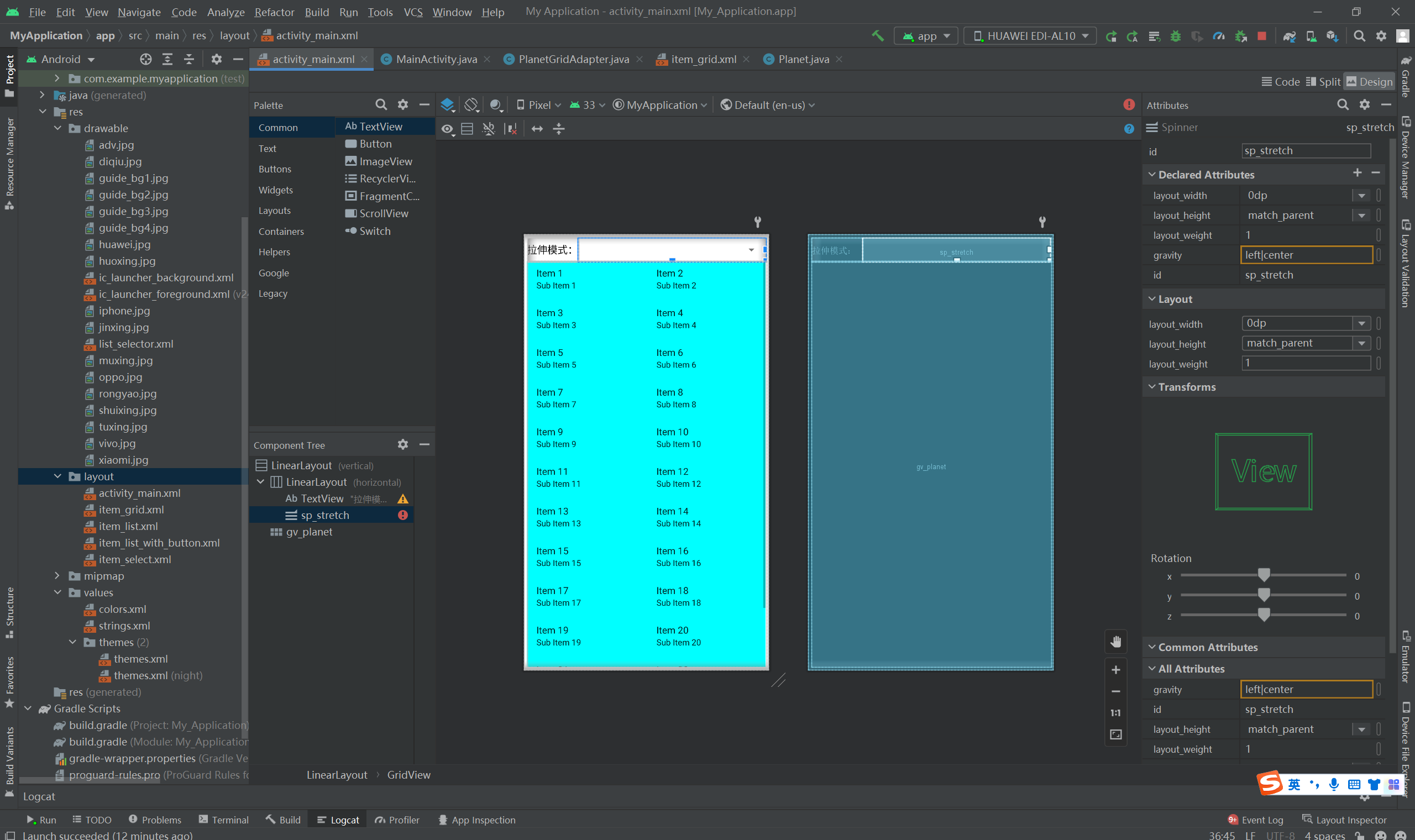
item_grid:
<LinearLayout xmlns:android="http://schemas.android.com/apk/res/android"
android:layout_width="match_parent"
android:layout_height="wrap_content"
android:background="@color/white"
android:orientation="vertical">
<!-- 这是显示行星名称的文本视图 -->
<TextView
android:id="@+id/tv_name"
android:layout_width="match_parent"
android:layout_height="wrap_content"
android:gravity="center"
android:textColor="@co 最低0.47元/天 解锁文章






 扫一扫
扫一扫


 2638
2638

 被折叠的 条评论
为什么被折叠?
被折叠的 条评论
为什么被折叠?
 到【灌水乐园】发言





