


1.本示例使用的是Flowm/cesium-sensor-volumes插件实现的探测效果
首先我们将插件下载后在js文件最上方引入cesium,如下图所示
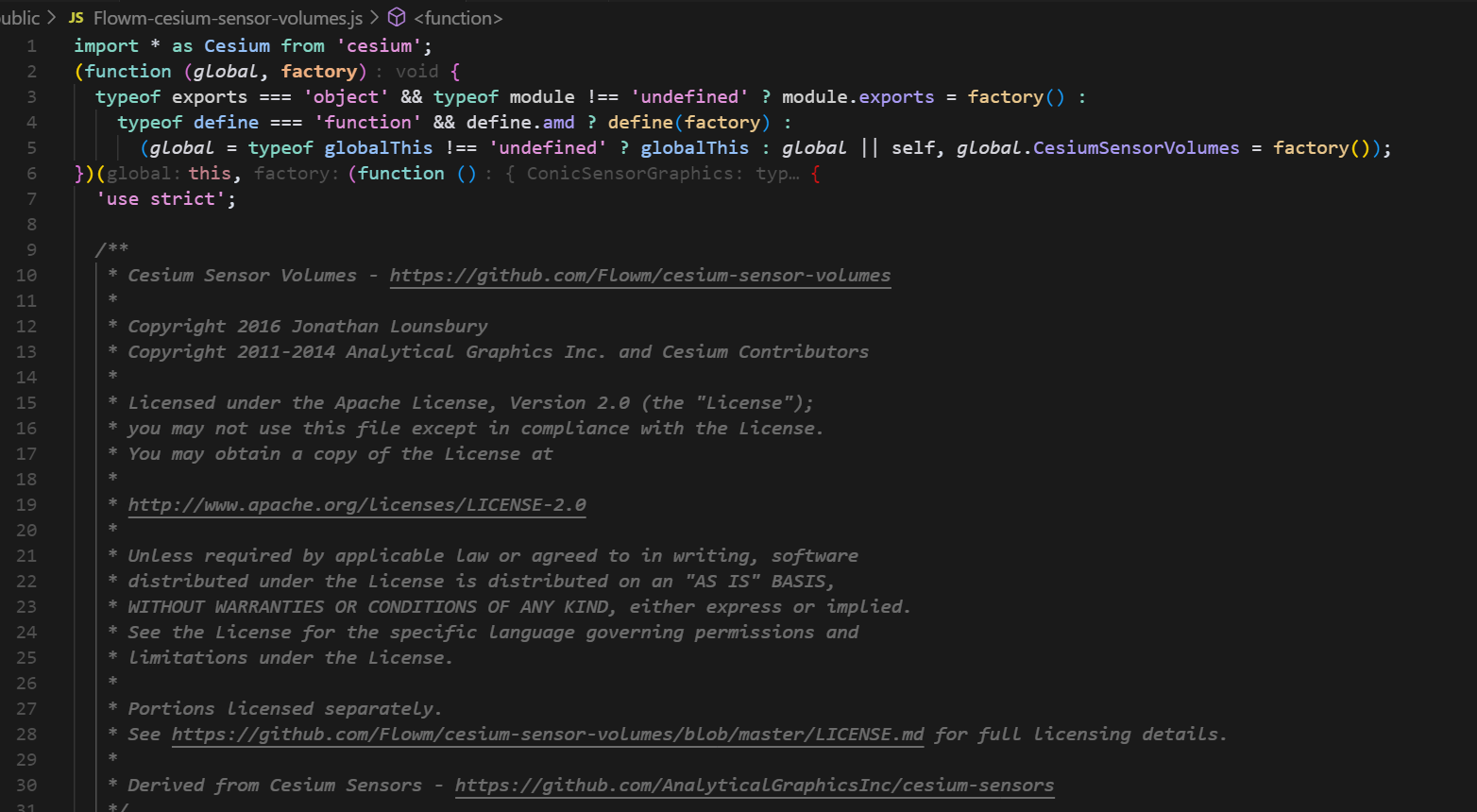
然后直接可以在本项目中全局访问:CesiumSensorVolumes,该类中有许多探测效果形状,这里我们使用的是RectangularSensorGraphics,具体使用如下代码:
const addSateliteSensor = satelliteId => {
  const satelliteEntity = viewer.entities.getById(satelliteId)
  const sensorPosition = satelliteEntity.position.getValue()
  const sensorOrientation = Cesium.Transforms.headingPitchRollQuaternion(sensorPosition, new Cesium.HeadingPitchRoll(0, Cesium.Math.toRadians(180), 0))
  const sensorEntityOption = {
    name: 'sensor',
    id: 'sensor',
    // 传感器位置与卫星绑定
    position: new Cesium.CallbackProperty((time, result) => {
      let sourpos = satelliteEntity.position.getValue(time)
      return sourpos
    }, false),
    orientation: sensorOrientation,
    // 传感器体积配置
    rectangularSensor: new CesiumSensorVolumes.RectangularSensorGraphics({})
  }
  const sensorEntity = viewer.entities.add(sensorEntityOption)
  sensorEntity.rectangularSensor.xHalfAngle = Cesium.Math.toRadians(20)
  sensorEntity.rectangularSensor.yHalfAngle = Cesium.Math.toRadians(20)
  sensorEntity.rectangularSensor.radius = new Cesium.CallbackProperty((time, result) => {
    let sourpos = satelliteEntity.position.getValue(time)
    let height = Cesium.Ellipsoid.WGS84.cartesianToCartographic(sourpos).height * 3
    return height
  }, false)
  sensorEntity.rectangularSensor.showIntersection = true
  sensorEntity.rectangularSensor.intersectionColor = Cesium.Color.fromAlpha(Cesium.Color.YELLOW, 0.6)
  sensorEntity.rectangularSensor.intersectionWidth = 1
  sensorEntity.rectangularSensor.lateralSurfaceMaterial = new Cesium.ColorMaterialProperty(Cesium.Color.CYAN.withAlpha(0.18))
}
注意事项:
1.position、orientation、rectangularSensor必须配置,否则无效果
2.rectangularSensor字段必须先创建完entity实体后再单独配置rectangularSensor的属性,如果直接在new CesiumSensorVolumes.RectangularSensorGraphics({})构造函数中配置不会生效
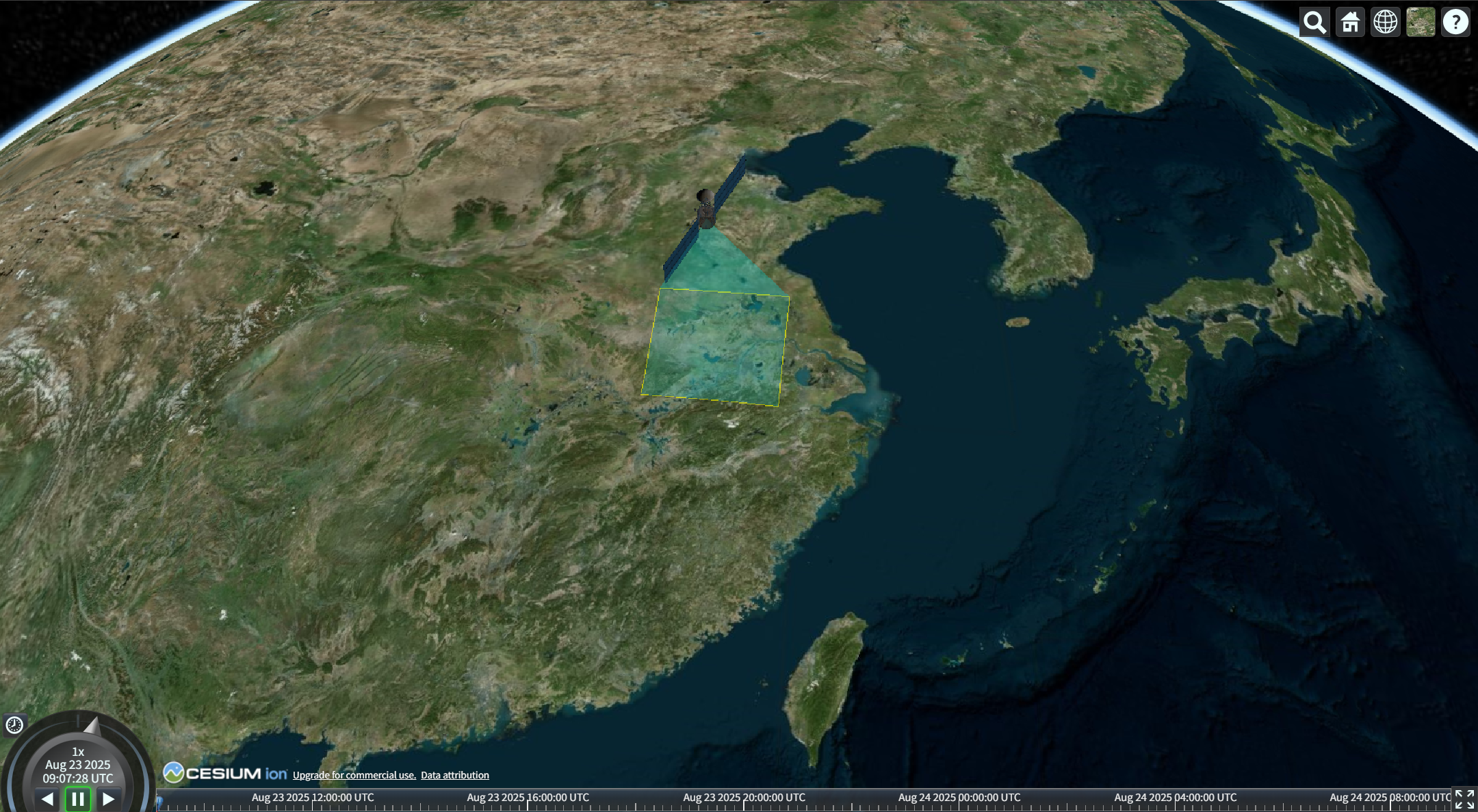
效果图如下:





 扫一扫
扫一扫


 889
889

 被折叠的 条评论
为什么被折叠?
被折叠的 条评论
为什么被折叠?
 到【灌水乐园】发言





