


 本文介绍了如何在Qt中创建一个带有闹钟功能的窗口应用,使用QTextToSpeech进行语音提示,并处理编译时的弃用API警告,以及针对不同平台的部署规则。
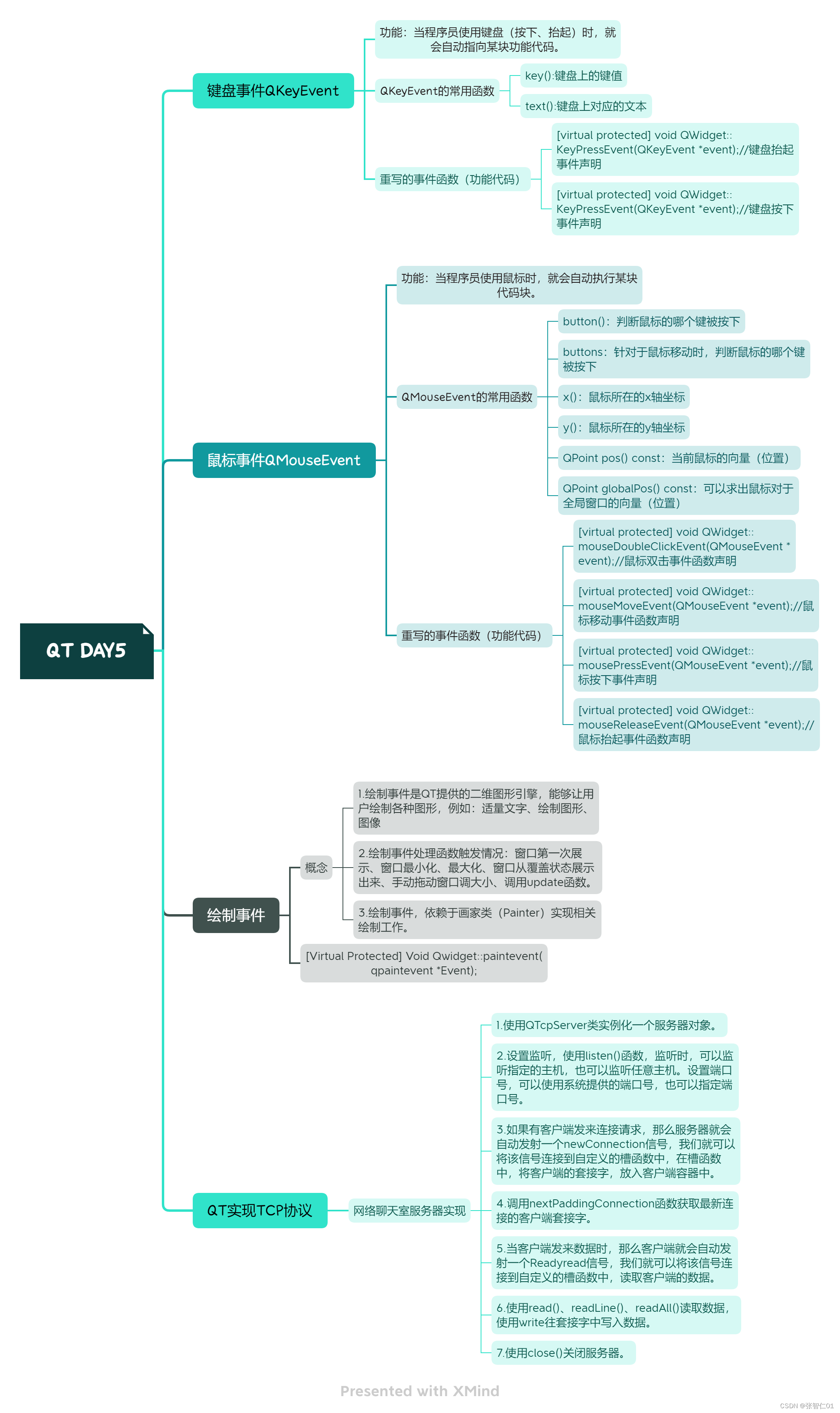
1.思维导图
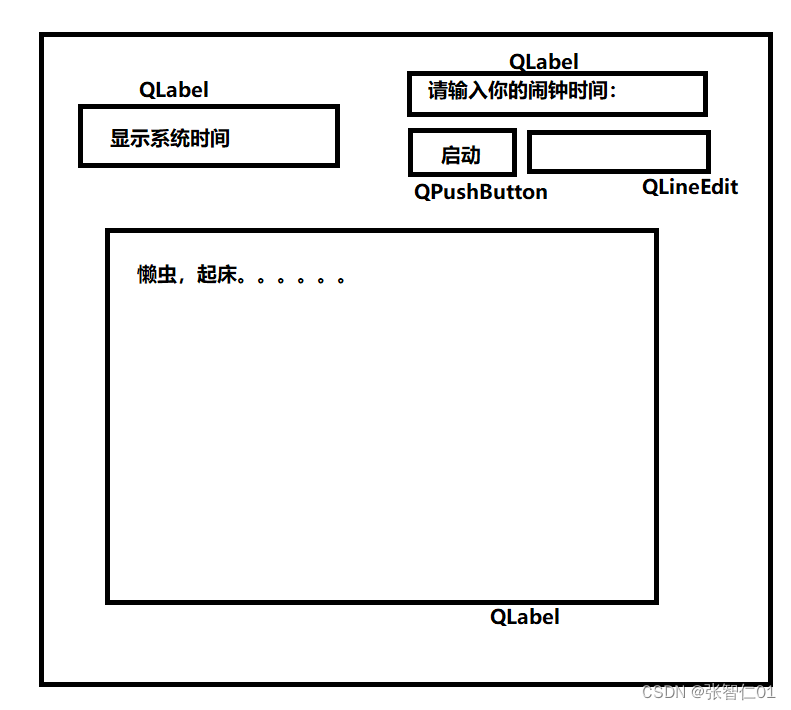
2.实现闹钟
.pro
QT       += core gui  texttospeech

greaterThan(QT_MAJOR_VERSION, 4): QT += widgets

CONFIG += c++11

# The following define makes your compiler emit warnings if you use
# any Qt feature that has been marked deprecated (the exact warnings
# depend on your compiler). Please consult the documentation of the
# deprecated API in order to know how to port your code away from it.
DEFINES += QT_DEPRECATED_WARNINGS

# You can also make your code fail to compile if it uses deprecated APIs.
# In order to do so, uncomment the following line.
# You can also select to disable deprecated APIs only up to a certain version of Qt.
#DEFINES += QT_DISABLE_DEPRECATED_BEFORE=0x060000    # disables all the APIs deprecated before Qt 6.0.0

SOURCES += \
    main.cpp \
    widget.cpp

HEADERS += \
    widget.h

FORMS += \
    widget.ui

# Default rules for deployment.
qnx: target.path = /tmp/$${TARGET}/bin
else: unix:!android: target.path = /opt/$${TARGET}/bin
!isEmpty(target.path): INSTALLS += target
Widget.h
#ifndef WIDGET_H
#define WIDGET_H

#include <QWidget>
#include <QTime>
#include <QTimer>
#include <QTimerEvent>
#include <QTimeEdit>
#include <QTextToSpeech>
QT_BEGIN_NAMESPACE
namespace Ui { class Widget; }
QT_END_NAMESPACE

class Widget : public QWidget
{
    Q_OBJECT

public:
    Widget(QWidget *parent = nullptr);
    ~Widget();
    void timerEvent(QTimerEvent *event);

private slots:
    void on_pushButton_clicked();

private:
    Ui::Widget *ui;
    int id;
    int clockid;
    QTextToSpeech *speecher;
};
#endif // WIDGET_H
Widget.cpp
#include "widget.h"
#include "ui_widget.h"

Widget::Widget(QWidget *parent)
    : QWidget(parent)
    , ui(new Ui::Widget)
    , speecher(new QTextToSpeech(this))
{
    ui->setupUi(this);
    //启动一个定时器
    id=startTimer(1000);

}

Widget::~Widget()
{
    delete ui;
}

//当定时器超时,自动执行该函数代码
void Widget::timerEvent(QTimerEvent *event)
{
    if(event->timerId()==id)
    {
        QTime s=QTime::currentTime();
        //将系统时间转换成字符串
        ui->lab2->setText(s.toString("hh::mm::ss"));
        //居中
        ui->lab2->setAlignment(Qt::AlignCenter);
    }
    if(event->timerId()==clockid)
    {
        //获取ui界面上行编辑器的时间
        QString time=ui->lineEdit->text();
        if(time==ui->lab1->text())
        {
            for(int i=0;i<5;i++)
            {
                speecher->say(ui->lab3->text());
            }
            killTimer(clockid);
        }
    }
}

//启动按钮对应的槽函数
void Widget::on_pushButton_clicked()
{
    clockid=startTimer(1000);
}





 扫一扫
扫一扫


 被折叠的 条评论
为什么被折叠?
被折叠的 条评论
为什么被折叠?
 到【灌水乐园】发言





