



 本文介绍了一种基于LD_PRELOAD的文档拦截方法,通过动态链接库实现对文件访问和命令执行的控制,仅允许白名单进程访问,并记录详细的访问日志。文中详细描述了需求、代码实现、部署步骤以及遇到的bug和解决方案。
Hook–基于LD_PRELOAD方法的文档拦截实现:
1、需求
- 只允许白名单的进程(真实存在的进程)访问文档,其余拦截;
- 用日志(进程名+时间+访问对象+结果 的形式)记录白名单进程访问记录及其他被拦截的访问记录;
- 定期检查白名单是否发生变化。
2、需求分析
主要方法:基于LD_PRELOAD注入方式
实现一个动态链接库(DLL)的功能,其主要目的是拦截文件访问操作和命令执行操作,检查当前进程是否在白名单中,记录访问记录到日志,并定期检查白名单是否发生变化。
以下是对代码的需求分析:
- 白名单定义和管理:
- 代码维护了一个白名单,其中包含允许的进程名称,白名单定义在
whitelist数组中。 - 白名单的内容可以存储在一个文本文件(
whitelist.txt)中,定期检查文件内容是否发生变化。
- 代码维护了一个白名单,其中包含允许的进程名称,白名单定义在
- 日志记录:
- 代码提供了一个
logAccess函数,用于记录访问记录到日志文件。 - 记录包括进程名称、访问对象(文件路径或命令类型)以及是否允许访问的信息。
- 访问记录以特定的格式(时间戳 + 进程名称 + 访问对象 + 是否允许)保存在
access_log.txt文件中。
- 代码提供了一个
- 定期检查白名单变化:
checkWhitelistChanges函数用于定期检查白名单是否发生变化。- 时间间隔由常量
3600秒(1小时)定义,可以根据需要进行调整。 - 如果白名单文件(
whitelist.txt)发生变化,新的进程名称会被添加到白名单中。
- 文件访问拦截和记录:
open函数用于拦截文件访问操作。- 检查当前进程是否在白名单中,如果在白名单中,允许文件打开操作,否则拒绝。
- 记录文件访问记录,包括进程名称、文件路径、以及是否允许访问。
总之,这段代码实现了一个安全控制和访问记录的功能,可用于确保只有特定的进程可以访问文件和执行命令,同时记录了所有访问活动。
代码部署:
1、确保当前目录下有白名单文件:whitelist.txt
2、确保当前目录下有日志文件:access_log.txt
3、创建一个可供测试的文件进行命令的测试:cat xxx.txt
4、使用以下命令 将file2.c文件编译成动态链接库
   gcc file2.c -fpic -shared -ldl -o file2.so
5、使用以下命令将file2.so动态库注入当前目录
   export LD_PRELOAD=./file2.so
6、测试:
   cat xxx.txt
   more xxx.txt
   tail xxx.txt
   head xxx.txt
   open xxx.txt
   vim xxx.txt
3、代码
#define _GNU_SOURCE // 启用GNU扩展特性
#include <stdio.h>
#include <stdlib.h>
#include <dlfcn.h> // 包含动态链接库操作相关头文件
#include <string.h>
#include <time.h>
// 定义白名单,包含允许的进程名称
const char *whitelist[] = {};
// 记录上次白名单检查的时间
static time_t lastWhitelistCheckTime = 0;
// 记录白名单进程个数
static time_t numWhitelist = sizeof(whitelist) / sizeof(whitelist[0]);
// 定义白名单文件的路径
static const char *whitelistFile = "whitelist.txt";
// 检查白名单是否发生变化
void checkWhitelistChanges();
// 记录访问记录到日志文件
void logAccess(const char *process_name, const char *access_object, int is_allowed) {
time_t current_time;
struct tm *tm_info;
time(¤t_time);
tm_info = localtime(¤t_time);
// 构建日志记录格式
char log_message[128];
strftime(log_message, sizeof(log_message), "[%Y-%m-%d %H:%M:%S] ", tm_info);
strcat(log_message, process_name);
strcat(log_message, " accessed ");
strcat(log_message, access_object);
if (is_allowed) {
strcat(log_message, " - Allowed\n");
} else {
strcat(log_message, " - Denied\n");
}
// 打开日志文件以附加方式写入
FILE *log_file = fopen("access_log.txt", "a");
if (log_file) {
fprintf(log_file, "%s", log_message);
fclose(log_file);
}
}
// 定义Hook的open函数
int open(const char *pathname, int flags, mode_t mode){
checkWhitelistChanges();
// 获取原始的open函数
int (*original_open)(const char *, int, mode_t) = dlsym(RTLD_NEXT, "open");
// 获取正在执行的进程名称
char *process_name = strrchr(getenv("_"), '/') + 1;
// 检查当前进程是否在白名单中
int is_allowed = 0;
#if 0
printf("process_name = %s\n", process_name);
#endif
for (int i = 0; i < numWhitelist; ++i) {
if (strcmp(process_name, whitelist[i]) == 0) {
#if 0
printf("whiltelist[%d] = %s\n", i, whitelist[i]);
#endif
is_allowed = 1;
break;
}
}
// 记录访问记录到日志
logAccess(process_name, pathname, is_allowed);
if (is_allowed) {
return original_open(pathname, flags, mode); // 如果在白名单中,允许文件打开操作
} else {
// 拦截非白名单进程的文件访问操作
return -1;
}
}
// 检查白名单是否发生变化
void checkWhitelistChanges() {
time_t current_time;
time(¤t_time);
// 检查白名单变化的时间间隔,这里设置为10秒
if (current_time - lastWhitelistCheckTime >= 10) {
FILE *file = fopen(whitelistFile, "r");
if (file) {
// 读取白名单文件中的内容
char line[256];
int whitelistCount = 0; // 跟踪白名单中的进程名称数量
while (fgets(line, sizeof(line), file)) {
// 去掉行末的换行符
line[strcspn(line, "\n")] = '\0';
#if 0
printf("line = %s\n", line);
#endif
// 将新的进程名称加入白名单
whitelist[whitelistCount] = strdup(line);
whitelistCount++;
}
numWhitelist = whitelistCount;
#if 0
printf("whitelistCount = %d\n", whitelistCount);
printf("numWhitelist = %ld\n", numWhitelist);
#endif
fclose(file);
// 更新白名单中的进程名称数量
for (int i = whitelistCount; i < sizeof(whitelist) / sizeof(whitelist[0]); ++i) {
whitelist[i] = NULL;
}
lastWhitelistCheckTime = current_time; // 更新上次检查时间
} else {
perror("Error reading whitelist file");
}
}
}
#if 0
// 定义Hook的cat命令
int system(const char *command)
{
// 获取正在执行的进程名称
char *process_name = strrchr(getenv("_"), '/') + 1;
int is_allowed = 0;
for (int i = 0; i < sizeof(whitelist) / sizeof(whitelist[0]); i++)
{
if (strcmp(process_name, whitelist[i]) == 0)
{
is_allowed = 1;
break;
}
}
if (strstr(command, "cat ") != NULL)
{
// 记录访问记录到日志(针对cat命令)
logAccess(process_name, "cat command", is_allowed);
if (is_allowed)
{
int (*original_system)(const char *) = dlsym(RTLD_NEXT, "system");
return original_system(command);
}
else
{
return -1;
}
}
else
{
// 记录访问记录到日志(针对system命令)
logAccess(process_name, "system command", is_allowed);
if (is_allowed)
{
int (*original_system)(const char *) = dlsym(RTLD_NEXT, "system");
return original_system(command);
}
else
{
return -1;
}
}
}
#endif
4、开发过程中遇到的bug
1、代码bug
定义一个空的白名单数组,然后从txt白名单文件中读取内容(进程名)存入到白名单数组中,
结果出现如下bug:自定义的open函数里获取了进程名
char *process_name = strrchr(getenv("_"), '/') + 1;
然后就自动跳过了后面的for循环语句进行判断进程名是否与白名单中的进程名相同这一步,判断出这是由于for循环语句判断为false因此导致的跳过for循环,
原来for循环是这样的
for (int i = 0; i < sizeof(whitelist)/sizeof(whitelist[0]); ++i) {
        if (strcmp(process_name, whitelist[i]) == 0) {
#if 0
            printf("whiltelist[%d] = %s\n", i, whitelist[i]);
#endif
            is_allowed = 1;
            break;
        }
    }
修正后:在检查白名单变化的函数中将遍历whitelist.txt白名单文件后所记录的白名单进程个数whitelistCount赋值给一个静态全局变量numWhitelist,因此代码如下:
for (int i = 0; i < numWhitelist; ++i) {
    if (strcmp(process_name, whitelist[i]) == 0) {
        #if 0
        printf("whiltelist[%d] = %s\n", i, whitelist[i]);
        #endif
        is_allowed = 1;
        break;
    }
}
bug解决。
2、未知bug(水平不够暂时解决不了)
-
白名单中只添加了cat进程名,按道理说应该只有cat命令打开的文件才被允许执行,但是出现了bug,无法拦截open、more这两个命令打开文件,初步推测是因为LD_PRELOAD这种方法的局限性,还无法拦截open、more这些底层更为复杂的操作,需要考虑别的方法。
但是还是可以拦截tail、less、head、gcc等大部分命令
-
白名单中添加了cat、open、more进程名,使用tail、more、less命令打开文件时出现了未知的段错误,错误如下:
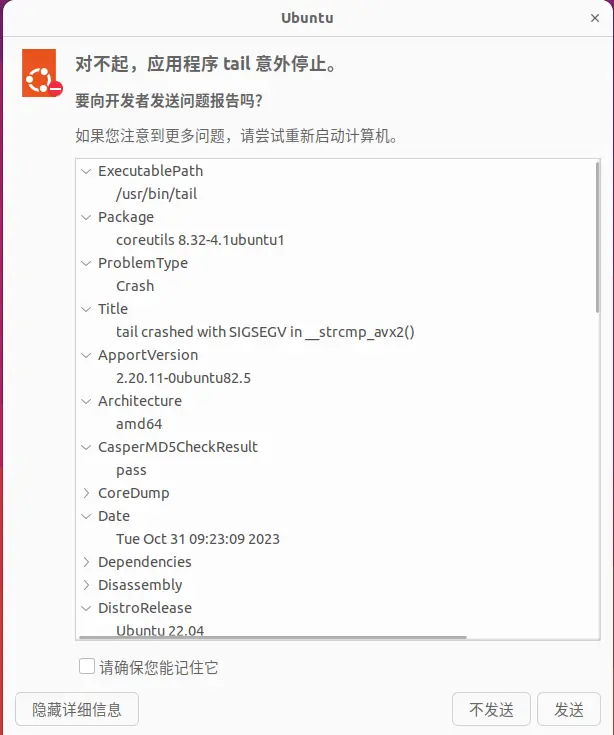
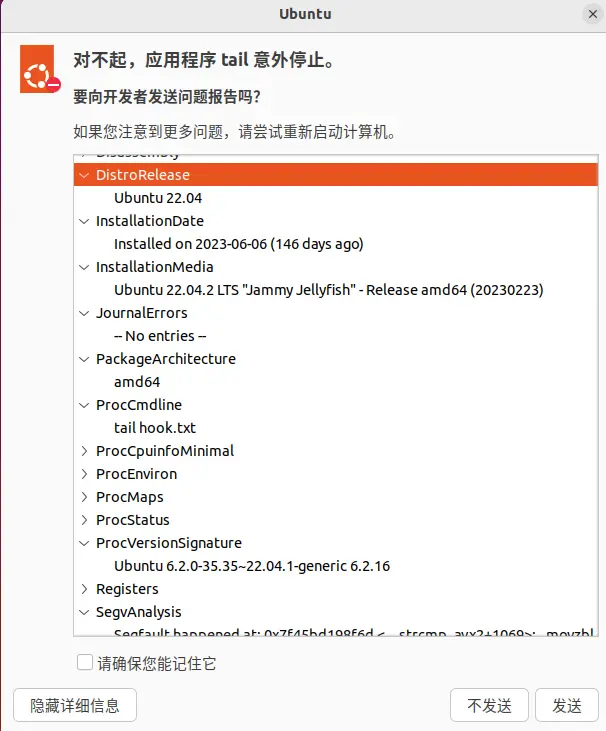
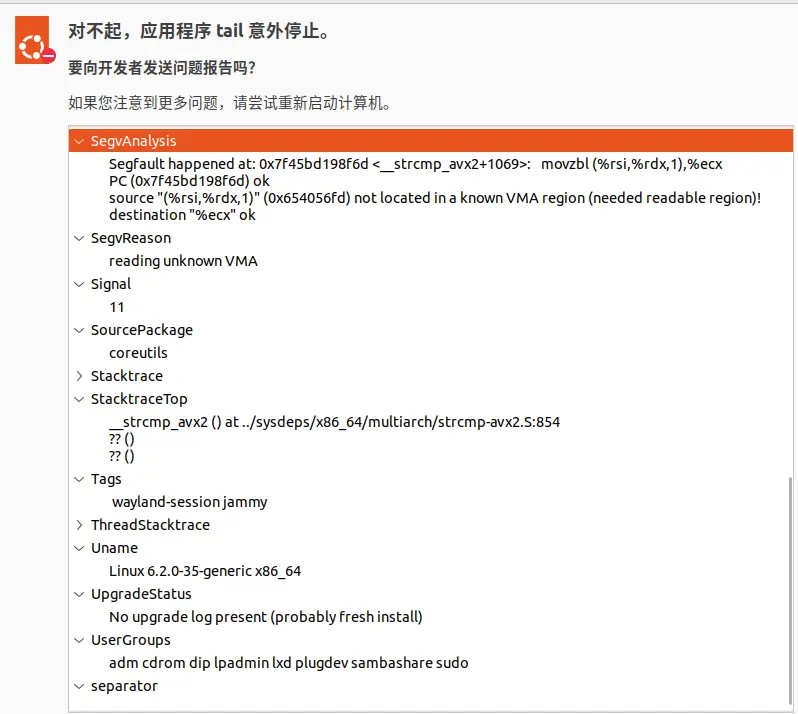
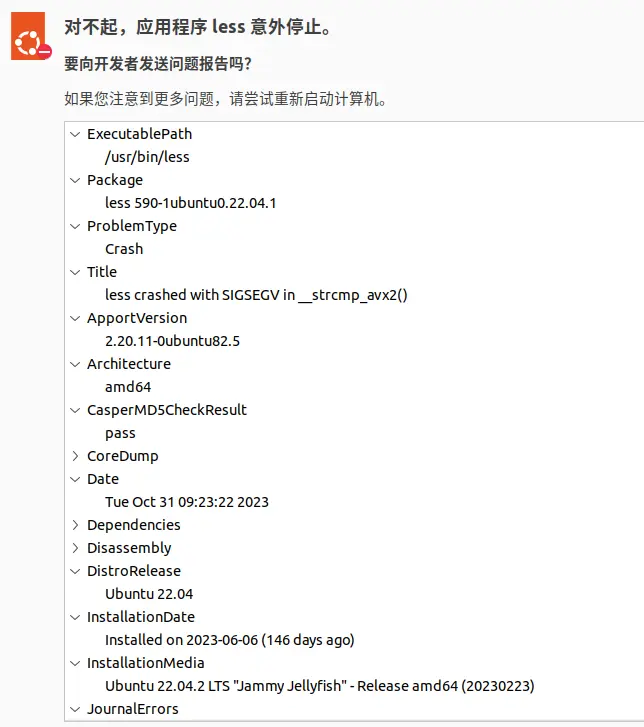





 扫一扫
扫一扫


 292
292

 被折叠的 条评论
为什么被折叠?
被折叠的 条评论
为什么被折叠?
 到【灌水乐园】发言





