


 本文介绍了解决Maven插件在Eclipse中无法被识别的问题,通过修改lifecycle-mapping-metadata.xml文件并更新Maven配置,可以有效解决pom中maven-plugin不被识别的情况。
具体是pom 不能引入和识别对应maven-plugin:
例如:Plugin execution not covered by lifecycle configuration: org.apache.maven.plugins:maven-remote-resources-plugin: 1.5:bundle (execution: default, phase: process-resources)
到eclipse中的安装目录下/plugins/
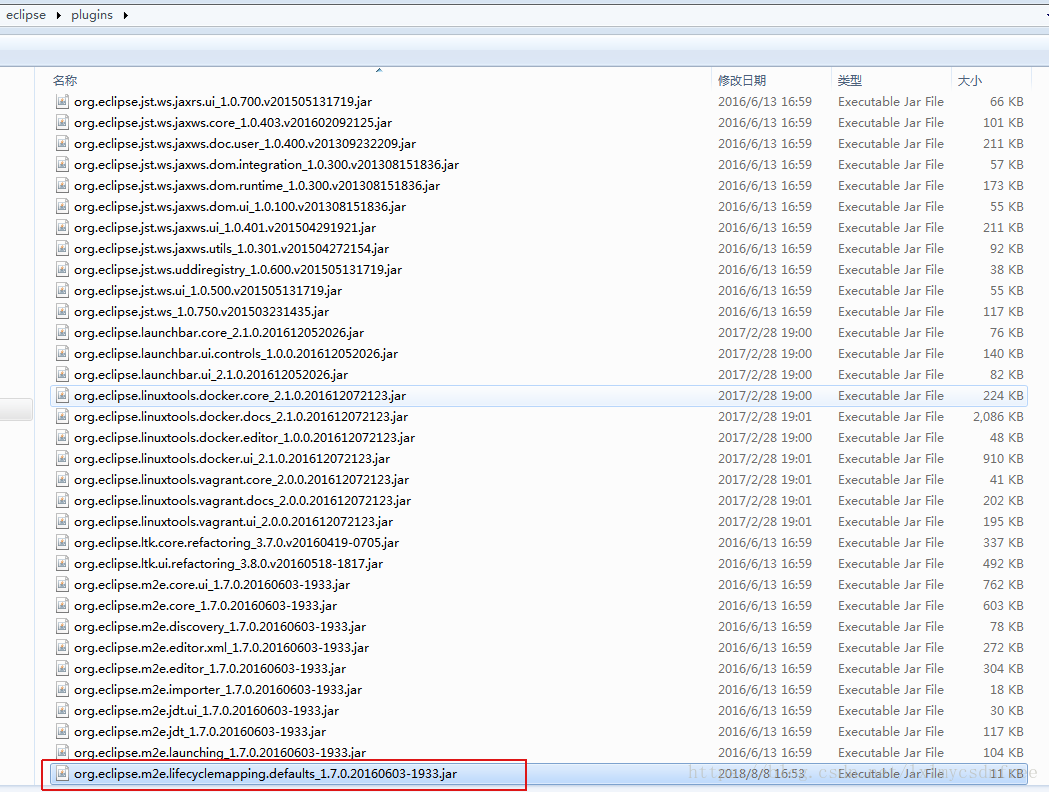
找到org.eclipse.m2e.lifecyclemapping.defaults_xxxxxx.jar
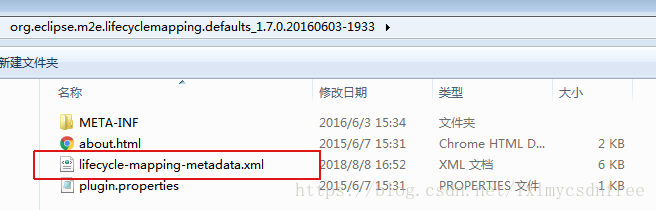
将里面的lifecycle-mapping-metadata.xml:
添加对应的maven plugin 如:
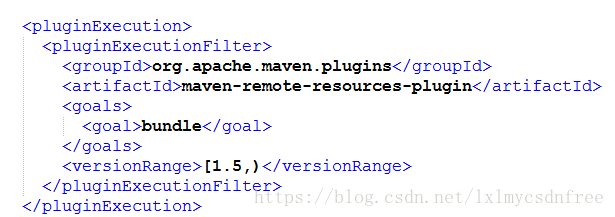
保存下,覆盖jar中的这个xml,然后将此jar 覆盖到eclipse中的plugins下面对应的jar,然后到eclipse中
maven->update maven->force update即可!





 扫一扫
扫一扫


 1443
1443

 被折叠的 条评论
为什么被折叠?
被折叠的 条评论
为什么被折叠?
 到【灌水乐园】发言





