


Apache的管理和优化web
一.Apache的作用
在web被访问时通常使用http://的方式
http:// 超文本传输协议
http:// 超文本传输协议提供软件
Apache
ngix
stgw
jfe
Tengine
二.Apache的安装
dnf install httpd.x86_64 -y
三.Apache的启用
systemctl enable --now httpd ##开启服务并设定服务开机启动
firewall-cmd --list-all ##查看火墙信息
firewall-cmd --permanent --add-service=http ##在火墙中永久开启http访问
firewall-cmd --permanent --add-service=https ##在火墙中永久开启https访问
firewall-cmd --reload ## 刷新火墙使设定生效
四.Apache的基本信息
服务名称:httpd
配置文件: /etc/httpd/conf/httpd.conf ##主配置文件
/etc/httpd/conf.d/*.conf ##子配置文件
默认发布目录:/var/www/html
默认发布文件:index.html
默认端口:80 #http 443 #https
用户日志:/etc/httpd/logs
五.Apache的基本配置
5.1Apache的端口修改
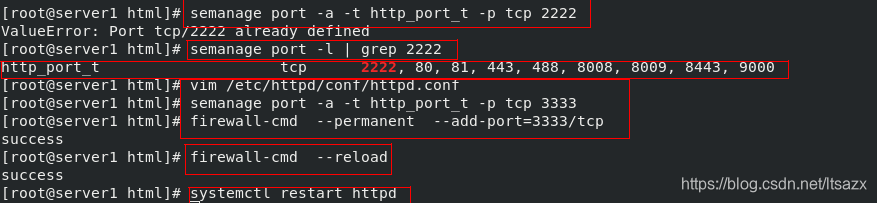
访问的时候需要加端口,/var/www/html/index.html 文件内容
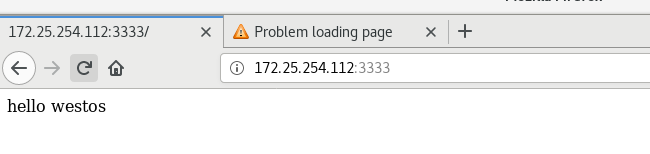
5.2默认发布文件
vim /etc/httpd/conf/httpd.conf
DirectoryIndex index.html
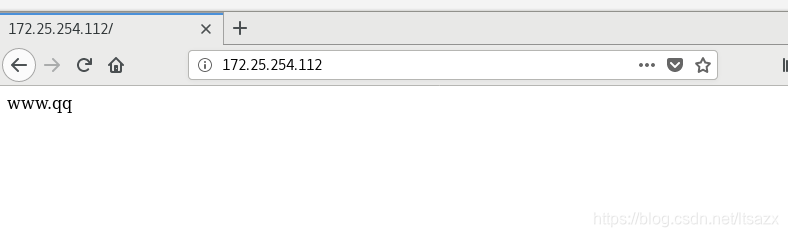
访问时默认访问/var/www/html/index.html;
vim /etc/httpd/conf/httpd.conf 修改主配置文件后,访问的就是你修改后第一个文件 westos.html
DirectoryIndex westos.html index.html
5.3默认发布目录
1.修改httpd服务的主配置文件/etc/httpd/conf/httpd.conf,将所建目录进行编写及授权;
2.更改所建目录的安全上下文,使其与httpd的默认发布目录/var/www/html/一致
3.重启httpd服务
4.测试,查看访问的默认发布目录是否改变
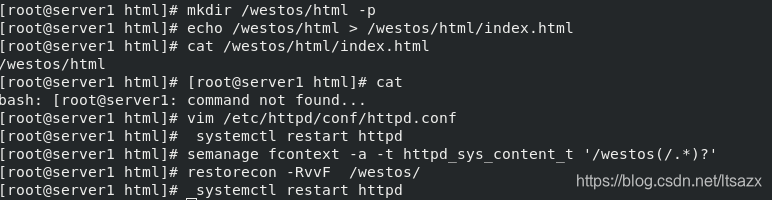
修改配置文件如下图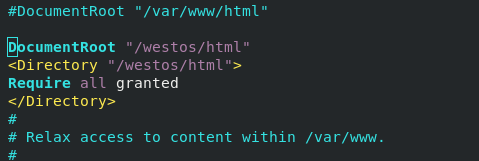
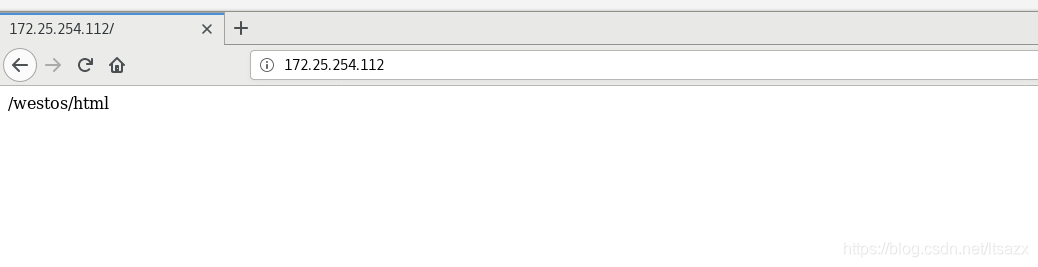
六.Apache 的访问控制
实验素材
mkdir /var/www/html/westos
vim /var/www/html/westos/index.html
westos
firefox http://服务端主机ip/westos
6.1.基于客户端 ip 的访问控制
ip白名单
vim /etc/httpd/conf/httpd.conf
<Directory “/var/www/html/westos”>
Order Deny,Allow
Allow from 172.25.254.12
Deny from All
ip黑名单
<Directory “/var/www/html/westos”>
Order Allow,Deny
Allow from All
Deny from 172.25.254.12
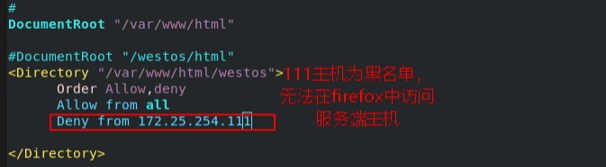
6.2基于用户认证
vim /etc/httpd/conf/httpd.conf
<Directory “/var/www/html/westos”>
AuthUserfile /etc/httpd/htpasswdfile 指定认证文件
AuthName “Please input your name and passwd” 认证提示
AuthType basic 认证类型
Require user admin 允许通过的认证用户 二选一
Require valid-user 允许所有用户通过认证 二选一
当/etc/httpd/htpasswdfile 存在那么在添加用户时不要加-c 参数否则会覆盖源文件内容
1.建立认证文件 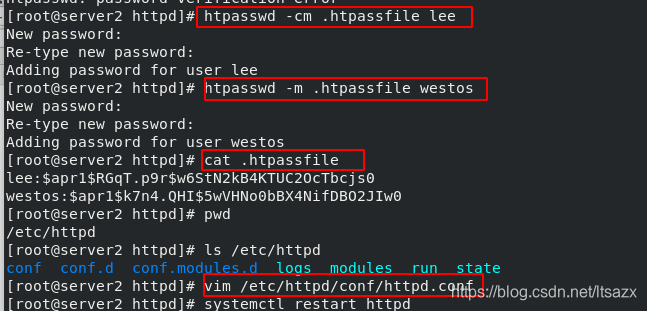

七.Apache的虚拟主机

##在httpd的子配置文件中配置虚拟主机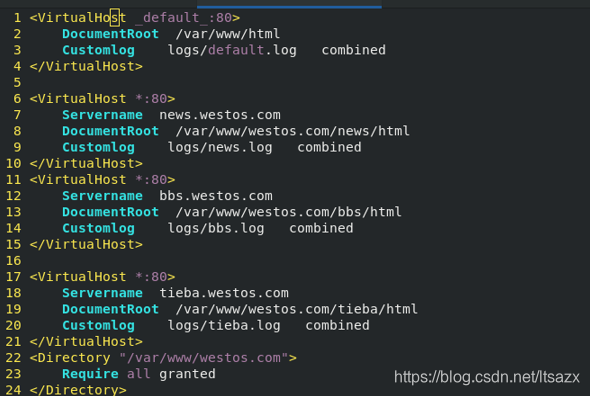
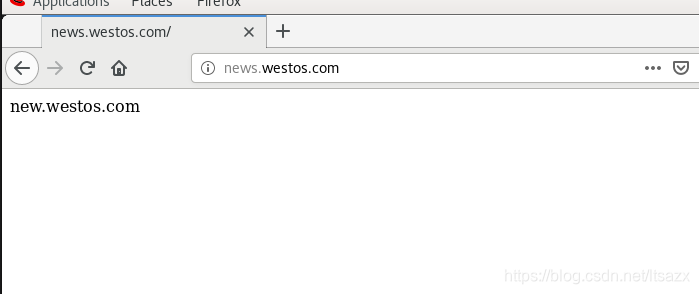
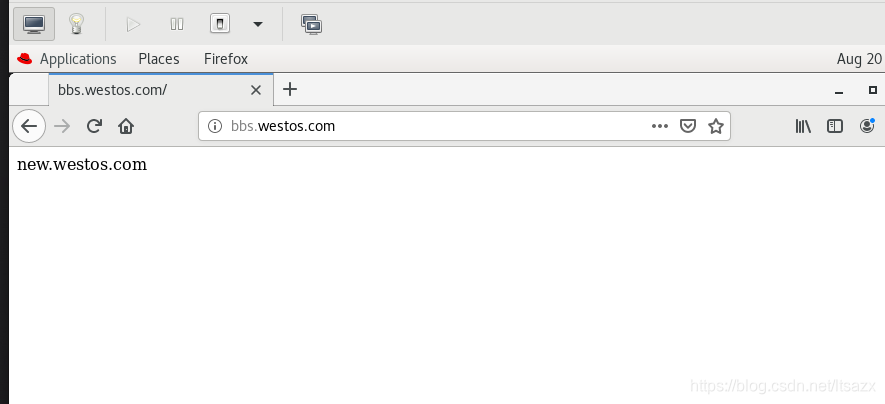
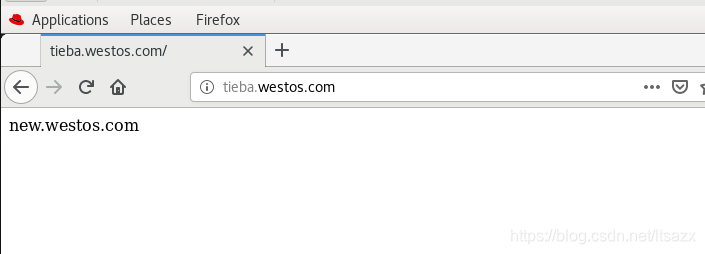
测试:
在浏览器所在主机中
vim /etc/hosts
172.25.254.212 www.westos.com bbs.westos.com news.westos.com tieba.westos.com
八.Apache的语言支持
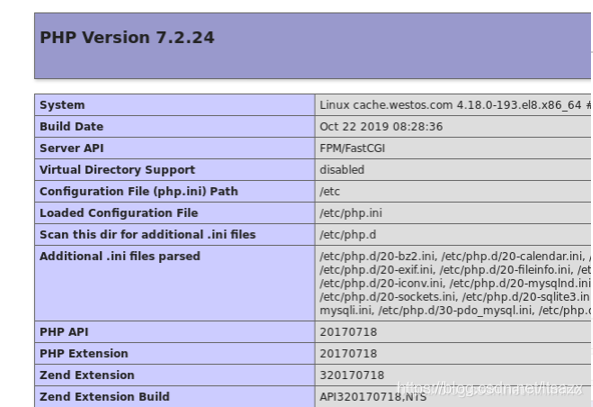
php
vim /var/www/html/index.php
dhf search php -y
systemctl restart httpd
firefox http://172.25.254.212/index.php





 扫一扫
扫一扫


 被折叠的 条评论
为什么被折叠?
被折叠的 条评论
为什么被折叠?
 到【灌水乐园】发言





