



修改参数Shorten command line
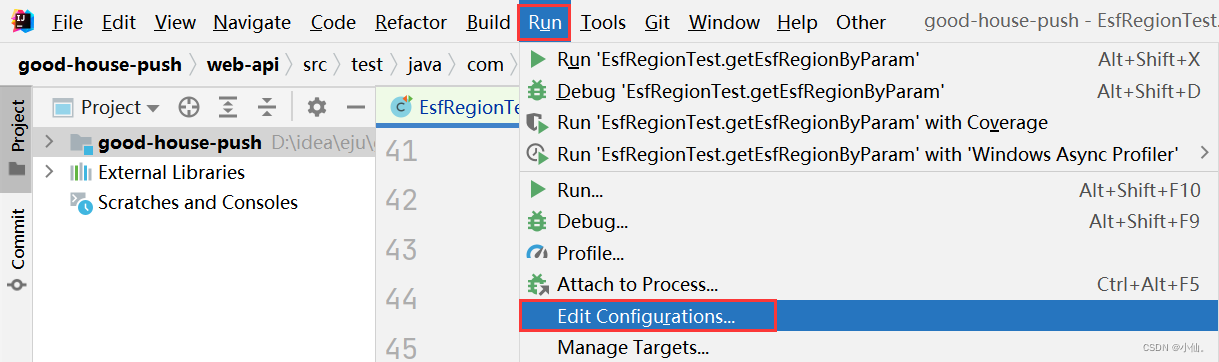
1)点击菜单栏Run——>Edit Configurations
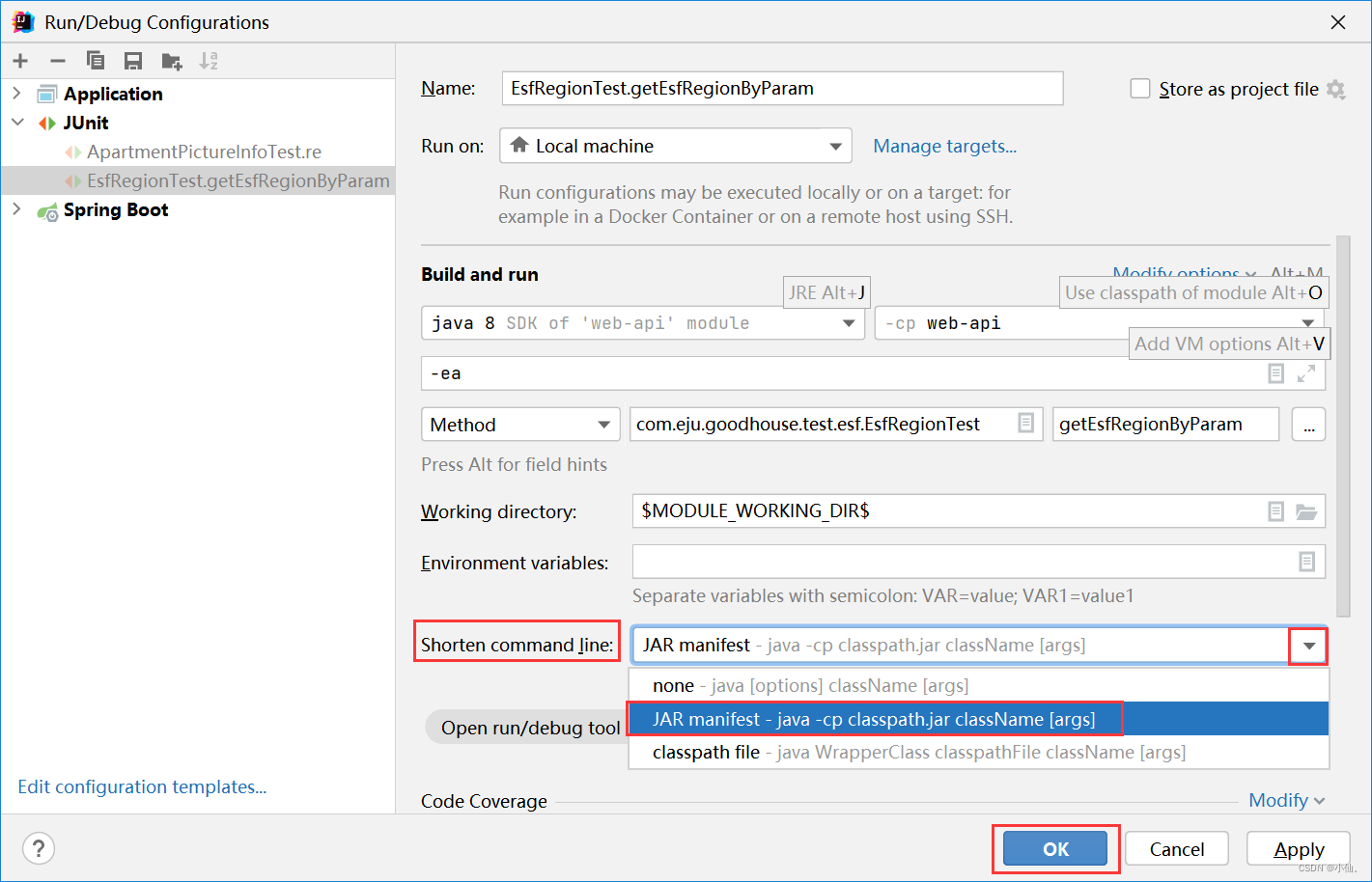
2)点击Modify options——>Shorten command line,显示出Shortn command line参数(默认值为noe)
3)点击Shorten command line下拉框——>改为JAR manifest 或 classpath file

 本文介绍如何通过修改IntelliJ IDEA中的Shortencommandline参数来优化命令行参数的传递方式。具体步骤包括:打开运行配置,选择Modify options,然后将Shortencommandline设置为JAR manifest或class文件。
修改参数Shorten command line
1)点击菜单栏Run——>Edit Configurations
2)点击Modify options——>Shorten command line,显示出Shortn command line参数(默认值为noe)
3)点击Shorten command line下拉框——>改为JAR manifest 或 classpath file
 875
3721
668
875
3721
668

 被折叠的 条评论
为什么被折叠?
被折叠的 条评论
为什么被折叠?
 到【灌水乐园】发言








 扫一扫
扫一扫


