



 本文介绍了如何在本地构建Docker镜像,并将其推送到192.168.28.202:5000的私有仓库,包括基本的镜像标记、推送操作和验证步骤。
构建镜像推送到docker仓库,显示本地镜像不存在,直接上图;
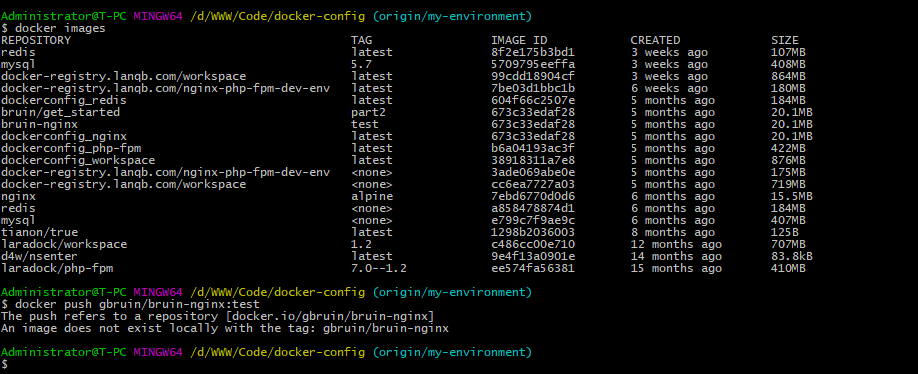
修改docker镜像的tag
docker tag 镜像id 你的账户名/镜像仓库名:tag名
例:
docker tag hello-world 192.168.28.202:5000/hello-world
docker push 192.168.28.202:5000/hello-world
# 查看推送是否成功
curl http://镜像仓库地址/v2/_catalog

# 或浏览器直接访问
http://镜像仓库地址/v2/_catalog





 扫一扫
扫一扫


 4514
4514

 被折叠的 条评论
为什么被折叠?
被折叠的 条评论
为什么被折叠?
 到【灌水乐园】发言





