



最近项目有个需要是右上角有个加号点击后就像微信右上角弹出需要的选项,这可以用popupwindow轻松实现,下面看一下微信的效果和咱们的实现效果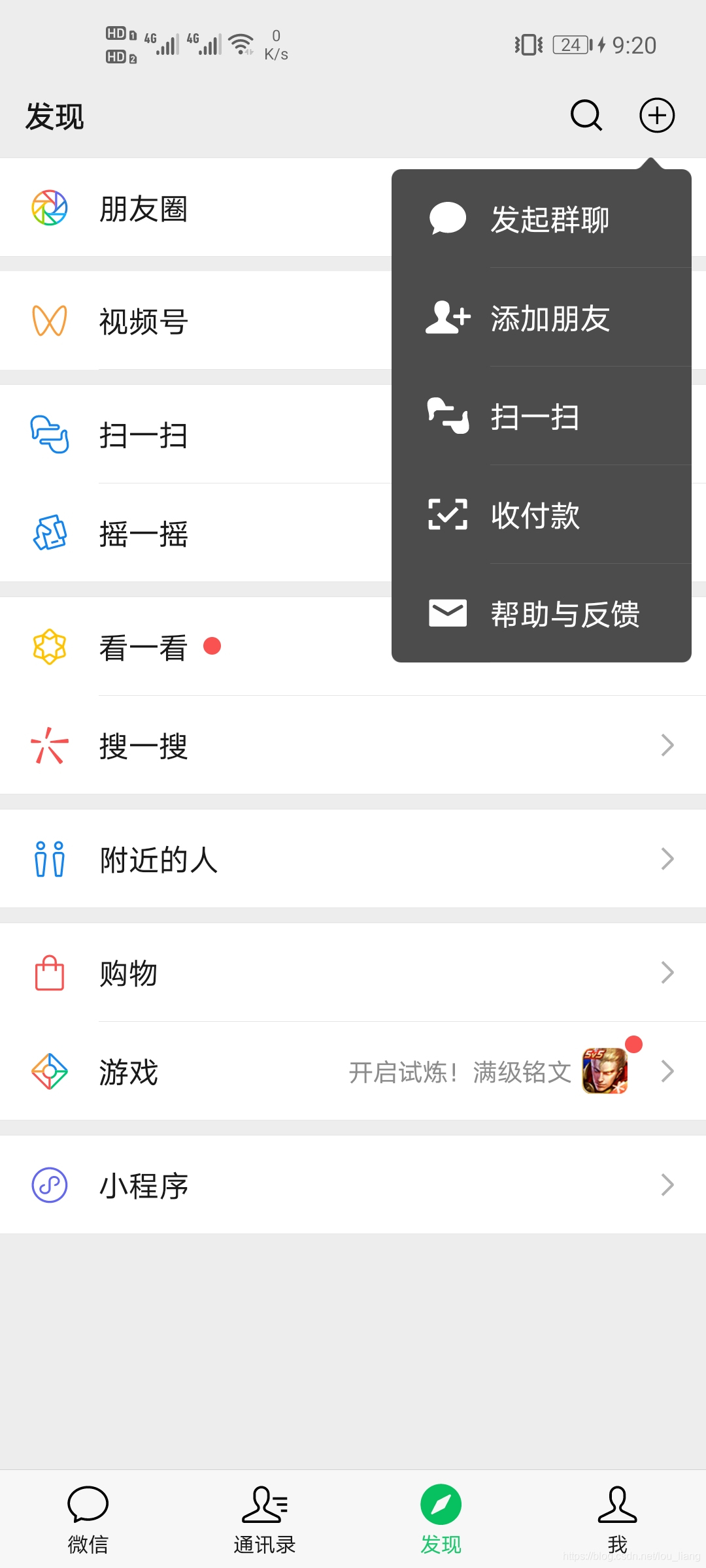
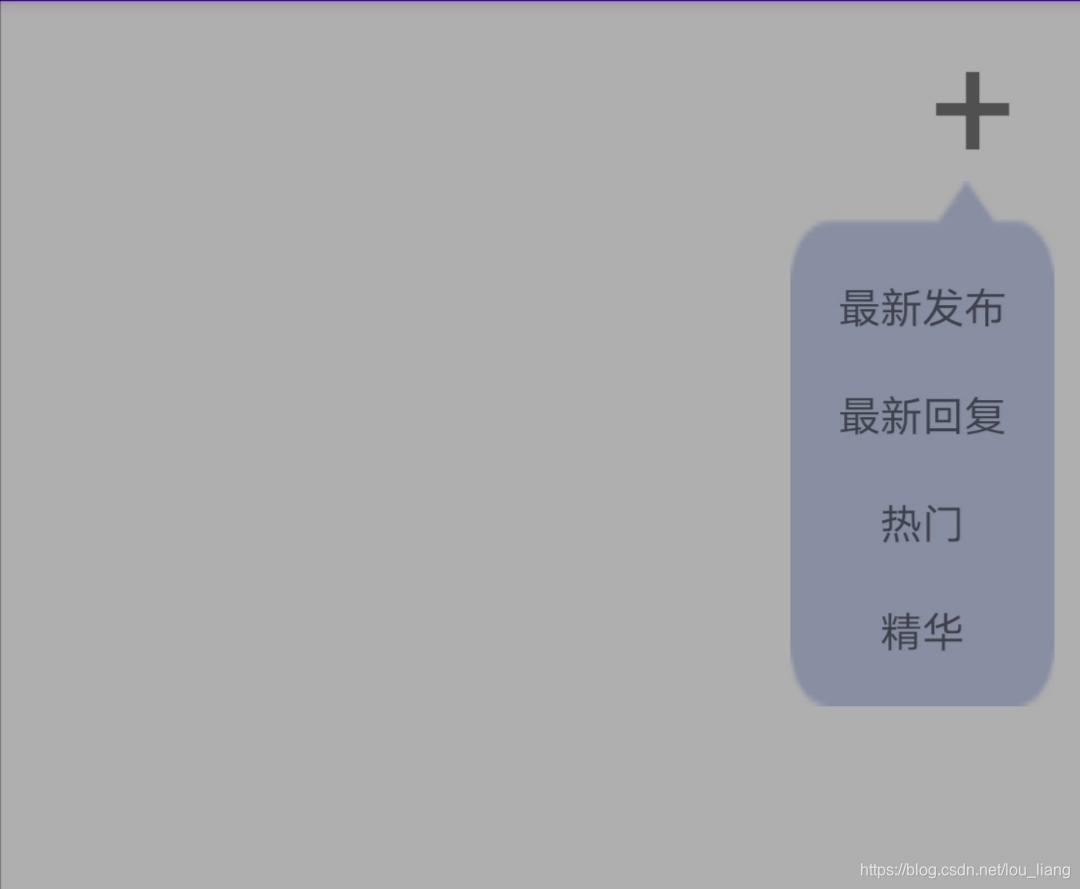
主要得代码
private void showPop() {
        // 设置布局文件
        mPopupWindow.setContentView(LayoutInflater.from(this).inflate(R.layout.pop_add, null));
        // 为了避免部分机型不显示,我们需要重新设置一下宽高
        mPopupWindow.setWidth(ViewGroup.LayoutParams.WRAP_CONTENT);
        mPopupWindow.setHeight(ViewGroup.LayoutParams.WRAP_CONTENT);
        // 设置pop透明效果
        mPopupWindow.setBackgroundDrawable(new ColorDrawable(0x0000));
        // 设置pop出入动画
        mPopupWindow.setAnimationStyle(R.style.pop_add);
        // 设置pop获取焦点,如果为false点击返回按钮会退出当前Activity,如果pop中有Editor的话,focusable必须要为true
        mPopupWindow.setFocusable(true);
        // 设置pop可点击,为false点击事件无效,默认为true
        mPopupWindow.setTouchable(true);
        // 设置点击pop外侧消失,默认为false;在focusable为true时点击外侧始终消失
        mPopupWindow.setOutsideTouchable(true);
        // 相对于 + 号正下面,同时可以设置偏移量
        mPopupWindow.showAsDropDown(iv_add, -140, 0);
        // 设置pop关闭监听,用于改变背景透明度
        mPopupWindow.setOnDismissListener(new PopupWindow.OnDismissListener() {
            @Override
            public void onDismiss() {
                toggleBright();
            }
        });
        new_send = mPopupWindow.getContentView().findViewById(R.id.new_send);
        new_send.setOnClickListener(this);
    }
每次点击加号时有一个变暗的动画效果,点击dismiss时把亮度值改回来
/**
     * 此方法用于改变背景的透明度,从而达到“变暗”的效果
     */
    private void backgroundAlpha(float bgAlpha) {
        WindowManager.LayoutParams lp = getWindow().getAttributes();
        lp.alpha = bgAlpha;
        getWindow().setAttributes(lp);
        getWindow().addFlags(WindowManager.LayoutParams.FLAG_DIM_BEHIND);
    }
这样发现确实变暗了,但是屏幕有闪动确实不完美,更好地解决办法就是弹窗弹出和消失的时候调用一下如下方法就好
private void toggleBright() {
        // 三个参数分别为:起始值 结束值 时长,那么整个动画回调过来的值就是从0.5f--1f的
        animUtil.setValueAnimator(START_ALPHA, END_ALPHA, DURATION);
        animUtil.addUpdateListener(new AnimUtil.UpdateListener() {
            @Override
            public void progress(float progress) {
                // 此处系统会根据上述三个值,计算每次回调的值是多少,我们根据这个值来改变透明度
                bgAlpha = bright ? progress : (START_ALPHA + END_ALPHA - progress);
                backgroundAlpha(bgAlpha);
            }
        });
        animUtil.addEndListner(new AnimUtil.EndListener() {
            @Override
            public void endUpdate(Animator animator) {
                // 在一次动画结束的时候,翻转状态
                bright = !bright;
            }
        });
        animUtil.startAnimator();
    }
而且每次点击展开和收回时有个一个缩放透明渐变的动画
/**
 * 动画工具类
 * UpdateListener: 动画过程中通过添加此监听来回调数据
 * EndListener: 动画结束的时候通过此监听器来做一些处理
 */
public class AnimUtil {
    private ValueAnimator valueAnimator;
    private UpdateListener updateListener;
    private EndListener endListener;
    private long duration;
    private float start;
    private float end;
    private Interpolator interpolator = new LinearInterpolator();

    public AnimUtil() {
        duration = 1000; //默认动画时常1s
        start = 0.0f;
        end = 1.0f;
        interpolator = new LinearInterpolator();// 匀速的插值器
    }
    public void setDuration(int timeLength) {
        duration = timeLength;
    }

    public void setValueAnimator(float start, float end, long duration) {

        this.start = start;
        this.end = end;
        this.duration = duration;

    }

    public void setInterpolator(Interpolator interpolator) {
        this.interpolator = interpolator;
    }

    public void startAnimator() {
        if (valueAnimator != null){
            valueAnimator = null;
        }
        valueAnimator = ValueAnimator.ofFloat(start, end);
        valueAnimator.setDuration(duration);
        valueAnimator.setInterpolator(interpolator);
        valueAnimator.addUpdateListener(new ValueAnimator.AnimatorUpdateListener() {
            @Override
            public void onAnimationUpdate(ValueAnimator valueAnimator) {

                if (updateListener == null) {
                    return;
                }

                float cur = (float) valueAnimator.getAnimatedValue();
                updateListener.progress(cur);
            }
        });
        valueAnimator.addListener(new Animator.AnimatorListener() {
            @Override
            public void onAnimationStart(Animator animator) {}
            @Override
            public void onAnimationEnd(Animator animator) {
                if(endListener == null){
                    return;
                }
                endListener.endUpdate(animator);
            }
            @Override
            public void onAnimationCancel(Animator animator) {}

            @Override
            public void onAnimationRepeat(Animator animator) {}
        });
        valueAnimator.start();
    }

    public void addUpdateListener(UpdateListener updateListener) {

        this.updateListener = updateListener;
    }

    public void addEndListner(EndListener endListener){
        this.endListener = endListener;
    }

    public interface EndListener {
        void endUpdate(Animator animator);
    }

    public interface UpdateListener {

        void progress(float progress);
    }
}
代码中有用到两个弹出和收回的动画,在res文件夹下anim目录,没有anim文件夹创建一个即可
弹出动画 pop_add_show.xml
<?xml version="1.0" encoding="utf-8"?>
<set xmlns:android="http://schemas.android.com/apk/res/android">
    <alpha
        android:duration="500"/>
    <scale
        android:duration="500"
        android:fromXScale="0"
        android:fromYScale="0"
        android:interpolator="@android:anim/accelerate_interpolator"
        android:pivotX="85%"
        android:pivotY="0%"
        android:toXScale="1"
        android:toYScale="1"/>
</set>
收回动画 pop_add_hide.xml
<?xml version="1.0" encoding="utf-8"?>
<set xmlns:android="http://schemas.android.com/apk/res/android">
    <alpha
        android:duration="500"
        android:fromAlpha="1.0"
        android:toAlpha="0.0"/>
    <scale
        android:duration="500"
        android:fromXScale="1.0"
        android:fromYScale="1.0"
        android:interpolator="@android:anim/accelerate_interpolator"
        android:pivotX="85%"
        android:pivotY="0%"
        android:toXScale="0"
        android:toYScale="0"/>
</set>
然后在style.xml中定义我们自己的style,添加我们的这两个动画:
  <style name="pop_add">
        <item name="android:windowEnterAnimation">@anim/pop_add_show</item>
        <item name="android:windowExitAnimation">@anim/pop_add_hide</item>
</style>最后附上完整demo代码
本文参考链接 https://www.jianshu.com/p/2adaa6a5f85f





 扫一扫
扫一扫


 2588
2588

 被折叠的 条评论
为什么被折叠?
被折叠的 条评论
为什么被折叠?
 到【灌水乐园】发言





