


1.防火墙不能关闭, 让其开发http协议和https协议
2.该网站具备账户验证
3.https
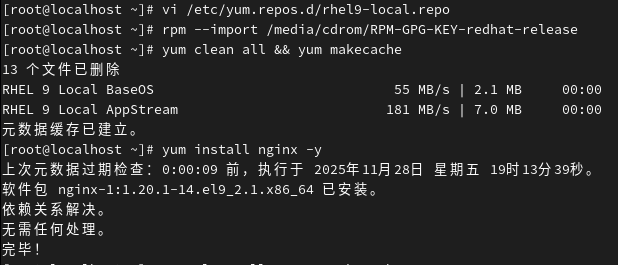
[root@localhost ~]# vi /etc/yum.repos.d/rhel9-local.repo 修改本地配置文件
导入镜像的GPG密钥 并清理缓存
[root@localhost ~]# rpm --import /media/cdrom/RPM-GPG-KEY-redhat-release
[root@localhost ~]# yum clean all && yum makecache
安装Nginx
[root@localhost ~]# yum install nginx -y
启动nginx和防火墙
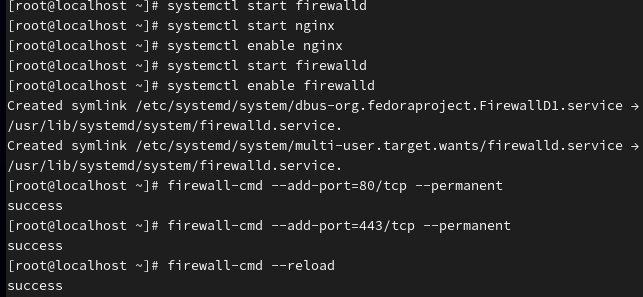
[root@localhost ~]# systemctl start nginx
[root@localhost ~]# systemctl enable nginx
[root@localhost ~]# systemctl start firewalld
[root@localhost ~]# systemctl enable firewalld
开放http80的端口和https443的端口
[root@localhost ~]# firewall-cmd --add-port=80/tcp --permanent
[root@localhost ~]# firewall-cmd --add-port=443/tcp --permanent
[root@localhost ~]# firewall-cmd --reload
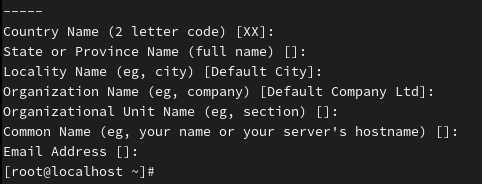
自成签名证书
mkdir -p /etc/nginx/ssl
[root@localhost ~]# openssl req -x509 -nodes -days 365 -newkey rsa:2048 \
-keyout /etc/nginx/ssl/nginx.key \
-out /etc/nginx/ssl/nginx.crt
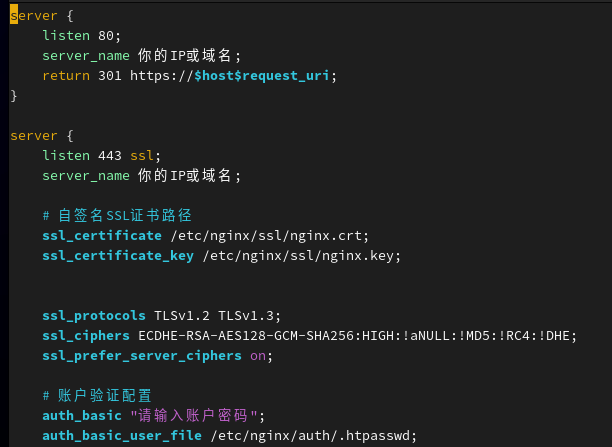
修改配置文件nginx
[root@localhost ~]# vim /etc/nginx/conf.d/https.conf
配置文件
server {
listen 80;
server_name 你的IP或域名;
return 301 https://$host$request_uri;
}
server {
listen 443 ssl;
server_name 你的IP或域名;
# 自签名SSL证书路径
ssl_certificate /etc/nginx/ssl/nginx.crt;
ssl_certificate_key /etc/nginx/ssl/nginx.key;
ssl_protocols TLSv1.2 TLSv1.3;
ssl_ciphers ECDHE-RSA-AES128-GCM-SHA256:HIGH:!aNULL:!MD5:!RC4:!DHE;
ssl_prefer_server_ciphers on;
# 账户验证配置
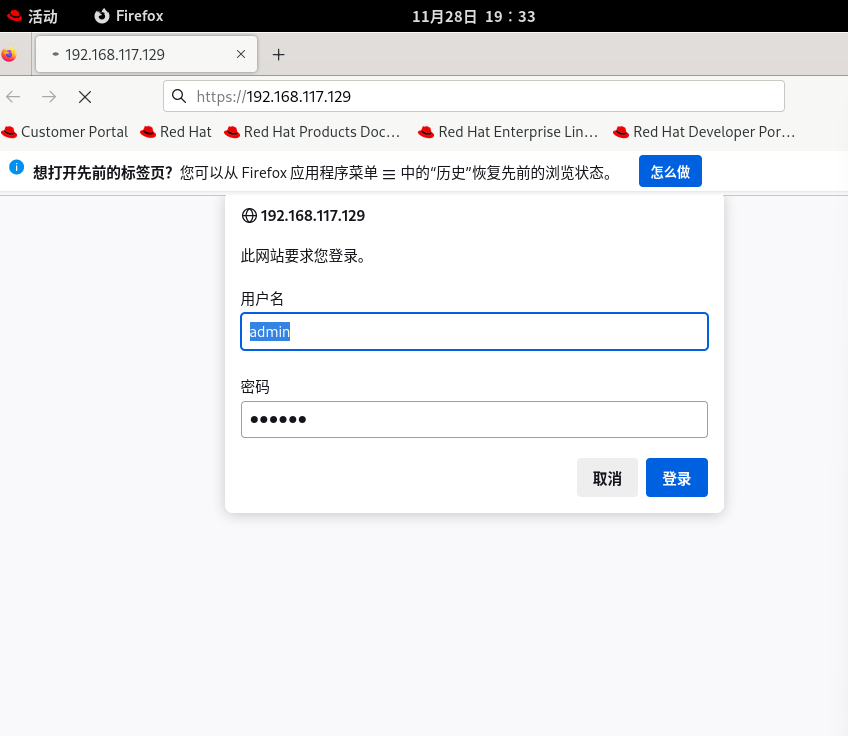
auth_basic "请输入账户密码";
auth_basic_user_file /etc/nginx/auth/.htpasswd;
root /usr/share/nginx/html;
index index.html;
}
生成密码文件
[root@localhost ~]#yum install http
[root@localhost ~]# mkdir -p /etc/nginx/auth
[root@localhost ~]# htpasswd -c /etc/nginx/auth/.htpasswd admin

重新启动nginx
[root@localhost ~]# systemctl restart nginx
查看和修改权限
[root@localhost ~]# ls -l /etc/nginx/auth/.htpasswd 查看
[root@localhost ~]# chown -R nginx:nginx /usr/share/nginx/html
[root@localhost ~]# chmod -R 755 /usr/share/nginx/html

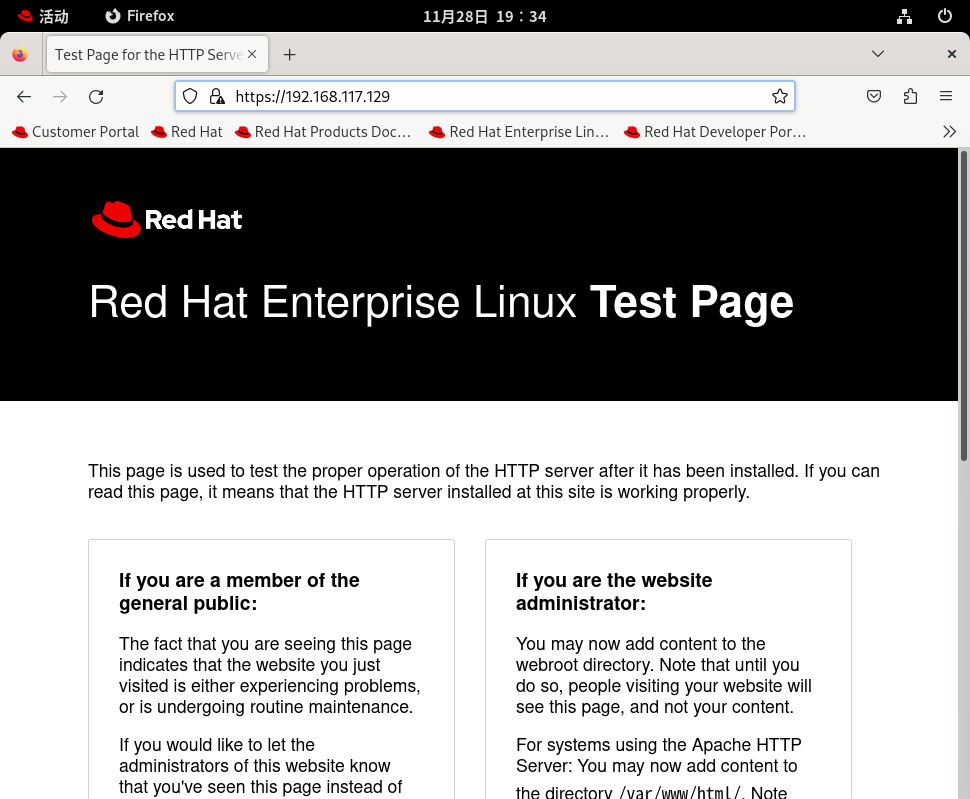
验证:浏览器输入https:// 自己的IP地址 我的(192.168.117.129)





 扫一扫
扫一扫


 1066
1066

 被折叠的 条评论
为什么被折叠?
被折叠的 条评论
为什么被折叠?
 到【灌水乐园】发言





