


 本文详细介绍了如何使用PyQt5进行前后端分离开发,步骤包括创建QT项目、使用pyuic工具处理UI文件、定义业务操作类并集成到main.py中,最终展示一个带有槽函数的自定义对话框应用。
前后端分离
参考链接
PyQt5实战(二):创建一个PyQt5项目_pyqt5实战项目_笨鸟未必先飞的博客-优快云博客
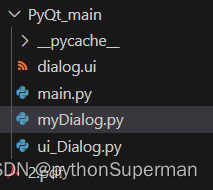
项目目录
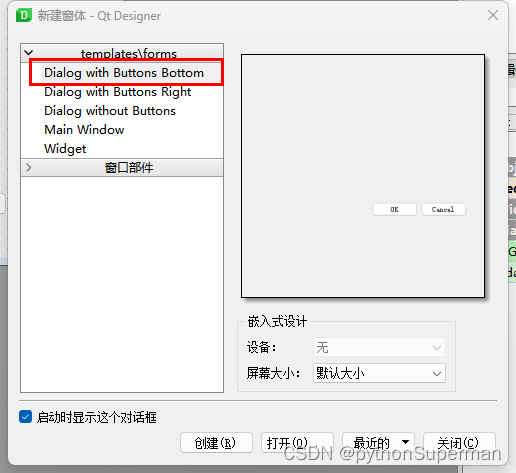
创建一个QT项目
调用pyuic工具将dialog.ui文件编译为Python程序文件ui_dialog.py。
# -*- coding: utf-8 -*-
# Form implementation generated from reading ui file 'dialog.ui'
#
# Created by: PyQt5 UI code generator 5.15.9
#
# WARNING: Any manual changes made to this file will be lost when pyuic5 is
# run again. Do not edit this file unless you know what you are doing.
from PyQt5 import QtCore, QtGui, QtWidgets
class Ui_Dialog(object):
def setupUi(self, Dialog):
Dialog 最低0.47元/天 解锁文章






 扫一扫
扫一扫


 5244
5244

 被折叠的 条评论
为什么被折叠?
被折叠的 条评论
为什么被折叠?
 到【灌水乐园】发言





