





1.背景介绍
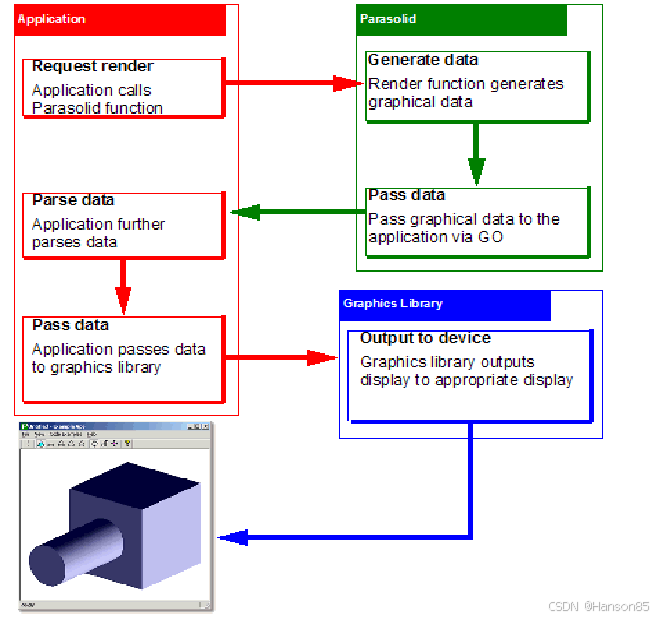
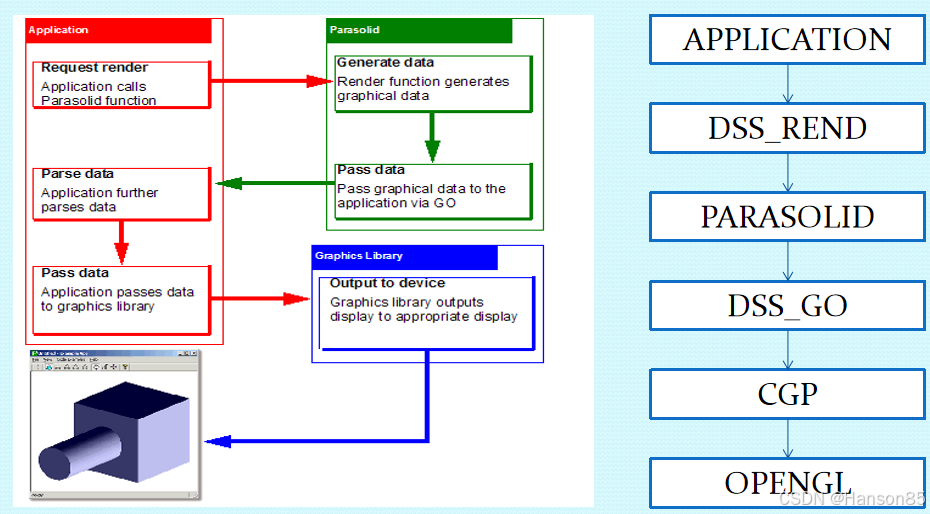
1.1 Parasolid和它的接口间关系
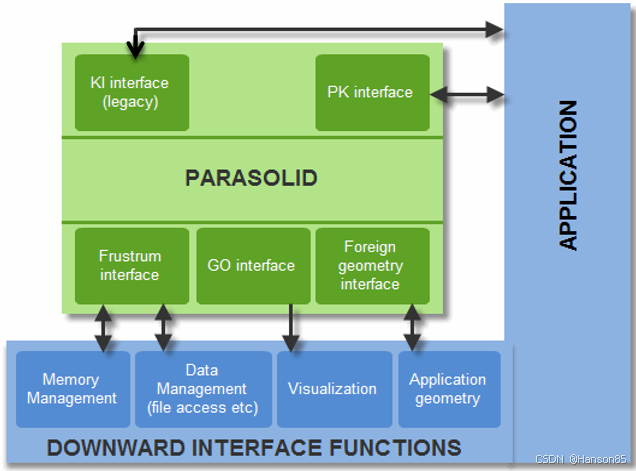
1.2 什么是GO
- GO全称是Graphical Output.
- 你的程序需要在屏幕或者打印设备上显示模型数据时。
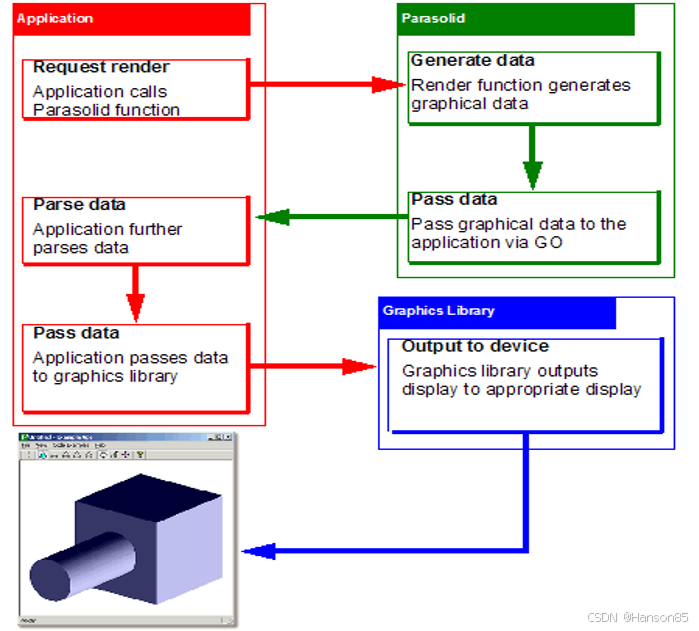
- 在需要使用PK中的某个渲染函数时创建图形显示数据时,Parasolid会调用GO相关的函数。
- GO函数会输出绘图指令给你的应用程序提供的图形显示系统,例如OpenGL。
1.3 GO工作流程
2. GO函数介绍
2.1 GOOPSG, GOSGMT, GOCLSG 三个函数
他们有相同的参数,但是要使用不同的方式来解释他们。这些参数是:
GOXXX( segtyp, ntags, tags, ngeom, geom, nlntp, lntp, ifail )。

2.2 GO函数的注册
fru.goopsg = UG_GOOPSG;
fru.gosgmt = UG_GOSGMT;
fru.goclsg = UG_GOCLSG;
PK_SESSION_register_frustrum(&fru);

2.3 GO函数中参数介绍
- SegmentType类型
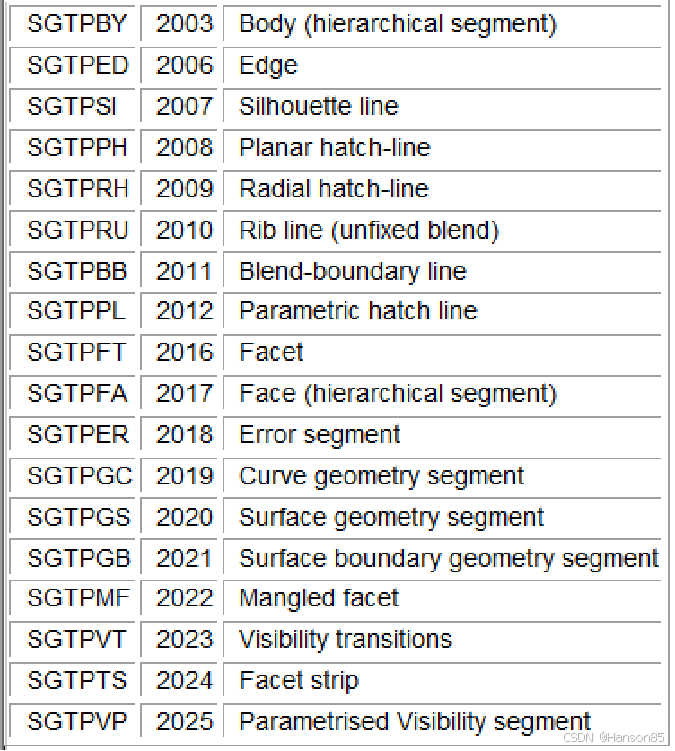
Body: SGTPBY
tags: tag of the body
ngeom: xmin, ymin, zmin, xmax, ymax, zmax.
Error Segment: SGTPER
unable to render (e.g. a rubber face)
- Tag参数
如果其中某个tag参数的值比另一个大,那么意味着对应的实体是最近创建的。在一个会话操作中,更大的tag值意味着这个实体更早创建。
- LineType参数
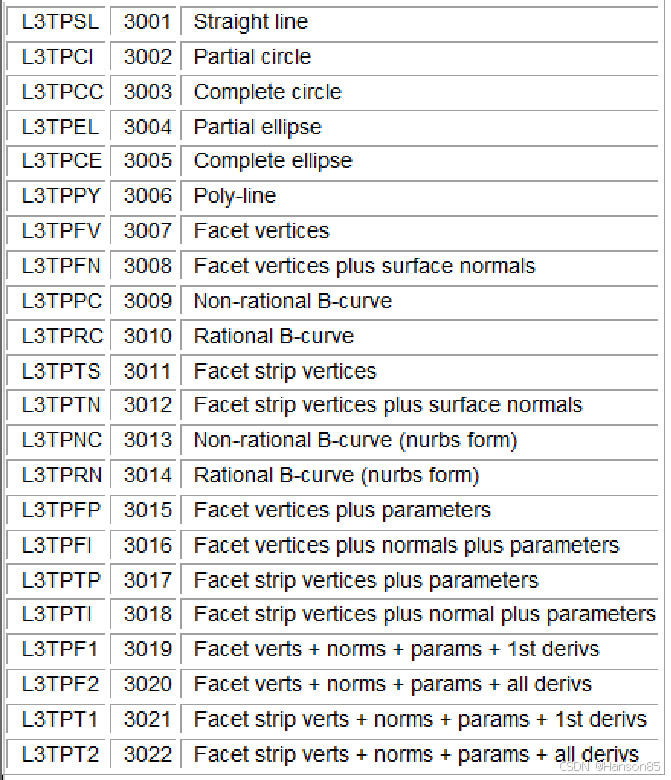
The first of which is always the occurrence number of the segment
Occurrence numbers link the segment to the entity which was passed to the rendering function. You can use them to associate the segments with the Parasolid entities (perhaps using identifiers to identify them). You can then identify what a particular line represents, and the entity it belongs to.
- Geometry参数
(1)For hierarchical body segments the geom array always contains the model space box of the body
(2) For a single level segment the geom array is an array of real numbers specifying the geometry of the line it represents.
Geometry参数中为直线是参数设置举例:
Straight line:
L3TPSL
ngeom = 9
start point(起点):geom[0...2]
end point(终点):geom[3...5]
direction(方向):geom[6...8]
一般来说,这个隐式的方向比通过使用首末端点计算出的方向更精确。
3.GO在NX中的使用
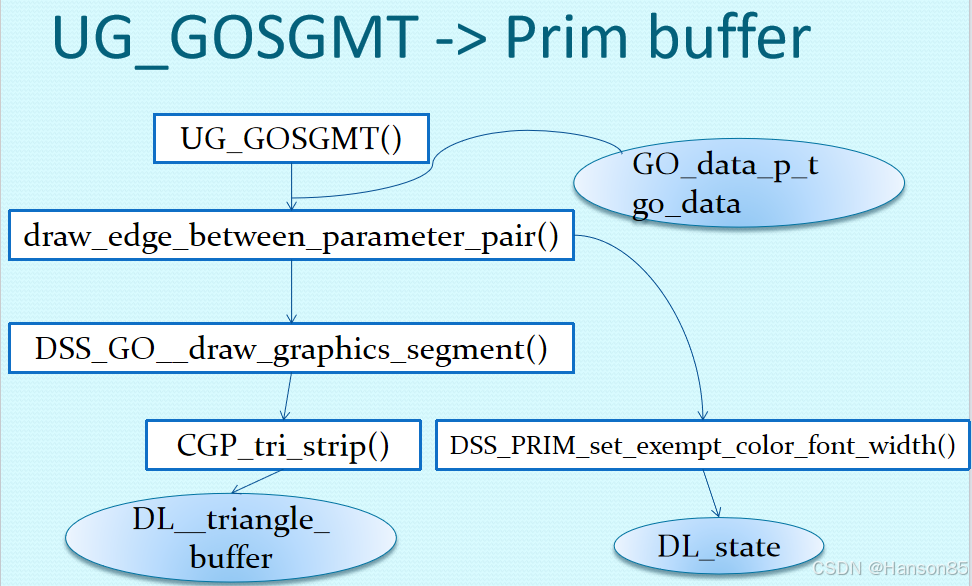
3.1 使用流程图
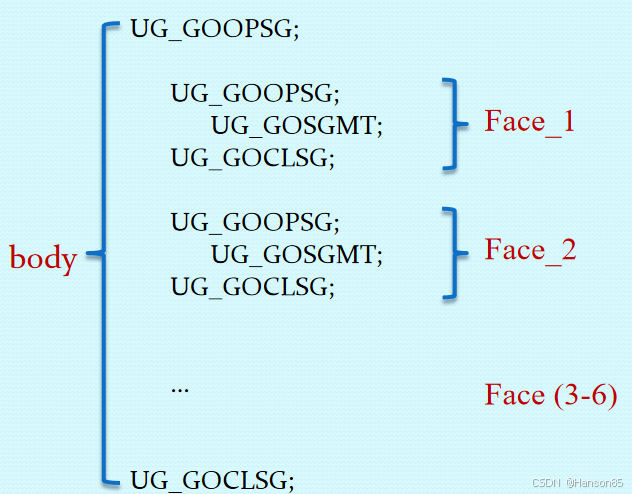
3.2 Cube使用举例
4.总结
ShipMaker介绍:君方智能设计平台-ShipMaker软件介绍-优快云博客





 扫一扫
扫一扫


 2283
2283

 被折叠的 条评论
为什么被折叠?
被折叠的 条评论
为什么被折叠?
 到【灌水乐园】发言





