


 本文详细介绍使用Struts2框架进行文件上传的具体实现方法,包括配置struts.xml、处理文件上传的Action类编写、服务器配置及JSP页面设计。通过实际案例展示了文件上传到指定目录的全过程。
文件上传:
三种上传方案
1、上传到tomcat服务器 不推荐
上传后需要刷新一遍,图片才会出来
重启tomcat图片会丢失
2、上传到指定文件目录,添加服务器与真实目录的映射关系,从而解耦上传文件与tomcat的关系
文件服务器
图片上传到 d:/uploadImages/2019/08/23/20190823100951.png
访问:http://www.javaxl.com/uploadImages/2019/08/23/20190823100951.png
ip+port
3、在数据库表中建立二进制字段,将图片存储到数据库 淘汰
占用空间大
查询耗时长
实现功能:
ClazzAction:
package com.xhh.web;

import java.io.BufferedInputStream;
import java.io.BufferedOutputStream;
import java.io.File;
import java.io.FileInputStream;
import java.io.FileNotFoundException;
import java.io.FileOutputStream;
import java.io.IOException;
import java.sql.SQLException;

import org.apache.commons.io.FileUtils;

import com.opensymphony.xwork2.ModelDriven;
import com.xhh.dao.ClzDao;
import com.xhh.entity.Clazz;
import com.xhh.util.BaseAction;
import com.xhh.util.PageBean;

public class ClazzAction extends BaseAction implements ModelDriven<Clazz>{
	private ClzDao clzDao=new ClzDao();
	private Clazz clz=new Clazz();
	private File file;
	private String fileFileName;
	private String fileContentType;

	/**
	 * 跳转上传页面
	 * @return
	 */
	public String preUpload() {
		try {
			this.result=clzDao.list(clz, null).get(0);
		} catch (InstantiationException | IllegalAccessException | SQLException e) {
			// TODO Auto-generated catch block
			e.printStackTrace();
		}
  		return "preUpload";
      }
	/**
	 * 处理文件文件方式
	 * @return
	 */
	public String upload() {
		//图片存放的真实目录
		String realDir="D:/PPT/237";
		String serverDir ="/upload";
		try {
//			将本地图片上传到服务器的某一真实存在目录(从本地读取文件写入服务器)
//			FileUtils.copyFile(file, new File(realDir + "/" + fileFileName));
			copyFile(file, new File(realDir + "/" + fileFileName));
			clz.setPic(serverDir+"/"+fileFileName);
			this.clzDao.edit(clz);
		} catch (IOException | IllegalArgumentException | IllegalAccessException | NoSuchFieldException | SecurityException | SQLException e) {
			e.printStackTrace();
		}
  		return "toList";
      }
	/**
	 * 从本地读取文件写入服务器
	 * @param source
	 * @param target
	 * @throws IOException
	 */
	private void copyFile(File source,File target) throws IOException {
		BufferedInputStream in= new BufferedInputStream(new FileInputStream(source));
		BufferedOutputStream out=new BufferedOutputStream(new FileOutputStream(target));
		byte [] bbuf =new byte [1024];
		int len =0;
		while((len =in.read(bbuf))!=-1) {
			out.write(bbuf,0,len);
		}
		in.close();
		out.close();
	}

	/**
	 * 查询班级列表方法
	 * @return
	 */
    public String list() {
    	PageBean pageBean =new PageBean();
    	pageBean.setRequest(request);
    	try {
		this.result=clzDao.list(clz, pageBean);
		request.setAttribute("pageBean", pageBean);
		} catch (InstantiationException | IllegalAccessException | SQLException e) {
			// TODO Auto-generated catch block
			e.printStackTrace();
		}
		return "list";
    }
    /**
     * 跳转编辑页面(新增编辑页面是同一张)
     * @return
     */
    public String preSave() {
    	int cid = clz.getCid();
    	if(cid!=0) {
    		try {
				this.result=clzDao.list(clz, null).get(0);
			} catch (InstantiationException | IllegalAccessException | SQLException e) {
				// TODO Auto-generated catch block
				e.printStackTrace();
			}
    	}
  		return "preSave";
      }
   /**
    * 增加班级信息方法
    * @return
 * @throws SecurityException
 * @throws NoSuchFieldException
    */
    public String add(){
    	try {
			this.code=this.clzDao.add(clz);
		} catch (IllegalArgumentException | IllegalAccessException | SQLException | NoSuchFieldException | SecurityException e) {
			// TODO Auto-generated catch block
			e.printStackTrace();
		}
  		return "toList";
      }

    /**、
     * 修改班级信息
     * @return
     * @throws SecurityException
     * @throws NoSuchFieldException
     */
    public String edit()  {
    	try {
			this.code=this.clzDao.edit(clz);
		} catch (IllegalArgumentException | IllegalAccessException | SQLException | NoSuchFieldException | SecurityException e) {
			// TODO Auto-generated catch block
			e.printStackTrace();
		}
  		return "toList";
      }

    /**
     * 删除班级信息
     * @return
     * @throws SecurityException
     * @throws NoSuchFieldException
     */
    public String del(){
    	try {
			this.code=this.clzDao.del(clz);
		} catch (IllegalArgumentException | IllegalAccessException | SQLException | NoSuchFieldException | SecurityException e) {
			// TODO Auto-generated catch block
			e.printStackTrace();
		}
  		return "toList";
      }

	@Override
	public Clazz getModel() {
		// TODO Auto-generated method stub
		return clz;
	}
	public File getFile() {
		return file;
	}
	public void setFile(File file) {
		this.file = file;
	}
	public String getFileFileName() {
		return fileFileName;
	}
	public void setFileFileName(String fileFileName) {
		this.fileFileName = fileFileName;
	}
	public String getFileContentType() {
		return fileContentType;
	}
	public void setFileContentType(String fileContentType) {
		this.fileContentType = fileContentType;
	}

}
配置struts.sy.xml:
<?xml version="1.0" encoding="UTF-8"?>
<!DOCTYPE struts PUBLIC
	"-//Apache Software Foundation//DTD Struts Configuration 2.5//EN"
	"http://struts.apache.org/dtds/struts-2.5.dtd">
<struts>
    <!--
            相对mvc的差异性
       package:用来将一类子控制器进行分类
       http://localhost:8080/stauts/sy/user_add.action
            中/sy对应的namespace="/sy"
       extends包的继承

       *的含义:
                 代表任意方法,只要前台浏览器匹配/user_*这一个是,那么user_add中,代表了adds
     -->
	<package name="sy" extends="base" namespace="/sy">
	  	<action name="/user_*" class="com.xhh.web.UserAction" method="{1}">
	     <result name="success">/test.jsp</result>
	   </action>

	   <action name="demo_*" class="com.xhh.web.DemoAction" method="{1}">
	       <result name="rs">/rs.jsp</result>
	   </action>

	   <action name="tomcat_*" class="com.xhh.web.TomacatAction" method="{1}">
	       <result name="rs">/rs.jsp</result>
	   </action>

	   <action name="ognl_*" class="com.xhh.ognl.Demo7" method="{1}">
	    <result name="rs">/rs.jsp</result>
	   </action>

	   <action name="clz_*" class="com.xhh.web.ClazzAction" method="{1}">
	       <result name="list">/clzList.jsp</result>
	       <result name="preSave">/clzEdit.jsp</result>
	       <result name="preUpload">/upload.jsp</result>
	       <result name="toList" type="redirectAction">clz_list</result>
	   </action>

	</package>
</struts>
然后在你的servers的server.xml加上这代码:
<Context docBase="D:/PPT/237/" path="/stauts/upload" />
写jsp页面(图片上传页面):
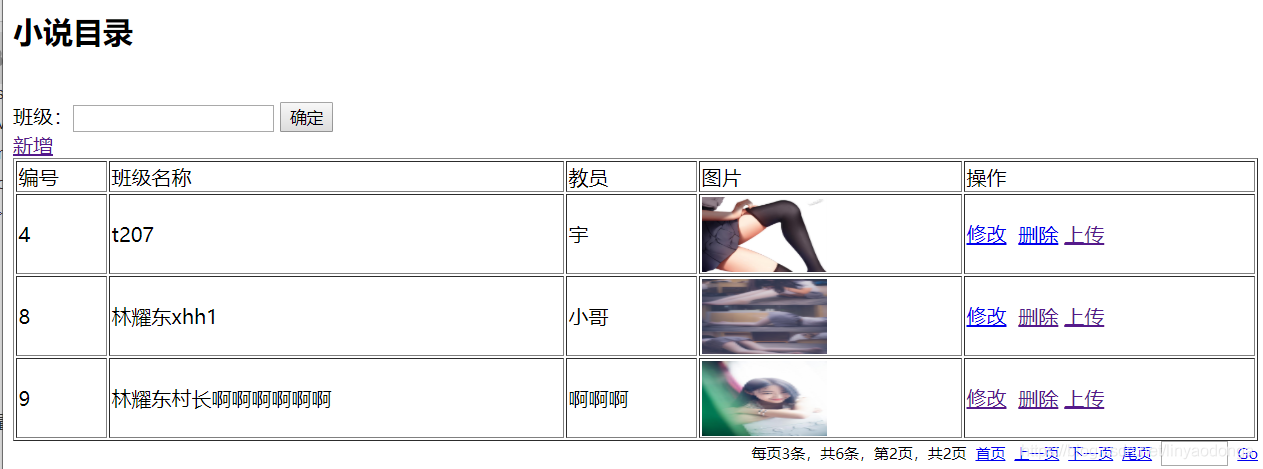
clzList.jsp:
<%@ page language="java" contentType="text/html; charset=utf-8"
pageEncoding="utf-8"%>
<%@ taglib uri="http://java.sun.com/jsp/jstl/core" prefix="c" %>
<%@ taglib uri="/xhh" prefix="x" %>
<!DOCTYPE html PUBLIC "-//W3C//DTD HTML 4.01 Transitional//EN" "http://www.w3.org/TR/html4/loose.dtd">
<html>
<head>
<meta http-equiv="Content-Type" content="text/html; charset=utf-8">
<title>书籍主页</title>
</head>
<body>
<h2>小说目录</h2>
<br>
<form action="${pageContext.request.contextPath}/sy/clz_list.action"
method="post">
<!-- <input type="hidden" name="rows" value="20"> -->
班级:<input type="text" name="bname">
<input type="submit"
value="确定">
</form>
<a href="${pageContext.request.contextPath}/sy/clz_preSave.action">新增</a>
<table border="1" width="100%">
<tr>
<td>编号</td>
<td>班级名称</td>
<td>教员</td>
<td>图片</td>
<td>操作</td>
</tr>
<c:forEach items="${result }" var="c">
<tr>
<td>${c.cid }</td>
<td>${c.cname }</td>
<td>${c.cteacher }</td>
<td>
<img style="height: 60px; width: 100px;" src="${pageContext.request.contextPath }${c.pic }">
</td>
<td>
<a href="${pageContext.request.contextPath}/sy/clz_preSave.action?cid=${c.cid}">修改</a>
<a href="${pageContext.request.contextPath}/sy/clz_del.action?cid=${c.cid}">删除</a>
<a href="${pageContext.request.contextPath}/sy/clz_preUpload.action?cid=${c.cid}">上传</a>
</td>
</tr>
</c:forEach>
</table>
<x:page pageBean="${pageBean}"></x:page>
</body>
</html>
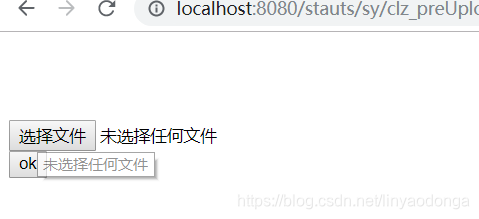
upload.jsp:
<%@ page language="java" contentType="text/html; charset=UTF-8"
    pageEncoding="UTF-8"%>
<!DOCTYPE html PUBLIC "-//W3C//DTD HTML 4.01 Transitional//EN" "http://www.w3.org/TR/html4/loose.dtd">
<html>
<head>
<meta http-equiv="Content-Type" content="text/html; charset=UTF-8">
<title>上传</title>
</head>
<body>
<form action="${pageContext.request.contextPath}/sy/clz_upload.action" method="post" enctype="multipart/form-data">
    <input type="hidden" name="cid" value="${result.cid }"><br>
    <input type="hidden" name="cname" value="${result.cname }"><br>
    <input type="hidden" name="cteacher" value="${result.cteacher }"><br>
   <input type="file" name="file"><br>
    <input type="submit" value="ok">
</form>
</body>
</html>
注意:
必须给表单添加enctype值,设置为:multipart/form-data
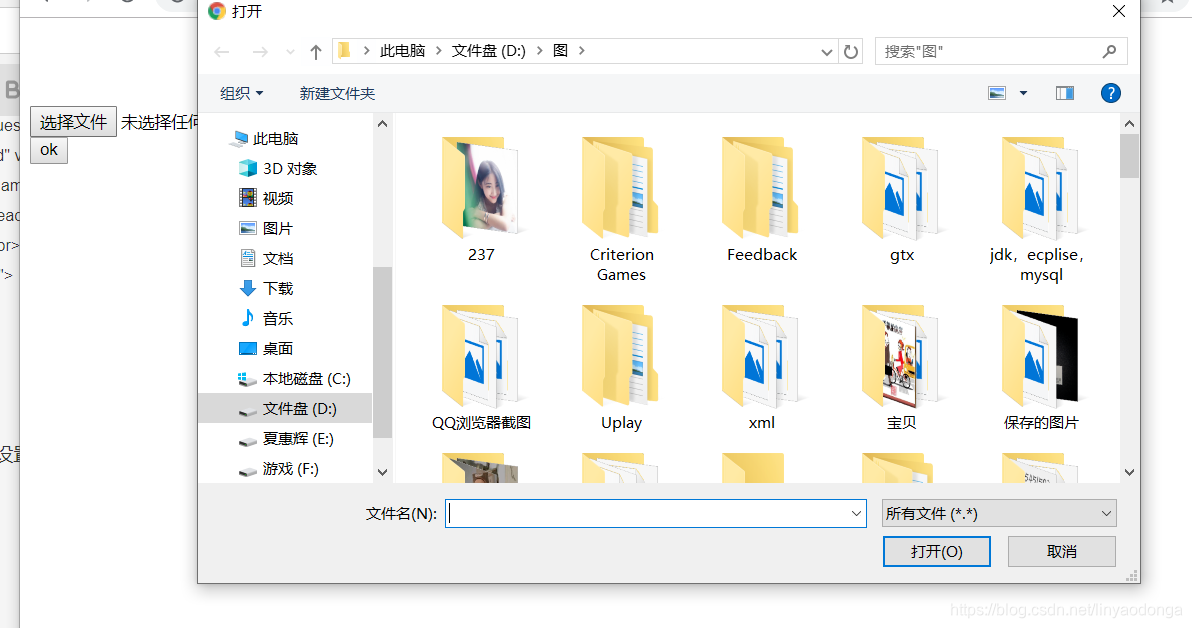
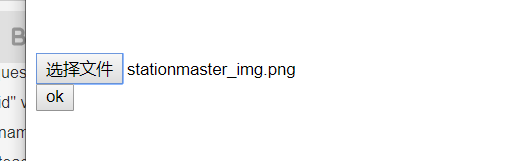
上图:
两个底层
	/**
	 * 从本地读取文件写入服务器
	 * @param source
	 * @param target
	 * @throws IOException
	 */
	private void copyFile(File source,File target) throws IOException {
		BufferedInputStream in= new BufferedInputStream(new FileInputStream(source));
		BufferedOutputStream out=new BufferedOutputStream(new FileOutputStream(target));
		byte [] bbuf =new byte [1024];
		int len =0;
		while((len =in.read(bbuf))!=-1) {
			out.write(bbuf,0,len);
		}
		in.close();
		out.close();
	}





 扫一扫
扫一扫


 249
249

 被折叠的 条评论
为什么被折叠?
被折叠的 条评论
为什么被折叠?
 到【灌水乐园】发言





