springboot资源映射

本文介绍了SpringBoot中关于资源的映射规则,包括静态资源、欢迎页和图标的位置查找,涉及/webjars/**、/、classpath指定路径等多个路径下的文件检索策略。

springboot资源映射
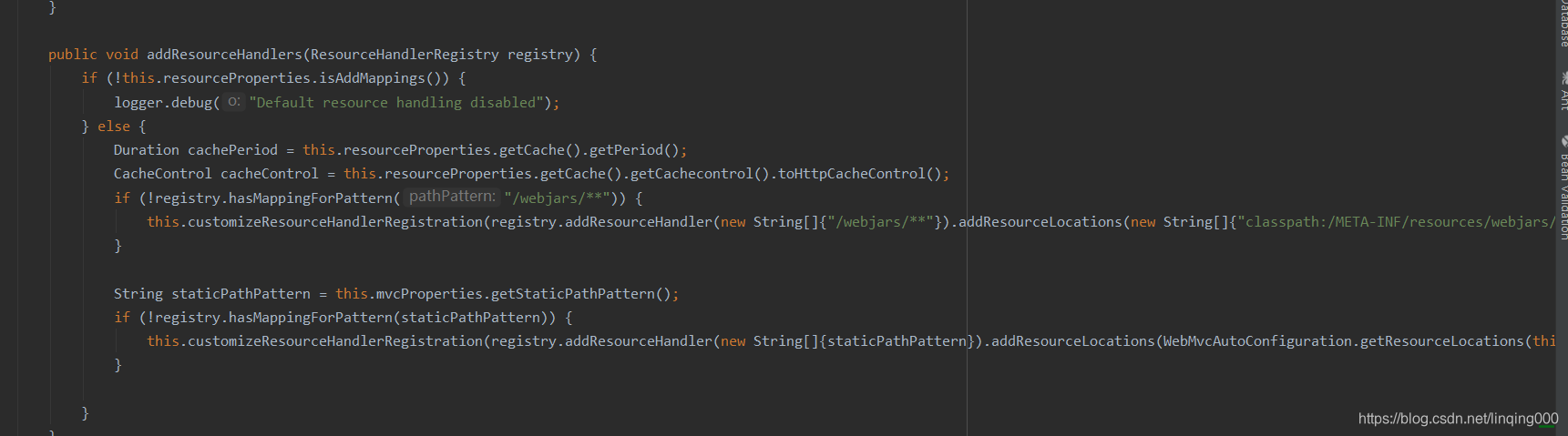
1.静态资源映射
在这里插入图片描述
(1)收到/webjars/**的请求后会去classpath:/META/resources/webjars/ 查找文件,
(2)其他的静态资源文件,
“classpath:/META-INF/resources/”,
“classpath:/resources/”,
“classpath:/static/”,
“classpath:/public/”
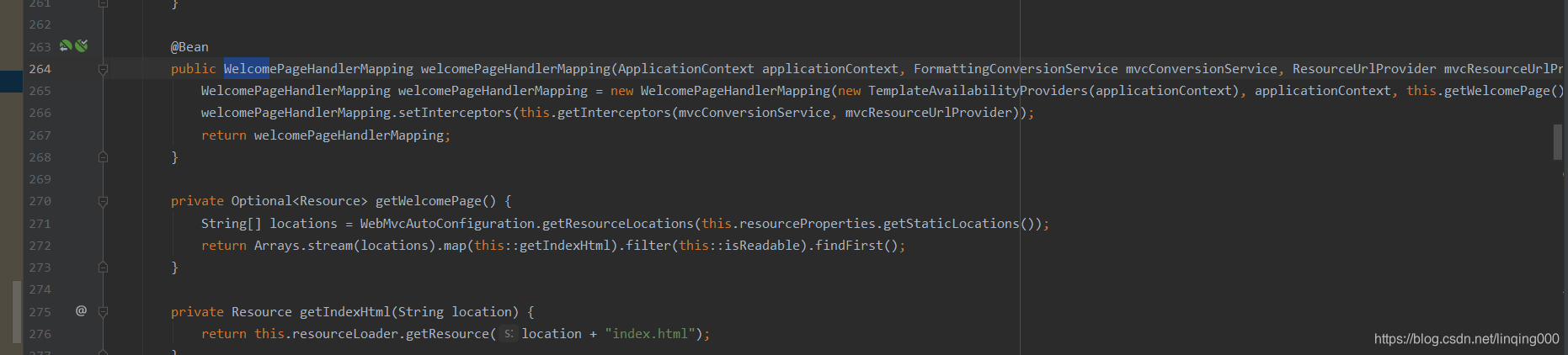
2欢迎页映射
在这里插入图片描述
classpath:/META-INF/resources/
classpath:/resources/
classpath:/static/
classpath:/public/
/: 当前项目根路径下
以上五个位置查找index.html
3.图标映射
classpath:/META-INF/resources/
classpath:/resources/
classpath:/static/
classpath:/public/
/: 当前项目根路径下
以上五个位置查找favicon.ico文件
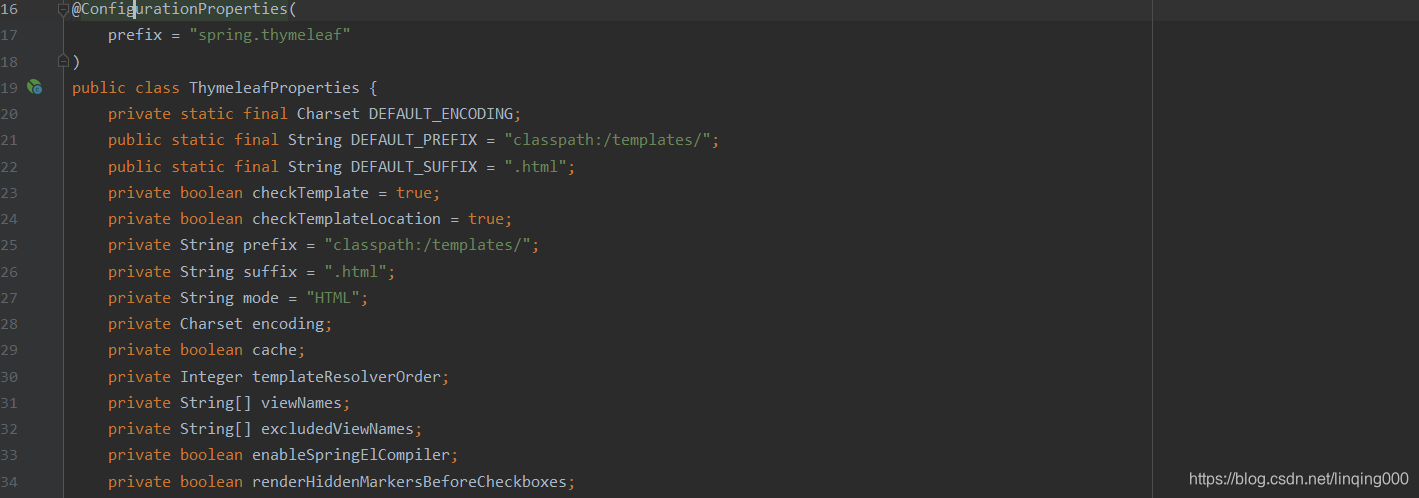
4.thymeleaf模板映射
在这里插入图片描述

回答: 在Spring Boot中,可以使用yml文件来配置静态资源映射。具体配置方式如下: 在application.yml文件中添加以下内容: ```yaml img-filepath: /path/to/img/folder/ video-filepath: /path/to/video/folder/ ``` 其中,`/path/to/img/folder/`是存放图片的文件夹路径,`/path/to/video/folder/`是存放视频的文件夹路径。 然后,在启动类中使用`@Value`注解来获取配置文件中的路径: ```java @SpringBootApplication public class StudyApplication implements WebMvcConfigurer { @Value("${img-filepath}") private String imgPath; @Value("${video-filepath}") private String videoPath; // 省略其他代码 @Override public void addResourceHandlers(ResourceHandlerRegistry registry) { registry.addResourceHandler("/img/**").addResourceLocations("file:" + imgPath); registry.addResourceHandler("/play/**").addResourceLocations("file:" + videoPath); } // 省略其他代码 } ``` 这样,当访问`http://localhost:8080/img/0a3b3288-3446-4420-bbff-f263d0c02d8e.jpg`时,就会去`/path/to/img/folder/`下找到对应的图片。同理,访问`http://localhost:8080/play/`时,会去`/path/to/video/folder/`下找到对应的视频。 #### 引用[.reference_title] - *1* *2* *3* [springboot静态资源映射配置](https://blog.youkuaiyun.com/m0_62317155/article/details/128622300)[target="_blank" data-report-click={"spm":"1018.2226.3001.9630","extra":{"utm_source":"vip_chatgpt_common_search_pc_result","utm_medium":"distribute.pc_search_result.none-task-cask-2~all~insert_cask~default-1-null.142^v91^insert_down1,239^v3^insert_chatgpt"}} ] [.reference_item] [ .reference_list ]
评论
添加红包

请填写红包祝福语或标题

红包个数最小为10个

红包金额最低5元

当前余额3.43前往充值 >
需支付:10.00
成就一亿技术人!
领取后你会自动成为博主和红包主的粉丝 规则
hope_wisdom
发出的红包
实付
使用余额支付
点击重新获取
扫码支付
钱包余额 0

抵扣说明:

1.余额是钱包充值的虚拟货币,按照1:1的比例进行支付金额的抵扣。
2.余额无法直接购买下载,可以购买VIP、付费专栏及课程。

余额充值



