


版权归作者所有,如有转发,请注明文章出处:https://cyrus-studio.github.io/blog/
readelf
readelf 是一个用于读取和显示 ELF(Executable and Linkable Format)文件信息的工具。虽然 readelf 工具本身是为 Unix-like 操作系统设计的,但你可以在 Windows 上通过 WSL 使用它。
WSL 允许你在 Windows 上运行 Linux 发行版,并且可以在其中使用 readelf 工具。
安装 WSL
打开 PowerShell 以管理员身份运行,并执行以下命令启用 WSL 并安装 Ubuntu 系统
wsl --install -d Ubuntu
然后设置用户账户和密码。
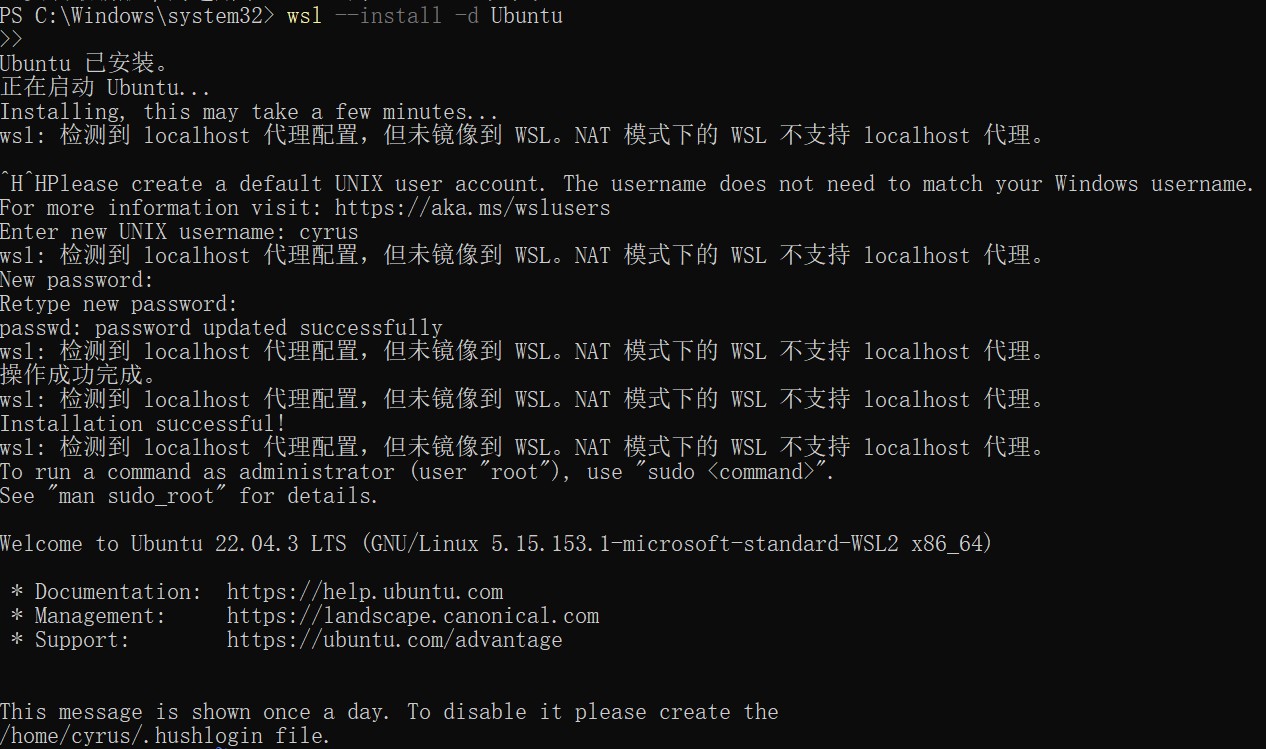
通过 wsl 命令进入 Ubuntu 系统。
在 wsl 中 /mnt/d 对应的就是 windows 下的 D 盘,其他同理。
使用 readelf
调用 readelf -a 一次性查看文件中的所有信息,包括文件头、程序头、节头、符号表、动态节等。
readelf -a libGameVMP.so
ELF Header:
Magic: 7f 45 4c 46 02 01 01 00 00 00 00 00 00 00 00 00
Class: ELF64
Data: 2's complement, little endian
Version: 1 (current)
OS/ABI: UNIX - System V
ABI Version: 0
Type: DYN (Shared object file)
Machine: AArch64
Version: 0x1
Entry point address: 0x2650
Start of program headers: 64 (bytes into file)
Start of section headers: 130160 (bytes into file)
Flags: 0x0
Size of this header: 64 (bytes)
Size of program headers: 56 (bytes)
Number of program headers: 7
Size of section headers: 64 (bytes)
Number  最低0.47元/天 解锁文章






 扫一扫
扫一扫


 3898
3898

 被折叠的 条评论
为什么被折叠?
被折叠的 条评论
为什么被折叠?
 到【灌水乐园】发言





