



 本文介绍了如何使用阿里巴巴的Fastjson库和Google的Gson库将Java对象转换为JSON字符串。通过注解@JSONField和过滤器PascalNameFilter,解决了字段名称大小写问题,并提供了三种不同的转换方案。测试结果显示了各方案的输出结果。
实体类
package com.star.json;

import com.alibaba.fastjson.annotation.JSONField;
import lombok.AllArgsConstructor;
import lombok.Data;

/**
 * @author: liminghui
 * @date: 2021/10/6 19:46
 * @version: 1.0
 * @description:
 */
@Data
@AllArgsConstructor
public class Course {
    // @JSONField(name = "COURSENAME")
    private String COURSENAME;
}
package com.star.json;

import com.alibaba.fastjson.annotation.JSONField;
import lombok.AllArgsConstructor;
import lombok.Data;

/**
 * @author: liminghui
 * @date: 2021/10/6 19:44
 * @version: 1.0
 * @description:
 */
@Data
@AllArgsConstructor
public class Student {
    // @JSONField(name = "NAME")
    private String NAME;

    // @JSONField(name = "AGE")
    private int AGE;
    // @JSONField(name = "COURSE")
    private Course COURSE;

}
测试类:三种解决方案详细见代码
package com.star.json;

import com.alibaba.fastjson.JSON;
import com.alibaba.fastjson.serializer.PascalNameFilter;
import com.google.gson.Gson;

/**
 * @author: liminghui
 * @date: 2021/10/6 19:44
 * @version: 1.0
 * @description: 解决阿里fastjson转换大小写问题
 */
public class JSONTest {
    public static void main(String[] args) {
        Course course = new Course("ENGLISH");
        Student student = new Student("zhangsan", 18, course);

        // 方案一 :new PascalNameFilter() fastjson出现重复引用或者循环引用
        // 参考https://blog.youkuaiyun.com/u012060033/article/details/85999897
        String jsonStr1 = JSON.toJSONString(student,new PascalNameFilter());
        System.out.println(jsonStr1);

        // 方案二: Gson 转换 更推荐
        Gson gson = new Gson();
        String jsonStr2 = gson.toJson(student);
        System.out.println(jsonStr2);

        // 方案三: 使用@JSONField(name = "NAME")
        String jsonStr3 = JSON.toJSONString(student);
        System.out.println(jsonStr3);

    }
}
调试结果
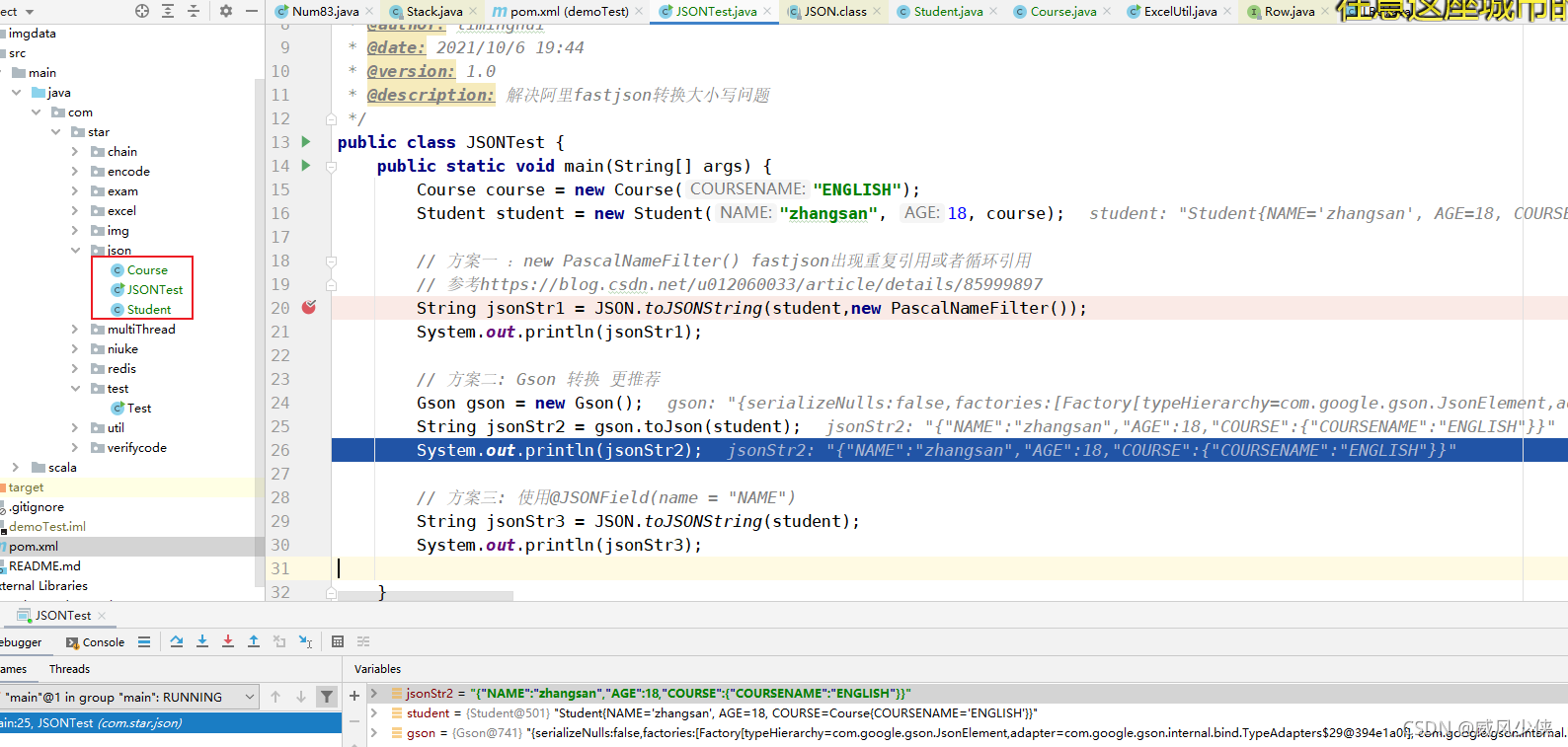
方案一 :new PascalNameFilter() fastjson出现重复引用或者循环引用
参考http:// https://blog.youkuaiyun.com/u012060033/article/details/85999897





 扫一扫
扫一扫


 1286
1286

 被折叠的 条评论
为什么被折叠?
被折叠的 条评论
为什么被折叠?
 到【灌水乐园】发言





