


 这篇博客介绍了Redis服务器的启动、关闭以及如何在后台运行的详细步骤。包括通过命令行直接启动、关闭,以及修改配置文件实现后台启动的方法。重点在于后台启动的两种方法,一种是使用命令行的&符号,另一种是修改redis.conf配置文件设置daemonize为yes。
一、前台启动
1. 启动: 安装目录下(usr/local/bin/)
./redis-server conf/redis.conf
2. 关闭:
ps -ef| grep redis
kill -9  pid(你的redis运行pid)
3. 进入脚本控制台: 安装目录下(usr/local/bin/)
./redis-cli
二、后台启动(大家最关心的地方,也是最实用的启动方式)
1.方法一
redis根目录下执行命令:./redis-server &
2.方法二
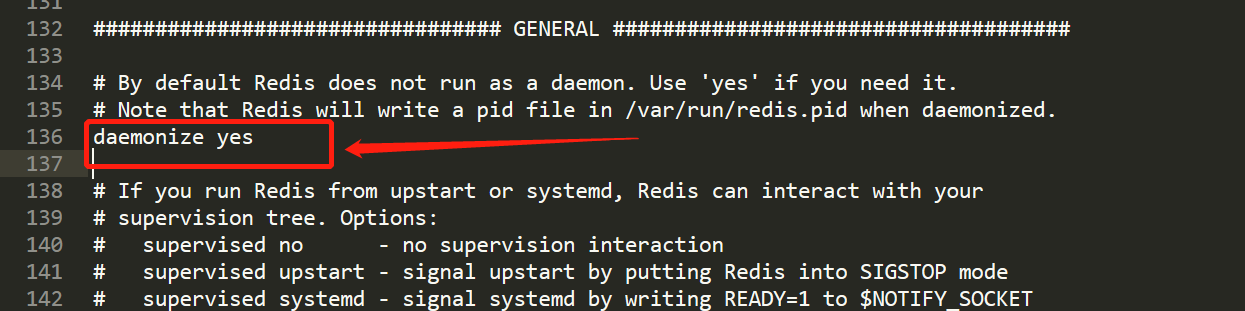
修改配置文件redis.conf:(redis.conf一般在 usr/local/bin/conf/redis/conf)1) daemonize no 修改为 daemonize yes (修改redis.conf时因为文件内容过长,我们可以使用 /damonize 进行定位修改)
2) 启动:
redis-server /xxx/conf/redis.conf
3) redis-server跟redis.conf同级可以直接启动
redis-server





 扫一扫
扫一扫


 7190
7190

 被折叠的 条评论
为什么被折叠?
被折叠的 条评论
为什么被折叠?
 到【灌水乐园】发言





