
鸿蒙next开发第一课03.ArkTs语法介绍-文章

鸿蒙next开发03ArkTS语言介绍-学习

作为一个Java开发者,我也完全是一名鸿蒙开发的新手,之所以选择鸿蒙开发,还是因为Java佬已经过时,目前需要紧跟潮流,学习最新的技术,那么鸿蒙是不二之选。

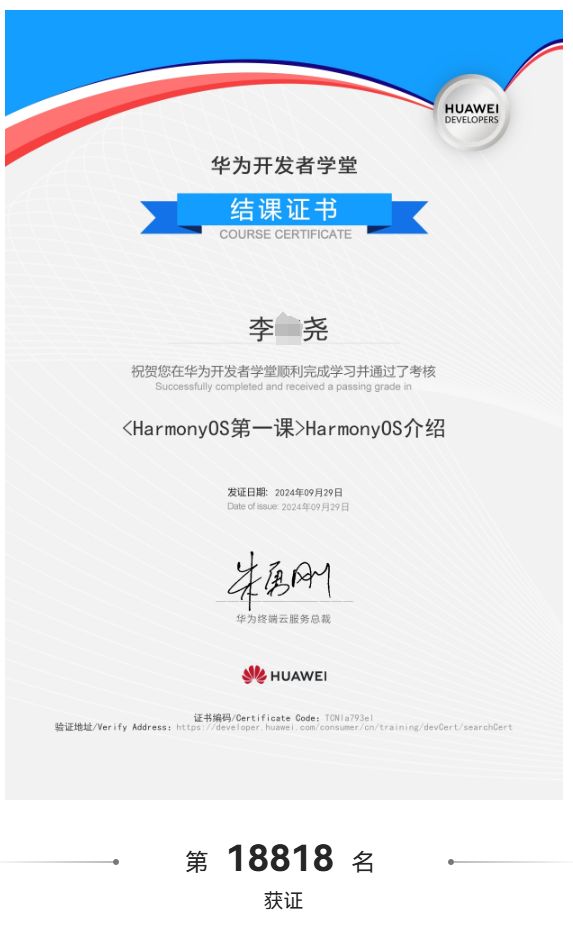
今天来学习第03课,建议大家学完之后做一下习题,完成习题之后就会有一个证书颁发。因为之前我们的证书已经拿到手了。
f7f3cb62220cd9385efa205ad529e717.jpeg

前言

如何学习一门新的语言。根据学习Java的经验,肯定就是这一套班子。

  1. 了解这个语言的特性。
  2. 学习定义变量
  3. 运算符
  4. 条件语句
  5. 循环语句
  6. 定义函数
  7. 如果是面向对象语言,一定有封装继承多态。
  8. 进阶第二阶段,例如读取文件,网络编程,多线程等。

下面就来一起学习一下吧。

了解这个语言的特性。

这个其实没有必要花时间,既然选择了这个,就无需再纠结哪个语言更好了,PHP是世界上最好的语言又怎么样,一样要被时代所抛弃。

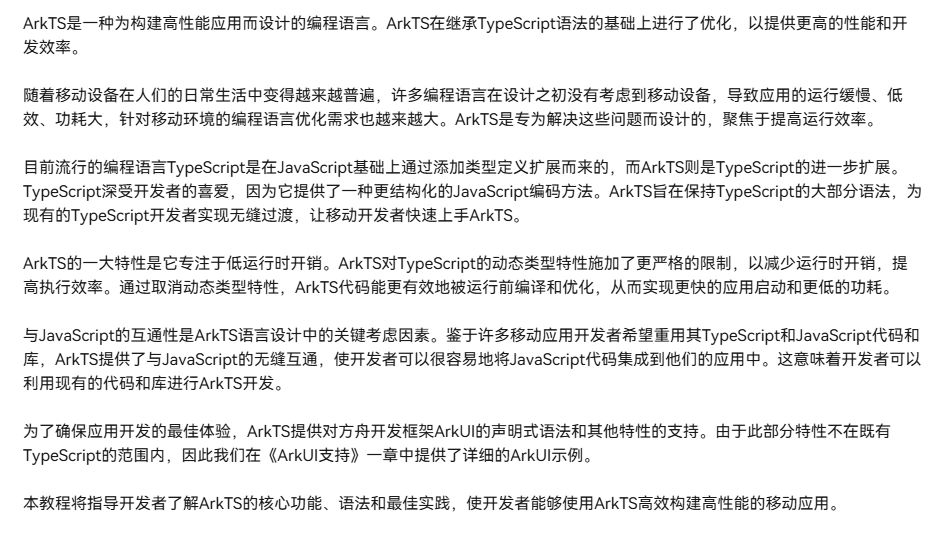
华为官方的介绍:
6db7c113a26a94e1764801408ebb1b71.jpeg

说得很全面,但是作为新手,不需要了解那么多,总结了一下:

  1. 在javaScript的基础上TypeScript的基础上发展而来,也就是你懂js或者ts很快就可以学会。
  2. 鸿蒙系统中加入了自己的底层,编译ATS的时候比TS更快(变量的类型为强类型,函数声明都比TS规范)
  3. 有一套ArkUI作为支撑,编写前端界面更加得心应手。
  4. 说完了,就这些。

学习定义变量

以关键字let开头的声明引入变量,该变量在程序执行期间可以具有不同的值

  1. let hi: string = 'hello';
  2. hi = 'hello, world';

以关键字const开头的声明引入只读常量,该常量只能被赋值一次。

  1. const hello: string = 'hello';

对常量重新赋值会造成编译时错误。

数据类型:

### HarmonyOS App Development Using ArkUI and ArkTS with DevEco Studio HarmonyOS app development leverages the ArkUI framework and ArkTS language to streamline the creation of multi-device applications. ArkUI is a declarative UI framework designed for building user interfaces across various devices supported by HarmonyOS, while ArkTS (Ark TypeScript) is a programming language specifically tailored for HarmonyOS app development[^1]. #### Key Features of ArkUI and ArkTS - **Declarative Programming Model**: ArkUI adopts a declarative approach, enabling developers to define UI components in a more intuitive and concise manner. This simplifies the process of creating dynamic and responsive user interfaces[^5]. - **Cross-Device Compatibility**: With support for multiple devices such as smartphones, tablets, smart TVs, and wearables, ArkUI ensures that apps maintain consistency and adaptability across different form factors[^1]. - **High Performance**: The framework optimizes rendering performance by minimizing unnecessary updates and efficiently managing resources during state changes. #### DevEco Studio Tool Support DevEco Studio is the official integrated development environment (IDE) for HarmonyOS application development. It provides comprehensive tools and features to enhance productivity: - **Integrated Debugging Tools**: DevEco Studio includes advanced debugging capabilities, allowing developers to identify and resolve issues quickly. - **Emulator and Simulator**: Developers can test their applications on virtual devices that simulate real-world conditions, ensuring compatibility and functionality before deployment[^1]. - **Template Support**: Predefined project templates simplify the setup process, enabling developers to focus on customizing and extending functionality rather than starting from scratch[^1]. #### Future Features and Enhancements HarmonyOS continues to evolve, with ongoing improvements planned for future releases: - **Enhanced Multi-Device Collaboration**: Upcoming versions will further strengthen the ability of apps to seamlessly interact across different devices, improving user experience[^3]. - **Advanced AI Integration**: Leveraging machine learning models, HarmonyOS aims to incorporate smarter functionalities into apps, enhancing personalization and automation[^4]. - **Improved Security Frameworks**: Strengthened security measures will protect user data and ensure compliance with global standards, making it safer for enterprises and consumers alike[^2]. ```python # Example of a simple ArkTS component definition import { Component, View } from 'arkui'; @Component class HelloWorld extends View { render() { return ( <Text>Hello, HarmonyOS!</Text> ); } } ```
评论
成就一亿技术人!
拼手气红包6.0元
还能输入1000个字符
 
红包 添加红包
表情包 插入表情
 条评论被折叠 查看
添加红包

请填写红包祝福语或标题

红包个数最小为10个

红包金额最低5元

当前余额3.43前往充值 >
需支付:10.00
成就一亿技术人!
领取后你会自动成为博主和红包主的粉丝 规则
hope_wisdom
发出的红包

打赏作者

互联网时光机

你的鼓励将是我创作的最大动力

¥1 ¥2 ¥4 ¥6 ¥10 ¥20
扫码支付:¥1
获取中
扫码支付

您的余额不足,请更换扫码支付或充值

打赏作者

实付
使用余额支付
点击重新获取
扫码支付
钱包余额 0

抵扣说明:

1.余额是钱包充值的虚拟货币,按照1:1的比例进行支付金额的抵扣。
2.余额无法直接购买下载,可以购买VIP、付费专栏及课程。

余额充值



