



 本文介绍了如何通过Docker来安装GitLab。首先,从Docker Hub下载最新版的GitLab镜像,接着启动镜像,通过http://url.com进行访问。在安装过程中需要注意,系统内存必须大于2GB,否则可能导致问题。成功启动后,可以使用root账户登录并设置密码。
相关链接:
https://hub.docker.com/r/gitlab/gitlab-ce/
安装
1、下载最新版gitlab镜像
$ docker pull gitlab/gitlab-ce
Using default tag: latest
latest: Pulling from gitlab/gitlab-ce
b234f539f7a1: Pull complete
55172d420b43: Pull complete
5ba5bbeb6b91: Pull complete
43ae2841ad7a: Pull complete
f6c9c6de4190: Pull complete
9f805f988e23: Pull complete
fef0a91d2b86: Pull complete
13b46bbd1bd9: Pull complete
63e9a999d433: Pull complete
210b5f190760: Pull complete
0307639055e5: Pull complete
Digest: sha256:1bd61cb501326f41aed36b1be7ccbd8aea71df0998a56dc8f5dcd53d5fb90ef6
Status: Downloaded newer image for gitlab/gitlab-ce:latest
2、运行启动
GITLAB_HOME=`pwd`/data/gitlab
docker run -d \
    --hostname gitlab \
    --publish 8443:443 --publish 80:80 --publish 2222:22 \
    --name gitlab \
    --restart always \
    --volume $GITLAB_HOME/config:/etc/gitlab \
    --volume $GITLAB_HOME/logs:/var/log/gitlab \
    --volume $GITLAB_HOME/data:/var/opt/gitlab \
gitlab/gitlab-ce3、网页访问http://url.com。出现如下界面
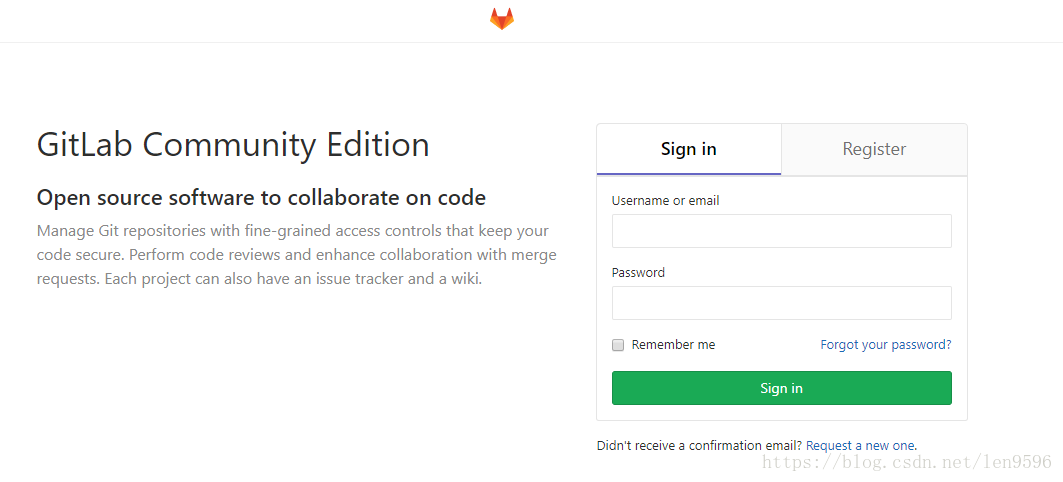
4、注意:内存需大于2G,否则会出现问题
5、使用root账户登陆,然后输入刚才设置的密码





 扫一扫
扫一扫


 835
835

 被折叠的 条评论
为什么被折叠?
被折叠的 条评论
为什么被折叠?
 到【灌水乐园】发言





