


 本文介绍了在Windows环境中安装filebeat并配置其将日志发送到Elasticsearch的步骤,包括修改filebeat.yml配置文件,设置Elasticsearch模板,自定义索引名称和inputs路径,以及解决编码问题以防止乱码。
一、Windows环境下安装filebeat
解压到指定目录,打开解压后的目录,打开filebeat.yml进行配置。
二、配置为输出到ElasticSearch
1、只配置以下三个节点就可以
2、注意配置Elasticsearch template setting,否则可能报错,注意配置顺序
setup.ilm.enabled: false
setup.template.name: "Kingdee-Plugin"
setup.template.pattern: "Kingdee-Plugin-*"
setup.template.settings:
index.number_of_shards: 1
index.number_of_replicas: 0
index.codec: best_compression
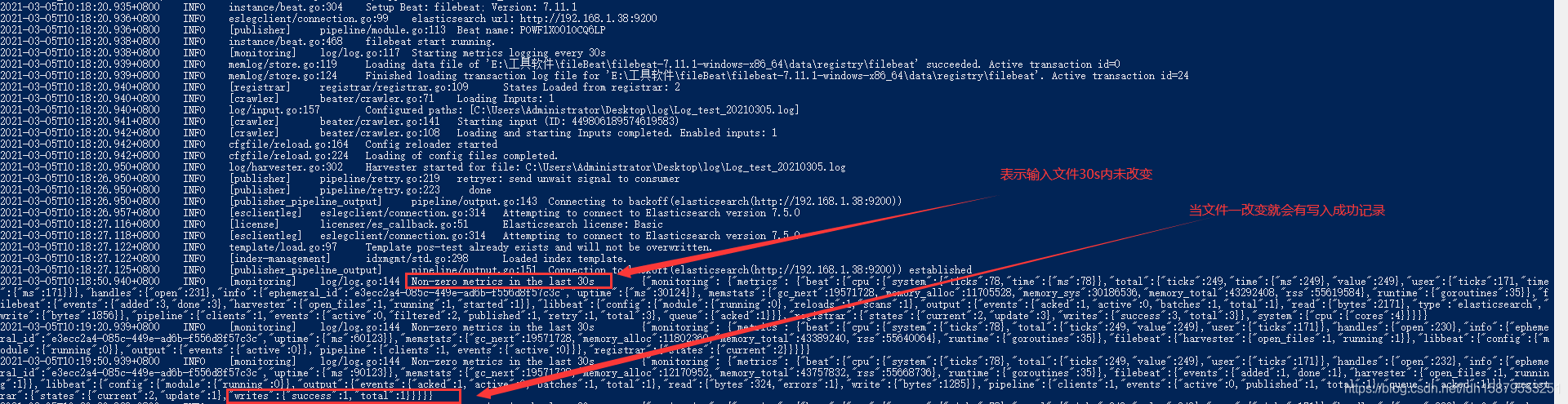
以下是powershell执行脚本截图

3、可自定义El
 最低0.47元/天 解锁文章






 扫一扫
扫一扫


 到【灌水乐园】发言



