


IPO新股列表new_share
1. 基础信息
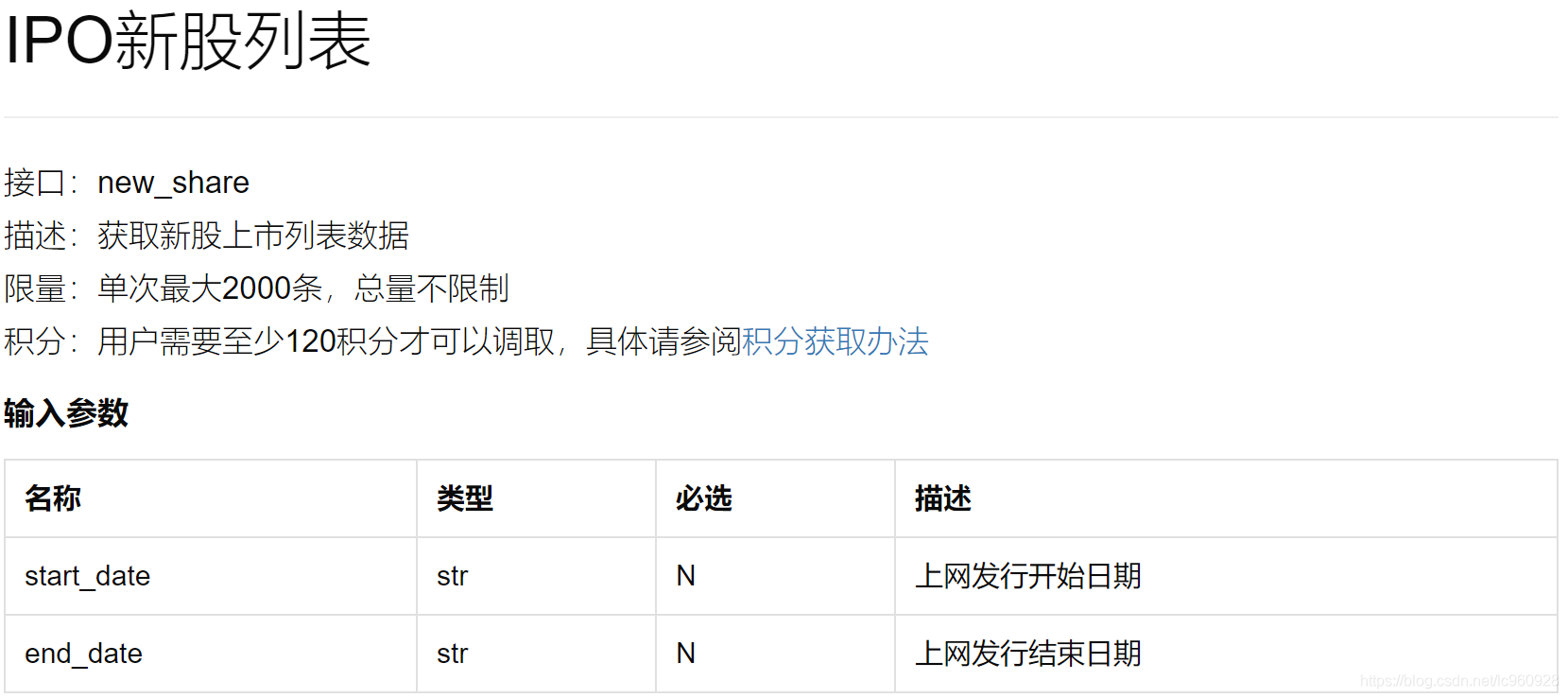
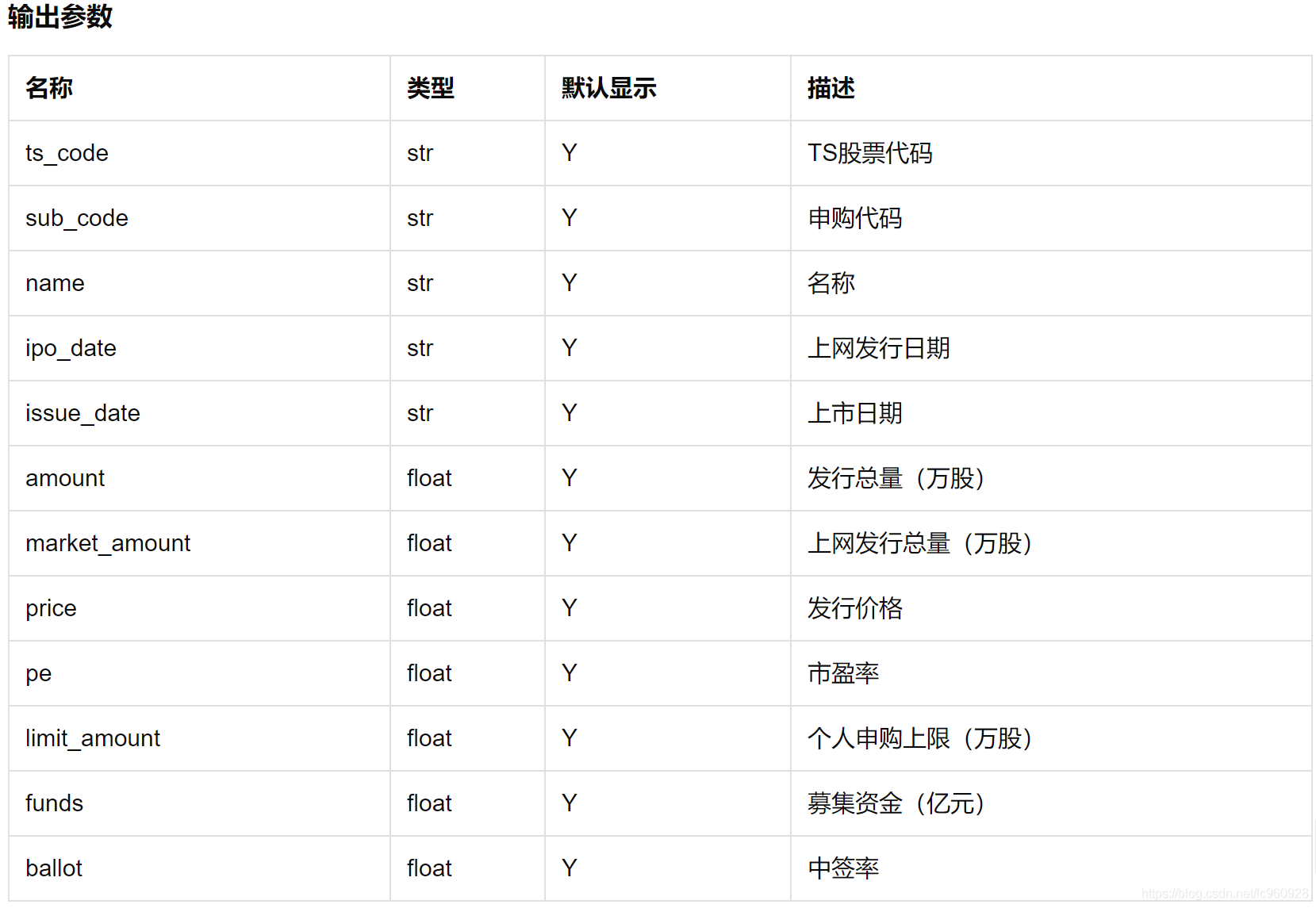
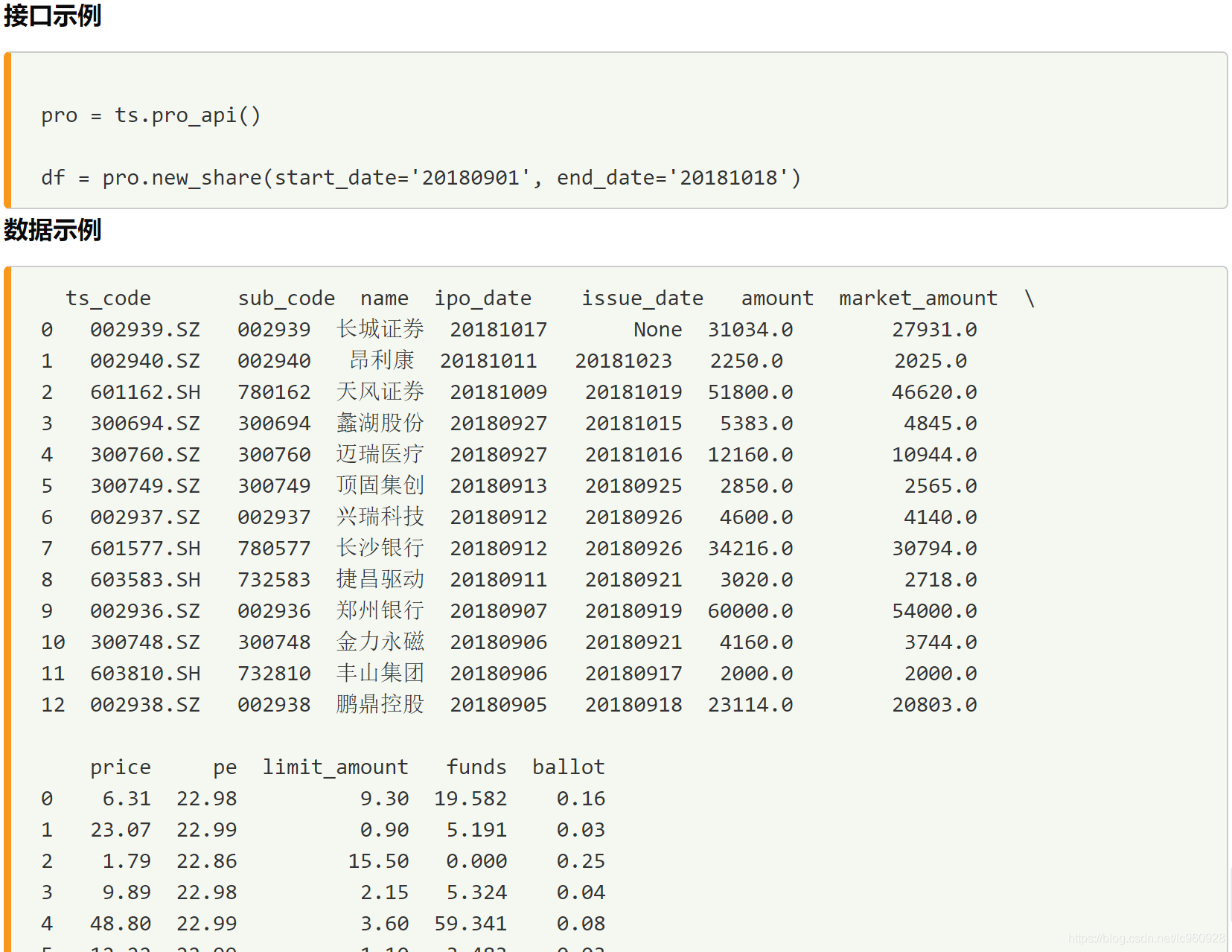
import pandas as pd
import tushare as ts
from sqlalchemy import create_engine
import pymysql
pymysql.install_as_MySQLdb()
date_1 = '19600101'
date_2 = '19800101'
### 在2000年之前没有数据
date_3 = '20000101'
date_4 = '20150101'
date_5 = '20210101'
2. 从数据接口取出new_share(由于限制,分两次取再合并)
2.1 20000101到20150101
# 由于每次限制取2000条,这里分两次取出来
pro = ts.pro_api()

df = pro.new_share(start_date = date_3, end_date = date_4)
df.head()
| ts_code | sub_code | name | ipo_date | issue_date | amount | market_amount | price | pe | limit_amount | funds | ballot | |
|---|---|---|---|---|---|---|---|---|---|---|---|---|
| 0 | 603889.SH | 732889 | 新澳股份 | 20141223 | 20141231 | 2668.0 | 2401.2 | 17.95 | 21.63 | 1.0 | 4.7891 | 0.43 |
| 1 | 603017.SH | 732017 | 园区设计 | 20141222 | 20141231 | 1500.0 | 1350.0 | 29.97 | 22.88 | 0.6 | 4.4955 | 0.55 |
| 2 | 603636.SH | 732636 | 南威软件 | 20141222 | 20141230 | 2500.0 | 2250.0 | 14.95 | 22.96 | 1.0 | 3.7375 | 0.40 |
| 3 | 002736.SZ | 002736 | 国信证券 | 20141219 | 20141229 | 120000.0 | 60000.0 | 5.83 | 22.97 | 36.0 | 69.9600 | 1.80 |
| 4 | 002738.SZ | 002738 | 中矿资源 | 20141219 | 20141230 | 3000.0 | 2700.0 | 7.57 | 22.98 | 1.2 | 2.2710 | 0.40 |
df.info()
<class 'pandas.core.frame.DataFrame'>
RangeIndex: 1082 entries, 0 to 1081
Data columns (total 12 columns):
 #   Column         Non-Null Count  Dtype
---  ------         --------------  -----
 0   ts_code        1082 non-null   object
 1   sub_code       1082 non-null   object
 2   name           1082 non-null   object
 3   ipo_date       1082 non-null   object
 4   issue_date     1082 non-null   object
 5   amount         1082 non-null   float64
 6   market_amount  1082 non-null   float64
 7   price          1082 non-null   float64
 8   pe             1082 non-null   float64
 9   limit_amount   1082 non-null   float64
 10  funds          1082 non-null   float64
 11  ballot         1082 non-null   float64
dtypes: float64(7), object(5)
memory usage: 101.6+ KB
2.2 20150101到20210101
pro = ts.pro_api()

df_2 = pro.new_share(start_date = date_4, end_date = date_5)
df_2.info()
<class 'pandas.core.frame.DataFrame'>
RangeIndex: 1369 entries, 0 to 1368
Data columns (total 12 columns):
# Column Non-Null Count Dtype
--- ------ -------------- -----
0 ts_code 1369 non-null object
1  最低0.47元/天 解锁文章






 扫一扫
扫一扫


 51万+
51万+

 被折叠的 条评论
为什么被折叠?
被折叠的 条评论
为什么被折叠?
 到【灌水乐园】发言





