


一、项目目录搭建
- xtx-pc
- images 文件夹:存放固定使用的图片素材,例如:logo、样式修饰图等等
- uploads 文件夹:存放非固定使用的图片素材,例如:商品图、宣传图需要上传的图片
- iconfont 文件夹:字体图标素材
- css 文件夹:存放 CSS 文件(link 标签引入)
- base.css:基础公共样式
- common.css:各个网页相同模块的重复样式,例如:头部、底部
- index.css:首页 CSS 样式
- index.html:首页 HTML 文件
base.css 样例:
/* 去除常见标签默认的 margin 和 padding */
* {


    margin: 0;
    padding: 0;
    box-sizing: border-box;
}
/* 设置网页统一的字体大小、行高、字体系列相关属性 */
body {


    font: 14px/1.5 "Microsoft Yahei", "Hiragino Sans GB", "Heiti SC", "WenQuanYi Micro Hei", sans-serif;
    color: #333;
}
/* 去除列表默认样式 */
ul,
ol {


    list-style: none;
}
/* 去除默认的倾斜效果 */
em,
i {


    font-style: none;
}
/* 去除a标签下划线,并设置默认字体颜色 */
a {


    color: #333;
    text-decoration: none;
}
/* 设置img的垂直对齐方式,去除img默认下间隙 */
img {


    width: 100%;
    height: 100%;
    vertical-align: middle;
}
/* 去除input默认样式 */
input {


    border: none;
    outline: none;
    color: #333;
}
h1,
h2,
h3,
h4,
h5,
h6 {


    font-weight: 400;
}
index.html 示例:
<!DOCTYPE html>
<html lang="en">
<head>
    <meta charset="UTF-8">
    <meta name="viewport" content="width=device-width, initial-scale=1.0">
    <title>Document</title>
    <link rel="stylesheet" href="./css/base.css">
    <link rel="stylesheet" href="./css/common.css">
    <link rel="stylesheet" href="./css/index.css">
</head>
<body>

</body>
</html>
二、SEO 三大标签
SEO:搜索引擎优化,提升网站百度搜索排名
提升SEO的常见方法:
- 竞价排名
- 将网页制作成 html 后缀
- 标签语义化(在合适的地方使用合适的标签)
- ……
网页头部 SEO 标签:
- title:网页标题标签
- description:网页描述
- keyword:网页关键词
示例:
<!DOCTYPE html>
<html lang="en">
<head>
   <meta charset="UTF-8">
   <meta name="viewport" content="width=device-width, initial-scale=1.0">
   <meta name="description" content="小兔鲜儿官网,致力于打造全球最大的食品、生鲜电商购物平台。">
   <meta name="keywords" content="小兔鲜儿,食品,生鲜,服装,家电,电商,购物">
   <title>小兔鲜儿-新鲜、惠民、快捷</title>
   <link rel="stylesheet" href="./css/base.css">
   <link rel="stylesheet" href="./css/common.css">
   <link rel="stylesheet" href="./css/index.css">
</head>
<body>

</body>
</html>
三、Favicon 图标与版心
1、Favicon 图标
Favicon 图标:网页图标,出现在–浏览器标题栏==,增加网站辨识度。
图标:favicon.ico,一半存放到网站的根目录里面
<link rel="shortcut icon" href="favicon.ico" type="image/x-icon">
示例:
<!DOCTYPE html>
<html lang="en">
<head>
   <meta charset="UTF-8">
   <meta name="viewport" content="width=device-width, initial-scale=1.0">
   <meta name="description" content="小兔鲜儿官网,致力于打造全球最大的食品、生鲜电商购物平台。">
   <meta name="keywords" content="小兔鲜儿,食品,生鲜,服装,家电,电商,购物">
   <title>小兔鲜儿-新鲜、惠民、快捷</title>
   <link rel="shortcut icon" href="favicon.ico" type="image/x-icon">
   <link rel="stylesheet" href="./css/base.css">
   <link rel="stylesheet" href="./css/common.css">
   <link rel="stylesheet" href="./css/index.css">
</head>
<body>

</body>
</html>
效果:

2、版心
wrapper 版心宽度:1240px
css 样例:
/* 版心 */
.wrapper {


   margin: 0 auto;
   width: 1240px;
}
四、快捷导航
结构:通栏 > 版心 > 导航 ul
布局:flex-end
CSS 样例:
/* 快捷导航 */
.shortcut {


   height: 52px;
   background-color: #333;
}
.shortcut .wrapper {


   display: flex;
   justify-content: flex-end;
   height: 52px;
}
.shortcut ul {


   display: flex;
   line-height: 52px;
}
.shortcut li a {


   padding: 0 15px;
   border-right: 1px solid #999;
   font-size: 14px;
   color: #fff;
}
.shortcut li:last-child a {


   border-right: none;
}
.shortcut li .iconfont {


   margin-right: 4px;
   vertical-align: middle;
}
.shortcut li .login {


   color: #5eb69c;
}
示例:
<!-- 快捷导航 -->
   <div class="shortcut">
       <div class="wrapper">
           <ul>
               <li><a href="#" class="login">请先登录</a></li>
               <li><a href="#">免费注册</a></li>
               <li><a href="#">我的订单</a></li>
               <li><a href="#">会员中心</a></li>
               <li><a href="#">帮助中心</a></li>
               <li><a href="#">在线客服</a></li>
               <li><a href="#"><span class="iconfont icon-mobile-phone"></span>手机版</a></li>
           </ul>
       </div>
   </div>
效果:

五、头部
结构:.header > top + 导航(nav)+ 搜索(search)+ 购物车(cart)
CSS 样例:
/* 头部 */
.header {


   display: flex;
   margin-top: 22px;
   margin-bottom: 22px;
   height: 88px;
   background-color: pink;
}
示例:
<!-- 头部 -->
   <div class="header wrapper">
       <!-- logo -->
       <div class="logo">logo</div>
       <!-- 导航 -->
       <div class="nav">导航</div>
       <!-- 搜索 -->
       <div class="search">搜索</div>
       <!-- 购物车 -->
       <div class="cart">购物车</div>
   </div>
效果:

1、logo
CSS 样例:
   /* logo */
.logo {


   margin-right: 40px;
   width: 200px;
   height: 88px;
}
.logo a {


   display: block;
   width: 200px;
   height: 88px;
   background-image: url(../images/logo.png);
   font-size: 0;
}
示例:
<!-- logo -->
<div class="logo">
   <h1><a href="#">小兔鲜儿</a></h1>
</div>
效果:

2、导航
CSS 样例:
   /* 导航 */
.nav {


   margin-top: 33px;
   margin-right: 28px;
}
.nav ul {


   display: flex;
}
.nav li {


   margin-right: 47px;
}
.nav li a {


   padding-bottom: 10px;
}
.nav li a:hover {


   border-bottom: 2px solid #5eb69c;
   color: #5eb69c;
}
示例:
<!-- 导航 -->
<div class="nav">
   <ul>
       <li><a href="#">首页</a></li>
       <li><a href="#">生鲜</a></li>
       <li><a href="#">美食</a></li>
       <li><a href="#">餐厨</a></li>
       <li><a href="#">电器</a></li>
       <li><a href="#">居家</a></li>
       <li><a href="#">洗护</a></li>
       <li><a href="#">孕婴</a></li>
       <li><a href="#">服装</a></li>
   </ul>
</div>
效果:

3、搜索
CSS 样式:
   /* 搜索 */
.search {


   display: flex;
   margin-top: 33px;
   margin-right: 45px;
   width: 170px;
   height: 34px;
   border-bottom: 2px solid #F4F4F4;
}
.search .iconfont {


   margin-right: 8px;
   font-size: 18px;
   color: #ccc;
}
.search input {


   /* 浏览器优先生效 input 标签的默认宽度,所以 flex: 1 不生效 */
   /* 解决方法:重置 input 标签默认宽度 → width: 0; */
   flex: 1;
   width: 0;
}
.search input::placeholder {


   font-size: 16px;
   color: #ccc;
}
示例:
<!-- 搜索 -->
<div class="search">
   <span class="iconfont icon-search"></span>
   <input type="text" placeholder="搜一搜">
</div>
效果:

4、购物车
CSS 样式:
   /* 购物车 */
.cart {


   position: relative;
   margin-top: 32px;
}
.cart .iconfont {


   font-size: 24px;
}
.cart i {


   position: absolute;
   top: 1px;
       /* right 定位右对齐,如果文字多了,向左撑开,可能盖住其他的内容 */
   /* right: 1px; */
   left: 15px;
   padding: 0 6px;
   height: 15px;
   background-color: #e26237;
   border-radius: 8px;
   font-size: 14px;
   color: #fffefe;
   line-height: 15px;
}
示例:
<!-- 购物车 -->
<div class="cart">
   <span class="iconfont icon-cart-full"></span>
   <i>2</i>
</div>
效果:

六、底部
CSS 样例:
/* 底部 */
.footer {


   height: 580px;
   background-color: #f5f5f5;
}
   /* 服务 */
.service {


   height: 178px;
   border-bottom: 1px solid #e8e8e8;
}
   /* 帮助中心 */
.help {


   height: 300px;
   background-color: pink;
}
示例:
<!-- 底部 -->
   <div class="footer">
       <div class="wrapper">
           <!-- 服务 -->
           <div class="service">服务</div>
           <!-- 帮助中心 -->
           <div class="help">帮助中心</div>
           <!-- 版权 -->
           <div class="copyright">版权</div>
       </div>
   </div>
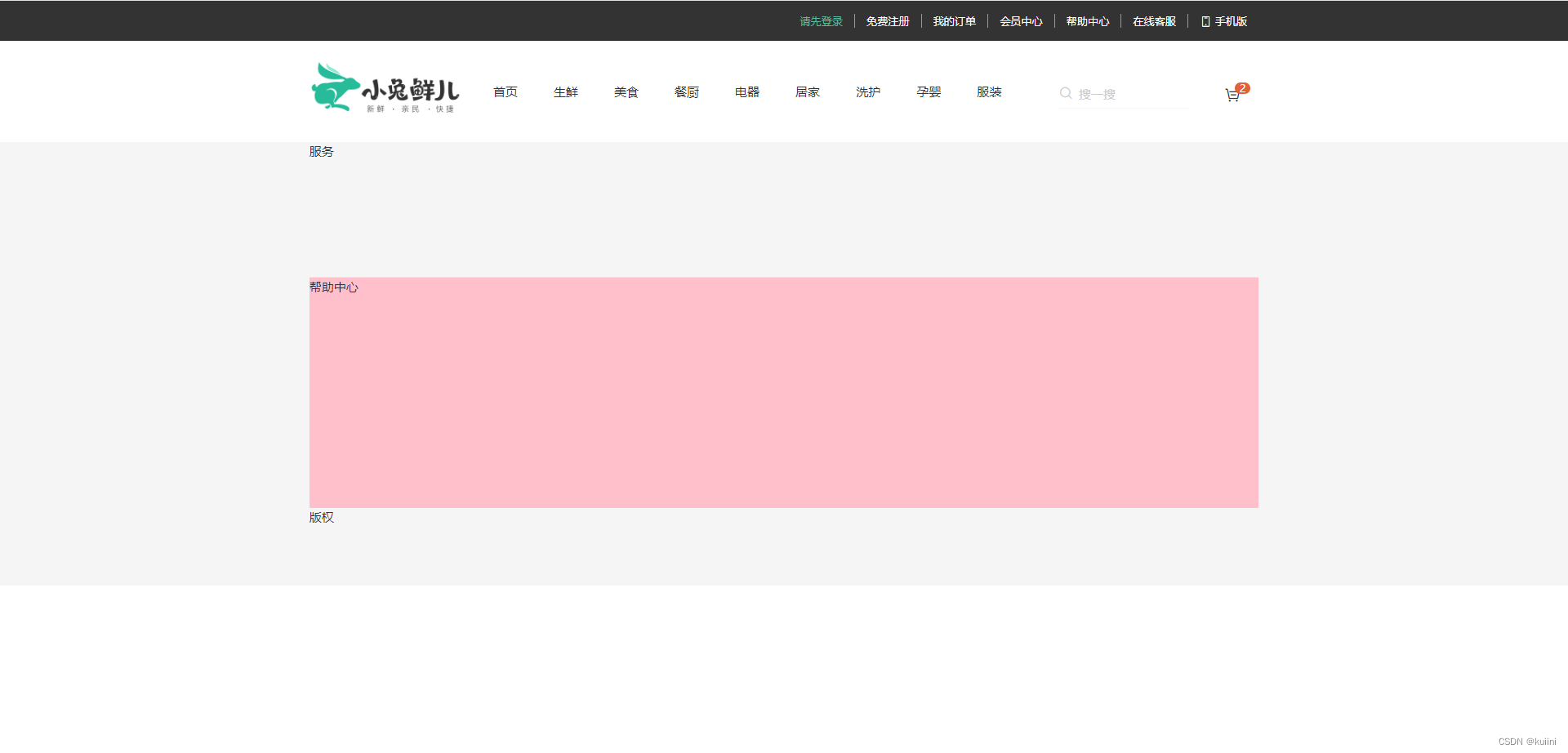
效果:
 最低0.47元/天 解锁文章






 扫一扫
扫一扫


 2282
2282

 被折叠的 条评论
为什么被折叠?
被折叠的 条评论
为什么被折叠?
 到【灌水乐园】发言





