



 本文详细介绍了如何在GitHub上注册OAuth应用并完成授权流程。包括申请OAuth App的步骤、获取Client ID与Client Secret的方法,以及通过OAuth验证流程获取用户Access Token的过程。
更多文章请关注: https://eightplus.github.io/
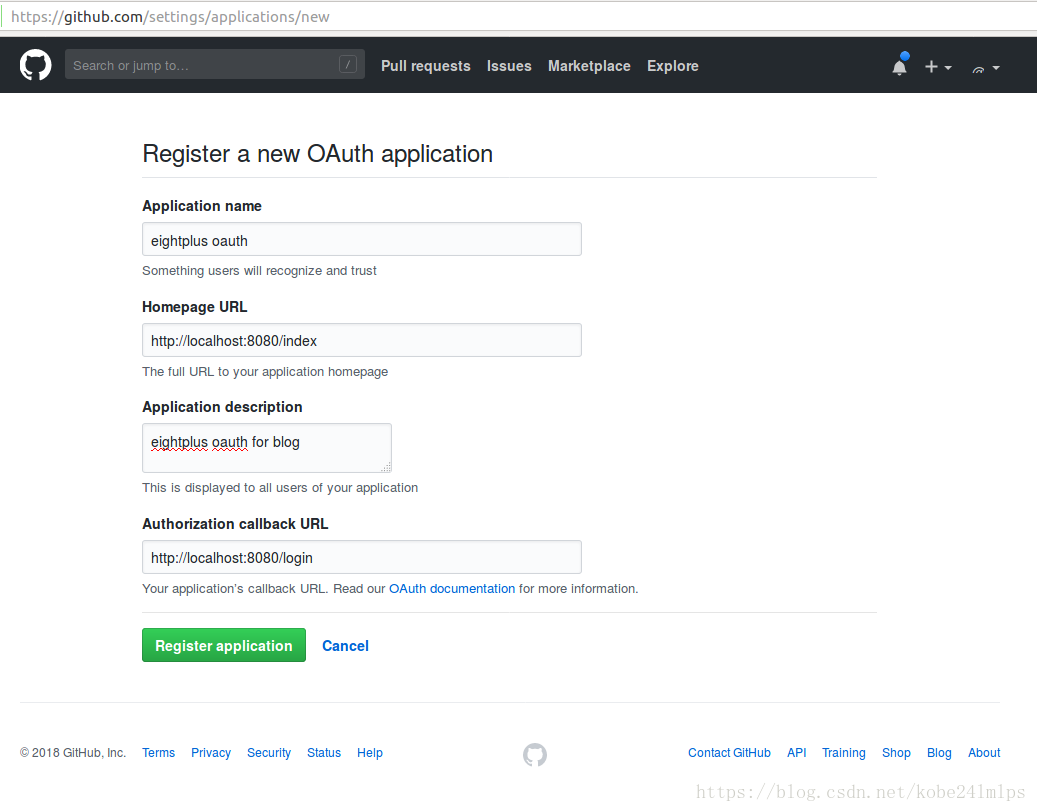
1、在github上申请OAuth App,进入个人的Github首页,Settings->Applications->Developer applications->Register a new application,然后在下图中输入信息,信息输入完毕后点击"Register application"按钮。
各输入字段的解释:
Application name -----------------应用名
Homepage URL -----------------主页URL,这里我填写的是本地测试的URL地址
Application description -----------------应用描述
Authorization callback URL-----------------后端回调URL
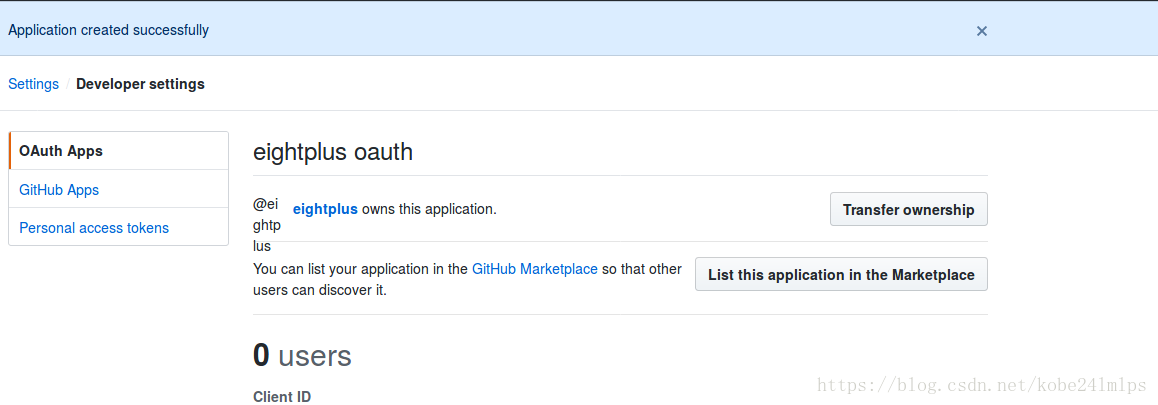
2、注册Oauth application后,会得到Client ID和Client Secret,如下图,注意不要随便公布自己的这两个信息。
3、Github OAuth的验证
a)访问用户登录的验证接口:
https://github.com/login/oauth/authorize?client_id=xxxxxxxxxxxxxxxxxx&scope=user,public_repo
上述地址访问后,网页会跳转到之前注册oauth applicathion时的callback url,并且带有code参数,如下所示:
http://localhost:8080/login?code=xxxxxxxxxxxxxxxxxxxx
上述操作可以直接使用如下一行来替换(state参数任意,redirect_uri即为Authorization callback URL):
https://github.com/login/oauth/authorize?client_id=xxxxxxxxxxxxxxxxxx&state=xxxxxxxxxxxxxxxxxx&redirect_uri=http://localhost:8080/login
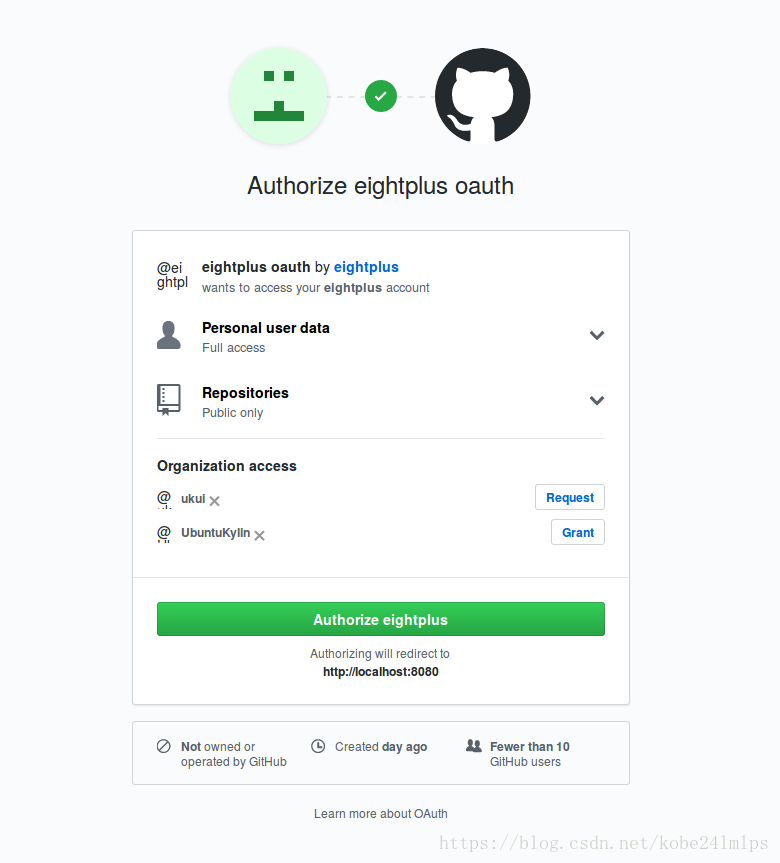
b)使用client_id、client_secret和code这三个参数获取用户的access_token,即用户身份标识
https://github.com/login/oauth/access_token?client_id=xxxxxxxxxxxxxxxxxxx&client_secret=xxxxxxxxxxxxxxxxx&code=xxxxxxxxxxxxxxxxxxx
或
https://github.com/login/oauth/access_token?client_id=xxxxxxxxxxxxxxxxxxx&client_secret=xxxxxxxxxxxxxxxxx&code=xxxxxxxxxxxxxxxxxxx&redirect_uri=http://localhost:8080/login
c)使用access_token获取用户信息
https://api.github.com/user?access_token=xxxxxxxxxxxxxxxxx
参考文档:
https://developer.github.com/apps/building-oauth-apps/authorizing-oauth-apps/





 扫一扫
扫一扫


 1582
1582


 到【灌水乐园】发言



